
Organic search still drives roughly a third of all ecommerce website traffic. Yet most online stores leave that channel underbuilt -- relying on paid ads alone while competitors quietly capture high-intent buyers through search. A strong ecommerce SEO strategy changes that equation, turning your product catalog into a compounding traffic asset that reduces acquisition costs over time.
If you run a DTC brand or growth-stage store, this guide gives you the framework to build (or fix) your organic search foundation -- from keyword research through technical execution to the emerging AI search surfaces that now influence how shoppers discover products.
SEO for ecommerce websites is fundamentally different from SEO for content sites or SaaS companies. The challenges are specific:
These realities mean you need a purpose-built approach, not a generic checklist. The payoff is significant: organic traffic compounds month over month, and unlike paid channels, it does not reset to zero when you pause spend. For a deeper look at how search engine positioning directly impacts traffic volume, the data is clear -- ranking improvements translate directly to revenue.
Effective ecommerce keyword research starts with intent, not volume. Organize your keyword targets into three tiers:
| Intent Tier | Example Keywords | Target Page Type |
|---|---|---|
| Transactional | "buy organic cotton sheets queen" | Product page |
| Commercial investigation | "best organic cotton sheets 2026" | Category or comparison page |
| Informational | "organic cotton vs bamboo sheets" | Blog post or buying guide |
Practical steps to build your keyword map:
An experienced ecommerce SEO specialist will typically start here, because the keyword map dictates every optimization decision that follows.
Technical issues kill ecommerce sites quietly. A store can have great products and strong content, but if search engines cannot efficiently crawl and index the catalog, none of it surfaces in results.
Search engines allocate a finite crawl budget to each domain. Ecommerce sites waste that budget when faceted navigation creates thousands of parameter-based URLs that add no unique value. Address this by:
noindex or blocking them via robots.txtGoogle's Core Web Vitals remain a ranking factor, and for ecommerce, speed directly affects conversion rates. Key metrics to monitor:
Schema markup is no longer optional for ecommerce stores. Implementing Product schema enables rich results that display price, availability, ratings, and shipping information directly in search results.
Priority schema types for ecommerce:
Proper technical execution is where comprehensive ecommerce SEO packages deliver the most immediate impact, because these fixes often unlock rankings that content alone cannot achieve.
Your product and category pages are your money pages. Optimizing them correctly determines whether search traffic converts.
Category pages often have the highest ranking potential for competitive head terms. Strengthen them by:
Building brand trust through your SEO presence matters here -- shoppers who land on a well-structured category page with clear product information, reviews, and transparent policies are far more likely to convert.
Product pages alone will not capture the full range of search queries your buyers use. A content strategy fills the gaps, targeting informational and commercial investigation keywords that product pages cannot rank for.
High-performing content types for ecommerce:
Each piece should link to relevant product and category pages. This creates a content hub structure where blog posts feed authority and traffic into your commercial pages.
Content also plays a critical role in earning backlinks. Authoritative buying guides and original research attract links from publications, bloggers, and industry sites -- which strengthens your entire domain's ability to rank.
Search behavior is shifting. Buyers now discover products through AI-powered surfaces like Google's AI Overviews, ChatGPT, and Perplexity. This means your SEO for ecommerce websites strategy needs to account for how AI systems select and cite sources.
Key principles for AI search visibility:
This is still an emerging area, but brands that invest in structured, authoritative content now will have a meaningful advantage as AI search adoption continues to grow.
The strongest ecommerce search strategies do not treat SEO and paid search as separate channels. They work together. Paid search data reveals which keywords convert, informing your organic priority list. Organic rankings reduce your dependence on ad spend for branded and high-volume terms, freeing budget for prospecting campaigns.
For a detailed breakdown of how to build a balanced search marketing plan that combines SEO and SEM, the integrated approach consistently outperforms either channel in isolation.
Many brands work with an ecommerce SEO consultant or dedicated ecommerce SEO services team to run this combined model, because it requires coordination between content, technical SEO, and media buying -- disciplines that rarely sit in the same person's skillset. EmberTribe's SEO services are built around this integrated model, connecting organic performance directly to revenue outcomes.
Ecommerce SEO is not a one-time project. It is an ongoing system that compounds over time -- each technical fix, each optimized product page, each piece of content strengthens your store's ability to capture organic demand.
The priority order is clear:
Stores that treat SEO as infrastructure -- not a checkbox -- consistently see lower customer acquisition costs, more resilient traffic, and stronger brand positioning in their category. The work is methodical, but the results compound in ways that paid channels simply cannot replicate.
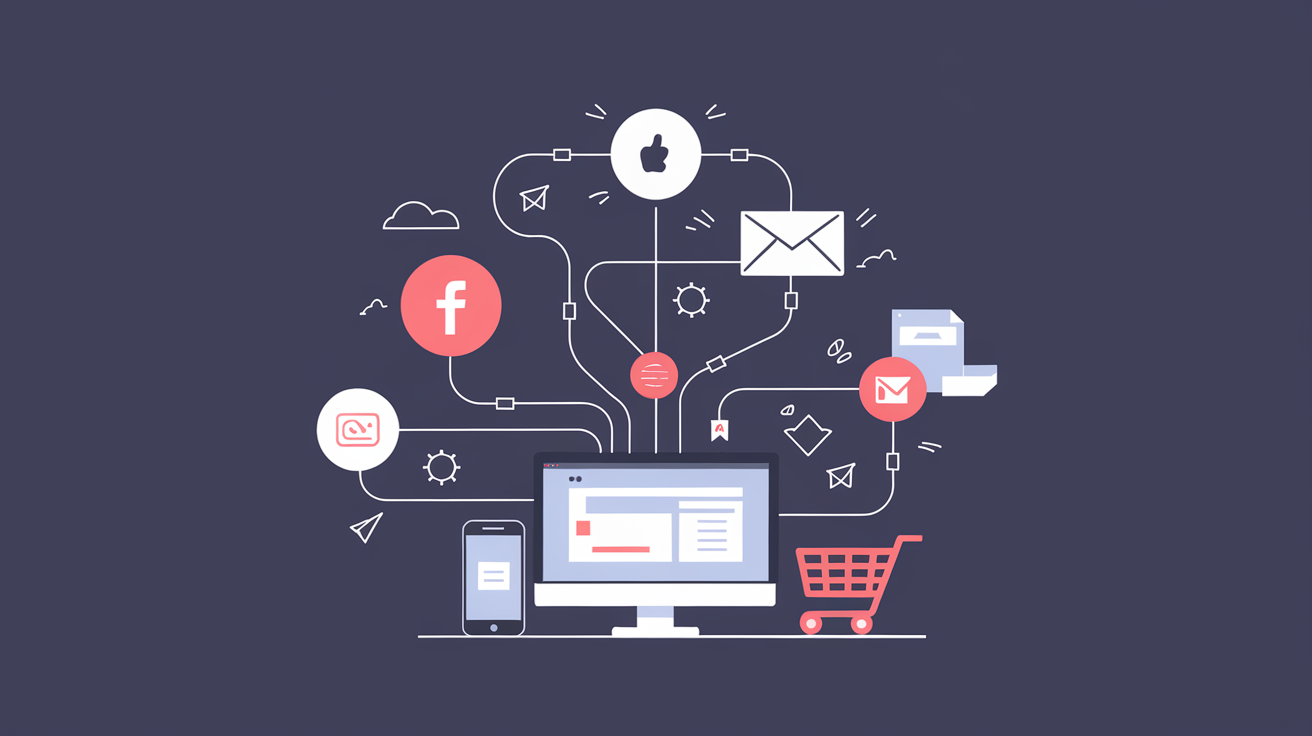
Your customers move between five or more channels before making a purchase. If those channels feel disconnected, you lose them. An omnichannel marketing strategy eliminates the gaps between touchpoints so every interaction builds toward conversion, not confusion.
For ecommerce brands scaling past seven figures, omnichannel is no longer a competitive advantage. It is the baseline expectation. The question is not whether to pursue it, but how to execute it without burning budget on channel sprawl.
Most ecommerce brands already operate across multiple channels. They run paid social, send email campaigns, maintain an organic search presence, and maybe show up on a marketplace or two. That is multichannel. But multichannel alone creates a fragmented experience.
Multichannel means being present on multiple platforms. Omnichannel means those platforms talk to each other. The distinction matters because customers do not think in channels. They think in experiences. A shopper who clicks a Facebook ad, browses on mobile, and completes a purchase on desktop expects the brand to recognize them at every step.
When channels operate in silos, you see these problems:
Avoiding common mistakes around channel consistency is step one. Building a connected system is step two.
A working omnichannel marketing strategy requires four structural elements. Miss any one of them and you end up with expensive multichannel instead of coordinated omnichannel commerce.
Every channel generates data. The problem is that most brands store it in separate systems. Your email platform knows purchase history. Your ad platform knows click behavior. Your site analytics know browsing patterns. None of them share the full picture.
A customer data platform (CDP) or a well-configured CRM solves this. Tools like Segment or Klaviyo can unify identity resolution across devices and channels, giving you a single customer view that powers every marketing decision.
What unified data enables:
Omnichannel does not mean identical content on every platform. It means a consistent brand story adapted to each channel's native format. Your Instagram creative should feel like it belongs to the same brand as your email campaigns and your product pages.
This requires:
Orchestration is the difference between sending a customer five disconnected messages and guiding them through a coordinated journey. It means your paid media, email, SMS, and on-site experience work together rather than competing for the same conversion.
Effective orchestration looks like this:
| Stage | Paid Media | Email/SMS | On-Site |
|---|---|---|---|
| Awareness | Prospecting ads with social proof | Welcome sequence after lead capture | Blog content with category CTAs |
| Consideration | Retargeting with product-specific creative | Browse abandonment flows | Personalized recommendations |
| Purchase | Dynamic product ads | Cart abandonment series | Urgency messaging and reviews |
| Retention | Lookalike suppression, loyalty offers | Post-purchase and replenishment flows | Account dashboard and reorder prompts |
Choosing the right mix of channels matters enormously. Understanding how different growth marketing channels impact your business helps you prioritize where to invest before you orchestrate.
Single-channel attribution is a relic. If you only credit the last click, you will systematically undervalue the channels that introduce customers to your brand and overvalue the ones that close them.
Modern omnichannel measurement requires:
Tools like Triple Whale and Northbeam specialize in cross-channel attribution for ecommerce brands.
You do not need a single platform that does everything. You need a stack where data flows freely between tools. Here is a practical framework for assembling your omnichannel platform:
Data Layer: CDP or CRM that serves as the single source of truth. This is the hub that connects everything else.
Acquisition Layer: Paid social (Meta, TikTok), paid search (Google, Bing), and programmatic display. These channels should share audience and conversion data with your data layer.
Retention Layer: Email and SMS platforms with behavioral triggers. These should fire based on real-time customer actions, not static schedules.
Commerce Layer: Your ecommerce platform (Shopify, BigCommerce, or custom) feeding product, inventory, and order data back to the data layer.
Analytics Layer: Cross-channel attribution and reporting that pulls from all of the above.
The key criterion for every tool in the stack: does it integrate cleanly with the rest? A best-in-class tool that creates a data silo is worse than a good tool that plays well with others.
Even brands with the right intent get tripped up by execution errors. Here are the most common:
Expanding channels before mastering existing ones. Adding TikTok Shop because it is trending, while your email flows are still template-based and your paid social creative has not been refreshed in months, is a recipe for diluted effort. Master two or three channels before adding more.
Treating personalization as a feature, not a strategy. Dropping a first name into a subject line is not personalization. True personalization means adjusting the offer, the timing, and the channel based on where a customer sits in their journey. When done right, this keeps your sales funnel consistent across every touchpoint.
Ignoring post-purchase as a channel. The transaction is not the end of the customer relationship. Post-purchase email, SMS, and on-site experiences drive repeat purchase rate and lifetime value. Brands that treat omnichannel as an acquisition-only strategy leave significant revenue on the table.
Over-indexing on technology, under-indexing on process. Buying a CDP does not make you omnichannel. Having a clear process for how data flows, who owns each channel, and how campaigns are coordinated across teams is what makes it work.
Omnichannel marketing is not a project with a finish line. It is an operating model. The brands that win are not the ones with the most channels. They are the ones where every channel reinforces the same customer journey.
If you are running paid, email, and organic as separate workstreams with separate teams and separate dashboards, start here:
The shift from multichannel to omnichannel is not about doing more. It is about making what you already do work together. The brands that figure this out first will compound their advantage over the ones still running disconnected campaigns across disconnected platforms.
Omnichannel commerce is where ecommerce is heading. The only variable is how quickly your brand gets there.
Online advertising has become an integral part of marketing strategies for businesses of all sizes. Google Ads, formerly known as Google AdWords, is one of the most popular advertising platforms, allowing businesses to display their ads across various Google services and partner websites. However, there may come a time when you no longer wish to maintain a Google Ads account. Whether it's due to changing advertising strategies or a shift in business focus, deleting your Google Ads account can be a straightforward process. In this step-by-step guide, we will walk you through the process of deleting your Google Ads account and provide insights into the implications of this decision.
Before diving into the deletion process, it's essential to understand what a Google Ads account entails. Google Ads is a pay-per-click (PPC) advertising platform that allows businesses to create and manage online advertisements. With a Google Ads account, you have access to a wide range of advertising features, including keyword targeting, ad scheduling, and performance tracking. Your account is linked to your Google account and contains information about your advertising campaigns, billing details, and account settings.
It serves as a centralized hub for managing your online advertising efforts. Within your account, you can create and group multiple advertising campaigns, each targeting specific audiences or promoting different products or services. Your account allows you to choose the desired ad format, set a budget, and customize various ad parameters such as keywords, geographic targeting, and ad placements. It also provides valuable insights and analytics on the performance of your advertising campaigns.
When you create a Google Ads account, you gain access to a powerful suite of tools that can help you reach your target audience effectively. The platform offers various ad formats, including text ads, image ads, video ads, and responsive ads. You can tailor your ads to appear on specific websites, in search engine results, or even on mobile apps, ensuring maximum visibility for your business.
There are several reasons why you might consider deleting your Google Ads account. Business priorities and strategies evolve over time, and you may find that Google Ads no longer aligns with your current advertising goals. Additionally, you may be shifting your advertising budget to other platforms or channels. Deleting your Google Ads account allows you to free up resources and focus on alternative marketing strategies that better suit your business objectives.
Furthermore, deleting your Google Ads account can be a strategic move if you have determined that your target audience does not engage with Google Ads or if you have found more cost-effective advertising channels. By redirecting your advertising budget towards platforms that yield better results, you can optimize your marketing efforts and drive higher returns.
It's important to note that deleting your Google Ads account is a permanent action. Once you delete your account, all associated campaigns, ad groups, and ads will be permanently removed. Therefore, it's crucial to carefully evaluate your advertising strategy and consider the potential impact before proceeding with the deletion process.
As you see, a Google Ads account offers businesses a powerful platform to create and manage online advertisements. It provides a wide range of advertising features, targeting options, and performance tracking tools to help you reach your target audience effectively..
Before proceeding with the deletion process, it's essential to make a few considerations and take a few precautionary steps to ensure a smooth transition.
Deleting your Google Ads account is a permanent action, and once deleted, the account cannot be recovered. Therefore, it's crucial to carefully assess the implications and consequences of this decision. Consider the following:
When you delete your Google Ads account, it's important to understand the potential impact on your ongoing advertising campaigns. Take a moment to evaluate the performance of your campaigns and consider whether deleting the account will disrupt any current marketing efforts. It's worth noting that once the account is deleted, all active campaigns will cease to run, and you will lose the ability to make any changes or optimizations.
Another aspect to consider is any remaining account balance or pending invoices. Ensure that you settle any outstanding payments before proceeding with the deletion process. Failure to do so may result in complications or financial issues down the line.
One significant consequence of deleting your Google Ads account is the loss of historical data and performance metrics. This data is valuable for analyzing past campaigns, identifying trends, and making informed decisions for future marketing strategies. Before deleting your account, take the time to export and save any important data or reports that you might need for future reference.
Google Ads provides various exporting options, such as downloading reports in CSV or Excel formats. By taking this step, you can maintain a copy of your valuable advertising data even after deleting your account. This backup can serve as a reference point or provide insights for future campaigns, ensuring that you don't lose valuable information.
Lastly, consider exploring alternative advertising platforms or strategies that could better serve your business goals. Deleting your Google Ads account opens up opportunities to try new marketing channels or approaches. Research and evaluate different platforms to determine if there are better options available that align with your objectives and target audience.
Now that you have carefully considered the implications and backed up your data, let's dive into the step-by-step process of deleting your Google Ads account.
To begin the process, log in to your Google Ads account using your Google credentials. Once logged in, navigate to the "Settings" section of your account. This can typically be found in the top-right corner of the Google Ads dashboard.
Within the "Settings" section, you will find a variety of options and preferences that you can customize to suit your needs. It's important to familiarize yourself with these settings before proceeding with the deletion process.
Take a moment to explore the different tabs and menus within the "Settings" section. You may come across features and tools that you were not aware of, which could be useful for your advertising campaigns.
Once you have located the "Settings" section, scroll down to the "Preferences" section. Here, you will find an option to "Cancel this Google Ads account." Click on this option to initiate the deletion process.
Before proceeding, it's essential to understand the consequences of deleting your Google Ads account. Deleting your account will permanently remove all your campaigns, ad groups, ads, keywords, and other associated data. This action cannot be undone, so it's crucial to make sure you have a backup of any important information.
Consider reviewing your account performance and campaign history to ensure you have extracted any valuable insights or data that you may need in the future.
Google Ads values the security of your account and requires you to confirm your intention to delete the account. Once you click on the option to cancel your account, you will be presented with a series of prompts and asked to enter your account password before being able to proceed.
Take your time to carefully review the information provided in these prompts. Google Ads wants to ensure that you fully understand the irreversible nature of this action and the potential impact it may have on your advertising efforts.
Consider the implications of deleting your account, such as losing access to historical data, performance metrics, and any ongoing campaigns. It's also important to note that deleting your Google Ads account will not affect your other Google services, such as Gmail or Google Drive.
Once you have reviewed and confirmed your understanding of the deletion process, enter your account password as requested. This additional step helps to ensure that only authorized users can delete an account.
After submitting the deletion request, your Google Ads account will be scheduled for permanent deletion. The exact timeframe for the deletion process may vary, but you will receive a confirmation email once the process is complete.
It's important to note that even after your account is deleted, Google may retain certain information for legal and regulatory purposes. However, this information will no longer be accessible to you or used for advertising purposes.
Deleting your Google Ads account is a significant decision, and it's essential to consider all the factors involved. If you are unsure about deleting your account, you may want to explore alternative options, such as pausing your campaigns or seeking assistance from a Google or Search Ads specialist.
Deleting your Google Ads account has immediate effects on your advertising campaigns and account access. It's important to be aware of these implications to manage the transition effectively.
Once your Google Ads account is deleted, your ads will no longer be eligible to appear on Google search results, partner websites, or any other platforms within the Google advertising network. Additionally, access to your account, including campaign data and historical performance metrics, will be permanently revoked. Make sure to adjust any tracking or conversion pixels that were tied to your Google Ads account to avoid any discrepancies in your analytics.
While the immediate effects are evident, there are long-term implications to consider as well. Deleting your Google Ads account may impact your advertising performance if you had campaigns running consistently. It might take time to transition to alternative marketing strategies or platforms, and the reach and visibility of your business could be affected during this period. However, by carefully planning and implementing a new advertising strategy, the long-term effects of deleting your Google Ads account can be managed effectively.
If you have second thoughts or wish to reinstate your Google Ads account in the future, it's important to understand the options available.
Once an account is permanently deleted, it cannot be recovered. Therefore, it's critical to be certain about your decision before confirming the deletion of your Google Ads account. However, if you wish to resume advertising with Google Ads in the future, you can create a new account and start afresh. Keep in mind that you will need to rebuild your campaigns and historical data will not be available.
If you accidentally deleted your Google Ads account and wish to recover it, the best course of action is to reach out to Google Ads support for assistance. While there is no guarantee of account recovery, they may be able to provide guidance or explore any possible options.
Deleting your Google Ads account is a significant decision that requires careful consideration. By following this step-by-step guide, you now have the information and insights necessary to make an informed decision about deleting your Google Ads account. Remember to evaluate the implications, back up your data, and plan alternative advertising strategies to ensure a smooth transition. While deleting your Google Ads account may come with short-term challenges, it can pave the way for a more focused and effective advertising approach that aligns with your evolving business goals.
Understanding the difference between upper funnel and lower funnel marketing is one of the most important strategic decisions a growth team can make. Where you invest — awareness or conversion — determines the type of customer you attract, the cost of acquiring them, and how fast your pipeline grows.
This guide breaks down upper funnel vs. lower funnel marketing across strategies, metrics, and tactics, so you can allocate budget and effort where it actually moves the needle.
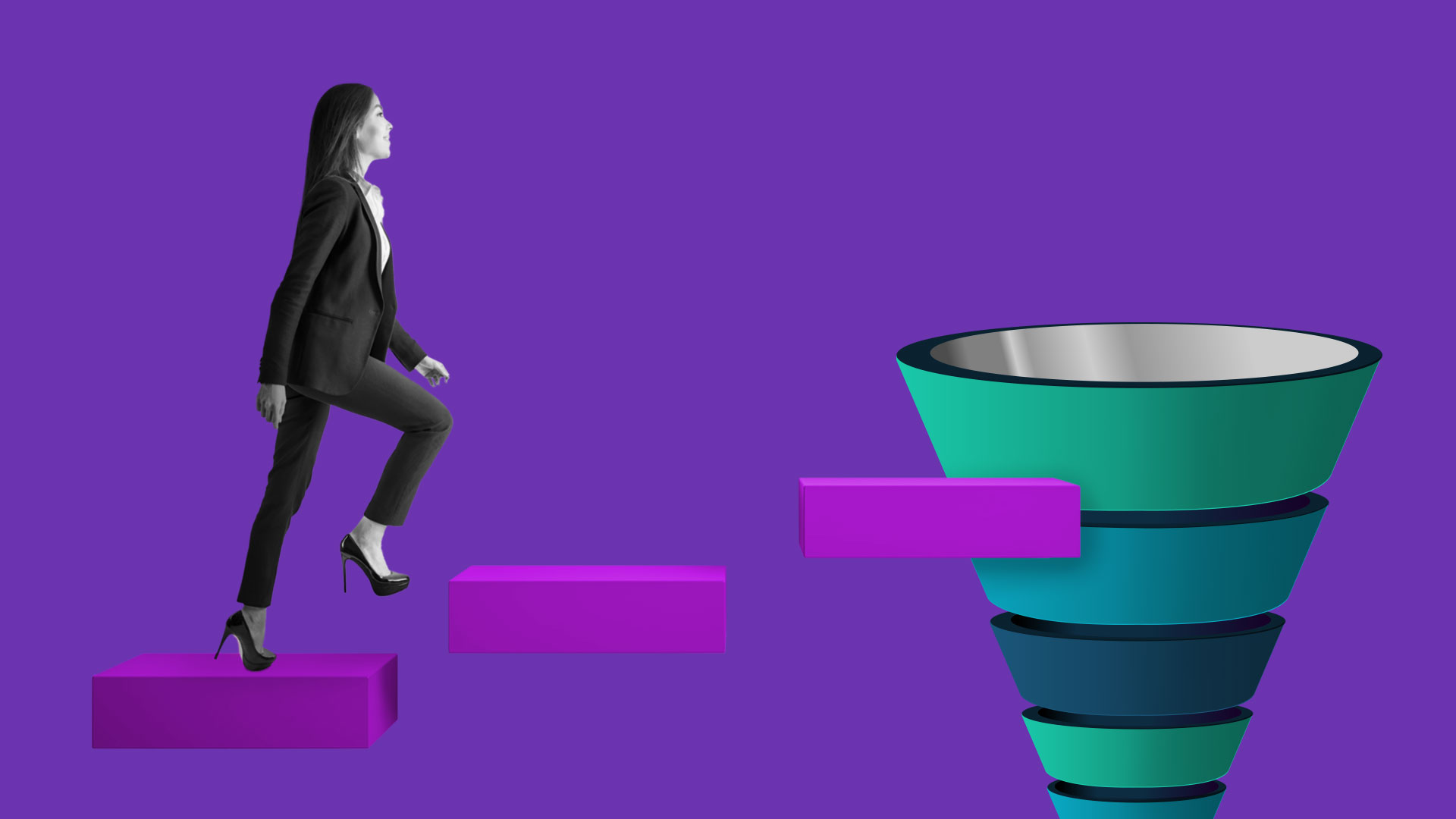
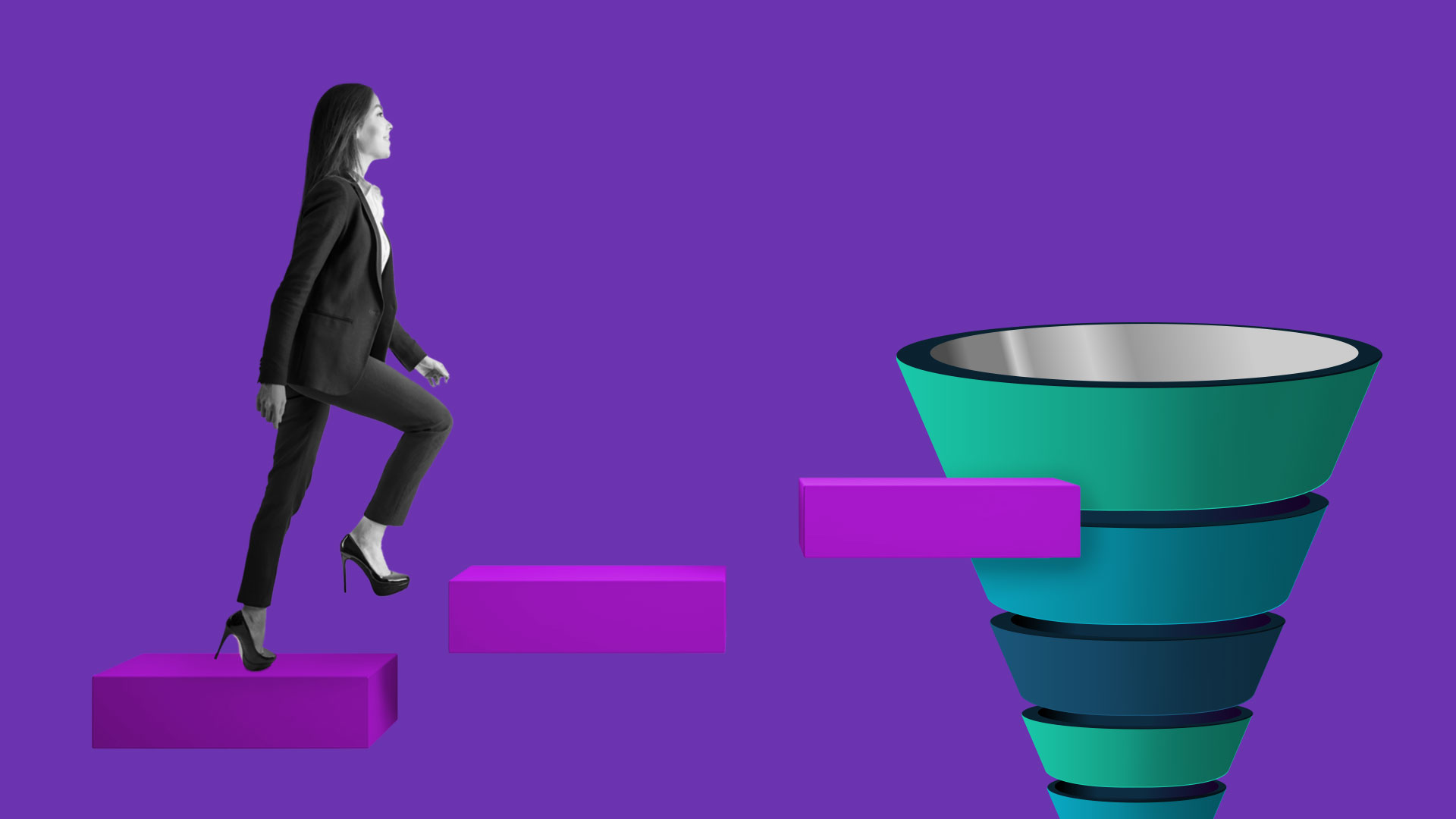
The marketing funnel is a framework that maps the customer journey from first awareness to final conversion. At the top, potential customers discover your brand through advertising, content, or word of mouth. As they move down, they evaluate their options, compare alternatives, and eventually make a purchase decision.
The funnel gives marketers a shared language for diagnosing problems and allocating resources. If traffic is high but conversions are low, the issue is in the lower funnel. If nobody knows you exist, the upper funnel needs work. Without this framework, teams waste budget on the wrong activities at the wrong time.
The funnel is also not strictly linear. Customers enter at different stages, revisit earlier stages, and sometimes skip steps entirely. That makes continuous optimization and personalization essential — not optional.
Upper funnel marketing targets people who are not yet aware of your brand or product. The goal is visibility: getting your message in front of the right audience at scale, building brand awareness, and generating initial interest.
This is the stage where you are casting a wide net. You are not asking anyone to buy. You are introducing your brand, educating your audience, and earning their attention.
The upper funnel is defined by broad reach and low-commitment engagement. Key characteristics include:
Effective upper funnel strategies focus on reach and engagement without pushing for an immediate conversion:
Upper funnel success cannot be measured by conversions alone. The right metrics for this stage include:
| Metric | What It Measures |
|---|---|
| Reach | Total unique people who saw your content |
| Impressions | Total number of times your content was displayed |
| Brand lift | Change in brand awareness or perception after campaign exposure |
| Video view rate | Percentage of viewers who watched a meaningful portion of your video |
| Engagement rate | Likes, shares, comments, and saves relative to reach |
| Share of voice | Your brand's visibility relative to competitors in the same space |
| CPM | Cost per thousand impressions — the efficiency of your awareness spend |
The key distinction: upper funnel metrics measure exposure and attention, not action. If you are evaluating upper funnel campaigns by ROAS alone, you are measuring the wrong thing.
Lower funnel marketing targets people who already know about your brand and are actively considering a purchase. The goal shifts from awareness to conversion: turning interested prospects into paying customers.
At this stage, prospects have done their research. They know what they need and are evaluating specific solutions. Your job is to remove friction, address objections, and make the purchase decision easy.
The lower funnel is defined by high intent and conversion-focused tactics:
Lower funnel marketing is about converting the demand that upper funnel campaigns generated:
Lower funnel metrics are tied directly to revenue and efficiency:
| Metric | What It Measures |
|---|---|
| Conversion rate | Percentage of visitors who complete a desired action |
| ROAS | Revenue generated per dollar spent on advertising |
| CPA / CAC | Cost per acquisition or cost per customer acquired |
| Cart abandonment rate | Percentage of shoppers who add items but do not complete the purchase |
| Customer lifetime value (LTV) | Total revenue a customer generates over their relationship with your brand |
| Repeat purchase rate | Percentage of customers who buy more than once |
| Lead-to-customer rate | Percentage of leads that convert into paying customers |
Driving lower funnel conversions requires removing every obstacle between intent and action. Effective tactics include:
The best lower funnel strategies do not feel aggressive. They make the buying process easier, not pushier.
While both stages serve the same goal — revenue growth — the approach, audience, and metrics are fundamentally different.
| Dimension | Upper Funnel | Lower Funnel |
|---|---|---|
| Goal | Build awareness and generate interest | Convert interest into purchases |
| Audience | Broad, often unaware of your brand | Narrow, already engaged and considering |
| Strategies | Content, social, influencer, SEO, display | Retargeting, email, demos, promotions |
| Metrics | Reach, impressions, engagement, CPM | Conversion rate, ROAS, CPA, LTV |
| Content type | Educational, entertaining, thought leadership | Product-focused, testimonial-driven, offer-based |
| Channels | Social media, display, video, blog | Email, retargeting, search ads, landing pages |
| Timeline | Long-term pipeline building | Short-term conversion |
| Budget mindset | Investment in future demand | Direct return on spend |
The biggest difference is where the customer's head is at. Upper funnel prospects are exploring — they have a problem but may not know the solution exists. Lower funnel prospects are deciding — they know the options and are choosing between them.
This means the same message will not work at both stages. An upper funnel audience needs education. A lower funnel audience needs conviction.
You will often hear "top of funnel" (TOFU) and "bottom of funnel" (BOFU) used interchangeably with "upper funnel" and "lower funnel." In most practical contexts, they mean the same thing:
The main difference is that the TOFU/MOFU/BOFU framework explicitly includes a middle stage — MOFU, or "middle of funnel" — which covers the consideration phase. The upper/lower framework sometimes folds consideration into either stage depending on the marketer.
For most teams, the terminology does not matter as much as the principle: different stages of the buyer journey require different strategies, content, and metrics. Whether you call it "top of funnel" or "upper funnel," the playbook is the same.
Knowing the theory is useful, but the real value comes from segmenting your audience by funnel stage and targeting them accordingly. Here is how to build those segments:
Upper funnel users show exploratory behavior:
Lower funnel users show purchase-intent behavior:
Most ad platforms and analytics tools let you create these segments directly:
The goal is to stop treating all prospects the same. A first-time visitor and a cart abandoner should see completely different messages.
The biggest mistake teams make is treating upper and lower funnel as separate efforts run by different people with different goals. In reality, they are two halves of the same engine.
Upper funnel campaigns that do not feed the lower funnel are wasted awareness. Lower funnel campaigns that run without upper funnel support eventually exhaust their audience and see rising CPAs.
Here is how to align them:
Teams that build a connected full-funnel strategy consistently outperform those that optimize each stage in isolation. The upper funnel feeds the lower funnel. The lower funnel validates the upper funnel. Neither works as well alone.
Upper funnel vs. lower funnel marketing is not a question of which one matters more. Every business needs both. The key is understanding what each stage requires — different strategies, different metrics, different content — and aligning them into a growth system that compounds over time. Start by identifying where your biggest gaps are today, then build a strategy that connects awareness to conversion at every step.
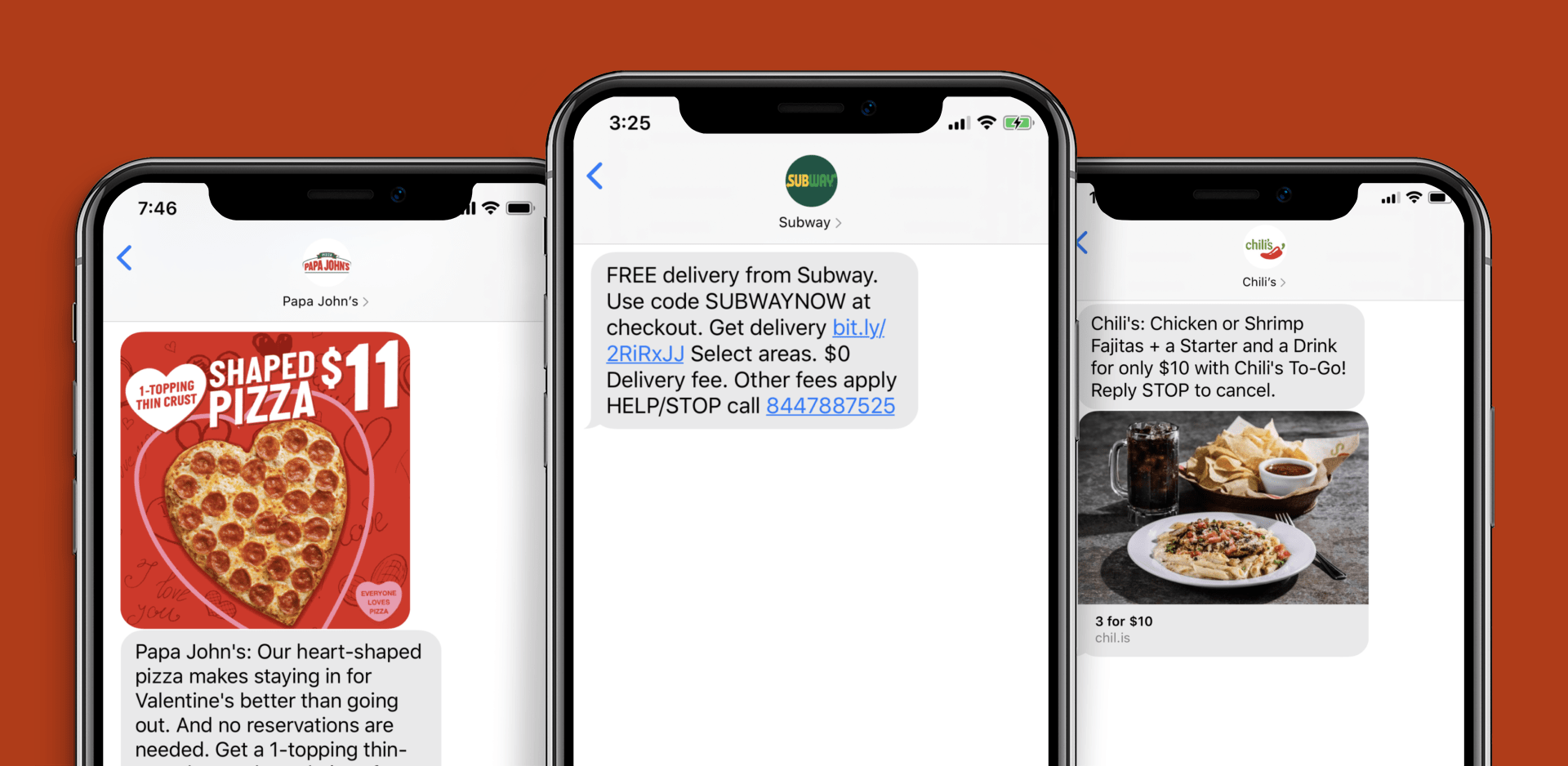
Businesses need to find new ways to reach and engage their audience. With inboxes overflowing and social media algorithms constantly shifting, the brands that win are the ones that show up where customers are already paying attention: their phones.
SMS campaigns have emerged as one of the most effective direct-response channels available to growth-focused brands. With open rates that dwarf email and response times measured in minutes rather than hours, text message marketing gives you a direct line to your customer's most personal device.
But sending texts without a strategy is a fast path to unsubscribes and wasted spend. Here is how to build an SMS program that drives real results.
An SMS campaign delivers targeted text messages to a defined audience segment. These messages can range from order confirmations and appointment reminders to flash sales and product launch announcements.
At the highest level, SMS campaigns break down into two categories:
Transactional messages are triggered by a specific customer action. Order confirmations, shipping notifications, and appointment reminders all fall into this category. These messages serve a functional purpose and typically enjoy the highest engagement rates because recipients expect them.
Promotional messages are brand-initiated communications designed to drive a specific business outcome. Flash sales, limited-time offers, loyalty rewards, and new product announcements all qualify. These require explicit opt-in consent and demand more strategic planning around timing, frequency, and audience targeting.
The goal of any SMS campaign is to achieve a measurable objective, whether that means increasing sales, driving repeat purchases, or building brand awareness through consistent touchpoints.
Text messages have an open rate of around 98%, compared to roughly 20% for email. That alone makes SMS one of the highest-attention channels available to marketers. But the advantages extend well beyond open rates.
Speed of engagement. Most text messages are read within three minutes of delivery. If you need to drive action quickly, whether for a flash sale, a restocked item, or a time-sensitive offer, SMS delivers faster than any other owned channel.
Personal connection. A text message feels more intimate than an email blast. When done well, SMS builds stronger one-to-one relationships that translate to higher lifetime value and brand loyalty. This personal touchpoint creates real opportunities for increasing the possibilities of converting more.
Cost efficiency. Even small businesses can implement effective SMS campaigns without a massive budget. The per-message cost is low, and the high engagement rates mean the cost-per-conversion often outperforms more expensive channels.
Complementary channel. SMS works best as part of a broader multichannel strategy. Pair it with email, paid social, and on-site experiences to create a cohesive customer journey that reinforces your message across touchpoints.
Building an SMS program that consistently converts requires attention to five foundational elements.
Every SMS campaign should start with a specific, measurable goal. Are you trying to drive immediate purchases? Reduce cart abandonment? Increase event attendance? Re-engage lapsed customers?
Use the SMART framework (Specific, Measurable, Achievable, Relevant, Time-bound) to define what success looks like before you send a single message. Without clear objectives, you cannot measure performance or optimize your funnel over time.
You have roughly 160 characters to capture attention and drive action. Every word must earn its place. The best SMS messages follow a simple structure:
Avoid filler language. "Hey! Just wanted to let you know..." wastes precious characters. Lead with the offer or the benefit.
Timing can make or break an SMS campaign. Sending messages during business hours (typically 10 AM to 8 PM in the recipient's time zone) generally produces the best results. Avoid early mornings, late nights, and holidays unless the message is directly relevant to the occasion.
Frequency is equally important. Most successful SMS programs send between two and six messages per month. Too few and subscribers forget about you. Too many and you train them to ignore or unsubscribe.
Sending the same message to your entire list is a missed opportunity. Segment your audience based on purchase history, browsing behavior, geographic location, and engagement patterns. A first-time buyer and a loyal repeat customer should receive different messages, different offers, and different levels of urgency.
The more relevant your message is to the individual recipient, the higher your conversion rates will be. This is the same principle that drives success in email marketing for ecommerce brands.
Every SMS needs a clear, specific CTA. "Shop now," "Claim your discount," "Reply YES to confirm" -- these direct instructions remove ambiguity and make it easy for recipients to take the next step. Include a shortened URL when driving to a specific landing page, and make sure that page is mobile-optimized.
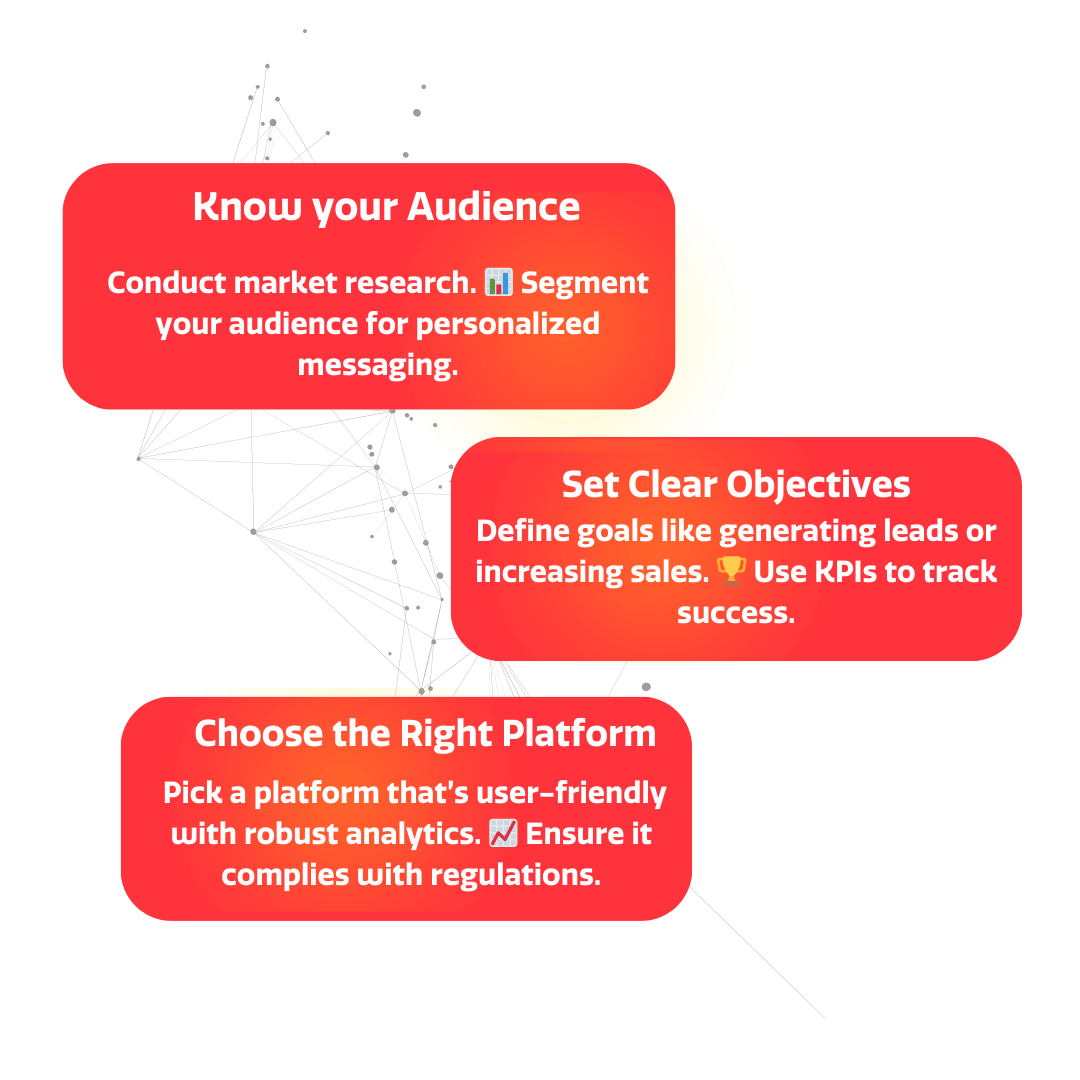
Before writing a single message, develop a strategy that aligns with your broader business goals and audience expectations. Here is a framework for building one that performs.
Your SMS list is only as valuable as the subscribers on it. Focus on building a high-quality opt-in list through:
Always ensure compliance with TCPA regulations and provide a clear opt-out mechanism in every message.
Different stages of the customer journey call for different types of SMS communication:
Mapping messages to the journey ensures you are sending the right content at the right time, rather than blasting promotional offers at every stage.
SMS should not operate in isolation. The most effective programs coordinate text messages with email sequences, paid advertising, and on-site experiences. For example, you might send an email announcing a new product, follow up 24 hours later with an SMS reminder, and retarget non-openers with a paid social ad.
This coordinated approach creates multiple touchpoints without overwhelming any single channel.
Crafting effective SMS messages is an art. Here are the principles that separate high-performing texts from those that get ignored.
Be concise. Get straight to the point. You have limited characters, and the recipient will decide within seconds whether your message is worth their attention.
Create urgency. Time-limited offers, low-stock alerts, and countdown language ("Ends at midnight," "Only 12 left") encourage immediate action rather than the "I'll look at this later" response that kills conversion rates.
Personalize where possible. Address recipients by name and reference their specific behavior. "Sarah, the item you viewed is now 20% off" outperforms a generic blast every time.
Use conversational language. SMS is inherently personal. Write the way you would text a friend, not the way you would write a press release. Keep the tone direct and approachable while staying on-brand.
Test relentlessly. A/B test your message copy, CTAs, send times, and offers. Small changes in wording or timing can produce significant differences in response rates.
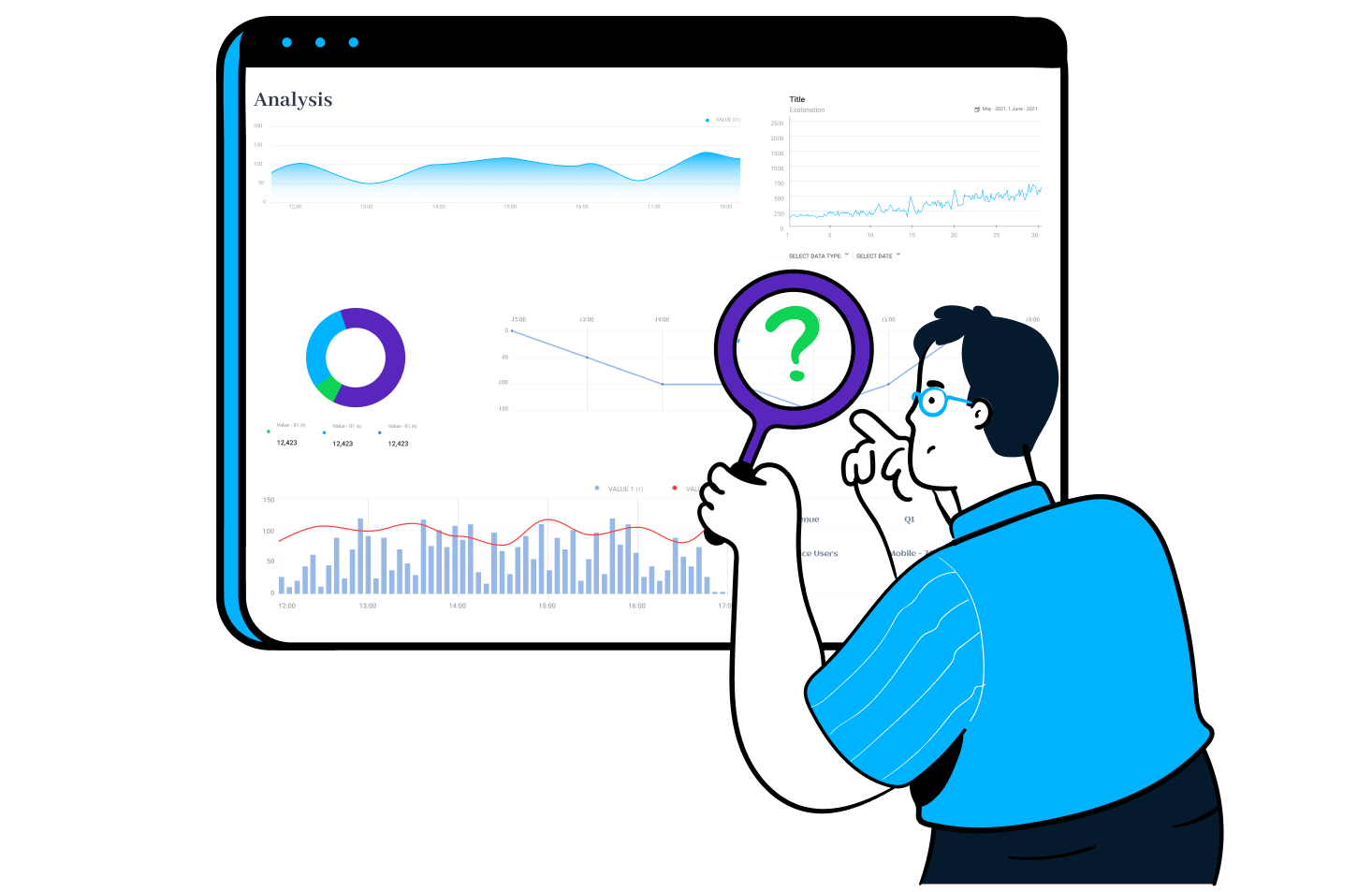
Use the analytics tools provided by your SMS platform to gain insights into campaign performance. The metrics that matter most include:
Analyze this data to identify patterns. You might discover that certain message formats, specific call-to-action approaches, or particular send times consistently produce higher conversion rates. Armed with this knowledge, you can make data-driven decisions to optimize your future campaigns.
Even well-intentioned SMS programs can underperform if they fall into these traps:
Buying lists. Purchased phone numbers lead to low engagement, high opt-out rates, and potential legal liability. Build your list organically through value-driven opt-ins.
Ignoring compliance. TCPA violations can result in fines of $500 to $1,500 per unsolicited message. Ensure every subscriber has explicitly opted in and that every message includes an opt-out option.
Over-sending. More messages does not equal more revenue. Respect your subscribers' attention and communicate only when you have something genuinely valuable to share.
Neglecting mobile optimization. Every link in your SMS messages should lead to a mobile-optimized landing page. If a customer clicks through and lands on a desktop-formatted page, you have lost the sale.
Failing to test. Sending the same message format month after month without testing alternatives leaves performance gains on the table. Treat every campaign as an opportunity to learn.
SMS marketing is not a silver bullet, but when executed with a clear strategy, compelling content, and rigorous measurement, it becomes one of the most powerful channels in your growth marketing toolkit. The brands that win with SMS are the ones that respect the channel's intimacy, deliver genuine value with every message, and continuously optimize based on data.
Start with a small, engaged list. Test different message types and send cadences. Measure everything. And integrate SMS into your broader growth marketing strategy to create the kind of multi-touch experience that drives sustainable revenue growth.

Social media advertising is essential, and Instagram Ads is a great platform for it. In-stream video ads on Instagram can help you reach your target audience and boost your ROI. Below, we will explore these concepts and the way they can help you maximize your revenue..
In-stream video ads are a highly effective way to capture users' attention and convey your brand message. By showcasing your product or service in a visually appealing manner, you can drive awareness and generate interest among your target audience. The key lies in creating compelling content that resonates with your viewers.
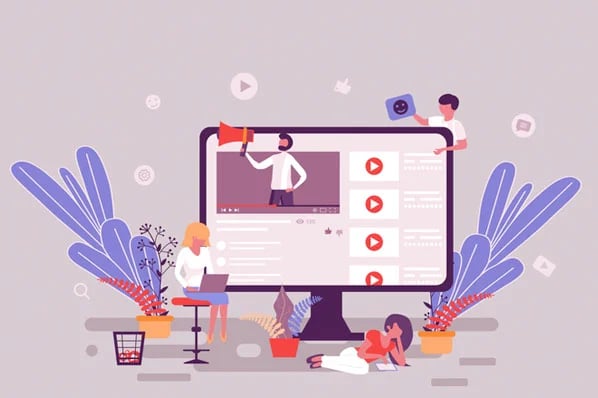
These video ads can take various forms, such as pre-roll ads that play before the main content, mid-roll ads that appear during a video, or post-roll ads that play after the main content. Regardless of the placement, in-stream video ads offer brands the opportunity to engage with their audience in a more interactive and immersive way.
One of the key advantages of in-stream video ads is their ability to target specific demographics and interests. With advanced targeting options available on platforms like Instagram, advertisers can ensure that their video ads are shown to the most relevant audience. This precision targeting helps maximize the impact of the ads and increase the chances of conversion.
Instagram boasts over a billion active users, making it an ideal platform to reach a massive audience. Instagram's user base tends to be younger and more receptive to video content, providing a prime opportunity for brands to connect with their target market. The platform's visual nature and intuitive interface further enhance the effectiveness of video ads.
Instagram's in-stream video ads benefit from the platform's robust targeting capabilities, allowing advertisers to reach specific demographics, interests, and behaviors. This level of targeting precision ensures that your video ads are shown to the most relevant audience, increasing the likelihood of engagement and conversion.
Besides, Instagram's seamless integration of in-stream video ads into users' feeds ensures a non-disruptive viewing experience. The ads blend in with the organic content, appearing as a natural part of the user's browsing journey. This integration helps capture users' attention without causing annoyance or interruption, leading to higher ad recall and engagement.
Set Up Your Instagram In-Stream Video Ads
Now that you understand the benefits of in-stream video ads on Instagram, let's explore the process of setting up your ad campaign. The following steps will guide you through the process:
Prior to launching your in-stream video ad campaign, you'll need to create an Instagram business account. This step is crucial as it grants you access to Instagram's advertising tools and analytics, allowing you to monitor and optimize your campaigns effectively. To create a business account, simply follow Instagram's instructions and provide the necessary information.
Once you have set up your business account, you will gain access to a variety of features that are specifically designed for businesses. These features include the ability to create and manage ads, access to advanced analytics, and the option to promote your posts. By having a business account, you can take full advantage of Instagram's advertising capabilities and reach a wider audience.
With your business account in place, it's time to set up your first ad campaign. Instagram offers a user-friendly interface where you can specify your campaign objectives, target audience, budget, and ad placement. Take time to define your goals and allocate your resources wisely. A well-structured campaign will yield higher ROI.

When setting up your ad campaign, it's important to consider your target audience and their preferences. By understanding your audience demographics, interests, and behaviors, you can tailor your ad campaign to effectively reach and engage them. Instagram provides various targeting options, such as location, age, gender, interests, and behaviors, allowing you to refine your audience and maximize the impact of your ads.
The success of your in-stream video ads hinges on the quality and relevance of the content you produce. It's essential to create videos that align with your brand's identity and resonate with your target audience. Consider incorporating storytelling elements, showcasing your product's features, and evoking emotions to create a memorable viewing experience.
When choosing the right video content, keep in mind the length and format that works best for in-stream video ads on Instagram. Shorter videos tend to perform better, as they capture viewers' attention and deliver the message concisely. Additionally, vertical videos are more suitable for mobile viewing, which is where the majority of Instagram users access the platform.
It's also important to optimize your video content for sound-off viewing. Many Instagram users watch videos without sound, so incorporating captions, text overlays, and visually compelling imagery can help convey your message effectively. By making your videos visually appealing and engaging, you can increase the likelihood of viewers taking action and engaging with your brand.
Now that you have set up your in-stream video ad campaign, let's explore some strategies to maximize your ROI on Instagram:
Instagram offers precise targeting options to ensure your ads reach the most relevant users. Utilize demographic filters such as age, location, interests, and behaviors to narrow down your audience. By delivering your video ads to the right people, you increase the chances of generating meaningful engagement and conversions.
For example, if you are promoting a fitness product, you can target users who have shown interest in health and wellness, follow fitness influencers, or have engaged with related content. By reaching out to a specific audience segment, you can tailor your message and visuals to resonate with their interests and needs, ultimately driving higher conversion rates.
Timing is crucial when it comes to in-stream video ads. Analyze your target audience's behavior and identify the optimal times to showcase your ads. Experiment with different schedules and monitor the performance closely. By optimizing the timing, you can maximize your reach and drive higher engagement rates.
Consider factors such as the time of day, day of the week, and even seasonal trends. For instance, if you are promoting a travel destination, it may be more effective to run your ads during the holiday season when people are planning their vacations. By aligning your ad schedule with your audience's habits and preferences, you can capture their attention at the right moment, increasing the likelihood of conversions.
Call-to-action (CTA) buttons are an effective way to guide your audience to take the desired action after viewing your video ad. Instagram provides various CTAs such as "Shop Now," "Learn More," and "Sign Up." Choose a CTA that aligns with your campaign objectives and entices users to click through to your website or landing page.
When selecting a CTA, consider the next step you want your audience to take. If your goal is to drive sales, a "Shop Now" CTA can direct users to a product page where they can make a purchase. On the other hand, if you want to generate leads, a "Sign Up" CTA can lead users to a form where they can provide their contact information. By utilizing the appropriate CTA, you can guide your audience towards the desired conversion, maximizing the return on your ad investment.
Remember to regularly analyze the performance of your video ads and make data-driven adjustments to optimize your ROI. By continuously refining your targeting, scheduling, and CTAs, you can enhance the effectiveness of your Instagram video ad campaigns and achieve greater success in reaching your marketing goals.
Once your in-stream video ads are live, it's vital to monitor their performance and make data-driven adjustments. Instagram's analytics tools provide valuable insights that can help you measure the success of your campaigns.
Instagram offers a range of analytics metrics to help you evaluate the performance of your in-stream video ads. These metrics include impressions, reach, video views, engagement rates, and click-through rates. By analyzing these data points, you can identify areas for improvement and refine your future ad campaigns.
To accurately measure your ROI, it's essential to track the conversions and actions taken by users who interacted with your in-stream video ads. Implementing tracking mechanisms such as UTM parameters and conversion pixels allows you to attribute conversions back to your Instagram ads and assess their impact on your overall business goals.
Continuously monitor and evaluate the performance data of your in-stream video ads. Identify any patterns or trends and use this information to fine-tune your campaigns. Experiment with different targeting options, ad formats, and content to optimize your ROI. Remember, data-driven adjustments are key to maximizing the effectiveness of your Instagram video ads.
In conclusion, in-stream video ads on Instagram offer a powerful opportunity to connect with your target audience and drive ROI. By understanding the basics, setting up your ad campaigns strategically, implementing effective targeting strategies, and measuring performance data, you can leverage this platform to its full potential. Embrace the power of in-stream video ads on Instagram and unlock new horizons for your business.
Google has always been at the forefront of technological innovation, and their latest endeavor involves leveraging generative AI for sophisticated ad campaigns. Join us to learn more about the concept of generative AI, its evolution, and how Google is utilizing this technology in advertising.
Generative AI is a branch of artificial intelligence that focuses on creating new content rather than simply analyzing or processing existing data. It involves using algorithms to simulate human-like creativity and generate original, unique content.
Generative AI has the ability to mimic human creativity by learning from vast amounts of data and using that knowledge to generate new and innovative content. This technology has the potential to revolutionize various industries, including art, music, literature, and marketing.
Generative AI has come a long way since its inception. Initially, AI was primarily used for analyzing data and making predictions. However, with advances in deep learning and neural networks, generative AI has emerged as a powerful tool for creative content generation.
One of the breakthroughs in generative AI was the development of generative adversarial networks (GANs). GANs consist of two neural networks: a generator network that creates new content and a discriminator network that evaluates the generated content. These networks work in tandem, constantly improving and refining the generated content.
From generating realistic images to composing music and writing compelling narratives, generative AI is revolutionizing the creative landscape. Artists can now use AI algorithms to create unique and visually stunning artwork. Musicians can leverage generative AI to compose melodies and harmonies that are both innovative and emotionally resonant.
Another exciting application of generative AI is in the field of virtual reality (VR). AI algorithms can generate realistic virtual environments, complete with lifelike characters and interactive elements. This opens up new possibilities for immersive gaming experiences and virtual training simulations.

Despite its many advancements, generative AI still faces challenges. One of the main concerns is the ethical implications of AI-generated content. As AI becomes more capable of creating content that is indistinguishable from human-generated content, issues of authenticity and ownership arise. Striking a balance between creativity and ethical considerations will be crucial for the future of generative AI.
Google has been at the forefront of AI research and development for years. They have a deep-rooted history of exploring AI technologies and integrating them into their products and services. From Google Assistant to autonomous vehicles, Google has been pioneering AI-driven advancements.
One of the earliest instances of Google's foray into AI can be traced back to the introduction of Google Translate. This groundbreaking service utilized AI algorithms to provide accurate translations between different languages. It was a game-changer in the world of language barriers and opened up new possibilities for global communication.
As Google continued to invest in AI, they expanded their efforts into the realm of voice recognition. This led to the development of Google Voice Search, a feature that allowed users to perform searches by simply speaking into their devices. This innovation revolutionized the way people interacted with technology and laid the foundation for the development of virtual assistants.
In recent years, Google has made significant breakthroughs in the field of AI. They have developed advanced machine learning algorithms that can perform complex tasks like natural language processing, image recognition, and more. Their innovations have helped shape the AI landscape and set new industry standards.
One of Google's most notable AI innovations is Google Photos. This application utilizes AI algorithms to organize and categorize photos based on their content. Through deep learning techniques, Google Photos can recognize faces, objects, and even specific locations, making it easier for users to search and manage their vast photo collections.
Another groundbreaking AI innovation by Google is the development of AlphaGo, an AI-powered computer program that can play the ancient Chinese board game, Go. In 2016, AlphaGo made headlines when it defeated the world champion Go player, Lee Sedol, in a five-game match. This achievement showcased the immense capabilities of AI and its potential to outperform human experts in complex tasks.
Google's commitment to AI innovation is further evident in their self-driving car project, Waymo. Through the use of AI algorithms and sensors, Waymo vehicles can navigate the roads autonomously, reducing the need for human intervention. This project represents a significant milestone in the development of autonomous vehicles and highlights Google's dedication to pushing the boundaries of AI technology.
AI can play a crucial role in advertising. It offers marketers the ability to analyze large amounts of data, identify patterns, and make data-driven decisions. This level of analysis was previously unimaginable, as it would have taken humans an immense amount of time and effort to sift through the vast amounts of data available.
AI algorithms can optimize ad campaigns, target specific demographics, and personalize ad content, resulting in increased engagement and conversions. By using AI, advertisers can now deliver highly targeted ads to their audience, ensuring that the right message reaches the right people at the right time. This level of precision is invaluable in a world where consumers are bombarded with countless ads every day.
Generative AI is taking advertising to new heights. With its ability to generate dynamic and personalized content, it enables marketers to create highly targeted and engaging ad campaigns. By leveraging generative AI, advertisers can deliver tailored messages to their audience, capturing their attention and driving brand awareness.
Generative AI algorithms can analyze vast amounts of data and generate ad content that is tailored to individual preferences and interests. This level of personalization goes beyond simply targeting demographics; it allows advertisers to create ads that resonate with individuals on a personal level.
For example, a clothing retailer can use generative AI to create personalized ads that showcase products based on a customer's browsing history and previous purchases. By showing customers items that align with their personal style and preferences, the retailer can significantly increase the chances of conversion.
The future of AI in advertising looks promising. As technology continues to advance, AI algorithms will become even more sophisticated and capable. We can expect increased automation, better targeting capabilities, and more personalized ad experiences. AI will continue to shape the advertising landscape and revolutionize how brands reach and engage with their audience.

While AI presents numerous opportunities, it also brings challenges and risks. Privacy concerns, data security, and ethical implications are crucial considerations when leveraging AI in advertising. As AI becomes more prevalent, it is essential for brands and advertisers to establish transparent and responsible AI practices to maintain trust with consumers.
You can create ads built for faster approval , and we can tell you how.
Read on to learn:
Thanks to a long list of Facebook Ad guidelines and strict ad approval process, many marketers using Facebook advertising tools enter the land of confusion.
Population: 90% of Facebook Advertisers.
When working with Facebook Ads, it’s been always been difficult to find answers when you run into trouble. Dealing with Facebook ads that haven't been approved is no exception.
With little information provided from Facebook, you can often end up wasting time, money and ultimately, after enough disapprovals, can risk your ad account being flagged.
No artistic or educational images are allowed, even if not explicitly sexual. This includes:
The fix: When working in underwear, bathing suits, or any other industries that might get flagged—the more clothing the better. No tight cropping on individual “areas” (as mentioned above), and no poses that are “suggestive”. If possible, flat lays of the product are a great workaround. Once the item is on the model, you start to have a longer approval process and leave yourself open to the possibility of disapprovals, as well.
🔍 Find more expert tips and videos to boost your Facebook ad performance. →
As we mentioned earlier, these are some of the most common issues we’ve seen while running Facebook Ads. However, according to Facebook’s Advertising Policies, there are many other reasons why your ad may get disapproved.
Things like:
Disapprovals You Can’t Fix
Unfortunately, there are some disapprovals you can’t fix when working with Facebook Ads. Typically these disapprovals have to do with the product or service you’re promoting either has a general restriction, or more in-depth requirements within the ad targeting.
Some products that you can’t advertise on Facebook include:
“The Next Tinder”— Dating“Win Big in New York”— State Lotteries
“Get your Prescription Filled Fast”— Online Pharmacies“Buy Dogecoin, Bitcoin”, etc. — Cryptocurrency Products and Services“Visit Recovery Haven” — Drug and Alcohol Addiction Treatment Centers
Since the approval process for an individual ad can take up to 24 hours (sometimes longer in other cases), be sure to be mindful and double-check your work.
Avoid having to go through the whole approval process all over again because of a simple and fixable word misuse.
As with everything else, building Facebook Ads takes practice. Especially when just starting out or implementing new campaigns, it’s important to not let disapprovals discourage you. The majority of disapprovals we see are typically small mistakes that can be solved with quick fixes. Dropping the “you” in the headline, or making the ad copy less sensational gives you an easier starting point and can minimize future disapprovals.
At the end of the day, Facebook’s main goal is “to keep Facebook safe for people.” Keeping that goal in mind and being ready to make small tweaks to bring your ad into alignment with Facebook’s Ad Policies can have you back on the road to Facebook ad success.
If you're tired of spending time wandering the Facebook ads maze, why not bring on some help? Book a call with a growth expert to learn more about maximizing Facebook ads with the help of a top growth marketing agency.
Over the last few years, much has been written about the decline of text. In 2018, The New York Times boldly asserted (in print 🤔) that we were living in a post-text world.
For a society that considers written language to be one of the greatest human accomplishments, it may seem like a far-fetched concept—but the numbers don’t lie. Americans are trading in text for audio and video in every format available.
According to Edison Media Research, over 100 million Americans listen to podcasts monthly, and they tune in to an average of six podcasts each week. YouTube reports that people watch a billion hours a day on their service. In 2020, Netflix pledged to spend $17 billion on content—up from $15 billion in 2019—and Apple estimated they would spend $6 billion.
The abundance of content is likely the culprit behind our ever-narrowing attention spans. When Microsoft conducted a study measuring people’s attention spans in 2000, the results showed the average person can focus on any one thing for about 12 seconds. Fifteen years later, that dropped to 8 seconds—just under the 9-second attention span of a goldfish. Yeesh. Good for goldfish, I guess.
If a picture is worth a thousand words, a video can communicate a novel in a few short minutes. A well-executed video helps consumers instantly understand your product’s purpose and benefits.
Get all the value of great video content without any of the stress.
Videos connect with the consumer on an emotional level and help foster trust in your brand. Best of all, videos perform. Diode Digital found that online videos are 600% more effective than print and direct mail combined. According to Optinmonster, 83% of video marketers say video helps them with lead generation, and 80% say video has directly helped increase sales.
Videos are incredibly easy to access and view. Whether they’re consumed from the couch or a crowded train, watching a video feels like a break for your brain, not a challenge. They’re often education masked as entertainment, and perhaps that’s why they’re so effective. On average, consumers retain 95% of messages they watch in a video compared to 10% they read in text. Merely mentioning the word video in an email subject line can increase the click-through rate by 13%. And according to Hubspot, featuring a video on your landing page can increase your conversion rate by 86%.
Video has always been a popular medium, but the advent of social media and the ease with which users can share content is the real secret sauce behind its newfound fame. Videos on social media generate 12 times more shares than text and images combined. Once content is shared, advertisements are perceived as personal recommendations, creating a far greater chance for conversion.
The majority of consumers (73%) claim they have been influenced by a brand’s social media presence when making a purchase, and an overwhelming 83% are more interested in purchasing a product or service when they've received a recommendation from a friend or family member. Considering today’s (virtual) circle of friends and family is larger than ever, the possibilities are endless.
In the past, utilizing video was a marketing strategy small companies felt they couldn’t afford. Today, they can’t afford not to. By 2022, videos are projected to make up 82% of all consumer internet traffic. The good news? Creating impactful videos is far more affordable today than it was 20 years ago. It’s well within your grasp, and if the research is right, you’ll receive a significant return on your investment.
EmberTribe now offers full-service video packages that bring your brand into the 21st century, in style. Contact us for more information.

Are you currently maximizing Pinterest advertising for your eCommerce or online retail business? If not, you might be making a big mistake by snubbing this powerful social media marketing platform.

The user mindset on Pinterest is significantly different than it is on other social media platforms — users are often on Pinterest specifically to decide what to buy next, or plan a big future purchase. That high shopping intent is key for conversions!
This makes Pinterest a go-to eCommerce advertising platform full of marketing potential for your business. Imagine being able to present users who are actively searching for your products (or similar ones) with ads while also being able to promote to users who are passively browsing through their feed.
That's a clear win-win for catching ToFu and MoFu audiences.

Pinterest can also reveal your target audience's aesthetic preferences and preferred products and services, giving you an upper hand for your ad creative strategy.
What visuals appeal to your buyer persona? The answer in is the boards!
The best and most effective Pinterest ads:
Here’s some best practices and tips we've come across for how to make the most of your ads:
📌 Pinterest is growing fast and eCommerce advertisers are taking notice. →
This type of ad works well for health and wellness businesses because everyone loves a great success story. The image and the text overlay used for this ad are easily relatable. Your audience is invited to see themselves getting the same end result from your product.
Who says no to cute outfit ideas? There's a lot to gain from advertising clothing and accessories on Pinterest. Just make sure that your ads represent current stock!
Also, take note of the call to action in this ad. A good call to action will grab the attention of audiences. This one gives browsers an idea of cost without having to click first and entices them with a good deal.
Make sure that your pin is interesting enough to convince your audience to visit your website. This ad featuring Drummond House Plans shows a mock up design and floor plan of a modern house. It's not so vague that the viewer thinks it's just a regular house photo, but it also doesn't overstate the business.
On top of the sleek visual, Drummond House Plans takes into account user intent by including tags popular to Pinterest users planning to purchase or build a home.
We've seen clients get big returns on Pinterest ads. Are you ready to try out this visual social platform for your ad campaigns?
Most brands blame their ads when conversions are low. The real problem is usually the funnel.
Your sales funnel is the complete journey a prospect takes from first seeing your brand to completing a purchase and becoming a repeat customer. Each stage of that journey has one job, and when any stage fails to do its job, the entire system underperforms. More traffic will not fix a funnel with low conversion rates. Only diagnosing and optimizing each stage will.
Below, we break down how to evaluate your funnel stage by stage, identify the highest-impact areas for improvement, and run tests that produce meaningful results.
A sales funnel is not a single thing you optimize. It is a series of handoffs, and each handoff can be measured and improved independently.
Here is how to think about the funnel in practical terms:
When you encounter a performance problem, the key is diagnosing exactly where the breakdown is happening rather than making changes at the wrong stage. If 5% of visitors add to cart but only 25% of those complete checkout, the issue is at checkout, not at the ad level. Sending more traffic will only amplify the problem.
This diagnostic approach is what separates brands that grow efficiently from those that burn budget on symptoms rather than root causes.
The first step in optimization is identifying where the most significant drop-offs occur. This requires tracking metrics at each funnel stage and comparing them against benchmarks.
Benchmarks are critical, but they must be contextual. A 5% product page conversion rate might be strong for a brand with a $120 average order value (AOV) but underwhelming for one with a $20 AOV. Higher-priced products naturally have lower immediate conversion rates because the purchase decision involves more consideration.
When setting benchmarks, compare against:
The goal is not to hit some universal "good" number. It is to identify which stage of your funnel represents the biggest gap between current performance and realistic potential.
Your funnel will perform differently depending on where the traffic comes from. Visitors from Pinterest might add to cart at a higher rate than those from Facebook, while TikTok traffic might have a higher initial drop-off from the platform to the landing page.
These channel-level differences matter because they reveal whether the issue is the funnel itself or the quality and intent of the traffic being sent to it. If one channel converts well through the entire funnel while another drops off sharply at the product page, the problem may be a mismatch between the ad messaging and the landing page experience on that specific channel.
Segmenting funnel performance by channel also helps you allocate budget more effectively. Double down on channels where funnel performance is strong, and investigate the disconnect on channels where it lags. This approach is far more productive than treating all traffic as equivalent.
One of the most common strategic questions is where to send paid traffic. The answer, like most things in marketing, is that it depends and you should test.
In general, product pages tend to perform best for ecommerce brands because they place the visitor one step away from adding to cart. But this is not universal.
Send to a product page when the audience is warm or the product is self-explanatory. If someone has already seen your brand or the ad provides enough context about what the product is and why it matters, a direct path to purchase minimizes friction.
Send to a collection page when you have a range of products and want to let the visitor self-select. This works well for brands where the specific product match matters (apparel sizes, styles, or categories).
Send to a dedicated landing page when the product requires education before purchase. Complex products, premium-priced items, or subscription offers often benefit from a landing page that builds value before presenting the purchase option.
Send to the homepage primarily for brand awareness campaigns or when retargeting visitors who are already familiar with you.
The key insight is that the best funnel structure varies by audience temperature. Cold traffic often needs more context and education before being ready for a product page. Warm retargeted traffic can go straight to the point of purchase.
Once you know where your funnel is underperforming, focus optimization efforts on the levers that produce the largest gains at each stage.
If traffic volume or quality is the issue, ad creative is usually the highest-impact lever. Creative is what captures attention in the feed and determines whether the person who clicks through is genuinely interested in your product.
When testing creative, start broad. Test fundamentally different approaches: user-generated content versus polished product photography, lifestyle imagery versus direct product shots, testimonial-led copy versus benefit-led copy. Incremental changes like swapping button colors or adjusting font sizes are low-impact relative to testing entirely different creative concepts.
Strong ad creative does not just drive clicks. It pre-qualifies the visitor by setting accurate expectations about what they will find when they arrive at your site. This alignment between ad and landing page is one of the most overlooked factors in funnel performance.
If visitors are arriving but not taking the next action (adding to cart, submitting a lead form), the landing or product page is the constraint.
Key areas to optimize include:
If add-to-cart rates are healthy but checkout completion is low, the issue lives in the checkout process itself.
Common checkout friction points include:
Each of these friction points is addressable, and the fixes are usually not tests. They are improvements that should be implemented directly. As one of our growth specialists puts it: fixing obvious problems is not a test. A test is comparing people in an ad versus puppies.
Once the obvious fixes are in place, structured testing is how you unlock the next level of funnel performance.
Every test should start with a clear hypothesis: "We believe that [change] will improve [metric] because [reason]." This structure forces you to think critically about what you are testing and why, rather than making random changes and hoping something works.
Meaningful test results require sufficient data. As a baseline, plan for at least 5,000 to 10,000 impressions on each variant and a testing period that covers at least two full weeks (capturing both weekday and weekend behavior patterns).
Budget constraints can affect how quickly you reach significance. If your daily spend only generates a few hundred impressions, it may take longer to reach reliable conclusions. Both time and volume matter. Neither is sufficient on its own.
Traditional A/B testing wisdom says to isolate a single variable so you can attribute any performance difference to that specific change. This is solid advice for mid-funnel and bottom-funnel tests where the sample sizes are smaller and the variables are more nuanced.
However, at the top of the funnel with ad creative, testing wildly different concepts is often more productive than incremental variations. The reason is practical: the difference between a good and great headline tweak is small, but the difference between a video testimonial ad and a static product image ad can be dramatic. Start with broad concept tests, then iterate within the winning concept.
The time between first touch and purchase varies significantly based on your price point and product complexity. A $30 impulse product might convert within hours. A $300 considered purchase might require weeks of retargeting and email nurture sequences before the buyer is ready.
If you evaluate test results too quickly for a high-AOV product, you will make decisions based on incomplete data. Extend your testing windows to match your actual funnel length, and use multi-touch attribution to understand how different touchpoints contribute to the eventual conversion.
Optimizing your funnel is not limited to your website. Retargeting campaigns across email, SMS, and paid social are essential for recovering visitors who drop off at various stages.
The most effective retargeting strategies are segmented by funnel stage:
Being present across multiple channels also helps mitigate the attribution challenges that have intensified since iOS privacy changes. When you touch prospects on Facebook, Instagram, email, SMS, and other channels, you maintain visibility even when individual platform attribution is incomplete.
Funnel optimization is not a one-time project. It is an ongoing discipline of measurement, diagnosis, testing, and iteration.
The framework is straightforward:
The brands that grow most efficiently are not the ones spending the most on ads. They are the ones that have built a funnel where every stage converts at or above industry benchmarks, compounding small gains at each step into significant overall performance improvements.
Every percentage point improvement in conversion rate at any stage translates directly into more revenue from the same ad spend. That is why funnel optimization, not just ad optimization, is the real engine of sustainable growth.
Check out this TribeTalk from our Marketing Specialist, Kathryn Betancourt chatting with one of our Growth Specialists, Courtney Corner and one of our Project Managers, Deanna Spallone.
Instead of discussing paid traffic, today's TribeTalk focuses on another element we talk about often here at EmberTribe, EMAIL.
We answer questions such as: "Where to start with email?", "What should you test?", and "How can you easily create consistency?".
Where do I start?
Choose a platform for your email marketing. A few suggestions if you haven’t chosen one already are HubSpot, Klaviyo, or Mailchimp. FYI, you will have to pay for a tool to integrate your Shopify.
Next, you’ll want to build your list by capturing emails. Where should you start capturing emails? You can build your list with a subscribe option on your website, information from purchases, and run a campaign to opt-in for a chance to win a gift/shopping spree.
For your Initial email campaigns, start with a welcome series for services/Cart abandonment. For eComm businesses, these are people with high intent so use email here to push them over the line to purchase with a time-sensitive discount, creating urgency. You want people to make a decision to purchase so they don’t miss out on such a sweet offer.

Now that you got that setup, what’s next?
Build out more campaigns and test everything! Send yourself a test of each email and make sure to click photos, CTAs, links, check different devices, etc. before launching. The last thing you want is a mass email with your CTA button going to your “Summer Sale” page when you are trying to push your new “Fall Catalog”.

Pro-tip, a few tools for testing your emails that we like to use are EmailOnAcid and Litmus PutsMail.
Keep in mind mobile-friendly content! 60% of people open their emails on their phones. Something to consider is the subject line has to be shorter for it to fully appear on a mobile device. They usually show about 70 characters depending on the device.
Increase ROI by using customer-centric strategies such as personalization, segmentation, and responsive design (vs. hard sales and email blasts). We recommend using personalization across all automations, transactions, promotional streams. For context, emails with first names in the subject line often have up to 2x higher open rates.
Use automation to be the trigger for campaigns to send an upsell, cross-sell, delight, or to request a review. Triggered emails result in higher CTR.
Win-backs such as a birthday or annual gift just for being a loyal customer go a long way. Who doesn’t appreciate a good birthday gift from your favorite brand?!

Make sure to include reviews and user-generated photos. These will build your brand's credibility and authenticity as current and potential customers view what others are saying about your business.
For ongoing emails that are not automated focus on creating consistency. Make a calendar plan. Have template(s) pre-built to save time. Stick with themes so that you aren’t having to recreate the wheel every day i.e. Friday promos, Monday tips, etc.
Have specific promos just for email subscribers that you don’t run on social. Give them first access to upcoming promos (save the date/or early access) and then use this exclusivity as a hook to get more subs for your email list.
Don’t Stop Experimenting...
Try testing things like timing, segments, offers, and triggers unique to your industry/client (each with unique benchmarks).
If you want to go further, run A/B tests on subjects or design. Then compare the results of campaigns by the open rate for subject lines or CTR/conversion rate for design.
Check Google Analytics to leverage which day/time is best for sales, average repeat purchase information, and potential segments to test.
What are you testing with your marketing emails? Leave us a comment below.

In this post, you'll learn:
Whether it’s a cart recovery system, upsells, a messenger bot, or a review platform, the right Shopify App can drive the conversation, streamline your workload, and boost revenue for your store in little more than a few clicks a week.
From improving conversion rates to bolstering consumer trust, you’d be hard-pressed not to find something a simple app can improve in your store.
But all that convenience comes at a cost. With over 1200 apps to choose from – many of which you’d need to pay for, right out of the gate – and no reliable way to test them, enterprising Shopify store owners can quickly find themselves overwhelmed and underwater
👋 This is exactly what we’re here for!
With decades of combined experience across hundreds of Shopify stores of every possible size and type, we’ve narrowed down the list of must-have apps to 26.
We’ve divvied these apps up into the must-have categories your store should cover, and further broken them down by cost and sophistication – so feel free to choose your own adventure with them at that point.
With this list in hand, you can’t go wrong wading into the Shopify App waters.
If you’re a digital seller, these are non-negotiable.

(Not to be confused with the Facebook Sales Channel)
If you want to advertise your products on Facebook (and you do), your best option is hands-down going to be Flexify.
1. Flexify (Free plan available. Additional charges may apply):
Sure, Shopify has the ability to add Facebook as a sales channel, which allows you to connect your product catalog to an ad account. But that will limit you (and any agency you might want to employ hint hint) in your product set creation and image-cropping options. Flexify’s free plan simplifies this whole process and does it very, very well. Flexify recently introduced its new superfeed which removes the need for pagination and can be used for Google, Pinterest, Snapchat, and Facebook.
(Not to be confused with the Google Sales Channel)
Same deal – if you’re into advertising on Google Shopping (and… you probably are), the Google Shopping Feed is your buddy.
2. Google Shopping Feed ($4.99/month. 21-day free trial.) Additional charges may apply):
Shopify has made an app to try to hook stores’ feeds into Google … but by all accounts (um, including ours), it’s awful. Do yourself a favor, skip the Shopify version and head straight to Google’s purpose-built feed app.
Repeat after us: Abandoned cart recovery = Revenue recovery
All stores need some sort of email marketing solution, which is how you’re going to at least start recovering these carts. Here are some of our favorite, low-risk options:
3. Recart ($29/month. 28-day free trial. Additional charges may apply.)
Also includes Facebook Messenger Recovery, where we’ve seen messages getting upwards of 70% open rates.
4. ShopSync (Free.)
If you’ve already got MailChimp as your email provider, nab this app for recovery. Mailchimp removed its partnership with Shopify and the only way to sync the platforms is with this app.
5. Klaviyo (Free to install. Additional charges may apply.)
Robust email platform, works beautifully with equally sophisticated stores, tons of automation options.
Got another email provider in place? See if they have a Shopify app and give it a go. The above are our favorites, but that doesn’t mean an email platform you love won’t perform adequately in its Shopify implementation. We’re just a little more skeptical (and how much do you really love that email provider anyway? 😉).
6. OneClickUpsell ($24.99/month. 30-day free trial.)
Although this app can be quite expensive, we’ve seen the OneClickUpsell app pay for itself many times over if set up properly.
7. Product Upsell by Bold Apps (From $9.99/month. 14-day free trial.)
This app is an awesome way to increase your average order value.
8. Persistent Cart (Free.)
With this app, you can keep your users logged into their cart across devices.
Capturing customers intent on leaving with some sort of promotion or discount can bump up store conversion rates, with less than 10 minutes of work.
9. Exit Offers ($9.99/month. 14-day free trial.)
10. Wheelio (From $14.92/month. 7-day free trial.)
11. Privy ( $10/month. 15-day free trial.)
When you’re good, you’re good. And you want everyone to know it.

We recommend most eCommerce stores have some sort of reviewing mechanism. They help build trust, build social reactions, and build your bottom line.
12. Product Reviews (Free):
Great for a simple review mechanism where you can manually upload reviews from other platforms, like Amazon.
13. Yotpo Reviews (Free to install. External Charges may apply.):
Perfect for a more complex reviewing mechanism – it verifies reviews to give customers a sense of trust, outputs them to your marketing on a kind of modified Facebook Dynamic Product Ad system, and more.
14. Growave (Free plan available. 14-day free trial.)
This all-in-one platform helps small- and medium-sized Shopify stores gather reviews, wishlists, loyalty programs, referrals, social login, and UGC to improve sales.
Live Chat/Messenger Shopify Apps
There are a ton of live chat apps out there and many of them work just fine. Below, however, are a few that we particularly like. Use them to answer questions, bot together some FAQ responses, direct consumers to the appropriate sections of your site or (😱) chat directly to your customers … live.
15. Chatra Live Chat + Facebook (Free plan available)
16. Tidio Live Chat (Free plan available. Additional charges may apply.)
17. Zendesk Support (Free to install. Additional charges may apply.)
18. Shogun (From $39/month. 10-day free trial.)
Custom landing page builder. Easy as pie, can fit your store theme almost out of the box.
19.Zipify (From $67/month. 14-day free trial.)
Smarter sales funnels & landing pages for your Shopify store.
20.PageFly Advanced Page Builder (Free plan available.)
Build landing pages, product pages, FAQ, home pages & funnels.
Every store is unique, with unique challenges. If your special set of circumstances seems to warrant a little something extra, one of these just may hit the spot.

More apps does not equal better store. In fact, more apps can slow your site down, confuse the systems in place, mess with your site formatting and even drive away confused customers (especially on mobile …yikes!). Consider your needs before implementing and monitor your results after 👍
21. SyncTap (Free plan available. 14-day free trial.)
Target highly profitable audiences with your Facebook ads in seconds!
22. Free Shipping Bar by Hextom (Free plan available.)
Top-of-site announcement bar for free shipping or some other sort of promotion (many themes have this as a built-in feature, just by the way. Check yours for it, first!).
23. Back in Stock (From $19/month. 30-day free trial.)
Run out of inventory quickly and often? Capture that audience before they leave the site. A pre-order app can also work well here, but this one is simpler than most.
24. Product Discount by Bold Apps ($19.99/month. 14-day free trial.)
Storewide sales, flash-sales, & scheduled sales with a click. Boom.
25. Recurring Orders & Subscriptions by Bold Apps ($19.99/month. 90-day free trial.)
For shops with a recurring business model.
26. ShipperHQ (from $50/month. 30-day free trial.):
Create an Amazon-like checkout experience with shipping rates and options that make sense, and convenient delivery options your customers will love. Instantly pull delivery dates from carriers, calculate the most accurate rates possible, set up unique shipping rules and restrictions for any checkout scenario, apply dynamic shipping discounts and promotions, automate LTL freight quoting and box selection for orders, and much more.
👉 Pssst: If you choose to upgrade to the paid version of any of these apps, you’ll need to be logged into your Shopify store as an owner to do so.
If you're ready to level up your Shopify store with less hassle and more help, book a call with us.


.svg)