
Picking the wrong FB ads agency costs you more than the monthly retainer. It costs you months of stalled growth, creative that never improves, and data you can't use after you leave. For DTC brands running serious budgets on Meta, the agency selection decision carries real stakes.
This guide cuts through the noise: what a strong facebook ads agency actually does, how to evaluate candidates before you sign, what pricing structures to expect, and what results a competent meta ads agency should deliver.
A facebook advertising agency manages your paid campaigns across Meta's platforms: Facebook, Instagram, and the Audience Network. That scope includes campaign strategy, audience architecture, creative production and testing, budget allocation, and performance reporting.
The agencies that consistently deliver for DTC brands go further. They operate as a creative testing engine, producing a high volume of ad variations every month to feed Meta's algorithm with fresh signal. The best facebook ads agencies run 50 or more creative assets per month per client, with clear testing cadences that isolate variables rather than guessing.
What separates a strong meta ads agency from a reseller or generalist is specialization. An agency that understands DTC unit economics, contribution margin, and blended return on ad spend will make different (and better) decisions than one optimizing for platform-reported ROAS in isolation.

Creative is the primary performance lever on Meta. The algorithm has enough data to find buyers if you give it enough quality signal. An agency that produces 5-10 creative assets per month and calls it "testing" is not testing anything meaningful.
Ask specifically: how many creative variants do you produce per client per month? How do you structure tests? What is your process for identifying a winning angle and scaling it? A credible best fb ads agency can answer these questions with specifics, not vague references to "our proven process."
This is non-negotiable. Your Business Manager, your ad account, and your pixel should all be owned by your company, with the agency added as a partner. If an agency insists on running ads from their own account, you lose all your historical data, custom audiences, and pixel history the moment the engagement ends. That is a structural conflict of interest, and it is one of the clearest red flags in any agency evaluation.
Any agency can report clicks, reach, and impressions. A strong meta ads agency ties campaign performance to real business outcomes: cost per acquisition, marketing efficiency ratio, new customer acquisition cost, and contribution margin. If their reporting centers on platform-reported ROAS without accounting for attribution windows or channel overlap, that is a sign they are managing to the dashboard rather than to your business.
For DTC brands with margins of 30-40%, a blended Meta ROAS of 3.5x to 4.5x on a 7-day click basis is a healthy target in 2026. Retargeting campaigns can reach 6x to 10x, while prospecting typically starts at 2x to 3x. Any agency quoting you guaranteed results without understanding your margin structure is making promises they cannot keep.
An ecommerce brand needs a different agency than a B2B SaaS company. Ask for case studies from clients in your category, at your spend level. Look for specifics: what ROAS did they achieve, at what budget, in which vertical?
Vague testimonials and logo walls are not evidence. Sanitized dashboards with real performance metrics are.
For more on how Meta fits into a broader paid strategy, see our breakdown of meta advertising fundamentals.
Facebook advertising agencies typically use one of three pricing structures, and each creates different incentives.
Flat monthly retainer: The most straightforward model. For smaller accounts (under $10,000 in monthly ad spend), expect retainers between $1,000 and $3,000. Mid-market advertisers ($10,000-$50,000 in spend) typically pay $2,500 to $6,000 monthly. Enterprise accounts above $50,000 often negotiate custom rates above $10,000. Flat retainers align well with scope-defined work and give you predictable costs.
Percentage of ad spend: Commonly set at 10%-20% of monthly spend, with lower percentages for larger budgets. This model creates a structural problem: the agency earns more when you spend more, regardless of efficiency. It is not always a dealbreaker, but it means you need to watch budget decisions carefully.
Hybrid retainer plus performance bonus: A smaller base fee combined with additional compensation when defined targets are hit. This can align incentives well, but the performance metrics need to be agreed on in advance and must be tied to real business outcomes, not platform metrics.
Most agencies also charge a one-time setup fee ranging from $500 to $3,000 to audit your account, restructure campaigns, and configure tracking. Factor this into your total cost of engagement. According to Meta's own advertising resources, proper account structure and pixel setup are foundational to campaign performance, so agencies that skip this step are cutting corners.
Some warning signs appear before you even sign a contract.
Guaranteed ROAS: No agency can guarantee specific returns. Meta's auction environment, your creative quality, your landing page, your offer, and your margins all affect performance. An agency that promises a specific ROAS is either lying or planning to misattribute results.
Vanity metric reporting: If their sample reports show impressions, likes, and follower growth without CPA or revenue data, their definition of success is not aligned with yours.
Opaque team structure: Ask during the sales process to meet the team that will actually manage your account. Agencies that deflect this request often assign junior or outsourced staff after the contract is signed. The person selling you the engagement should be able to introduce you to your day-to-day contact.
Percentage-of-spend pricing without accountability: If the pricing model rewards spend growth rather than efficiency, watch for campaigns that run well past their productive window and resistance to scaling back even when margins compress.
No creative production capability: If they manage the campaigns but rely entirely on you to produce creative, they cannot execute fast-enough testing cadences. In-house creative production enables tighter feedback loops between performance data and creative decisions.
For additional context on evaluating service providers across paid and organic channels, our guide on SEM marketing agency selection covers overlapping evaluation criteria.
The interview process matters as much as the pitch deck. These questions reveal operational competence rather than sales polish.
A strong facebook advertising agency should be moving key metrics within 60 to 90 days of launch. Early indicators include improving creative performance signals (higher click-through rates, lower CPMs as the algorithm optimizes), not just end-of-funnel ROAS.
By month three, you should see a clear picture of which creative angles and audience structures perform, a declining cost per acquisition trend, and reporting that connects campaign activity to business outcomes. Meta's Advantage+ Shopping campaigns, when properly structured, have delivered a 32% lower cost per acquisition compared to manual configurations across ecommerce verticals in recent benchmark data.
If you are not seeing movement on CPA by month three, that is not a "Meta problem" or a seasonality issue. That is an agency execution problem.
For DTC brands scaling to six or seven figures in monthly ad spend, the right fb ads agency becomes a core growth infrastructure decision. It connects directly to your broader ecommerce growth strategy, particularly how paid acquisition interacts with retention, email, and organic channels. Our guide on ecommerce digital marketing covers how Meta fits into a full-funnel DTC growth model.
The best fb ads agency for your brand is not necessarily the biggest or the cheapest. It is the one that owns creative testing as a competency, aligns its incentives with your outcomes, gives you full account ownership, and reports against metrics that connect to your margins.
Treat the selection process as seriously as a key hire. Ask hard questions. Demand specific answers. And walk away from any agency that cannot show you real results from real clients.
If you want to see how EmberTribe approaches Meta advertising for DTC brands, we break down our exact framework here.
Sources:

Picking the wrong FB ads agency costs you more than the monthly retainer. It costs you months of stalled growth, creative that never improves, and data you can't use after you leave. For DTC brands running serious budgets on Meta, the agency selection decision carries real stakes.
This guide cuts through the noise: what a strong facebook ads agency actually does, how to evaluate candidates before you sign, what pricing structures to expect, and what results a competent meta ads agency should deliver.
A facebook advertising agency manages your paid campaigns across Meta's platforms: Facebook, Instagram, and the Audience Network. That scope includes campaign strategy, audience architecture, creative production and testing, budget allocation, and performance reporting.
The agencies that consistently deliver for DTC brands go further. They operate as a creative testing engine, producing a high volume of ad variations every month to feed Meta's algorithm with fresh signal. The best facebook ads agencies run 50 or more creative assets per month per client, with clear testing cadences that isolate variables rather than guessing.
What separates a strong meta ads agency from a reseller or generalist is specialization. An agency that understands DTC unit economics, contribution margin, and blended return on ad spend will make different (and better) decisions than one optimizing for platform-reported ROAS in isolation.
Creative is the primary performance lever on Meta. The algorithm has enough data to find buyers if you give it enough quality signal. An agency that produces 5-10 creative assets per month and calls it "testing" is not testing anything meaningful.
Ask specifically: how many creative variants do you produce per client per month? How do you structure tests? What is your process for identifying a winning angle and scaling it? A credible best fb ads agency can answer these questions with specifics, not vague references to "our proven process."
This is non-negotiable. Your Business Manager, your ad account, and your pixel should all be owned by your company, with the agency added as a partner. If an agency insists on running ads from their own account, you lose all your historical data, custom audiences, and pixel history the moment the engagement ends. That is a structural conflict of interest, and it is one of the clearest red flags in any agency evaluation.
Any agency can report clicks, reach, and impressions. A strong meta ads agency ties campaign performance to real business outcomes: cost per acquisition, marketing efficiency ratio, new customer acquisition cost, and contribution margin. If their reporting centers on platform-reported ROAS without accounting for attribution windows or channel overlap, that is a sign they are managing to the dashboard rather than to your business.
For DTC brands with margins of 30-40%, a blended Meta ROAS of 3.5x to 4.5x on a 7-day click basis is a healthy target in 2026. Retargeting campaigns can reach 6x to 10x, while prospecting typically starts at 2x to 3x. Any agency quoting you guaranteed results without understanding your margin structure is making promises they cannot keep.
An ecommerce brand needs a different agency than a B2B SaaS company. Ask for case studies from clients in your category, at your spend level. Look for specifics: what ROAS did they achieve, at what budget, in which vertical?
Vague testimonials and logo walls are not evidence. Sanitized dashboards with real performance metrics are.
For more on how Meta fits into a broader paid strategy, see our breakdown of meta advertising fundamentals.
Facebook advertising agencies typically use one of three pricing structures, and each creates different incentives.
Flat monthly retainer: The most straightforward model. For smaller accounts (under $10,000 in monthly ad spend), expect retainers between $1,000 and $3,000. Mid-market advertisers ($10,000-$50,000 in spend) typically pay $2,500 to $6,000 monthly. Enterprise accounts above $50,000 often negotiate custom rates above $10,000. Flat retainers align well with scope-defined work and give you predictable costs.
Percentage of ad spend: Commonly set at 10%-20% of monthly spend, with lower percentages for larger budgets. This model creates a structural problem: the agency earns more when you spend more, regardless of efficiency. It is not always a dealbreaker, but it means you need to watch budget decisions carefully.
Hybrid retainer plus performance bonus: A smaller base fee combined with additional compensation when defined targets are hit. This can align incentives well, but the performance metrics need to be agreed on in advance and must be tied to real business outcomes, not platform metrics.
Most agencies also charge a one-time setup fee ranging from $500 to $3,000 to audit your account, restructure campaigns, and configure tracking. Factor this into your total cost of engagement. According to Meta's own advertising resources, proper account structure and pixel setup are foundational to campaign performance, so agencies that skip this step are cutting corners.
Some warning signs appear before you even sign a contract.
Guaranteed ROAS: No agency can guarantee specific returns. Meta's auction environment, your creative quality, your landing page, your offer, and your margins all affect performance. An agency that promises a specific ROAS is either lying or planning to misattribute results.
Vanity metric reporting: If their sample reports show impressions, likes, and follower growth without CPA or revenue data, their definition of success is not aligned with yours.
Opaque team structure: Ask during the sales process to meet the team that will actually manage your account. Agencies that deflect this request often assign junior or outsourced staff after the contract is signed. The person selling you the engagement should be able to introduce you to your day-to-day contact.
Percentage-of-spend pricing without accountability: If the pricing model rewards spend growth rather than efficiency, watch for campaigns that run well past their productive window and resistance to scaling back even when margins compress.
No creative production capability: If they manage the campaigns but rely entirely on you to produce creative, they cannot execute fast-enough testing cadences. In-house creative production enables tighter feedback loops between performance data and creative decisions.
For additional context on evaluating service providers across paid and organic channels, our guide on SEM marketing agency selection covers overlapping evaluation criteria.
The interview process matters as much as the pitch deck. These questions reveal operational competence rather than sales polish.
A strong facebook advertising agency should be moving key metrics within 60 to 90 days of launch. Early indicators include improving creative performance signals (higher click-through rates, lower CPMs as the algorithm optimizes), not just end-of-funnel ROAS.
By month three, you should see a clear picture of which creative angles and audience structures perform, a declining cost per acquisition trend, and reporting that connects campaign activity to business outcomes. Meta's Advantage+ Shopping campaigns, when properly structured, have delivered a 32% lower cost per acquisition compared to manual configurations across ecommerce verticals in recent benchmark data.
If you are not seeing movement on CPA by month three, that is not a "Meta problem" or a seasonality issue. That is an agency execution problem.
For DTC brands scaling to six or seven figures in monthly ad spend, the right fb ads agency becomes a core growth infrastructure decision. It connects directly to your broader ecommerce growth strategy, particularly how paid acquisition interacts with retention, email, and organic channels. Our guide on ecommerce digital marketing covers how Meta fits into a full-funnel DTC growth model.
The best fb ads agency for your brand is not necessarily the biggest or the cheapest. It is the one that owns creative testing as a competency, aligns its incentives with your outcomes, gives you full account ownership, and reports against metrics that connect to your margins.
Treat the selection process as seriously as a key hire. Ask hard questions. Demand specific answers. And walk away from any agency that cannot show you real results from real clients.
If you want to see how EmberTribe approaches Meta advertising for DTC brands, we break down our exact framework here.
Sources:

Meta advertising remains the highest-volume paid acquisition channel for DTC brands in 2026. Facebook and Instagram together reach more than 3 billion daily active users, and Triple Whale data shows that brands running performance campaigns still allocate 68% of their total ad budget to Meta. But the playbook that worked in 2022 is obsolete. Two major shifts, a new ranking algorithm called Andromeda and a fundamental redesign of campaign automation through Advantage+, have changed how ads get delivered, which creative wins, and how DTC brands need to structure their accounts.
This guide covers what the platform looks like now, how to structure campaigns that compound, and where brands leave the most performance on the table.
Meta's Andromeda update, announced in December 2024 and fully rolled out by October 2025, is the most significant change to the ad delivery system since Advantage+ campaigns launched in 2022. The shift is conceptual as much as technical: Meta moved from an audience-first model to a creative-first delivery model. The system now matches the most relevant creative to each individual user based on thousands of behavioral signals, rather than showing your ad to everyone in a predefined audience.
The infrastructure behind this shift is substantial. Andromeda enables a 10,000x increase in model complexity and uses NVIDIA Grace Hopper Superchips alongside Meta's own MTIA hardware. Meta's internal testing shows +6% recall improvement and +8% ad quality improvement on selected segments. From a practical standpoint, this means your creative assets are now the primary lever for distribution, not your audience targeting.
What that means for advertisers: broad targeting outperforms narrow targeting because the model needs room to find the best creative-to-user match across a large pool. Tightly constrained audiences limit the algorithm's ability to optimize. Meta now officially recommends minimal audience constraints as default campaign behavior.
Creative diversity requirements also increased significantly. Meta's internal guidance post-Andromeda recommends 8 to 15 distinct creative assets per ad set, with each asset representing a meaningfully different angle, format, or message. The algorithm has similarity detection built in: near-duplicate variations are recognized and deprioritized.
Volume alone does not satisfy the requirement. Brands need genuine creative variety across hooks, formats, and messages to give the algorithm sufficient input for effective distribution.
Understanding where your account stands requires current reference points. US CPM on Meta averaged $23.00 in 2026, against a global median of $13.48. CPMs follow a predictable seasonal pattern: the global median opened at $17.73 in January 2025, peaked at $25.22 in November during Q4, then reset to $15.74 in January 2026 before climbing again. For DTC brands planning budgets, this seasonality means Q4 costs roughly 40% more per impression than Q1.
ROAS benchmarks for ecommerce brands on Meta sit at a median of 1.93x across all categories, but that number is not a target. For a DTC brand to be profitable, a 3x to 4x ROAS is the practical floor, and top performers regularly achieve 8x or higher on well-optimized accounts. Creative quality is now the single biggest driver: 70 to 80% of Meta ad performance is attributed to creative quality, and video ads under 15 seconds outperform longer formats by 31% on click-through rate.
The diagram below compares Advantage+ Shopping and manual campaigns across the metrics that matter most for DTC brands:

The debate over Advantage+ Shopping versus manual campaign structures is more nuanced than most guides acknowledge. Advantage+ Shopping Campaigns (ASC) use AI to automatically test up to 150 creative combinations and reallocate budget dynamically. The aggregate ROAS numbers favor Advantage+: Black Friday 2024 testing showed ASC delivering 3.14x ROAS versus 2.70x for manual campaigns. But ROAS is not the full picture.
Wicked Reports analyzed 55,661 Meta campaigns and found a meaningful divergence in new customer acquisition cost. Advantage+ campaigns saw new customer acquisition cost climb from $257 in May 2024 to $528 in May 2025, more than doubling in twelve months. Manual campaigns held stable or slightly improved over the same period. The implication is that Advantage+ re-converts existing customers at a good ROAS but struggles to acquire net-new buyers cost-effectively, which matters significantly for growth-stage DTC brands where new customer growth is the primary objective.
The practical recommendation based on 2025-2026 data is a hybrid structure: Advantage+ for bottom-of-funnel retargeting, where its creative testing and budget reallocation work best, and manual campaigns for top-of-funnel cold traffic where advertiser-defined audiences control who actually sees the ads. This split gives you the AI efficiency for conversion-ready audiences while preserving cost control on new customer acquisition.
Effective meta advertising strategy for DTC brands in 2026 is built on three pillars: creative system, campaign structure, and measurement discipline.
Creative system. Post-Andromeda, creative velocity is the primary competitive advantage. Brands running 10 to 20 unique creative concepts per campaign outperform brands recycling the same 3 to 5 assets. The key word is "concepts," not variations. Slight copy changes or recolored backgrounds register as near-duplicates and receive limited distribution.
Distinct angles mean different hooks, formats, and messages targeting different awareness stages. Video ads under 15 seconds, with a hook that communicates the offer or problem within the first 2 seconds, consistently outperform longer content on Meta's current algorithm.
Campaign structure. Simplified structures outperform complex ones. Meta now recommends fewer ad sets with more creative per set, letting the algorithm allocate budget within a broad audience rather than spreading spend across many narrow targeting groups. For a DTC brand starting a new campaign, a single Advantage+ ad set with 10 to 15 creatives loaded at launch gives the algorithm the input it needs to find early signals without fractured data.
Measurement discipline. Meta's Aggregated Event Measurement (AEM) was updated in 2025 to remove the 8-event limit and auto-process eligible conversion events. This simplifies setup but raises the stakes on understanding what the model is measuring. Meta's conversion API remains essential for DTC brands running any significant volume: server-side events supplement browser-based tracking and improve signal quality for both optimization and attribution. Accounts with strong CAPI implementation consistently show lower CPAs and faster learning phase exits.
Meta's bidding system gives DTC brands three primary levers: cost per result goal, ROAS goal, and highest volume (no bid cap). For brands with fewer than 50 weekly conversions per ad set, highest volume bidding is the correct starting point. Cost-per-result and ROAS goal bidding require a sufficient conversion volume to function, and constraining the bid before the algorithm has enough data produces underdelivery and poor results.
Advantage+ Audiences, Meta's AI-powered audience tool, is now the recommended setting for most campaigns. It uses a "suggestion" rather than a constraint: you provide seed audience data and the algorithm expands from there. This works better than manual interest stacking for established brands with existing pixel data. For brands newer to the platform, a broad open targeting approach with Advantage+ Audiences enabled is a better starting point than narrow interest targeting, which the algorithm will override anyway as it learns.
Budget scaling follows a 20% weekly increment rule as a ceiling, not a floor. Scaling faster than that resets the learning phase and can cause delivery instability. For DTC brands running Advantage+ Shopping, budget can often be scaled more aggressively because the campaign type is designed for stability at higher spend levels, but the principle of gradual testing still applies when moving into new creative strategies or audience territory.
Creative quality determines performance more than any structural or bidding decision. The benchmarks are clear: hook rate above 30% on ecommerce video ads and video length under 15 seconds are the two variables most correlated with strong CTR and downstream conversions. Understanding what makes a good ad is the foundation before any of the campaign mechanics matter.
The formats performing best for DTC brands right now include: lo-fi UGC video with a clear problem-solution structure, static image ads with bold typography and one primary value claim, and carousel formats showing product benefits rather than product photos. The common thread is specificity. Generic brand awareness creative performs poorly on Meta's current algorithm because it generates low engagement signals, which the model interprets as poor creative quality and limits distribution.
For ecommerce digital marketing more broadly, Meta is one piece of a larger acquisition system. The brands that get the most from their Meta spend typically run it in coordination with strong email and SMS retention programs, because the repeat purchase revenue that comes from retained customers is what makes the blended economics of Meta acquisition work at scale.
For brands spending above $30,000 per month on Meta, the complexity of managing Advantage+, Andromeda-optimized creative systems, AEM configuration, and incrementality measurement justifies a dedicated partner. A paid social media agency that specializes in Meta can compress the learning curve significantly and bring test-and-learn infrastructure that most in-house teams can't build from scratch.
The signal to look for in a Meta partner is not a ROAS case study. It's their creative operation: how many unique concepts they produce per month, how they test and kill underperformers, and whether they understand the difference between in-platform ROAS and incrementally attributable revenue. Those questions reveal whether an agency is operating at the level the platform currently requires.
If you're evaluating Meta advertising as a growth channel or looking to rebuild a stalled account, a Facebook ads agency with DTC-specific experience is the most direct path to getting the structural and creative foundations right.
EmberTribe runs paid social programs for growth-stage DTC brands, with a specific focus on Meta advertising systems built for scale. If your current account isn't generating the returns your product margin supports, talk to our team at embertribe.com.

Creator-led content has become one of the most effective formats in Facebook and Instagram advertising, and an entire category of agency has grown around it. A Facebook digital creator marketing agency sources creators, manages content production, and then amplifies that content through paid media, often using tools like Partnership Ads and creator whitelisting that brands cannot easily access on their own.
This guide covers what these agencies actually do, how creator-based advertising differs from traditional ad creative, when the model makes sense for your brand, and what to watch for when evaluating a partner.
A Facebook digital creator marketing agency sits at the intersection of talent management, content production, and paid media. Unlike a traditional Facebook ads agency that produces brand-owned creative, a creator agency builds its workflow around third-party voices: people with established audiences and a natural, authentic production style.
The core services typically include:
Creator sourcing and vetting. The agency maintains a network of creators or uses platforms to identify candidates by niche, audience demographics, engagement rate, and past brand performance. They screen creators for brand safety, checking past content, comment sentiment, and whether the creator's audience aligns with your target customer.
Brief writing and content direction. Once creators are selected, the agency writes detailed briefs that give creators enough guidance to hit the brand's messaging goals without stripping out the authenticity that makes creator content work. Over-scripted briefs produce stiff content; under-briefed creators produce off-brand content. Getting this balance right is where experienced agencies earn their fees.
Content production and approval workflows. Creators film, photograph, or narrate content according to the brief. The agency manages revision rounds, timeline coordination, and rights licensing, ensuring the brand has proper usage rights for paid amplification before any money is spent on distribution.
Paid amplification via Partnership Ads and whitelisting. This is the step that separates a creator marketing agency from an influencer gifting program. Rather than just posting organically to a creator's feed, the agency uses Meta's Partnership Ads format to run the creator's content directly as a paid ad, using the brand's budget but showing the creator's handle as the source.
The technical mechanism behind creator-based Facebook advertising is Partnership Ads, formerly called Branded Content Ads. Understanding how it works matters because it directly affects performance and brand safety.
When a creator grants a brand advertising permissions through Meta's platform, the brand can take that creator's post and run it as a paid ad from their own Ads Manager. The ad appears with the creator's handle and profile image attached, not the brand's page alone. This distinction is significant. Audiences see "Creator Name, paid partnership with Brand Name" rather than a direct brand advertisement.
Instagram branded content tools allow brands to request access at the post level, meaning creators approve specific pieces of content for paid use rather than giving blanket access to their accounts. This protects creators while giving brands the distribution leverage of paid media.
The performance case for this format is strong. Partnership Ads consistently outperform brand-owned creative on several metrics because they carry social proof from the creator's existing audience, use production styles that blend into organic feed content, and benefit from Meta's algorithm treating creator content differently than pure brand ads. Lower thumb-stop rates, higher click-through rates, and better cost-per-acquisition are common outcomes when the creative quality is high and the creator's audience matches the target demographic.
Whitelisting goes one step further. In a whitelisting arrangement, the creator grants the brand permission to run dark posts: ads that appear to come from the creator's account but are never published organically to their feed. This gives brands full control over targeting, budget, and scheduling while maintaining the creator persona. It is particularly effective for testing multiple creative angles without flooding a creator's public profile.
The difference between creator content and traditional brand creative is not just aesthetic. It reflects a fundamental shift in how audiences process advertising.
Traditional Facebook ad creative is produced by brands or agencies: clean product photography, professional voiceovers, branded motion graphics. It clearly signals "this is an advertisement," which means audiences apply their standard ad-filtering instincts to it immediately.
Creator content is produced in the style of organic social media: handheld camera work, personal recommendations, behind-the-scenes storytelling. When that content is amplified through Partnership Ads, it arrives in someone's feed looking like content from someone they follow or could follow, not a direct sales pitch.
This matters for UGC ads specifically because the authenticity signal is what drives performance. As UGC creator guide makes clear, UGC creators are not traditional influencers with large followings. They are content specialists who produce in an authentic, native style at a volume and consistency that makes them viable for ongoing ad creative programs.
For brands, the practical implication is that creator-sourced content can serve as the primary creative input for Facebook and Instagram ad campaigns, not just a supplemental brand awareness play.
A Facebook digital creator marketing agency is not always the right call. The model works best under certain conditions.
It makes sense when:
It makes less sense when:
For many DTC brands in the $2M to $20M revenue range, the hybrid model works best: an in-house creative director sets the strategic direction while a creator agency handles sourcing, production coordination, and paid amplification. This approach is covered in more detail in our guide to paid social agency models for ecommerce.
Not every agency calling itself a "creator marketing agency" has the operational depth to run this properly. Here is what to evaluate:
Creator network quality, not just size. An agency with 500 vetted creators in relevant niches is more valuable than one with 50,000 unvetted names in a database. Ask about their vetting process: how do they screen for brand safety, audience authenticity (not bought followers), and past campaign performance?
Partnership Ads execution experience. Ask specifically about their experience running Partnership Ads, not just influencer posts. The technical workflow (permission requests, dark posts, Ads Manager integration) requires platform knowledge that pure influencer agencies often lack.
Content rights management. Confirm the agency handles licensing properly. Creator content used in paid ads needs explicit rights grants with defined territories and usage windows. Agencies that skip this step expose brands to creator disputes and potential content removal mid-campaign.
Transparent performance reporting. Expect reporting that ties creator content to business outcomes: ROAS, cost per acquisition, cost per landing page view. Agencies that lead with views and impressions without connecting to downstream conversion data are not measuring what matters.
Pricing structure clarity. Creator marketing agencies typically charge a management fee (either flat retainer or percentage of total program cost) plus the cost of creator fees and media spend. All-in program costs for a serious creator ad program generally range from $5,000 to $25,000 per month depending on creator tier and media spend. Understand exactly what is included in the management fee before signing.
For a broader view of how creator-based advertising fits into a full paid social strategy, see our paid social agency guide and our comparison of top ecommerce marketing agencies.
A few patterns indicate an agency is not operating at the level this model requires:
Agencies that operate with this level of transparency are running a proper creator program. Those that resist it are running an influencer gifting operation dressed up as performance marketing.
A Facebook digital creator marketing agency works best as one component of a broader ecommerce growth strategy, not as a standalone channel. Creator content feeds the top of funnel with authentic, high-engagement creative, while retargeting campaigns, email sequences, and on-site conversion rate optimization convert that interest into revenue.
Brands that get the most from creator agencies are the ones that integrate creator content into their full media mix: testing creator-sourced hooks in traditional ad formats, using creator audiences to seed lookalike targeting, and building creator relationships over multiple campaigns rather than one-off engagements.
When creator content, paid media strategy, and conversion-focused landing pages operate together, the performance lift compounds. That alignment is what separates a productive creator agency relationship from an expensive experiment.
EmberTribe works with DTC brands on exactly this kind of full-funnel paid social strategy, including creator-led creative programs on Facebook and Instagram. If you are evaluating your current paid social approach, it is worth understanding where creator content fits in relation to your existing creative assets and media mix before committing to an agency model.
There's no question here—we love advertising with Facebook because the platform continues to provide tools for eCommerce markers to reach an ever-broadening audience.
In 2015, Facebook launched Dynamic Product Ads (DPAs), a way for companies to get their ads in front of people who had visited and/or interacted with their Facebook page or website in the past. In 2017, Facebook expanded on this advertising format by launching Dynamic Ads for Broad Audiences (DABAs). This tool dramatically expands the potential reach of Facebook ads, helping eCommerce businesses improve ad performance.
DABAs expand on the concept of DPAs. However, instead of showing your ad to people who have previously interacted with your company, with DABAs, Facebook expands that audience to those people who have searched for a similar product or service to the ones you offer and/or who have interacted with a company similar to yours.
Obviously, this changes the dynamics of these ads from simply "preaching to the choir" to exposing your product to those who want what you are selling, but haven't yet heard of your company.
When you're not preaching to the choir, your ads can pop-and-lock their way to reach expanded audiences.

DABA campaigns aren't limited to Facebook feeds alone. They can appear on any of the Facebook platforms, including Instagram and Audience Network. They can be single-image ads, carousel ads, and collection ads. In addition, these ads are available across devices, including PCs and laptops, as well as mobile traffic.
With more than 2.5 billion registered users on Facebook and another one billion on Instagram, the potential of this marketing tool is difficult to ignore.
DABA campaigns are a great tool for reaching new customers aka top-of-funnel traffic. This ad tool considers the user's interest, behavior, and demographic data when deciding what ads an individual user will see. This can be beneficial when introducing a new product or a new marketing campaign. You can get your product information in front of potential customers who have already expressed interest (via their actions) in a product like the one you are promoting.
To make the most of your DABA campaigns, we suggest the following Best Practices:
1. Make sure that you write your ad to appeal to new customers. Since the goal of DABAs is to attract new customers to your eCommerce business, you want to write your ad to draw in those people. Don't assume in your ad copy that the reader has any knowledge or preconceived notion of your product or business.
2. Use demographics to fine-tune your audience. While Facebook and its subsidiaries have more than four billion registered users, it's not likely that all of them will have an interest in your product (unless you’re selling pizza—we imagine that’s a pretty universal sell 😋).
For example, are you interested in marketing to customers overseas? If not, you can limit your ad placement to US users. Are you looking to drive business to your local eatery? If so, then you'll want to hone your demographic information even more, so that only people within driving distance of your restaurant see your ad.
3. If you're using product sets, make sure to include a good number of products in each set. Facebook uses AI with DABAs to "learn" about its site visitors' preferences and extrapolate what products might interest them tomorrow...or next week. By including a large number of products in your set, the Facebook algorithm has room to work its magic and match a broader number of potential customers with products.
4. Exclude your current customers. Since you are looking for new customers with your DABA campaign, you want to exclude the people who have purchased from you in the past. We suggest those who purchased in the last 30 days. This function is found under "targeting". You exclude these people because you don't want your numbers to be skewed by people who already know and like your products.
5. Engage in ad testing to see what's working. Ad testing (which is an umbrella term for split tests and lift tests) will show you if you should replace some of your existing prospecting campaigns with DABAs.
Setting up a marketing campaign using DABA isn't difficult. It just takes a few steps. The good news is that you only have to do most of these steps once.
Dynamic Ads for Broader Audiences can dramatically transform your business. However, it does take a little bit of time and effort to set up.
At EmberTribe, we've been optimizing social media advertising like DABAs for our clients for several years and can do the tedious legwork for you so that you can concentrate on what you do best—interact with your customers.
To learn more about using Facebook ads for eCommerce and how to make dynamic ads for broad audiences work for you, book a call now!

Search marketing is one of the highest-ROI channels available to growth-stage brands, yet most companies lean too heavily on one side of the equation. They either pour budget into paid search and watch traffic vanish the moment spend stops, or they commit entirely to organic SEO and wait months for results that may never materialize.
The best-performing brands do both, and they do both strategically. Below, we break down exactly how SEO and SEM work independently, where each one excels, and how to build a balanced search marketing plan that compounds over time.
Search marketing refers to getting your website and web pages to rank prominently on search engines like Google and Bing through both paid and unpaid methods.
Ranking well is non-negotiable. Studies consistently show that the vast majority of web users look no further than the first page of search results. With billions of active websites competing for attention, the gap between page one and page two is the difference between visibility and obscurity.

The strongest search marketing strategies combine both organic and paid methods. Organic growth tends to be more cost-effective over the long run, but results take time to build. Once you have established authority, though, those rankings tend to hold. Paid advertising, on the other hand, delivers immediate visibility but disappears the instant your budget runs out.
Understanding this dynamic is the foundation of any balanced search marketing plan.
Search Engine Optimization is the discipline of earning high rankings on search engines through organic, unpaid methods. It requires a combination of content quality, technical rigor, and off-site authority building.
There are three primary pillars of SEO, and each one plays a distinct role in how search engines evaluate your site.
On-page SEO involves everything that lives directly on your web pages. This includes the content itself, how keywords are used, heading structure, meta tags, and image optimization.
The most important factor by far is content quality. Google uses sophisticated machine-learning algorithms to evaluate whether your content genuinely serves the searcher's intent. The algorithm looks at how closely your content aligns with authoritative sources in your field, how long readers stay on the page, and whether the content format matches user expectations.
To optimize on-page SEO effectively, focus on these fundamentals:
A popular planning approach for on-page SEO is the topic cluster model, where pillar pages link to related cluster content. This signals topical authority to search engines and helps users navigate your site more effectively.
Technical SEO covers the behind-the-scenes elements that affect how search engines crawl and index your site. This includes page load speed, mobile responsiveness, site architecture, HTTPS security, XML sitemaps, and structured data markup.
Technical SEO mistakes are some of the most common barriers to ranking. A site that loads slowly or renders poorly on mobile devices will struggle to rank regardless of how strong the content is. Google has been explicit that Core Web Vitals and mobile-friendliness are direct ranking factors.
Off-page SEO is primarily about backlinks, which are links from other websites pointing to yours. Search engines treat backlinks as votes of confidence. The more high-quality, relevant sites that link to your content, the more authority your domain accumulates.
Effective off-page SEO strategies include guest posting on complementary sites, creating linkable research or data assets, and building relationships with industry publications. The key is quality over quantity. A single backlink from a well-regarded industry site carries more weight than dozens of links from low-authority directories.
Without genuinely valuable content, none of the technical optimization in the world will move the needle. Google's algorithm has become increasingly sophisticated at distinguishing between content that was created to rank and content that was created to serve the reader.
The brands that win at SEO consistently are the ones producing content that their audience would seek out even if search engines did not exist. This principle should guide every content decision you make.
Search Engine Marketing uses paid advertising to place your web pages at the top of search engine results pages. We call this a rent-to-own approach: you pay for prime positioning while building the organic authority needed to hold those positions without ad spend.
Through platforms like Google Ads, you bid on keywords and phrases that represent your business. When a user searches for something matching your keywords, your ad competes for placement at the top of the results page. You only pay when someone clicks through to your site, which is why this model is often called pay-per-click (PPC).
When you set up a Google Ads campaign, you select target keywords, set a daily or monthly budget, and create ad copy that appears in search results. Google runs an auction for each search query, weighing your bid amount against your ad's Quality Score, which factors in ad relevance, expected click-through rate, and landing page experience.
This means that simply outbidding competitors is not enough. Brands that invest in high-quality landing pages and ad relevance can often win top placements while spending less per click than competitors with weaker ads.
SEM is particularly valuable in several scenarios:
The trade-off is clear: SEM delivers immediate results, but those results are directly tied to your budget. Stop spending, and the traffic stops.
It is worth noting that a meaningful percentage of users deliberately skip paid ads in search results. These users prefer organic listings, either out of habit or because they associate organic results with greater trustworthiness. By relying exclusively on SEM, you miss this segment entirely.
The honest answer is that the right balance depends on your specific situation. It depends on your industry, your goals, your budget, and the time horizon you are working with.
SEO is the better investment when you have more time than budget. If you can commit to producing high-quality content consistently, building backlinks through outreach, and keeping your site technically sound, then SEO will deliver compounding returns over time. Once you earn a top-three organic position for a valuable keyword, the ongoing cost of maintaining that position is a fraction of what it would cost to hold the same visibility through paid ads.
SEO is also essential for building long-term brand authority. When your brand consistently appears in organic results for industry-relevant searches, it reinforces credibility with potential customers in a way that paid ads cannot replicate.
SEM is the better choice when you need results now. If you are launching a new product, entering a new market, or running a time-sensitive promotion, SEM gets you in front of the right audience immediately. It is also valuable for testing. Before investing months of effort in SEO content for a given keyword, you can run paid ads to validate whether that keyword actually drives qualified traffic and conversions.
SEM is also a practical necessity in highly competitive verticals where organic ranking timelines stretch into years rather than months.
The most effective search marketing plans use SEO and SEM together as complementary strategies rather than competing alternatives.
Here is how the combination works in practice. You use SEM to drive immediate traffic and conversions while simultaneously investing in SEO content and technical optimization. As your organic rankings improve, you can gradually shift budget away from paid keywords where you now rank organically. Over time, your cost per acquisition decreases because a growing share of your traffic comes from organic search.
This is the rent-to-own model. You pay first for positioning, and you eventually own that positioning through the strength of your content and domain authority. Brands that execute this strategy well often see their overall marketing ROI improve significantly as organic traffic begins to supplement and eventually replace paid traffic for key terms.
Building a balanced plan requires more than simply running SEO and SEM in parallel. It requires coordination between the two.
Start by understanding where you stand. Identify the keywords you currently rank for organically, the keywords you are paying for through SEM, and where the gaps exist. Tools like Google Search Console, SEMrush, and Ahrefs can provide this data.
Classify your target keywords by purchase intent (informational, navigational, transactional) and competitive difficulty. High-intent, high-competition keywords are good candidates for immediate SEM investment. Lower-competition, informational keywords are often better served by SEO content that builds topical authority.
One of the most underutilized advantages of running both channels is the data feedback loop. Your SEM campaigns generate real conversion data that reveals which keywords, messaging, and landing pages drive revenue. Use this data to prioritize your SEO content calendar and allocate resources to the organic keywords with the highest proven revenue potential.
As your SEO efforts produce results, systematically reduce SEM spend on keywords where you have achieved strong organic positions. Reinvest that budget into new keyword opportunities or higher up the funnel where organic coverage is still thin.
Track search marketing performance as a combined channel. Monitor total search traffic (paid plus organic), blended cost per acquisition, and the ratio of organic to paid traffic over time. The goal is to see the organic share increase steadily while overall search traffic and conversions grow.
SEO and SEM are not competing strategies. They are two sides of the same coin, and the brands that treat them as a unified system consistently outperform those that pick one or the other.
If you are early stage with limited organic authority, start with SEM to generate traffic and revenue while you build your content foundation. If you have been running ads for years but have neglected SEO, now is the time to invest in the organic side before rising CPCs erode your margins.
The goal is a search presence that delivers both immediate results and long-term compounding value. That only happens when SEO and SEM work together.
Facebook unveiled a new way of monetizing live online events in 2020 and we were quick to take this new feature for a test drive.

Before we give you the details of our experience, first let’s take a look at the details of paid online events.
The need for Facebook paid online events arose from COVID-19 shutdowns that required large gatherings to either shut down or move to a totally virtual format. Enterprising businesses began using Facebook Live broadcasts more frequently to engage customers even when they couldn’t be together.
Facebook paid online events allow businesses to monetize their live online events by charging a one-time access fee collected upon guest registration. The goal is that businesses can create an event, get registrants, and collect fees all in one place—and then host their event from that same platform.

This is a pretty neat, accessible idea, especially for businesses with fewer resources on-hand to facilitate online events.
Your page is eligible for paid events as long as you’re in compliance with:
✔️ Facebook's Partner Monetization Policies
✔️ Paid Online Events Terms and Conditions
✔️ Apple's App Store Guidelines for In-App Purchases
✔️ Google Play’s Monetization and Ads Policy
Plus, your Page has to be in a region where paid online events are available.
You can check your Page’s eligibility for monetization by going to Creator Studio > Monetization > click the View Page Eligibility button in the Status widget at the top of the page.
💡 Promote your event to increase registrations and raise awareness to new audiences.
💡 Start your live stream early to tackle those pesky technical difficulties that can occur when starting an event online.
💡 Communicate expectations for your event so that registrants know what’s going to happen. Post a schedule in your event description or in posts on the event.
💡 Change the date and time if you have no purchases but still want to hold the paid event. This will give you more time to reach registrants.
💡 Only post content you have the rights to and make sure it’s in compliance with community guidelines.
EmberTribe scheduled a paid online event for one of our clients and ran an event response campaign to promote it. Here’s what we learned from our first experience with paid online events through Facebook.
The pros: solid targeting, good clickthrough rates, and good CPMs.
The cons: with $1000 spent, we only got 4 sales and $80 in revenue.
What we learned: While it’s possible that not enough people were interested in the topic or the price was too high, we believe that ultimately the problem is with event response campaigns themselves.
With event response ads, people don't even need to visit your event page. They can just click "interested" and continue scrolling through their feed. We theorize that's what most people who saw the ads were doing.
Our takeaway: Paid online events might be successful if you have really good organic reach, but we’re now wary about putting a big advertising budget behind them. If you do run an event response campaign, it's probably best to just do retargeting.
Facebook made its recommendation guidelines public, and there is a lot for marketers to unpack. With ongoing pressure on the platform to better manage problematic content, this move represents a significant step toward transparency for businesses and content creators operating on both Facebook and Instagram.
Understanding these guidelines is not optional for brands that rely on organic reach. Content that violates recommendation criteria will not be surfaced to new audiences - effectively limiting your distribution to existing followers only. For growth-focused companies, that distinction can mean the difference between a post reaching 500 people and 50,000.
Before diving into the restrictions, it helps to understand what Facebook recommendations actually are. Recommendation experiences are the platform's algorithmic surfaces that introduce users to content from accounts they do not already follow. These include:
These recommendation surfaces represent some of the most valuable organic real estate on the platform. When your content qualifies for recommendations, it reaches users who are predisposed to engage with your brand - but have not yet discovered you. Losing access to these surfaces significantly limits organic growth potential.
Facebook has organized its recommendation restrictions into five categories. Content in these categories is allowed to remain on the platform but will not be recommended to users who do not already follow the account.
This category targets content that, while not explicitly violating community standards, sits close enough to the line that Facebook does not want to amplify it. Examples include:
The resharing provision is particularly important for brands. Even if your original content is clean, resharing a borderline post from another account can affect your recommendation eligibility.

Facebook applies extra scrutiny to content in categories where misinformation can cause real-world harm:
For brands in the health, wellness, or financial services space, this means your content strategy needs to be built on substantiated claims and educational value rather than hype-driven messaging. Factual, well-sourced content is far more likely to qualify for recommendations than promotional material.
This category is essentially Facebook's war on engagement bait - tactics that generate clicks and interactions but leave users feeling annoyed or deceived:
For marketers accustomed to using contests as a growth lever, this restriction changes the calculus. While contests are still allowed, they will not be amplified through recommendations. That means you need to weigh the value of engagement from existing followers against the loss of potential discovery by new audiences.
Facebook's quality standards target content that does not meet a minimum bar for originality and credibility:
This category reinforces the importance of original content creation. Brands that rely heavily on curating and resharing third-party content may find their recommendation eligibility declining over time. Investing in original thought leadership, proprietary data, and unique perspectives is the more sustainable path to organic reach.
The final category addresses factual accuracy:
For businesses, the practical implication is straightforward: ensure every claim in your social content is accurate and can be substantiated. A single post flagged by fact-checkers can impact your entire page's recommendation eligibility.
The recommendation guidelines create a clear dividing line between content that can grow your audience and content that only reaches people who already follow you. For brands investing in organic social as a growth channel, optimizing for recommendation eligibility is now a core strategic consideration.
Recommendation restrictions do not operate in isolation. Facebook's algorithm evaluates pages holistically, meaning a pattern of posting restricted content can suppress the recommendation eligibility of your entire page - not just individual posts. One borderline post will not destroy your reach, but a consistent pattern will.
This is why regular content audits matter. Review your posting history through the lens of these five categories and remove or archive content that could be flagged. Think of it as maintaining your page's algorithmic credit score.
Brands that have been banned from Instagram Ads or Facebook Ads face additional penalties: their pages will not be recommended at all. This creates a compounding problem where advertising policy violations bleed into organic performance.
For brands running paid campaigns alongside organic content, maintaining clean ad accounts is now doubly important. An ad disapproval issue does not just affect your paid performance - it can throttle your organic growth as well.
Based on these guidelines, here are actionable steps every social media team should implement.
Review your page's content history and align it with Facebook's recommendation criteria. Pay special attention to:
Remove or archive anything that could be pulling down your page's overall recommendation eligibility.
If your brand operates multiple Facebook pages that post identical or near-identical content, deactivate the redundant ones. Facebook's quality signals penalize pages that appear to exist solely to amplify the same content across multiple accounts.
Consolidate your social presence around a single authoritative page with original content.
Pages that have purchased likes, followers, or engagement in the past will not be recommended. If your page has a history of bought followers, consider whether the inflated follower count is actually hurting you more than helping. A page with 10,000 genuine followers will outperform a page with 100,000 purchased followers in the recommendation algorithm.
Follower quality also affects your engagement rate, which is a key input to Facebook's distribution algorithms. Low engagement rates signal to the algorithm that your content is not resonating - further reducing reach.
The common thread across all five restriction categories is that Facebook wants to recommend content that genuinely benefits users. Content that educates, informs, entertains, or inspires will always outperform content designed to manipulate engagement metrics.
Practical ways to create recommendation-eligible content include:
Facebook regularly updates its recommendation guidelines as the platform evolves. What qualifies for recommendations today may not qualify tomorrow, and new surfaces for recommendations are added regularly.
Assign someone on your team to monitor the Facebook Business Help Center and adjust your content strategy as policies change. Proactive adaptation is always less costly than reactive damage control.
These recommendation guidelines reflect a broader shift across all social platforms toward quality-first content distribution. The algorithms that power content recommendations are increasingly sophisticated, and platforms are rewarding authenticity, originality, and user value while penalizing manipulation and low-effort content.
For brands that have always prioritized genuine value creation, these guidelines are not a threat - they are a competitive advantage. As platforms tighten their criteria, brands that cut corners will lose distribution while those that invest in quality will gain it.
The bottom line: align your content strategy with what Facebook's algorithm wants to recommend, and the platform will do the distribution work for you. Fight against it, and you will find yourself paying for every impression.
If you’re using Facebook ads, the Facebook pixel is a huge asset.
You should be using this key tool to realize the full potential of your social ad budget. With a little learning under your belt, you can use the pixel to gain major advantages for your results.
Facebook Pixel refers to code on a website that measures an advertising campaign’s effectiveness by interpreting the actions visitors take on the website.
In other words, the Facebook Pixel is an analytics tool that helps you track the conversion rate generated from Facebook ads and builds the target audience for future ads. Businesses can use it to ensure that their ads go to the right people.
It sounds a little weird, right? We train horses, dogs, sometimes dragons…

But a snippet of code is a whole other animal.
Training your pixel means that you don’t run a campaign with the purpose of getting a huge profit but rather to find the right audience. When you find the right audience, conversions should naturally follow.
The only conversion that you can optimize for without a pixel is link clicks. On the other hand, a pixel makes it possible for you to optimize a variety of conversion types in close alignment with the goals and aims of the business.
The Facebook pixel allows you to gain insight into how people interact with your website and allows you to track customers across the various devices. To put it simply, it can track whether the customers saw your ads on mobile and turned to the desktop before making a purchase, or the other way around.
It’s the real brains of your Facebook advertising operation.
To sum up, training your pixel is essential because it creates a customized audience that will most likely convert and turn into a lead by learning about your audience.
This brings us to the next point.
The Facebook ads delivery system uses machine learning to optimize for results. The delivery system collects more insights about the right target audience each time one of your Facebook ads is displayed (or as ad pros say, “served”).
You’ll know that your ad is in the learning phase because the Delivery column in your ads manager will indicate the ad set is “Learning.”
The learning phase is a critical time for Facebook’s machine learning to kick in and collect helpful information that will help you optimize your campaign. Thanks to the learning phase, you can get information that can take your ads from running on your assumptions to running on a data-backed hypothesis.
The learning phase is typically defined by 50 conversions that need to occur per ad set within one week’s time. Sometimes this number might be more, sometimes less, depending on your particular niche. We like to say 50 is a good rule of thumb, but not a magic number.
Now this part is important. It might go against your instincts to tweak and optimize, but during the learning phase you should avoid changing any of the following:

You can’t touch these!
Because if you do, Facebook will start the whoooole thing over again. Basically, by trying to tweak with variables during the learning phase you’re not allowing Facebook the chance to properly learn.
It would be like introducing a new topic in math class every day and expecting a student to master the information on the fly. Not fair.
FEATURED RESOURCE: This one-pager walks you through the stages of the Facebook learning phase. Ditch the confusion and master Facebook learning!
At this time, Facebook has had the chance to explore all the best possible options to deliver your ad set.
Each time your ad was shown, the delivery system learned how to optimize your ad’s performance. This in turn helps you learn what ad strategies are working for your business and which ones you can toss out.
If you don’t get past the learning phase, Facebook will let you know that the ad set came back as “Learning Limited” — the ad set is not getting the required number of conversions for optimization or the system predicts that the ad set won’t be able to garner enough optimization events in the coming future.
It’s not the end of the world, but it does mean you’ll have to try again with a different ad set. We really value failure here, so even though Facebook comes back as “learning limited,” it’s definitely possible for you, the advertiser, to make educated adjustments to your ad creative to improve on future ads.
👍 If you’re not getting to that 50 conversion benchmark for purchases, try moving up the funnel and adjusting your ads for things like link click, page views, etc. That way you’re more likely to get the ad set through the learning phase and you’re getting more eyes on your ads (always a good thing). Once you’re optimized for top of funnel conversions, you’ll be better set up for bottom of funnel conversions.
👍 Run fewer ad sets in the beginning of your process. Remember: quality over quantity! If you have a limited budget, focus on a few key ad sets early on that you can really get through the learning phase as quickly as possible with a solid basis for scaling your ads for conversions.
👍 If you're not getting whatever the objective is that you’re going after, it could be that your ad creative just isn't hitting right with your target audience. So try testing new ad creative. Try out creating multiple ads, changing up the headline, making other bold changes to the ads before you enter the learning phase and see if any of these succeed.
Just like training a dog, training your Facebook pixel takes a lot of time, flexibility, and patience. But if you stick with it and make it through that learning phase to start optimizing, your pixel will be able to fetch you better results.

Advertising on Facebook is not for the weak-willed. There’s a lot to know and a lot to learn about Facebook ads to master Facebook marketing skills. That’s one of the reasons there are so many educational resources about Facebook advertising—there’s so much to know!
Luckily, the overlords folks at Facebook have produced tons of learning materials for us lowly marketers.

The Facebook Blueprint certification exams are targeted to digital marketers looking to demonstrate advanced proficiency using Facebook advertising services across platforms. There are 8 total certification levels:
One of our own EmberTribers, Joe, set out to test what a Facebook Blueprint Certification Exam is like and determine if it’s worth the hassle. He took the 100 level “Digital Marketing Associate” course as his test. After finishing his exam (passed with flying colors!), he reported back to us about his experience.
Here’s what he had to say:
Some other questions that our team had for Joe about the process:
Do you think the 100 certification is necessary for Facebook competency?
No, this level is not too difficult and covers a lot of the basics that any seasoned Facebook advertiser would already have under their belt. Taking the certification exam for the 100 level is more of a resume builder than a knowledge builder for those already familiar with Facebook digital marketing.
Was there a fee attached?
Yes, the fee for each exam is $99.
Is it a lifetime or time-limited certification?
The certification is good for 1 year.
Facebook's Blueprint course is a great foundational tool for advertisers. But what about the spaces "in-between" where many marketers find themselves wondering how to address using ads for growth?
Since our agency's inception, we've profitably spent more than $100 million on Facebook runnings ads for ourselves and our clients. We wanted to put all of this practical knowledge to work by creating a free Facebook ads training course for founders who are serious about growing their business with paid ads.
If you're not familiar with Facebook ads yet, you will want to start with the Facebook Blueprint course. Once you're done, we recommend bookmarking our free Facebook ads course or signing up for lessons sent directly to your email inbox.
In these training modules, we outline strategies and tactics that you won't find in the Facebook help section. Take time reviewing these training videos to learn from our deep knowledge of Facebook ads.
Digital marketers seeking a higher level of proficiency in Facebook ads should consider studying up on the 200 and up level certification to get the most bang for their buck. The certification itself, while nice to have, isn’t necessary to become a competent Facebook advertiser, but the lessons can help you boost your skill level.

And if you’re not comfortable learning the ins and outs of Facebook, it might be a good idea to bring in someone steeped in Facebook ad success. Hey, we know some people 😉.
Earlier this year, Facebook announced a new user interface that would overtake so-called “classic Facebook” in September. This means bye-bye 👋 to the old look and hello to a refreshed, updated interface. One of the main motivations for switching to a new Facebook interface (or FB5 as they call it) is a company-wide pivot toward privacy-focused communications.
Another big motivation is simply that Facebook’s desktop UI has remained essentially unchanged for years, and what worked in 2012 doesn’t really translate to a great 2020 user experience. Oh, how time passes...
What the new design addresses:
Among the changes in the new interface:
Unfortunately for Facebook, the UI change has been received with very mixed reviews, and despite the months-long lead time on changes, it seems likely that people will continue to have to grapple with getting used to “new Facebook” for a while.
The new Facebook design has triggered quite a few (negative) emotions from users. The change was made permanent on September 1, 2020, so users and Facebook engineers will have to adapt and make the best of a new situation.
A quick search for “Facebook interface” on Twitter shows that a lot of people aren’t loving the updates, and some are even reporting issues with the desktop interface loading. Well, anyone who has ever done anything knows that it’s impossible to please everyone, so these mixed reviews are far from shocking.
Some common criticisms (so far):
Well, truth be told, our team feels pretty lukewarm toward these changes. However, since we’re in the business of paid social, a big interface change like this could have unexpected influence over Facebook advertising strategies. To put it plainly: the success of Facebook ads is intrinsically tied to the functionality and popularity of Facebook itself.

With web browsing increasingly trending toward mobile usage, this change seems like a warranted update to accommodate evolving preferences.
It’s hard to say right now if these changes will turn out to be positive for the overall user experience or anger frequent Facebook users to the point of no return. But from a personal point of view, if users haven’t been deterred by previous Facebook updates, scandals, and complaints, this remodeled UI seems unlikely to push users away.
For now, Facebook advertising is safe (and we love to see it!). If you're ready to run Facebook ads that get results, let's talk.
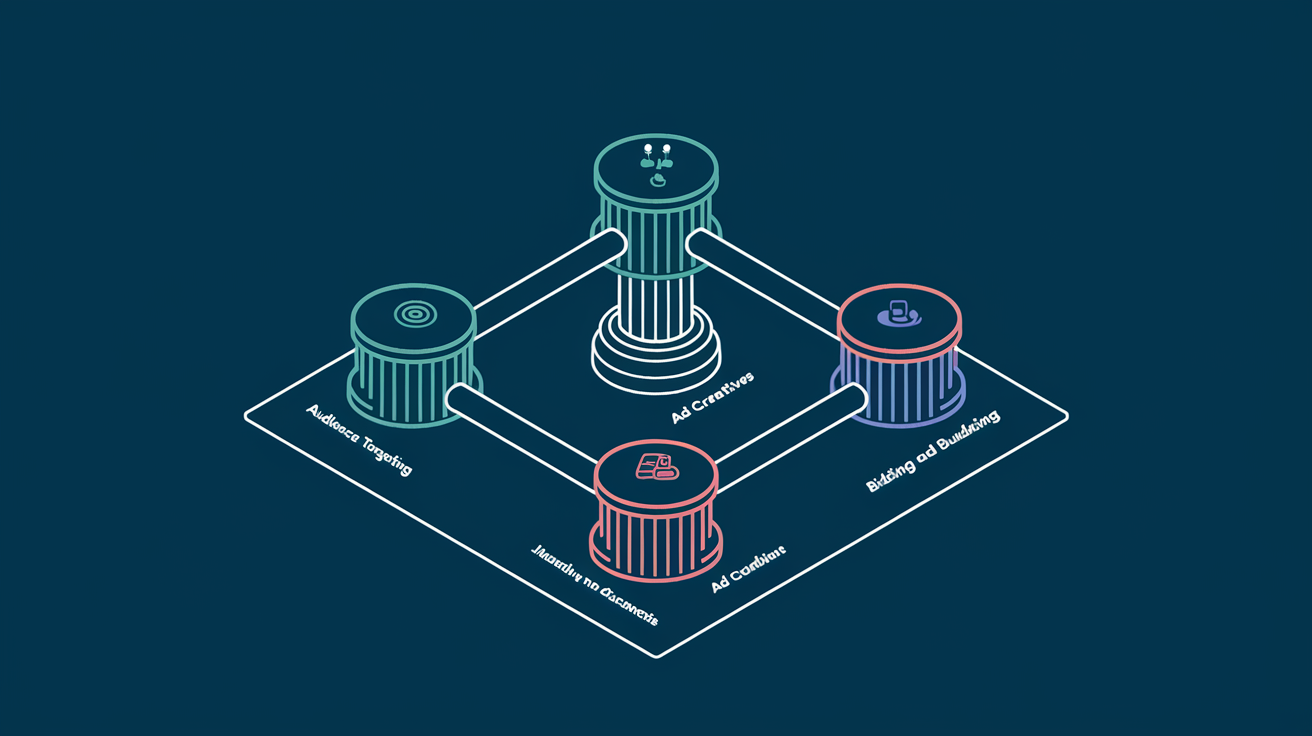
Facebook's Power 5 is a set of five automated advertising tactics that work together to improve campaign performance. Introduced by Meta as a best-practice framework, the Power 5 represents the platform's recommended approach to running ads that leverage machine learning effectively.
The five components are:
Each element works independently, but their real value emerges when used together. The Power 5 framework essentially asks advertisers to trust the algorithm with more decisions, in exchange for better performance at scale.
For Facebook advertisers who have been manually optimizing every aspect of their campaigns, this can feel counterintuitive. But the data consistently shows that advertisers who adopt these practices outperform those who insist on manual control across every variable.
Auto Advanced Matching (AAM) improves the connection between actions taken on your website and the Facebook users who took them. It works by automatically sending hashed customer information from your website, such as email addresses, phone numbers, names, and location data, to Facebook when a conversion event fires.
Without AAM enabled, Facebook relies solely on the pixel cookie to match website conversions to user profiles. As browser restrictions on third-party cookies tighten and users browse across multiple devices, cookie-based tracking misses a growing share of conversions.
AAM fills those gaps by sending additional identifiers that Facebook can use to match conversions to users. The result is more accurate attribution, larger retargeting audiences, and better optimization signals for the algorithm.
For ecommerce stores using Shopify or WooCommerce, AAM is typically enabled by default through their Facebook integrations. For custom-built sites, work with your development team to ensure the correct data layer variables are being captured.
The impact is significant. Enabling AAM typically increases custom audience match rates by 10-30% and improves attributed conversions by 5-15%.
Campaign Budget Optimization moves budget control from the ad set level to the campaign level. Instead of assigning a fixed daily budget to each ad set, you set one budget for the entire campaign and let Facebook's algorithm distribute spending across ad sets based on performance.
In a traditional setup, an advertiser might run five ad sets at $50/day each, spending $250/day total. If one ad set performs exceptionally well and another performs poorly, each still receives its fixed $50 allocation.
With CBO, the same $250/day budget is allocated dynamically. The high-performing ad set might receive $150 while the underperformer gets $20. The algorithm rebalances in real time based on which audiences are delivering the best results.
CBO is particularly powerful when combined with simplified account structure because fewer campaigns mean each campaign receives more budget, giving the algorithm more data to optimize with.
This is perhaps the most impactful and least intuitive element of the Power 5. Facebook's recommendation is to consolidate your account into fewer campaigns, fewer ad sets, and fewer ads rather than creating highly segmented structures.
Many advertisers instinctively create separate campaigns for every audience, every funnel stage, and every product line. A typical over-segmented account might have 20+ campaigns running simultaneously, each with 3-5 ad sets containing 2-3 ads.
This feels like control, but it actually works against you because:
A well-structured Facebook account for most advertisers needs only 3-5 campaigns:
Within each campaign, consolidate audiences rather than fragmenting them. Let the algorithm decide who within a broader audience set is most likely to convert.
This structure works especially well for ecommerce brands running catalog-based advertising, where dynamic ads can serve the right product to the right user without manual audience segmentation.
When you create an ad set, Facebook lets you choose where your ads appear: Feed, Stories, Reels, Marketplace, Audience Network, Messenger, and more. Automatic placements means letting Facebook decide where to show each ad based on where it is most likely to achieve your objective.
The hesitation is understandable. Advertisers worry about their carefully designed feed ads being stretched awkwardly into Stories format, or about budget being wasted on low-quality Audience Network placements.
These concerns were more valid in the early days. Facebook has significantly improved how creative adapts across placements, and the algorithm has gotten better at identifying which placements deliver actual results for each campaign.
Across our managed accounts, campaigns using automatic placements consistently achieved 10-25% lower cost per result compared to manual placement selection. The algorithm finds inventory pockets that manual selection misses, particularly in less competitive placements where CPMs are significantly lower.
Dynamic ads automatically show the right products to people who have expressed interest on your website, in your app, or elsewhere on the internet. Instead of manually creating individual ads for each product, you connect your product catalog and let Facebook generate ads dynamically.
The system connects three inputs:
When a user views a product on your site but does not purchase, Facebook can show them an ad featuring that exact product (and similar items) the next time they open the platform. This is dynamic retargeting at its most effective.
Dynamic ads are not limited to retargeting. Facebook's Dynamic Ads for Broad Audiences (DABA) uses machine learning to show products from your catalog to prospecting audiences who have never visited your site.
The algorithm analyzes user behavior patterns, product attributes, and conversion signals to predict which products each user is most likely to purchase. For catalogs with hundreds or thousands of products, this is far more efficient than manual ad creation.
The real value of the Power 5 framework is not any single element. It is how they compound when used together.
Consider the combined effect:
Each element reduces manual control in favor of algorithmic optimization. And each element provides better data to the others, creating a virtuous cycle of improving performance.
Here is a practical sequence for implementing the Power 5 in your account:
The Power 5 framework represents Facebook's clearest articulation of how advertisers should work with, rather than against, the platform's machine learning capabilities. Advertisers who embrace algorithmic optimization and feed the system with clean data and strong creative consistently outperform those who cling to manual control.
The platform has changed. The strategies that worked when manual optimization was superior, including hyper-segmented audiences, manual placement selection, and ad-set-level budgets, now actively hinder performance. The Power 5 is not just a recommendation. For serious Facebook advertisers, it is the operating system for modern campaign management.
Have you scrolled through your Facebook feed and had a good product review catch your eye? Maybe you even ended up buying a product because you were swayed by a positive review from a friend, a relative, or even other online users you don’t really know.

That, my friend, is a result of social proof!
Social proof is social influence derived from the same principle as “word of mouth.” It generally inspires trust between your potential customer and users who leave testimonials about a certain product or service you offer.
Social proof doesn’t just rely on reviews or feedback — it’s also about what people see in your public social engagement such as the number of reactions, comments, and shares your ad receives.
If your ad gained around 1,000 likes whether organically or not, a customer’s natural reaction is to find out why. All thanks to a social phenomenon called FOMO or “fear of missing out,” people always want to know what the next big thing is.

Social proof is part of almost every successful social media marketing campaign and can negatively or positively impact customer’s purchase behavior.
When a customer is in a brick and mortar store, they have full capacity to weigh out options and directly see which product is the best for them. Things are a lot more complicated when shopping online.

Your potential customer needs an external factor to rely on to make a decision — and this is where social proof steps in.
The key to having effective social proof is using specific and authentic user-generated content (such as reviews) in your ads that are targeted to warm audiences. Your warm audiences are people who are already familiar with your products and just need a bit of a nudge to make that purchase.
Your Facebook campaigns can contain reviews that are not too in-your-face or too dry and unexciting. Although reviews are not exactly reactions or shares on your actual ad, they still showcase how other people love your brand and your products.
You can fit these testimonials into your ad copy or creative image into your actual ad depending on the length. Here are 4 stunning social proof examples used in Facebook ads.
Review in headline:

Review in ad:
Review in ad text:


Yup, you read that right — Facebook has ad text rules that you need to be wary of before running your campaign.
Facebook’s advertising guidelines include a 20 percent text rule. This specifically means that your image text cannot take up more than 20 percent of the photo. Facebook typically suggests no more than 500 characters and an image that is 400x400 pixels for News Feed ads, simply because they perform and drive results better.
Keep in mind that you can test your ad photos with Facebook’s Text Overlay Tool and see if they fit the standards before officially running your Facebook ads.
How will you use social proof to engage audiences?


.svg)