
Businesses that run Google Ads well earn an average of $2 for every $1 spent, and Google itself estimates the platform can deliver up to 800% ROI for advertisers who structure their campaigns correctly. The gap between those results and the advertisers who burn through budget without traction almost always comes down to setup decisions made in the first few hours. This guide walks you through every step, from opening your account to launching a campaign built to convert.
Before logging into Google Ads, two things need to be in place: a Google account linked to your business and a clear conversion goal. That goal could be a purchase, a form submission, a phone call, or a page visit. Without it, you have no signal to optimize toward and no way to know whether your spend is working.
You also need a landing page that matches your ad's promise. Sending traffic to a generic homepage is one of the most common reasons new campaigns underperform. The page a user lands on should directly address whatever the ad offered.
Go to ads.google.com and sign in with your Google account. Google will walk you through a "Smart campaign" setup by default, but skip past it to access Expert Mode. Expert Mode gives you access to all campaign types, full bidding controls, and manual keyword management, which is what you need to run campaigns that scale.
Set your billing country, time zone, and currency carefully. These settings cannot be changed after account creation and affect how your reporting data lines up with your business records.
Conversion tracking is the most important step in this entire process, and it comes before you create a single campaign. In Google Ads, go to Tools, then Measurement, then Conversions. Define your conversion action, whether that is a purchase, a lead form, or a button click.
Install the Google tag on your site and set up the specific conversion event. For purchase-based businesses, enhanced conversions are worth enabling immediately. Enhanced conversions use hashed first-party data to improve measurement accuracy by 20 to 30%, which means your bidding algorithms have better data to work with from day one. Without solid conversion tracking, automated bidding strategies have nothing to learn from.
Google Ads offers several campaign types, each suited to a different goal. For most brands running their first campaign, Search is the right starting point.
Search campaigns show text ads to people actively searching for your product or service. They capture high-intent traffic, and the keyword control makes them easier to manage than other formats. Understanding the full landscape of search advertising helps you fit Search campaigns into a broader paid media strategy.
Performance Max campaigns run across all Google inventory, including Search, Display, YouTube, Gmail, and Shopping, using Google AI to allocate budget. They work best when you already have conversion history and creative assets ready. Starting a brand-new account with PMax before you have conversion data usually leads to wasted spend in the first few weeks.
Shopping campaigns are built for ecommerce and pull product data from your Merchant Center feed. If you sell physical products, a well-structured ecommerce PPC approach treats Shopping and Search as complementary rather than competing channels.
Display and Video campaigns run on Google's network of websites and on YouTube. They are better suited for awareness and retargeting than for direct response in most cases.
Campaign structure directly affects your Quality Score, your budget efficiency, and your ability to read performance data. A common mistake is putting every keyword into one ad group with generic ad copy. Tight structure prevents this.
Organize campaigns around a single product category, service line, or funnel stage. Inside each campaign, create ad groups around tightly related keyword themes. Each ad group should have five to fifteen closely related keywords and ad copy that speaks directly to that specific intent. When your keywords, ads, and landing page all point to the same topic, Google rewards you with a higher Quality Score, which lowers your cost per click.
Keywords are the mechanism that connects your ads to the right search queries. Start with terms your customers actually use, not internal product terminology. Tools like Google Keyword Planner are built into your account and show estimated search volume and bid ranges for any term.
Use a mix of match types strategically. Exact match gives you precise control over which queries trigger your ads. Phrase match expands reach to queries containing your keyword phrase. Broad match, especially when paired with Smart Bidding, lets Google's algorithm discover related queries, but it requires enough conversion data to work well.
Negative keywords are just as important as your target keywords. Add irrelevant terms from the start so your budget is not wasted on queries that will never convert. Review your search terms report weekly in the early weeks of a campaign to catch new negatives before they accumulate cost.
If you want to see what queries are driving results for competitors, reverse-engineering a competitor's keyword strategy can surface opportunities you would not have found through keyword tools alone.
Google Search ads use a Responsive Search Ad format. You provide up to fifteen headlines and four descriptions, and Google tests combinations to find what performs best. Write headlines that include your primary keyword, a specific benefit, and a call to action. Avoid vague phrases like "great service" or "learn more." Specificity converts better.
Pin a headline only when accuracy requires it, such as a brand name or a specific offer. Otherwise, letting Google rotate through combinations gives the algorithm more data to optimize. Include at least one description that provides proof, whether that is a number, a guarantee, a result, or a customer outcome.
Enable ad extensions, now called assets, across the board. Sitelinks, callouts, structured snippets, and call assets expand your ad's footprint on the search results page and improve click-through rate without adding cost per click.
Bidding strategy determines how Google spends your budget and how aggressively it competes in each auction. The right strategy depends on where your account is in its data lifecycle.
For a new account with no conversion history, start with Maximize Clicks with a cost-per-click cap. This gets impressions and clicks while limiting exposure until your tracking is validated. Once you have at least 30 conversions in a 30-day window, switch to Maximize Conversions. After you reach 50 or more weekly conversions consistently, you can layer in a Target CPA to hold Google to a specific cost per acquisition.
Target ROAS is the right choice once you have consistent purchase data and want to optimize for revenue rather than conversion volume. It works well for ecommerce brands where order values vary and you want Google to prioritize higher-value transactions. According to Google's own bidding guidance, Smart Bidding strategies perform best when campaigns are given enough conversion data and are not interrupted by frequent structural changes.
Set a daily budget at the campaign level. A realistic starting budget for Search is enough to generate at least ten to twenty clicks per day based on the average CPC in your category. The average CPC across all industries in Google Ads is $4.22, so a $50 to $100 daily budget gives you enough volume to start seeing meaningful data within a week.
Review your campaign settings before going live. Confirm that your location targeting is set to your actual service area, not a broader default. Check that the Google Search Network is included and that Search Partners and Display Network are turned off until you have baseline data.
Set an ad schedule only if you have a specific business reason to limit hours. Otherwise, let the campaign run and use the data to identify any time-of-day patterns worth acting on.
Google Ads is not a set-it-and-forget-it channel. The first two weeks are about validating your tracking and catching early issues. After that, shift to a weekly optimization rhythm.
Each week, review your search terms report and add negatives, check quality scores by ad group, and compare conversion rates across keywords. Pause keywords that have spent beyond three times your target CPA without converting. Test one new headline or description variant per ad group per month rather than changing everything at once. Isolating variables is the only way to know what actually moved the needle.
Monthly, assess campaign-level performance against your goals, review impression share to understand whether budget or bid constraints are limiting reach, and consider whether your landing pages need updates based on the traffic data you are collecting.
For brands that want support building campaigns from scratch or scaling an existing account, EmberTribe's Google Ads management services cover full-funnel paid search strategy built around measurable growth.
Google Ads excels at capturing demand that already exists. When someone searches for what you offer, Search campaigns put your brand in front of them at exactly the right moment. That makes it one of the most efficient channels for converting high-intent prospects.
What it cannot do is create demand for something people are not actively searching for. If your product or category is new to the market, you may need Display or Video campaigns to build awareness before Search campaigns can reach their potential. Understanding how Google Ads works as a platform gives you a sharper view of where it fits in your overall growth model.
The brands that get the most from Google Ads treat it as a data system, not just an advertising channel. Every campaign generates information about what your customers are searching for, what language converts, and which offers drive action. Run it with that lens and you are building an asset that compounds over time.
Sources:

Businesses that run Google Ads well earn an average of $2 for every $1 spent, and Google itself estimates the platform can deliver up to 800% ROI for advertisers who structure their campaigns correctly. The gap between those results and the advertisers who burn through budget without traction almost always comes down to setup decisions made in the first few hours. This guide walks you through every step, from opening your account to launching a campaign built to convert.
Before logging into Google Ads, two things need to be in place: a Google account linked to your business and a clear conversion goal. That goal could be a purchase, a form submission, a phone call, or a page visit. Without it, you have no signal to optimize toward and no way to know whether your spend is working.
You also need a landing page that matches your ad's promise. Sending traffic to a generic homepage is one of the most common reasons new campaigns underperform. The page a user lands on should directly address whatever the ad offered.
Go to ads.google.com and sign in with your Google account. Google will walk you through a "Smart campaign" setup by default, but skip past it to access Expert Mode. Expert Mode gives you access to all campaign types, full bidding controls, and manual keyword management, which is what you need to run campaigns that scale.
Set your billing country, time zone, and currency carefully. These settings cannot be changed after account creation and affect how your reporting data lines up with your business records.
Conversion tracking is the most important step in this entire process, and it comes before you create a single campaign. In Google Ads, go to Tools, then Measurement, then Conversions. Define your conversion action, whether that is a purchase, a lead form, or a button click.
Install the Google tag on your site and set up the specific conversion event. For purchase-based businesses, enhanced conversions are worth enabling immediately. Enhanced conversions use hashed first-party data to improve measurement accuracy by 20 to 30%, which means your bidding algorithms have better data to work with from day one. Without solid conversion tracking, automated bidding strategies have nothing to learn from.
Google Ads offers several campaign types, each suited to a different goal. For most brands running their first campaign, Search is the right starting point.
Search campaigns show text ads to people actively searching for your product or service. They capture high-intent traffic, and the keyword control makes them easier to manage than other formats. Understanding the full landscape of search advertising helps you fit Search campaigns into a broader paid media strategy.
Performance Max campaigns run across all Google inventory, including Search, Display, YouTube, Gmail, and Shopping, using Google AI to allocate budget. They work best when you already have conversion history and creative assets ready. Starting a brand-new account with PMax before you have conversion data usually leads to wasted spend in the first few weeks.
Shopping campaigns are built for ecommerce and pull product data from your Merchant Center feed. If you sell physical products, a well-structured ecommerce PPC approach treats Shopping and Search as complementary rather than competing channels.
Display and Video campaigns run on Google's network of websites and on YouTube. They are better suited for awareness and retargeting than for direct response in most cases.
Campaign structure directly affects your Quality Score, your budget efficiency, and your ability to read performance data. A common mistake is putting every keyword into one ad group with generic ad copy. Tight structure prevents this.
Organize campaigns around a single product category, service line, or funnel stage. Inside each campaign, create ad groups around tightly related keyword themes. Each ad group should have five to fifteen closely related keywords and ad copy that speaks directly to that specific intent. When your keywords, ads, and landing page all point to the same topic, Google rewards you with a higher Quality Score, which lowers your cost per click.
Keywords are the mechanism that connects your ads to the right search queries. Start with terms your customers actually use, not internal product terminology. Tools like Google Keyword Planner are built into your account and show estimated search volume and bid ranges for any term.
Use a mix of match types strategically. Exact match gives you precise control over which queries trigger your ads. Phrase match expands reach to queries containing your keyword phrase. Broad match, especially when paired with Smart Bidding, lets Google's algorithm discover related queries, but it requires enough conversion data to work well.
Negative keywords are just as important as your target keywords. Add irrelevant terms from the start so your budget is not wasted on queries that will never convert. Review your search terms report weekly in the early weeks of a campaign to catch new negatives before they accumulate cost.
If you want to see what queries are driving results for competitors, reverse-engineering a competitor's keyword strategy can surface opportunities you would not have found through keyword tools alone.
Google Search ads use a Responsive Search Ad format. You provide up to fifteen headlines and four descriptions, and Google tests combinations to find what performs best. Write headlines that include your primary keyword, a specific benefit, and a call to action. Avoid vague phrases like "great service" or "learn more." Specificity converts better.
Pin a headline only when accuracy requires it, such as a brand name or a specific offer. Otherwise, letting Google rotate through combinations gives the algorithm more data to optimize. Include at least one description that provides proof, whether that is a number, a guarantee, a result, or a customer outcome.
Enable ad extensions, now called assets, across the board. Sitelinks, callouts, structured snippets, and call assets expand your ad's footprint on the search results page and improve click-through rate without adding cost per click.
Bidding strategy determines how Google spends your budget and how aggressively it competes in each auction. The right strategy depends on where your account is in its data lifecycle.
For a new account with no conversion history, start with Maximize Clicks with a cost-per-click cap. This gets impressions and clicks while limiting exposure until your tracking is validated. Once you have at least 30 conversions in a 30-day window, switch to Maximize Conversions. After you reach 50 or more weekly conversions consistently, you can layer in a Target CPA to hold Google to a specific cost per acquisition.
Target ROAS is the right choice once you have consistent purchase data and want to optimize for revenue rather than conversion volume. It works well for ecommerce brands where order values vary and you want Google to prioritize higher-value transactions. According to Google's own bidding guidance, Smart Bidding strategies perform best when campaigns are given enough conversion data and are not interrupted by frequent structural changes.
Set a daily budget at the campaign level. A realistic starting budget for Search is enough to generate at least ten to twenty clicks per day based on the average CPC in your category. The average CPC across all industries in Google Ads is $4.22, so a $50 to $100 daily budget gives you enough volume to start seeing meaningful data within a week.
Review your campaign settings before going live. Confirm that your location targeting is set to your actual service area, not a broader default. Check that the Google Search Network is included and that Search Partners and Display Network are turned off until you have baseline data.
Set an ad schedule only if you have a specific business reason to limit hours. Otherwise, let the campaign run and use the data to identify any time-of-day patterns worth acting on.
Google Ads is not a set-it-and-forget-it channel. The first two weeks are about validating your tracking and catching early issues. After that, shift to a weekly optimization rhythm.
Each week, review your search terms report and add negatives, check quality scores by ad group, and compare conversion rates across keywords. Pause keywords that have spent beyond three times your target CPA without converting. Test one new headline or description variant per ad group per month rather than changing everything at once. Isolating variables is the only way to know what actually moved the needle.
Monthly, assess campaign-level performance against your goals, review impression share to understand whether budget or bid constraints are limiting reach, and consider whether your landing pages need updates based on the traffic data you are collecting.
For brands that want support building campaigns from scratch or scaling an existing account, EmberTribe's Google Ads management services cover full-funnel paid search strategy built around measurable growth.
Google Ads excels at capturing demand that already exists. When someone searches for what you offer, Search campaigns put your brand in front of them at exactly the right moment. That makes it one of the most efficient channels for converting high-intent prospects.
What it cannot do is create demand for something people are not actively searching for. If your product or category is new to the market, you may need Display or Video campaigns to build awareness before Search campaigns can reach their potential. Understanding how Google Ads works as a platform gives you a sharper view of where it fits in your overall growth model.
The brands that get the most from Google Ads treat it as a data system, not just an advertising channel. Every campaign generates information about what your customers are searching for, what language converts, and which offers drive action. Run it with that lens and you are building an asset that compounds over time.
Sources:

The debate between SEO and PPC has been running for over a decade, and it largely misses the point. The real question isn't which channel to choose — it's how to sequence and combine them to maximize results across different time horizons.
Most growth-stage companies either go all-in on paid search (fast traffic, high cost, zero long-term equity) or commit exclusively to SEO (slow ramp, compounding returns, poor short-term results). The businesses that outperform their competitors in search understand that SEO and PPC services serve different functions in the same growth system, and that they're more effective together than either is alone.
This guide breaks down when each approach works, when to combine them, and what a coordinated SEO and PPC strategy actually produces.
Before comparing them, it's worth being precise about what each channel does.
SEO (Search Engine Optimization) improves your organic search rankings through content quality, technical site health, and authority signals (backlinks). It costs primarily in time and labor, delivers no results for months, and then compounds as rankings accumulate and traffic grows without additional spend.
PPC (Pay-Per-Click) places paid ads at the top of search results through Google Ads or Microsoft Advertising. You pay each time someone clicks. Results are immediate and highly controllable, but the moment you stop spending, the traffic stops completely. There's no residual asset.
The core trade-off: PPC buys attention now; SEO builds ownership of attention over time.
PPC services are the right primary investment when:
You need immediate traffic or leads. A new product launch, a seasonal campaign, or a business that simply can't wait 6–12 months for organic results. Google Ads can deliver first-page visibility the same day a campaign goes live.
You're testing messaging and offers. PPC is the fastest feedback loop in digital marketing. You can test five different value propositions, landing page variants, and calls to action against real buyer behavior within weeks — data that would take months to accumulate organically.
You're targeting high-intent, bottom-of-funnel searches. Terms like "buy [product] online," "emergency [service] near me," or "[software] pricing" signal immediate purchase intent. Capturing these through paid ads while your organic rankings develop is a sound strategy.
The competitive landscape makes fast organic gains unlikely. If you're entering a category dominated by established brands with years of SEO investment, the gap to organic Page 1 may be too large to close quickly. PPC lets you compete in the meantime.
SEO services deliver the best returns when:
You're playing a long-term game. Research consistently shows that beyond the 12-month mark, organic traffic typically costs significantly less per lead than paid traffic — because you've already made the investment and rankings continue generating traffic without additional spend.
Your content can create demand, not just capture it. Some buying journeys start with educational questions, not product searches. A potential customer searching "how do I reduce customer churn" is earlier in the funnel than one searching "best customer success software," but they're still a valuable audience. SEO content targeting these earlier-stage queries builds brand awareness and trust before the buying decision happens.
Your category has high sustained search volume. Industries where buyers consistently search for the same terms — ecommerce, SaaS, professional services — have the stable search demand that SEO compounds best against.
For a deeper look at organic search strategy for online retailers, our ecommerce SEO guide covers the full framework.
The most significant insight from running both channels is what happens when you appear in both paid and organic positions on the same keywords.
Aligning SEO and PPC on the same queries means your brand occupies more real estate on the SERP — and the combined presence is greater than the sum of its parts. Dominant presence in both organic and paid results creates authority signals that increase trust, reduces the share of clicks going to competitors, and compounds the value of ranking in either channel.
One of the most underused benefits of running SEO and PPC services simultaneously is the intelligence flow between them.
PPC campaigns generate granular conversion data at the keyword level within days. You can see exactly which search terms are generating form submissions, calls, or purchases — and at what cost. This data is directly actionable for SEO: the highest-converting PPC keywords are the ones most worth pursuing in organic, because you've already validated they convert.
Running both channels simultaneously creates a compounding data advantage. PPC validates which organic terms to pursue. Organic data shows which content topics resonate with your audience, which informs better PPC ad copy. Each channel improves the other.
The right balance between SEO and PPC investment changes over time:
Early stage (0–6 months): PPC-heavy. Get traffic and conversion data quickly. Use that data to identify which organic content to build. Begin foundational SEO work in parallel.
Growth stage (6–18 months): Balanced. Continue PPC for high-intent terms while organic rankings start delivering for mid-funnel content terms. Shift budget from PPC toward SEO on any terms where organic has achieved Page 1 ranking.
Mature stage (18+ months): SEO-heavy with PPC as amplifier. Use paid search for competitive terms where organic ranking is difficult, seasonal campaigns, and new offer launches. Let organic carry the bulk of consistent traffic at lower cost.
Beyond budget allocation, here are the specific ways coordinated SEO and PPC services produce better results than either channel managed in isolation:
Keyword intelligence sharing. PPC keyword reports identify converting terms for SEO targeting. Organic ranking data identifies terms worth bidding on for brand protection.
Landing page testing. PPC campaigns can A/B test landing pages at a pace SEO can't match. High-converting PPC landing pages become templates for organic content pages.
Retargeting organic visitors. Users who found you through organic search can be retargeted with paid ads — bringing them back into your funnel with a more specific offer than their original informational search.
Coverage on competitor terms. SEO can't rank for a competitor's brand name organically. PPC can run ads on competitor keywords, capturing buyers who are actively evaluating alternatives.
Seasonal and launch campaigns. Even brands with strong organic rankings benefit from PPC for product launches, limited-time offers, or seasonal spikes where you need to reach people who aren't already in your organic audience.
When looking for agencies or consultants to manage these services, a few key questions separate good providers from mediocre ones:
For growth-stage ecommerce brands, our post on PPC management for ecommerce covers how to evaluate paid search partners for your specific context.
When SEO and PPC run in parallel, the metrics that matter most are cross-channel:
The goal of combined SEO and PPC services isn't to reduce one channel while growing the other — it's to grow total search-driven revenue while improving efficiency over time as organic compounding reduces dependence on paid spend.
The brands winning in search in 2026 aren't choosing between SEO and PPC — they're sequencing them intelligently and using each to improve the other.
PPC delivers immediate results and conversion data. SEO builds compounding organic equity. Run together, they create SERP dominance that neither channel achieves alone, plus an intelligence-sharing feedback loop that makes both more efficient.
The right balance depends on your stage, timeline, and available budget. But in most cases, the answer to "should we do SEO or PPC?" is: start with both, calibrate the ratio over time, and let the data from each channel drive the strategy in the other.
How do Google Ads work? It's a question most business owners ask before running their first campaign — and one many experienced advertisers still don't have a complete answer to, because Google's system is more nuanced than it first appears.
The short version: Google Ads is an auction-based advertising platform where businesses bid for placement in search results and across Google's network. But the winner of each auction isn't necessarily the highest bidder — it's the advertiser with the strongest combination of bid, ad quality, and relevance. Understanding that distinction is the foundation of effective Google Ads management.
Every time someone searches on Google, an ad auction takes place in milliseconds to determine which ads appear and in what order. This isn't a simple highest-bidder-wins system — it's a real-time calculation that weighs multiple factors simultaneously.
Google's auction evaluates six variables for each participating ad:
The output of this calculation is your Ad Rank — a score that determines whether your ad shows and where it appears relative to competitors.
Ad Rank = Bid × Quality Score × (expected extension impact)
The practical implication: a higher bid doesn't guarantee a better position. An advertiser with a lower bid but a significantly higher Quality Score can outrank a higher-spending competitor. This is why understanding and improving Quality Score is central to effective PPC management.
Here's a detail that surprises many first-time advertisers: you rarely pay your maximum bid. Actual CPC is determined by the Ad Rank of the advertiser below you, divided by your Quality Score, plus one cent. In most auctions, you pay just enough to maintain your position over the next competitor — not your full maximum bid.
Quality Score is Google's rating (on a 1–10 scale) of the relevance and quality of your keywords, ads, and landing pages. It's calculated per keyword and consists of three components:
Google predicts how likely your ad is to get clicked when shown for a given keyword, compared to historical performance data across all advertisers. Strong ad copy that clearly addresses search intent drives better expected CTR.
How closely your ad copy matches the intent behind the keyword. An ad for "commercial cleaning services" that runs on a keyword for "office cleaning near me" should reflect that specific intent in the headline — generic copy about "professional cleaning solutions" will score lower on relevance.
Google evaluates whether your landing page is relevant, transparent, and easy to navigate. Specifically: does the page deliver on what your ad promised, does it load quickly, and does it provide useful information to visitors?
Landing page experience is the component most advertisers overlook. You can have excellent ad copy and still have a low Quality Score if traffic is landing on a slow, irrelevant page.
Why Quality Score matters financially: A Quality Score of 8 versus a Quality Score of 4 on the same keyword can result in a 50%+ difference in CPC, with the higher-Quality Score advertiser paying less while appearing in a better position.
Google offers several campaign types suited to different business objectives:
Text ads that appear in Google search results when users search for specific keywords. The highest-intent ad type — you're reaching people who are actively looking for what you sell.
Best for: Lead generation, direct response, capturing demand that already exists.
Product listing ads that show product images, prices, and store names in search results and Google Shopping. Essential for ecommerce. Performance Max extends this by showing ads across all Google surfaces — Search, Shopping, YouTube, Display, Gmail, and Maps — using Google's machine learning to allocate budget.
Best for: Ecommerce brands selling physical products.
Image and banner ads shown across Google's Display Network of over 2 million websites. Lower intent than search, but effective for brand awareness and retargeting.
Best for: Building awareness, remarketing to past visitors, promoting to interest-based audiences.
Video ads on YouTube and Google's video partners. Skippable, non-skippable, and bumper formats. Increasingly important for top-of-funnel brand building.
Best for: Brand awareness, product demonstrations, audience building for remarketing.
In Search campaigns, match types control which searches can trigger your ads. Getting this right significantly affects both reach and efficiency.
Broad Match: Your ad can show for searches related to your keyword, including synonyms and variations Google's system deems relevant. Broadest reach, lowest precision. Requires active negative keyword management to stay efficient.
Phrase Match: Your ad shows for searches that include the meaning of your keyword phrase. More controlled than broad match — good for capturing intent variations while limiting irrelevant traffic.
Exact Match: Your ad shows for searches that match your keyword's meaning very closely. Highest precision, lowest volume. Best for high-value, high-intent keywords where conversion rate justifies the limited reach.
Most well-structured campaigns use a combination — exact match for proven high-performers, phrase match for discovery, and controlled broad match with aggressive negative keyword lists.
You set a maximum bid for each keyword individually. Gives you the most control, but requires more active management and doesn't react to real-time auction signals.
Google's machine learning optimizes bids in real time based on your campaign goal. Smart Bidding strategies include:
Smart Bidding works best when your campaigns have sufficient conversion data — generally 30–50 conversions per month, per campaign. Without adequate data, the algorithm makes poor bid decisions. This is one reason why working with an experienced PPC company matters: they know when to use Smart Bidding, when to stay manual, and how to structure campaigns to feed the algorithm what it needs.
How you organize your Google Ads account directly affects performance, manageability, and the quality of your data.
A standard account hierarchy:
Best practice campaign structure:
Ad assets (formerly called extensions) are additional pieces of information that expand your ad without adding to cost per click. They include:
Extensions improve click-through rate by making ads larger and more informative, and Google factors expected extension impact into Ad Rank calculations. Using all relevant extensions is one of the easiest optimizations available.
There's no minimum spend on Google Ads — technically you could start with $5/day. But practical minimum budgets for meaningful data collection and optimization depend on your target CPA and how many conversions per day you need for Smart Bidding to work.
A rough framework:
The question isn't "what's the minimum I can spend" but "what ad spend level lets me collect enough data to optimize effectively while maintaining a viable CPA?"
Understanding how Google Ads work is the first step. Running campaigns that consistently generate profitable results is a different skill set — one that requires ongoing testing, analysis, and adjustment as the auction landscape shifts.
Many businesses run their own Google Ads with mixed results, then bring in professional PPC management once they realize the gap between "ads running" and "ads working." The system is learnable, but it has enough depth that expertise matters — especially when you're competing against other advertisers who have years of account history and optimization data behind them.
The fundamentals covered here — auction mechanics, Quality Score, match types, Smart Bidding, and campaign structure — are what every competent Google Ads practitioner has internalized. They're also the lens through which you should evaluate any agency or in-house team managing your campaigns.

If you're evaluating a SEM agency, you're likely staring down a familiar problem: your organic traffic is solid, but you need revenue now. Paid search delivers results in days, not months — but only when it's managed well. The difference between a strong sem agency and a mediocre one isn't effort. It's strategy, accountability, and the infrastructure they build around your campaigns.
This guide breaks down exactly what a search engine marketing agency does, how to evaluate one, and what to watch out for before you sign anything.
A SEM agency manages paid search advertising across platforms like Google Ads and Microsoft (Bing) Ads. Their core job is to capture high-intent demand — people who are actively searching for what you sell — and convert that traffic into revenue.
That scope covers a lot of ground. Depending on the engagement, a paid search agency will:
In 2026, the best agencies layer AI-driven bidding and dynamic asset generation on top of these fundamentals — but the fundamentals still have to be right. Automation without a sound account structure doesn't produce results; it just burns budget faster.
Not all paid search agencies are built the same. Here's what separates the performance-focused ones from those that generate reports without moving revenue.
Account ownership. You should own your Google Ads account — not the agency. If they want to run campaigns inside their own manager account with restricted access, that's a serious red flag. You need full ownership so the work stays with you if the relationship ends.
Conversion tracking done right. Sloppy attribution is one of the most common issues in paid search engagements. Look for agencies that implement server-side tracking or enhanced conversions, not just standard Google Tag Manager setups. If their measurement doesn't hold up under scrutiny, you can't trust their reporting.
Transparent communication on bidding strategy. Smart bidding (tCPA, tROAS, Maximize Conversions) can work well, but only with sufficient conversion data and the right targets. An agency should be able to explain clearly why they're using a specific bid strategy for your account, not just default to it because it's the path of least resistance.
Case studies with real numbers. Ask for documented client results. Not logos. Actual performance data — ROAS improvement, cost-per-acquisition reduction, revenue growth — from accounts similar to yours in size, industry, or model. Agencies that can't produce verifiable examples haven't earned the benefit of the doubt.
Landing page involvement. A SEM agency that only manages bids and ignores what happens after the click is leaving money on the table. The best agencies treat the landing page as part of the campaign, not someone else's problem.
For more on what to look for when hiring a paid advertising partner, see our guide to PPC management for ecommerce.
SEM pricing varies significantly based on agency size, ad spend volume, and service scope. The three most common structures you'll encounter:
Percentage of ad spend. The agency charges 10–20% of your monthly ad budget. This model aligns incentives around scale — as your campaigns grow, so does the fee — but it can create misaligned incentives if the agency's income rises by increasing spend rather than improving efficiency.
Monthly retainer. A flat monthly fee, typically ranging from $1,500 to $10,000+ depending on scope. This model works well for companies with stable budgets and clear deliverables. Retainers often come with a one-time setup fee of $500–$3,500 covering account audits, restructuring, and tracking implementation.
Hybrid model. A base retainer covers core management, with performance bonuses tied to hitting specific targets (ROAS, CPA, revenue). This is increasingly common in 2026 because it creates shared accountability. You pay for baseline effort, and the agency earns more when results exceed thresholds.
Most reputable agencies require a minimum engagement of three to six months. Paid search campaigns need time to accumulate data, test variables, and optimize — asking for meaningful results in 30 days is unrealistic for most accounts.
Before signing with any search engine marketing agency, run through these questions in your evaluation calls:
Any agency that hedges heavily on account ownership, attribution, or case studies is worth passing on. The best partners are direct and specific.
SEM and SEO serve different parts of the demand curve, and they work better together than in isolation.
SEO builds authority and captures intent at scale over time. A well-optimized site ranking for high-volume informational and commercial terms generates compounding returns — but those rankings take months to years to build. SEM, by contrast, is available immediately. You can be at the top of search results for high-intent terms tomorrow.
The strongest search marketing programs run both channels in parallel. SEO supports awareness and middle-of-funnel content. SEM covers bottom-of-funnel terms where purchase intent is explicit. Together, they create coverage across the entire search journey — and the data from paid search often informs which organic content is worth building.
For a deeper look at how these channels complement each other, see our breakdown of building a balanced SEO and SEM strategy.
EmberTribe works primarily with DTC brands and growth-stage companies that need paid search to pull real revenue weight — not just generate impressions. Our approach is built around three principles.
First, clean infrastructure. Before we touch bids, we audit account structure, conversion tracking, and attribution. Garbage in, garbage out. If the measurement isn't right, every optimization decision downstream is built on sand.
Second, cross-channel integration. We don't treat Google Ads as an island. Our paid search work connects to creative testing, landing page strategy, and email and SMS flows — because the customer path rarely starts and ends in one place. If you're looking at how this fits into a broader growth strategy, our post on choosing the right marketing agency for your business covers how to evaluate that full-picture thinking.
Third, accountability to revenue. ROAS and CPA are proxies. We work back from the number that matters — revenue — and build campaigns with that target as the anchor.
If your paid search isn't performing to its potential, or you're evaluating SEM agencies for the first time, we're happy to take a look at your current setup and tell you exactly what we see.
Get a free paid search audit from EmberTribe and walk away with a clear picture of what's working, what isn't, and what a focused sem agency engagement could deliver for your business.
Choosing the right PPC advertising agency is one of the highest-leverage decisions a growth-stage brand can make. Done well, paid search compounds your customer acquisition engine. Done poorly, it burns budget and stalls growth. With hundreds of agencies competing for your retainer, knowing what separates a great PPC advertising agency from a mediocre one is essential before you sign any contract.
This guide breaks down exactly what PPC agencies do, how they charge, what credentials matter, and what metrics you should hold them accountable to.
A PPC agency manages your paid advertising campaigns end to end — from initial strategy through daily optimization and reporting. The core scope typically includes:
What distinguishes a strong ecommerce PPC management agency is not just execution — it's strategic thinking. The best agencies connect paid performance to your broader unit economics, not just your ad account dashboard.
Understanding the fee structure matters because it shapes incentives. The most common pricing models in 2026 are:
Percentage of ad spend. The industry standard. Agencies charge 10%–20% of your monthly advertising budget. At $20,000/month in spend, that's $2,000–$4,000 in management fees. This model aligns the agency's income with your investment but can create perverse incentives to scale spend before performance justifies it.
Flat monthly retainer. A fixed fee — typically $1,500–$10,000/month — regardless of spend volume. This works well for brands with stable budgets and benefits the agency when ad spend grows without a corresponding fee increase. For clients, it offers predictability.
Performance-based pricing. The agency earns per conversion — a fixed amount per qualified lead or a percentage of attributed revenue. This model demands rigorous tracking and agreed-upon attribution standards. It sounds ideal but can distort agency behavior toward easy-to-convert traffic rather than high-LTV customers.
Hybrid models. The most sophisticated agencies use combinations: a lower base retainer plus a performance bonus tied to ROAS or CPA thresholds. This aligns short-term execution incentives with long-term growth goals.
For DTC brands with high seasonal variation, a flat fee or hybrid structure often makes more sense than a pure percentage model that inflates costs during peak months.
The right agency demonstrates expertise before you sign, not after.
Google Premier Partner status. Google's Premier Partner designation is reserved for agencies in the top 3% of Google Partners globally. It requires meeting performance benchmarks, ad spend thresholds, and certification requirements. It's not a guarantee of quality, but its absence is a data point.
Relevant vertical experience. An agency that has run campaigns for SaaS companies is not the same as one that has scaled DTC ecommerce brands. Ask for specific case studies with ROAS outcomes, not just traffic metrics.
Transparent reporting. A quality agency gives you direct access to your ad account — you own the data regardless of the relationship. If an agency wants to retain ownership of campaign assets, walk away.
Clear communication cadence. Ask how often you'll receive reports, how quickly they respond to account issues, and whether you'll have a dedicated account manager or get rotated through generalists.
Landing page thinking. Paid traffic converts on your landing pages, not in your ad account. Agencies that approach PPC without discussing landing page optimization are solving half the problem. If you're building out your paid search strategy alongside SEO, review how SEO and SEM work together in a balanced search plan to avoid siloed thinking.
These patterns indicate an agency that is optimizing for retention over your results:
Reporting on vanity metrics. Clicks and impressions describe activity, not outcomes. If an agency's reports lead with CTR while burying CPA and ROAS, they are managing optics rather than performance.
Lack of brand vs. non-brand segmentation. Branded search campaigns capture demand that already exists — they're easier to run and produce flattering numbers. An agency that blends branded and non-branded performance into a single ROAS figure is obscuring how hard they're actually working.
No clear testing cadence. Great agencies run structured tests — new ad copy variants, bid adjustments, audience exclusions. If your account has the same ads running for six months without documented tests, that's stagnation dressed up as stability.
Blaming the algorithm. Google's algorithm changes are real, but good agencies anticipate them. An agency that responds to every performance dip with "it was a platform update" without a corresponding adaptation plan is making excuses.
Resistance to account access. Your ad account, your data. Any agency that resists granting you admin access to your own Google Ads account is operating from a conflict of interest.
Industry benchmarks give you a baseline, but context matters. According to 2026 Google Ads data, average search CTR is 6.11%, average CPC is $4.22, average CPA is $53.52, and average conversion rate is 7.04%. The median ROAS across Google Ads campaigns sits around 3.5:1.
These averages are starting points. What matters for your business is performance relative to your margin structure.
The metrics a rigorous agency tracks include:
An agency that tracks leading indicators (Quality Score trends, CTR on new ad variants, impression share changes) alongside lagging indicators (ROAS, CPA) gives you the clearest picture of whether the account is building momentum or just coasting.
For ecommerce brands looking to improve lead volume through paid channels, these PPC tips for lead generation offer practical tactics your agency should already be implementing.
At EmberTribe, paid advertising management is built around one question: what does it cost to acquire a customer who will stay? That means connecting Google Ads performance to cohort LTV, not just session-level ROAS.
Our Google Ads practice is structured around transparent account ownership, documented testing frameworks, and reporting that surfaces the metrics that actually move your business — CPA, ROAS by product line, impression share on high-intent terms, and new customer rate.
We work with DTC brands and growth-stage companies that have proven their offer and are ready to scale paid channels efficiently. If that sounds like where you are, we'd like to show you what systematic paid search management looks like in practice.
Ready to stop guessing and start scaling? Talk to EmberTribe about your paid advertising strategy.

Finding the best PPC agency is harder than it looks. The market is crowded with agencies that promise top ROAS, certified experts, and transparent reporting — but deliver dashboards full of vanity metrics and campaigns that burn budget without moving revenue. Whether you're searching for a top pay per click agency to scale a DTC brand or a best Google Ads agency to fix a broken account, the framework for choosing well is the same: skip the pitch decks and evaluate on the things that actually predict outcomes.
This guide breaks down exactly what separates the best PPC agencies from average ones — including the six criteria to use, the questions to ask, and the warning signs that tell you to walk away.
The best PPC agencies share a common orientation: they treat your ad spend as capital to be deployed for maximum return, not a budget to be spent. That sounds obvious, but it's not how most agencies operate. Most agencies optimize for keeping accounts active and hitting platform-level benchmarks. The best agencies optimize for your business outcomes — customer acquisition cost, revenue per visitor, contribution margin.
Practically, that difference shows up in a few specific ways. The best agencies build campaign structures that match your funnel, not Google's or Meta's recommended defaults. They test creative and copy systematically rather than running one set of ads until performance decays. They report on metrics that connect to your P&L — not impressions, not CTR, not "quality score improvements."
They also earn the relationship by showing their work. When a campaign underperforms, they explain why and what they changed. When performance improves, they document what drove it so the insight compounds over time.
Use these six criteria when you're comparing agencies. Each one is designed to surface how the agency actually operates — not how they present.
1. Platform certifications and active expertise
Google Partner and Google Premier Partner status matters, but it's a floor, not a ceiling. Confirm the agency holds current certifications in every platform you need — Google Ads, Microsoft Advertising, and any paid social channels relevant to your business. More importantly, verify that the people managing your account are the ones with the credentials, not just a senior team member who earned them.
2. Case studies with business-level outcomes
Any agency can show you a ROAS chart. The best agencies can show you what happened downstream — how paid traffic converted into customers, what the payback period looked like, how CAC trended over a six-month engagement. Ask for case studies from accounts that resemble yours in business model and spend level. If they can't produce them, that's signal.
3. Campaign structure and account architecture
Strong PPC agencies come into a discovery call with a point of view on how your account should be structured. They ask about your funnel, your margins, your average order value, your best customer profile. Agencies that skip this and jump straight to ad formats or platform features are optimizing for platform metrics rather than your business.
4. Reporting transparency
You should have real-time access to your account data — not just a monthly PDF summary. The best agencies give clients live dashboard access and use that data as the basis for their reporting conversations, not as something to narrate over. Ask specifically: who owns the accounts, what data can I access independently, and what happens to the account data if we part ways?
5. Communication cadence and responsiveness
PPC moves fast. Campaigns that need to be paused, budgets that need to shift during a sale window, creative that needs to be swapped after a product change — all of these require an agency that responds in hours, not days. Ask about average response time for urgent requests and who your named point of contact will be.
6. Alignment on success metrics
Before any engagement starts, you and the agency should agree on what success looks like — and it should not be measured in clicks or impressions. Define target ROAS, target CAC, or target CPA before the first invoice. If an agency resists defining these upfront, they're protecting their ability to declare success on their own terms later.
These questions are designed to cut through polished sales presentations and reveal how an agency actually works. Pay as much attention to how they answer as to what they say.
Who will actually manage my account day to day? Agencies often sell on the strength of senior leadership and deliver accounts to junior associates. Know exactly who is hands-on-keyboard for your campaigns.
Can I see a sample reporting dashboard from a current client? Redacted is fine. This shows you what you'll actually receive, not what they promise.
How do you handle underperforming campaigns? Listen for specificity: do they describe a structured testing process, or do they say they "optimize continuously"? The former suggests a methodology; the latter is a hedge.
What is your process for new account onboarding? The best agencies spend the first two to four weeks in deep audit mode — understanding your historical data, your funnel, and your competitive landscape — before changing anything.
What happens if we part ways? Make sure you own the ad accounts, the creative assets, the historical data, and the audiences. No exceptions.
What does your contract commit to, and what does it not? Some agencies commit to activity (campaigns launched, ads tested) rather than outcomes. Understand what you're paying for before you sign.
PPC agency pricing in 2026 falls into three primary models, each with different tradeoffs.
Percentage of ad spend is the most common model. Agencies typically charge 10% to 20% of total monthly ad spend, with rates decreasing at higher spend levels. This model aligns the agency's revenue with your investment but can create incentives to grow spend rather than improve efficiency.
Flat monthly retainers range from $1,500 to $10,000 per month depending on scope, account complexity, and the number of platforms managed. This model is predictable and creates clearer incentives around performance rather than spend volume.
Hybrid models combine a base retainer with a smaller percentage-of-spend component — for example, $2,000 per month plus 5% of ad spend above $20,000. These are increasingly common at mid-market and above.
Setup fees for new account builds or major restructures typically run $2,500 to $10,000 depending on complexity. This is legitimate — a proper account architecture takes real work — but should come with a clear deliverable: a documented campaign structure, audience strategy, and conversion tracking setup.
For context, industry data suggests that brands spending $10,000 to $50,000 per month on ad spend should expect to pay $1,500 to $5,000 per month in management fees. Brands spending above $50,000 often negotiate lower percentage rates in exchange for volume.
What you should not pay for: opaque "platform fees," unexplained third-party tool subscriptions, or any arrangement where you don't own the ad accounts outright.
For a broader look at how paid channels fit into a full-funnel strategy, PPC Management for Ecommerce: Finding the Right Agency covers the ecommerce-specific version of this evaluation in depth.
These are not edge cases — they are common patterns that surface regularly in agency relationships that go wrong.
They focus on traffic, not revenue. If the agency leads every conversation with impressions, clicks, and CTR — and struggles to connect those metrics to your actual sales data — you are paying for activity, not outcomes.
You don't own your accounts. Some agencies create ad accounts under their own management and retain ownership when a client leaves. This is a major red flag. You should own every account, every pixel, every audience, every conversion event.
Reporting is always delayed. If you have to ask for performance data and it takes days to receive it, the agency either doesn't have a live reporting infrastructure or is managing too many accounts to give yours proper attention.
They can't explain what changed. When results shift — better or worse — the agency should be able to tell you exactly what variable moved and why. Vague explanations like "we made some optimizations" indicate either a lack of methodology or a lack of transparency.
They recommend increasing spend as the first solution to every problem. More budget accelerates a working system. It does not fix a broken one.
Your point of contact changes constantly. High account manager turnover is a sign of organizational problems that will eventually affect your campaigns.
If you're also evaluating paid social alongside paid search, Best Paid Social Agency for Ecommerce: Finding the Right Fit applies the same rigorous framework to the Meta and TikTok side of paid media.
EmberTribe works with DTC brands and growth-stage companies that have outgrown the generic-agency model. Our clients are not looking for an agency that launches campaigns and reports on them — they are looking for a growth partner that connects every paid dollar to a business outcome.
What that looks like in practice: we build account structures around your customer acquisition economics, not around platform defaults. We run structured creative testing that generates compounding learnings, not one-off experiments. We report on contribution margin and CAC alongside platform metrics, so you always know whether paid is working for the business, not just for the dashboard.
We also believe in full transparency: you own every account, every audience, every pixel, and every dollar of historical data — always.
If you're evaluating growth marketing partners more broadly, How to Choose the Best Ecommerce Marketing Agency (2026) walks through the full agency selection framework for DTC brands.
The difference between an average PPC agency and the best one is not the size of their team or the length of their client list — it's whether they operate as a true growth partner or as a vendor managing a budget.
If you're ready to work with an agency that measures success the same way you do, talk to EmberTribe. We'll audit your current account, show you exactly where budget is leaking, and outline a strategy built around your specific growth targets — before you commit to anything.

Hiring a Google Ads agency in 2026 is a different exercise than it was three years ago. Performance Max controls more budget than any campaign type before it, AI Max for Search is reshaping how queries get matched, and Smart Bidding handles in real time what manual bid adjustments used to handle in a week. The agencies winning today are not the ones with the deepest keyword spreadsheets. They are the ones who understand what to feed the machine and where human judgment still beats the algorithm.
The wrong pick is expensive in ways that show up months after you sign. A weak partner will let Performance Max consume budget on cannibalized branded traffic and report Google's in-platform conversion data as if it were the truth. This guide walks through what great looks like in 2026, what you should pay for it, and the diligence that separates real PPC operators from resellers.
The platform has changed more in the last 24 months than in the previous five years. Google's 2025 highlights release outlines a new generation of campaign types, asset systems, and AI-driven targeting that retired the old "build keyword lists, write three ads, set bids" workflow. Today, Performance Max campaigns blend Search, Display, YouTube, Discover, Gmail, and Maps into a single AI-managed surface, and the agency's job is to build the asset library, conversion structure, and audience signals the model uses to decide where your money goes.
Search itself has shifted too. Responsive search ads replaced expanded text ads and now accept up to 15 headlines and 4 descriptions that Google mixes and tests automatically. AI Max for Search layers on top of that, dynamically generating new ad copy and matching to queries beyond your keyword list. If your agency is still pitching tightly themed ad groups with manual bid management as their core value-add, that pitch is two product cycles out of date.
The third shift is bidding. Smart Bidding now reads hundreds of contextual signals per auction and adjusts bids in real time. Strong agencies still control the inputs that matter: conversion definitions, value rules, audience signals, and creative quality. Weak ones turn on tROAS, set a budget, and call it strategy.
The headline deliverables of a good Google Ads partner have not changed much. The craftsmanship inside each one has changed completely.
Conversion architecture. Smart Bidding is only as good as the signal you feed it. A great agency rebuilds your conversion tracking on day one, defining what counts as a conversion, applying value rules, deduplicating events, and feeding back lead quality data when the goal is qualified leads instead of ecommerce orders. If the input signal is junk, the AI optimizes toward junk faster than ever.
Asset library and creative production. Performance Max and Demand Gen campaigns demand a deep asset library of video, image, headline, and description variants tested in volume. The best partners ship new creative weekly across formats, not a quarterly refresh. Asset groups with strong video and structured data are now the unit of work.
Search query and PMax discipline. Performance Max is a black box if you let it be. A skilled agency runs weekly search term audits, adds aggressive negative keyword and brand exclusion lists, splits branded versus non-branded traffic, and pushes Google for placement reports. Without this work, PMax will quietly eat your branded search budget and call it incremental growth.
Diagnostic craft. When CPCs spike or conversion volume falls, a strong agency can isolate whether the cause is auction competition, query expansion drift, landing page issues, or tracking degradation. Weaker agencies blame "the algorithm" or recommend you increase budget.
Google Ads management fees fall into four patterns in 2026, and each has tradeoffs worth understanding before you sign. The right model depends on your spend level, growth stage, and how much predictability you need. ModelTypical CostBest ForWatch Out ForPercentage of spend10 to 20% of monthly ad spendBrands scaling fast, $25K+ monthly budgetsAgency earns more as you spend more, even when results plateauFlat retainer$1,500 to $10,000+ per monthPredictable budgets, mature accountsCost stays flat even if you reduce spend in slow seasonsHybridBase $1,000 to $2,500 plus 5 to 10% of spendMid-market brands wanting balanceMake sure base and variable pieces are clearly justifiedPerformance-basedCommission on leads, sales, or ROAS targetsEarly-stage brands with tight cashRare and risky; too many variables sit outside agency control
Percentage of spend is the most common model and the one with the obvious incentive problem. When your agency earns 15 percent of spend, they win every time you increase the budget, even when your unit economics say to pull back. Hybrid pricing is the most balanced fit for most growth-stage brands.
Setup fees are also back. Most agencies charge $500 to $5,000 to onboard, which usually covers the audit, conversion tracking rebuild, and account restructure. Pay for that work. It is the highest-leverage thing the agency will do in your first 90 days.
Six months on the wrong retainer is expensive. These are the signals worth filtering for in your first two conversations.
Red flags:
Green flags:
Google Ads expertise is different from Meta expertise. Google rewards conversion architecture, query intelligence, and value signals. Meta rewards creative velocity, hook testing, and incrementality measurement. The agency playbook for both platforms makes this distinction clear, and it is the most common reason brands need to think carefully about whether to hire one specialist agency or two.
A specialized Google Ads agency makes sense when search and shopping are 60 percent or more of your paid mix and you want deep platform expertise over breadth. The upside is focus. The downside is that they will always recommend more Google.
A full-service growth agency makes sense when you are earlier in your build-out, need coordinated strategy across channels, and want one partner accountable for blended CAC across Google, Meta, and organic. If you are evaluating a paid social partner in parallel, the Facebook ads agency selection guide walks through the same lens applied to Meta. Ecommerce buyers should also read our PPC management for ecommerce guide, which covers shopping feed and merchant center work that general agencies often miss.
The evaluation conversation matters more than the proposal deck. These questions surface whether an agency is an operator or a reseller.
Listen for specificity. Vague answers about "optimizing the funnel" or "leveraging Google's AI" are a signal the pitch person is not the person actually running accounts. Strong operators answer in concrete detail about what they would do in the first week, the first month, and the first quarter. The same diagnostic discipline applies to choosing the best paid social agency for ecommerce or any other channel partner.
Full disclosure: EmberTribe has managed over $250 million in paid media spend across Google, Meta, and emerging platforms, and a meaningful share of that has been Google Ads work for DTC and SaaS accounts. Three principles drive the work today.
First, we audit before we sell. Every engagement starts with a read-only audit of your existing account, conversion tracking, and feed setup. If the right answer is "fix these three things in-house first," we say so.
Second, conversion signal is the lever. Performance Max and Smart Bidding are only as good as what you feed them. We rebuild tracking on day one, add value rules, and connect lead quality scores or LTV cohorts back to Google so the AI optimizes for revenue, not just form fills. This is where Google's generative AI ad tools start to compound, when the underlying data they pull from is clean.
Third, we measure in blended dollars, not platform ROAS. Every client gets a blended CAC dashboard that reconciles Google's reporting with GA4, the Shopify or CRM source of truth, and incrementality observations from holdout tests.
That philosophy is not unique. It is what you should expect from any modern paid media partner running Google in 2026.
If you are actively evaluating Google Ads agencies, do three things before your first pitch meeting.
Audit your own account first. Pull a 90-day window and write down your blended CAC, your branded versus non-branded mix, and your top three conversion actions. Any agency that cannot walk through that data with you in the first call is not the right agency.
Clarify your budget reality. Write down your monthly Google budget, target CAC, contribution margin per order, and runway. These numbers determine which pricing model fits and which agency tier you belong to.
Ask for a paid audit first. Pay for a diagnostic audit before committing to a long retainer. Good agencies welcome this because it surfaces fit problems before either team is locked in.
The right Google Ads agency is not the one with the slickest deck. It is the one whose answers to specific questions match the way you think about your business, and whose incentives line up with your growth instead of their retainer.
Most ecommerce brands shopping for a ppc management company are evaluating the wrong things. They compare dashboards, ask about reporting cadence, and request case study decks — when the question that actually matters is simpler: does this agency connect paid traffic to revenue, or just traffic to clicks?
The difference is everything. With average ecommerce Google Ads ROAS sitting at 2.87x in 2025 — and Search campaigns outperforming at 5.17x for brands with optimized funnels — there's a clear gap between median performance and what's achievable. The gap rarely lives in bid strategy. It lives in whether your agency treats PPC as an isolated channel or as one lever in a growth system.
This guide covers what ecommerce PPC management actually entails, how to assess agencies on criteria that predict results, and what a full-funnel approach looks like in practice.
PPC management is not a set-it-and-check-it function. For ecommerce brands running Google Ads, Meta, or both, active management encompasses campaign architecture, audience segmentation, creative strategy, bid optimization, landing page alignment, and feed management — often simultaneously.
The scope expands significantly at scale. A brand spending $20K/month has different complexity than one spending $200K, but the categories of work remain constant. What changes is the number of SKUs, the number of audiences, the frequency of creative refreshes, and the sophistication of attribution required.
Ecommerce PPC is specifically demanding because:
Agencies that only optimize within the ad platform are leaving significant performance on the table. The ones worth hiring understand that paid traffic quality is validated downstream, in conversion rate and repeat purchase rate — not in the campaign dashboard alone.
The agency-vs-in-house debate is often framed around cost, but the real variable is access to compounding expertise. A strong in-house hire builds institutional knowledge and alignment with your brand. A strong agency brings pattern recognition across dozens of accounts, access to beta features, and a team structure that doesn't leave you exposed when someone quits.
For most DTC brands under $50M in annual revenue, an ecommerce PPC agency offers better ROI on the dollar than a single in-house hire — provided you choose the right one. A senior paid media manager in-house costs $90,000-$130,000 annually in salary alone, before benefits, tools, and management overhead. Agency retainers for comparable expertise typically run $2,500-$8,000/month, with performance-oriented models available at larger spend levels.
Where in-house wins: brands with highly complex product lines requiring deep domain knowledge, or those running integrated creative and media operations where speed of execution matters more than breadth.
Where agencies win: brands that need platform expertise across Google, Meta, and emerging channels, want accountability tied to results, and benefit from cross-account learning that no single brand can replicate internally.
The choice is not permanent. Many brands start with an agency, build internal competency, and eventually hire in-house for execution while retaining an agency for strategy.
Most agency evaluation checklists focus on surface signals: years in business, client logos, platform certifications. These are not irrelevant, but they are lagging indicators. The criteria that predict results are forward-looking.
An agency worth hiring wants to understand your margins, your average order value, your customer acquisition economics, and your retention profile before they talk about campaign structure. If the first conversation is about which campaign types they prefer, that's a signal they optimize for activity rather than outcomes.
The right question at the start of an engagement is: what does a customer need to be worth for this channel to make sense at your margins?
Case studies are easy to construct favorably. What you want to see is specific attribution to revenue outcomes: ROAS at the account level, impact on CAC over time, and ideally context on what changed and why. Be skeptical of case studies that show CTR improvements without connecting them to revenue.
Ask for examples of accounts they've managed through a difficult period — rising CPCs, algorithm changes, a creative slump. How an agency manages adversity tells you far more than how they perform when everything is working.
Finding the right ecommerce Google Ads agency often comes down to this: does the agency treat your landing pages and conversion rate as their problem or yours? Agencies that drive traffic to underperforming pages and call it a client-side issue are managing to their contract, not your results. The best ecommerce PPC agencies have a CRO perspective built into how they think about campaign performance.
For Meta and increasingly for Google (through Performance Max), creative is the primary lever of performance. An agency that can't speak fluently about creative strategy, testing methodology, and refresh cadence is limited in how much they can move the needle. Ask specifically: how do you determine when a creative is fatigued? What does a testing matrix look like for a new offer?
Not every red flag is dramatic. Some of the most common problems with PPC agencies are subtle and only visible after you've signed.
Vanity metric reporting. If monthly reports lead with impressions, clicks, and CTR without tying directly to revenue and ROAS, the agency is optimizing for what looks good rather than what matters. Your report should answer one question first: did we make money on this spend?
Long-term contracts without performance provisions. A 12-month contract with no performance clause is a risk transfer from the agency to you. Reputable agencies are willing to tie continuation to results — not because they guarantee specific numbers, but because they're confident enough in their process to accept accountability.
Over-reliance on automation without strategic oversight. Smart Bidding and Performance Max have legitimate use cases, but they are not a strategy. Agencies that point to Google's machine learning as the explanation for both successes and failures have outsourced their judgment to an algorithm.
No mention of your full funnel. As we've written about from managing over $200M in Facebook ad spend, paid media performance compounds when it's integrated with what happens after the click. An agency that never asks about your email flows, your post-purchase experience, or your LTV is leaving growth on the table.
Ecommerce brands typically run paid search and paid social in parallel, but the strategic role of each differs. Google Search captures existing demand — people actively searching for your product or category. Meta creates demand — showing your product to people who fit your customer profile before they've searched.
Google Shopping and Performance Max have become the default for product-focused campaigns, though the rise of Performance Max has compressed visibility into where spend actually goes. Smart advertisers are balancing Search and broader campaigns strategically, using Search for high-intent terms where control matters and Performance Max for prospecting at scale.
CPCs in competitive ecommerce categories have risen approximately 33% year-over-year in some verticals, according to recent WordStream benchmarks. This makes creative differentiation and landing page conversion more important than ever — because you're paying more per click, the cost of a poor conversion rate compounds faster.
For brands new to structuring a campaign hierarchy, our foundational PPC tips for lead generation cover the tactical fundamentals that apply across ecommerce and lead-gen contexts alike.
Agency pricing for PPC management follows three primary models:
Flat retainer: $1,500-$10,000/month depending on account complexity, number of platforms, and service scope. Most common for brands spending $10K-$100K/month on ads.
Percentage of spend: Typically 10-20% of monthly ad spend. Common at higher spend levels; creates aligned incentives but can also incentivize spend inflation.
Performance-based: A base retainer plus a performance bonus tied to ROAS or revenue targets. Less common but increasingly available from agencies confident in their results.
What you're buying at each tier: At $2,000-$3,000/month, expect solid execution with a dedicated account manager and monthly strategy reviews. At $5,000-$10,000/month, expect deeper creative involvement, more frequent optimization, and multi-platform coordination. Above $10,000/month, you're typically working with a senior team with direct involvement in strategic decisions.
Be clear on what's included. Creative production, landing page work, and feed optimization are often billed separately.
Before committing to any ecommerce PPC agency, get clear answers to these questions:
The right paid media partner won't just run your campaigns — they'll challenge your assumptions about where your growth constraints actually are. That's the difference between an agency that manages spend and one that drives growth.
The brands that extract the most value from ecommerce PPC aren't necessarily running the most sophisticated campaigns. They're the ones who've connected paid traffic to every downstream touchpoint — product pages built to convert, post-purchase flows that extend LTV, and attribution frameworks that show the real economics of acquisition.
A ppc management company earns its fee when it helps you answer the question that matters: is paid traffic making us more profitable over time? That requires more than platform expertise. It requires a partner who understands your business well enough to know what profitable growth actually looks like — and who holds themselves accountable to it.
🎱 Brands are on the hunt for fresh ways to connect with their audience. TikTok, the rising star of social media platforms, is where the action is. 🌟

Brands that tap into TikTok’s vast user base can unlock unparalleled potential. However, to truly shine on TikTok, expert guidance is crucial. This is where a TikTok Ads Agency steps in. 👔
🎲 Their role? To craft a strategy that maximizes your brand’s impact on this vibrant platform.
TikTok has exploded in popularity, boasting over millions of monthly users worldwide.
💰This makes it a goldmine for brands aiming to reach a diverse, engaged audience.
TikTok’s short-form videos and smart algorithm offer a unique stage for brands to showcase products and services.
But TikTok isn’t just about entertainment. It’s also a hub for education, DIY content, and social causes. 🎨
Brands that tap into this can engage users deeply by offering value through informative and inspiring content.
TikTok’s massive appeal, especially among Gen Z, offers brands a rare opportunity. 💎
Unlike other platforms, TikTok is all about authenticity and creativity.
It’s where brands can connect with users on a personal level, in a way that feels genuine. 💡
TikTok’s interactive features, like challenges and duets, turn passive viewers into active participants.
This level of engagement not only builds brand loyalty but also amplifies reach as users share their interactions, creating a ripple effect of advocacy.
A TikTok Ads Agency specializes in navigating the complexities of TikTok advertising. From crafting a tailored strategy to creating engaging content, they cover it all.
Their in-depth knowledge of TikTok’s tools, targeting options, and best practices ensures your brand’s success. ☘️ And they don’t just stop at the basics. They go above and beyond to deliver exceptional results.
Working with a TikTok Ads Agency brings several benefits. First, you tap into their expertise and industry insights. They stay ahead of trends, algorithm changes, and audience preferences, keeping your brand competitive. Let’s dive into the key benefits:
Creating an effective TikTok ad strategy starts with understanding the platform and its users. As you navigate TikTok, focus on these key elements to ensure success.
By understanding your target audience, crafting creative content, and using the right ad formats, your brand can make a lasting impact on TikTok.
Tracking the success of your TikTok campaigns is key to making informed decisions. Use metrics like impressions, reach, engagement, and conversions to gauge effectiveness.
Impressions show how often your ad is viewed, while reach highlights unique viewers. Engagement rate measures likes, comments, and shares, indicating interaction levels.
Conversion rate shows the percentage of users taking the desired action, like a purchase. 📈
👩🔬 Analyzing these metrics helps optimize your strategy for better results.

TikTok is full of opportunities, but it also presents challenges. Being aware of these challenges and having the right strategies in place can help you navigate them successfully.
The future of TikTok advertising is filled with exciting possibilities. As the platform evolves, staying informed and adaptable will be key to continued success. Is important to stay tuned on emerging trends.
Here are a few: 🚀
To stay ahead, keep up with trends, embrace a test-and-learn approach, and continuously refine your strategy.
TikTok’s landscape is ever-changing, and brands that adapt will thrive. 📶

Conversion rate optimization (CRO) is a crucial component of any successful online business strategy. It involves understanding user behavior, analyzing website data, and implementing strategies to maximize conversions. To help you on your CRO journey, here are three inspiring quotes that will motivate you to improve your conversion rates.
One of the most fundamental aspects of conversion rate optimization is testing. Testing allows you to gather data, identify potential improvements, and make informed decisions. As industry expert John A. Shedd once said,
"A ship in harbor is safe, but that is not what ships are built for."
When we think about this quote in the context of conversion rate optimization (CRO), it serves as a powerful reminder of the need to take risks and step outside of our comfort zones. It's easy to play it safe and stick with what we know, but true growth and improvement come from embracing the unknown and testing different strategies.
Just like a ship is built to sail the open seas, businesses are built to explore new horizons and reach new heights. By staying in our comfort zone, we limit our potential for growth and miss out on valuable opportunities. Testing different approaches, designs, and messaging is the key to unlocking these opportunities and driving more conversions.
When John A. Shedd said, "A ship in harbor is safe, but that is not what ships are built for," he was emphasizing the importance of pushing boundaries and venturing into uncharted territories. While it may be comforting to stay within the confines of a harbor, a ship's true purpose is to navigate the vast ocean and explore new destinations.
Similarly, in the world of CRO, playing it safe and sticking with the status quo will only limit our potential for growth. By embracing the unknown and testing different strategies, we can gather valuable insights and uncover hidden opportunities. It is through these calculated risks that we can achieve remarkable results and surpass our previous limitations.
In the context of CRO, this quote reminds us that playing it safe and sticking with the status quo will only limit our potential for growth. Testing different approaches, designs, and messaging can lead to valuable insights and ultimately drive more conversions. By taking calculated risks and embracing testing, we can push the boundaries of what is possible and achieve remarkable results.

When we think about the quote, "A ship in harbor is safe, but that is not what ships are built for," in relation to CRO, it becomes clear that staying within our comfort zone will only hinder our progress. Just as a ship is designed to sail the open seas, businesses are built to explore new horizons and reach new heights. Testing allows us to navigate uncharted territories and discover innovative ways to optimize conversion rates.
By continuously testing and experimenting with different strategies, we can gather data-driven insights that guide our decision-making process. This iterative approach to CRO enables us to identify potential improvements and make informed decisions, leading to better conversion rates and ultimately, increased success.
User experience (UX) is a critical factor in conversion rate optimization. As Steve Jobs famously stated,
"Design is not just what it looks like and feels like. Design is how it works."
This quote emphasizes the importance of prioritizing functionality and usability in design. It's not enough for a website to look visually appealing; it must also provide a seamless and intuitive user experience. The design should be focused on facilitating the user journey and making it as easy as possible for visitors to convert.
In the realm of CRO, this quote encourages us to view design as a means to enhance the user experience and drive conversions. By prioritizing usability and implementing intuitive design principles, we can create a website that not only looks great but also works seamlessly to guide users towards conversions. A well-designed website not only delights users but also builds trust and credibility, ultimately boosting conversion rates.
Analytics provide valuable insights that can shape your CRO strategy. As Marissa Mayer once said,
"Data beats opinions."
This quote emphasizes the importance of making data-driven decisions over relying solely on personal opinions or assumptions. Analytics allow us to gain a deep understanding of user behavior, identify patterns, and make informed decisions based on tangible evidence.
In the context of CRO, this quote reminds us that relying on gut feelings or personal opinions can lead to suboptimal results. By embracing data and utilizing robust analytics tools, we can uncover valuable insights about user behavior and preferences. This data-driven approach enables us to make informed optimizations that have a direct impact on conversion rates.

Imagine this: you're in the process of defining your business's mission statement and core values. You want to create a strategy that not only focuses on improving conversion rates but also aligns with your vision for the company. As you search for inspiration, you come across a quote by Steve Jobs: "Innovation distinguishes between a leader and a follower." This quote resonates with you and becomes the driving force behind your business strategy. It reminds you to always strive for innovation and be a leader in your industry.
A quote can serve as a guiding principle that aligns with your core values and aspirations. By incorporating meaningful quotes into your CRO strategy, you can create a sense of purpose and clarity that will propel you towards success.
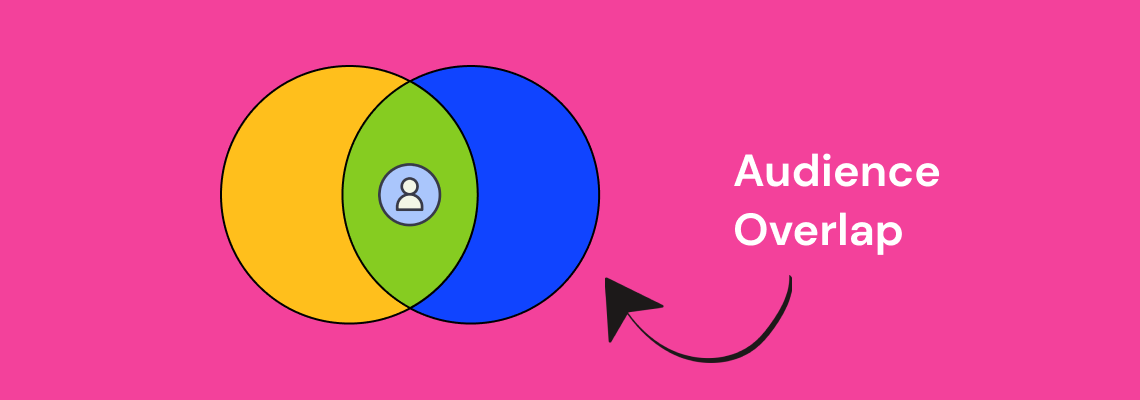
If you are running multiple ad sets in Facebook Ads, there is a good chance some of your audiences overlap without you realizing it. That overlap quietly inflates your costs, triggers internal auction competition, and drags down performance across your entire account.
The Facebook audience overlap tool exists specifically to surface this problem, yet most advertisers never use it. Below, we walk through exactly what audience overlap means, why it matters, and a practical five-step audience overlap analysis you can run inside Ads Manager today.
Audience overlap is the percentage of users who appear in two or more of your targeted audience segments at the same time. In Facebook Ads, this happens when the people in one ad set also fall into another ad set you are running concurrently.
Consider a concrete example. Suppose you have two active ad sets: one targeting women aged 25-34 interested in fitness, and another targeting women aged 30-45 interested in healthy cooking. Anyone who is 30-34, interested in both fitness and cooking, lands in both audiences. That is audience overlap, and it means you are bidding against yourself to reach the same person.
Meta's auction system does not let two ads from the same account compete for the same impression. Instead, it suppresses the lower-performing ad set, which means one of your campaigns is essentially being throttled without any warning in your dashboard.
Understanding audience overlap meaning at this level is the first step toward fixing the problem. The goal is not to eliminate overlap entirely - some degree is inevitable - but to keep it below the threshold where it starts costing you money (generally under 20-25%).
When audience overlap goes unchecked, the downstream effects compound quickly. Here are the three primary ways it damages your account.
Facebook's ad auction selects one ad per advertiser to show to a given user. When your ad sets target the same people, Facebook picks the winner and sidelines the rest. The result is that your losing ad sets get fewer impressions and higher costs per result, even though your creative and offer may be strong.
This is especially costly for DTC brands and ecommerce advertisers who run multiple product-level ad sets to the same broad interest audiences.
When the same user sees variations of your ads across multiple ad sets, fatigue sets in faster. Frequency climbs, click-through rates drop, and your cost per acquisition increases. This is one of the most common reasons Facebook ads stop delivering results and advertisers cannot figure out why.
Overlapping audiences skew your reporting. An ad set might appear to be underperforming when it is actually being throttled by auction overlap. Advertisers who make optimization decisions based on this misleading data often kill campaigns that would otherwise scale, or pour budget into ad sets that only appear to win because the competition was artificially removed.
Now that the stakes are clear, here is the step-by-step process for identifying audience overlap in Facebook Ads Manager.
Log into your Facebook Business Manager account. From the main menu, click on "All Tools" and then select "Audiences" under the Assets section. This is the central hub where all your saved audiences, custom audiences, and lookalike audiences are stored.
If you have not organized your audiences recently, take a few minutes to review what is there. Outdated or duplicate audiences are a common source of unintentional overlap.
To use the audience overlap tool, select two to five audiences by checking the boxes next to their names. You can compare saved audiences, custom audiences, and lookalike audiences against each other.
Once your audiences are selected, click the three-dot menu (or the "Actions" dropdown, depending on your interface version) and choose "Show Audience Overlap." This opens the overlap comparison view.
The audience overlap tool displays a Venn diagram with the percentage of shared users between each audience pair. Pay close attention to any pair that exceeds 20-25% overlap. These are the combinations most likely to cause auction competition and budget waste.
Document the overlap percentages for each pair. This data becomes the foundation for the strategic adjustments you will make in Step 5.
Not all overlap is equally damaging. Prioritize the audience pairs where:
These are your highest-risk combinations and the ones you should address first.
Based on your audience overlap analysis, here are the most effective adjustments you can make:

For advertisers who want a fast checklist, here is the streamlined process:
Run this check at least once per month, and always before launching new campaigns that target similar interest categories or lookalike seed audiences.
Not every instance of overlap requires action. There are scenarios where moderate overlap is fine or even expected:
The key distinction is whether overlapping ad sets are competing for the same auction. If they target different campaign objectives or sit at different funnel stages, the risk is lower.
The best approach is to build overlap prevention into your campaign architecture from the beginning. Here are three structural practices that keep overlap in check.
Develop a clear naming system for your audiences that includes the targeting criteria. When audience names include the interest category, age range, and exclusion status, you can spot potential overlap before you even run the tool.
Audience composition shifts over time as Facebook updates interest categories and user behavior changes. A monthly cadence for running the overlap tool ensures you catch new overlap before it impacts performance. This is especially important for brands scaling Facebook ads across multiple product lines or markets.
When multiple team members or agencies create audiences independently, overlap becomes nearly inevitable. Maintaining a shared audience library and documenting which audiences are active in which campaigns eliminates this coordination problem. If you are working with a PPC agency, ensure they provide audience overlap reports as part of their regular account reviews.
While this guide focuses on Facebook, audience overlap is not limited to a single platform. Brands running campaigns across Facebook, Instagram, TikTok, and Google often reach the same users on multiple channels without realizing it. Cross-channel overlap analysis requires additional tools and a unified measurement approach, but the same principle applies: identify where you are paying multiple times to reach the same person, and consolidate.
For brands evaluating where to allocate budget, understanding how Facebook audiences compare to other platforms is a critical input. Our comparison of TikTok Ads vs. Facebook Ads covers how audience composition differs between platforms and where overlap is most likely.
Audience overlap is one of the most common and most overlooked sources of wasted spend in Facebook advertising. Running a regular audience overlap analysis inside Ads Manager takes less than ten minutes and can surface issues that are silently inflating your costs.
The five-step process - navigate to audiences, select and compare, read the overlap percentage, identify high-risk pairs, and apply strategic fixes - gives you a repeatable framework for keeping your account clean and your budget working efficiently.
If your Facebook Ads campaigns are underperforming and you have ruled out creative and offer issues, audience overlap should be the next thing you check. For brands that need hands-on support, our Social Media Ads team runs these audits as part of every account onboarding.
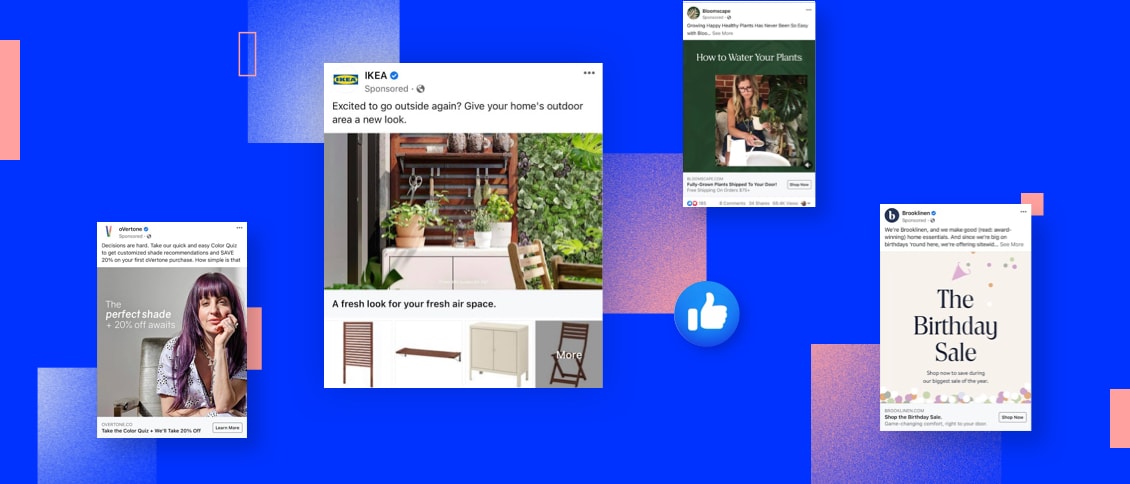
Automation is a powerful tool for businesses to streamline their processes and maximize efficiency. One area where automation can play a significant role is in managing Facebook Lead Ads. With the help of Zapier, a leading automation platform, businesses can effortlessly integrate and automate their Facebook Ads campaigns. Keep reading to learn the basics of Zapier, how it works with Facebook Lead Ads, and how to set it up for your business.
Zapier is an automation tool that connects different web applications and allows them to work together seamlessly. It eliminates the need for manual data entry and repetitive tasks by automating workflows, known as Zaps, between various apps.

Imagine a scenario where you receive an email with an attachment, and you want to automatically save that attachment to your cloud storage. With Zapier, you can create a Zap that triggers this action whenever a new email with an attachment arrives in your inbox. This saves you the time and effort of manually downloading and uploading the file.
One of the most remarkable aspects of Zapier is that it doesn't require any coding knowledge. This means that even non-technical users can leverage the power of automation to streamline their workflows and boost productivity.
Now that we have a better understanding of Zapier, let's explore another essential tool in the digital marketing realm - Facebook Lead Ads.
In today's highly competitive business landscape, capturing leads is crucial for sustained growth. This is where Facebook Lead Ads come into play. Facebook Lead Ads is a powerful lead generation tool that allows businesses to collect valuable information from potential customers directly within the Facebook platform.
Traditionally, businesses would direct users to a landing page to fill out a form or provide their contact information. However, this process often leads to a drop-off in conversions, as users may find it cumbersome to navigate away from their current browsing experience.
With Facebook Lead Ads, businesses can create compelling offers or sign-up forms that capture user information, such as name, email address, phone number, and more, without requiring users to leave the Facebook platform. This seamless user experience significantly increases the chances of generating leads and driving conversions.
Moreover, Facebook Lead Ads also provide a valuable opportunity for businesses to target their ads to specific audiences. By leveraging Facebook's powerful targeting capabilities, businesses can ensure that their ads reach the right people, maximizing the effectiveness of their lead generation campaigns.
By integrating Zapier with Facebook Lead Ads, businesses can further enhance their lead generation efforts. For example, whenever a user submits their information through a Facebook Lead Ad, Zapier can automatically add that lead to a CRM system or send a personalized email to the user, nurturing the lead generation funnel and facilitating the sales process.
The first step in automating your Facebook Lead Ads with Zapier is to create a Zapier account. Simply visit the Zapier website and sign up for a free account. Once you've created your account, you can start exploring the platform and setting up your automation workflows.
When you sign up for a Zapier account, you'll be asked to provide some basic information such as your name, email address, and a password. Once you've entered this information, you'll need to verify your email address to activate your account. After verifying your email, you'll have full access to the Zapier platform and its features.
Creating a Zapier account is quick and easy, and it opens up a world of possibilities for automating your workflows. Whether you're a small business owner looking to streamline your processes or a marketer wanting to integrate different apps, Zapier provides a seamless solution.
After creating your Zapier account, you will be redirected to the Zapier dashboard. The dashboard serves as the control center for managing your Zaps and monitoring their performance. It provides a user-friendly interface where you can create, edit, and manage your automation workflows.
Once you're on the Zapier dashboard, you'll notice a clean and organized layout that makes it easy to navigate. The left-hand side of the dashboard displays the main menu, which includes options such as "Zaps," "Tasks," "Team," and "Settings." These menu options allow you to access different areas of the platform and customize your Zapier experience.
Within the dashboard, you can create new Zaps by clicking on the "Make a Zap" button. This will take you to the Zap editor, where you can define the trigger and action for your automation workflow. The Zap editor provides a step-by-step process to guide you through the setup, making it simple even for beginners.
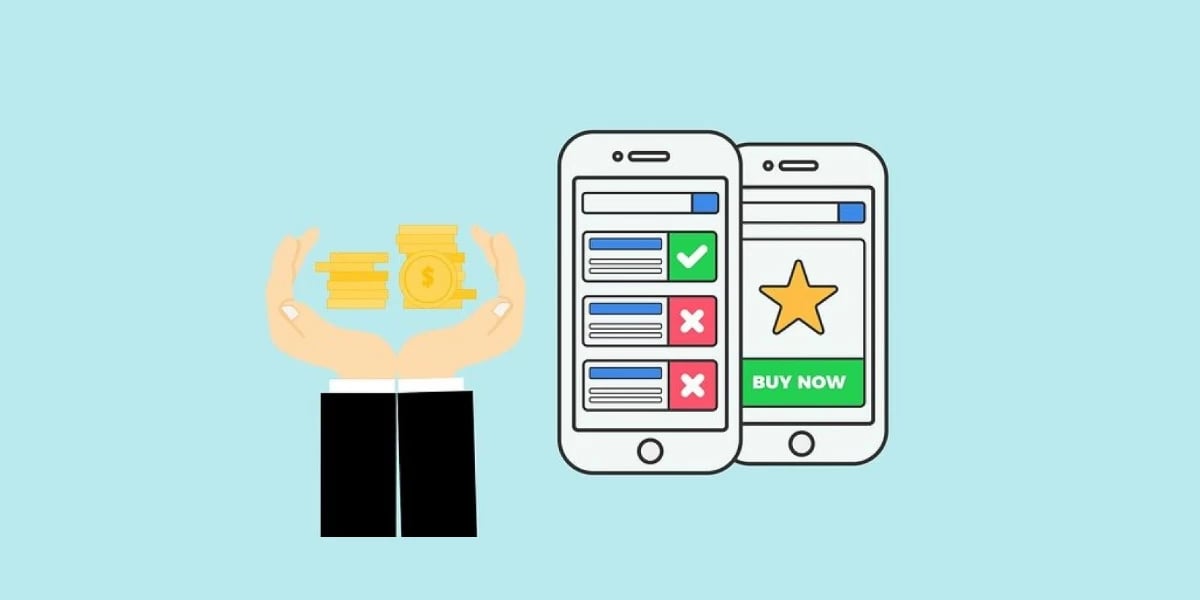
Additionally, the Zapier dashboard offers various features to help you manage your Zaps effectively. You can view the status of your Zaps, track the number of tasks completed, and troubleshoot any errors that may occur. With this level of control and visibility, you can ensure that your automation workflows are running smoothly and efficiently.
Overall, the Zapier dashboard is designed to provide a seamless user experience, empowering you to automate your tasks and save valuable time. Whether you're a tech-savvy professional or a non-technical user, Zapier's intuitive interface makes it easy to set up and manage your automation workflows.
Integrating Zapier with Facebook can greatly enhance your workflow and automate various actions. By connecting your Facebook account to Zapier, you'll be able to access your Facebook Lead Ads data and streamline your lead generation process.
To get started, you'll need to connect your Facebook account to Zapier. This process is quick and easy. Simply navigate to the Zapier dashboard and click on "Connected Accounts." In the search bar, type "Facebook" and select it from the list of available options. Follow the prompts to authorize the connection between Zapier and your Facebook account.
Once the connection is established, you'll have access to a wide range of Facebook integrations and automation possibilities.
After successfully connecting your Facebook account to Zapier, it's time to configure your Facebook Lead Ads in Zapier. This step is crucial as it allows you to define the specific criteria that will trigger the automation process.
To begin, navigate to the Zapier dashboard and click on "Make a Zap." From the list of available apps, select Facebook Lead Ads as the trigger app. This will ensure that any new lead generated through your Facebook Lead Ads will initiate the automation process.
Once you've selected Facebook Lead Ads as the trigger app, follow the on-screen instructions to customize your trigger settings. This includes specifying the criteria that must be met for the automation to be triggered. For example, you can set up the automation to only trigger when a lead fills out a specific form or meets certain demographic criteria.
By configuring your Facebook Lead Ads in Zapier, you can ensure that your automation process is tailored to your specific needs and requirements. This level of customization allows you to maximize the efficiency and effectiveness of your lead generation efforts.
Facebook Lead Ads are a powerful tool for generating leads and capturing valuable customer information. However, manually managing and processing these leads can be time-consuming and inefficient. That's where Zapier comes in. With Zapier, you can automate the process of handling your Facebook Lead Ads, saving you time and effort.
Once you've configured your Facebook Lead Ads as the trigger in Zapier, the possibilities for automation are endless. You can set up actions that will be performed automatically when the trigger conditions are met. These actions can include sending email notifications to your team, adding data to a spreadsheet for easy tracking and analysis, creating new CRM entries to keep your customer database up to date, and much more.
With Zapier's user-friendly interface, setting up these triggers and actions is a breeze. Simply select the desired trigger and action from the available options, and Zapier will guide you through the process of connecting your Facebook Lead Ads account and the app or service you want to integrate with. It's a seamless and intuitive experience that requires no coding or technical expertise.
What's more, Zapier offers a vast range of integrations, allowing you to connect your Facebook Lead Ads with popular apps and services like Gmail, Google Sheets, Salesforce, Mailchimp, and many others. This means you can tailor your automation workflow to best suit your business needs and leverage the tools you already use to streamline your lead generation and management process.
Before deploying your automation workflow, it's crucial to test it to ensure it functions correctly. Zapier provides a testing feature that allows you to simulate trigger events and verify if the desired actions are being performed as expected. This way, you can catch any potential issues or errors before they impact your actual campaigns and ensure a smooth and seamless automation process.

During the testing phase, you can review the data that is being passed between your Facebook Lead Ads and the connected app or service. This gives you the opportunity to fine-tune your automation and make any necessary adjustments to ensure the accuracy and reliability of your lead data. By thoroughly testing your automation, you can have peace of mind knowing that your workflow is working flawlessly and that your leads are being processed efficiently.
Additionally, Zapier provides detailed logs and activity history, allowing you to monitor the performance of your automation over time. This gives you valuable insights into how your leads are being handled and how your automation is contributing to your overall marketing strategy and influencing the customer journey. You can track metrics like the number of leads processed, the time it takes for actions to be executed, and any errors or issues that may arise.
When setting up triggers and actions in Zapier, it's important to consider best practices to optimize your automation. Here are a few tips to keep in mind:
Despite the seamless nature of automation, issues can sometimes occur. Here are a few common issues you may encounter while automating your Facebook Lead Ads with Zapier and helpful troubleshooting tips:
The combination of Facebook Lead Ads with Zapier can be a groundbreaker for your business, by streamlining your lead generation and management process. By setting up triggers and actions, you can automate repetitive tasks, save time, ensure the accuracy and efficiency of your lead data, and bring your social media advertising strategy to the next level. Don't forget to thoroughly test your automation before deploying it to ensure a seamless and error-free experience. With these tips, you will be able to save time, increase productivity, and focus on other important aspects of your business.


.svg)