
Picking the right shopify website design company is one of the most consequential decisions a DTC brand makes before launch. A well-designed Shopify store is not just a pretty front end; it is a conversion system built around how real shoppers browse, decide, and buy. This guide covers what design companies actually deliver, how to evaluate them, what projects cost, and the mistakes that derail brands every year.
A Shopify website design company is distinct from a Shopify development agency. Where development agencies focus on code, integrations, and platform engineering (covered in our Shopify development agency guide), design companies lead with user experience, visual identity, and conversion architecture.
The core deliverables fall into three categories:
Custom theme design. This means creating a storefront that matches your brand at the component level: typography, color system, product grid layouts, sticky headers, mobile navigation, and page hierarchy. The output is a design system, not just a Figma file. Agencies translate that system into Shopify Liquid, either by extending a base theme (Dawn, Prestige, Impulse) or building from scratch.
UX and information architecture. How a customer moves from landing page to product page to checkout is a design problem before it is a technical one. A strong design company maps out that journey, identifies friction points, and structures the site so each page answers the right question at the right moment. According to Shopify's conversion rate data, even modest UX improvements can push conversion rates from the 1.4% industry average toward 3 to 6% for optimized stores.
Conversion rate optimization (CRO) integrated into the design process. Agencies that treat design as an aesthetic exercise and agencies that treat it as a revenue lever produce very different stores. The better firms make decisions based on heatmaps, session recordings, A/B test data, and purchase funnel analytics, not just brand preferences. This distinction is what separates a design company worth hiring from one that will hand you a beautiful but underperforming store.
The Shopify Partner Program tiers agencies into five levels: Registered, Select, Plus, Premier, and Platinum. Partner status confirms the agency has met Shopify's requirements and has access to the right development tools. It is a filter, not a guarantee of quality, but it rules out agencies that lack legitimate platform experience.
In 2025 and 2026, Shopify updated its Partner Program to align tiers more closely with performance metrics. An agency at the Select or Plus tier has a verified track record of completing client projects on the platform.
A portfolio of good-looking stores tells you almost nothing about whether those stores actually sell. When reviewing agency portfolios, ask for:
If an agency's portfolio is full of fashion brands and you sell home goods, ask specifically whether they have experience with your category. Shopify design patterns for high-volume SKU catalogs differ significantly from single-product landing pages.
Visually compelling design that ignores conversion mechanics is a common failure mode. Ask each agency how they handle the following before any design work begins: buyer journey mapping, mobile-first wireframing, above-the-fold hierarchy, and checkout flow simplification. Agencies that cannot give specific answers to these questions are likely aesthetic-first, results-second. The right partner references data, user testing, and iteration cycles as a core part of their process, not an add-on.
Many brands discover too late that their design agency disappears after final payment. Before signing, confirm what post-launch support looks like: is there a defined support window, hourly rate for changes, or retainer option? Also test communication responsiveness during the sales process. An agency that takes four days to reply to a proposal inquiry will not get faster once you are a client.
Pricing ranges widely depending on project complexity, agency tier, and geographic market. The table below reflects current US-based agency rates.

Theme customization is the entry point for brands that already have a functioning store but need stronger brand alignment or UX improvements. Custom builds are appropriate for brands launching fresh or replatforming, where the store needs to serve as a long-term design foundation. Shopify Plus projects add checkout extensibility, custom storefronts, and enterprise-grade UX that the standard plan does not support. According to OuterBox's 2026 Shopify pricing breakdown, hourly rates for specialized Shopify Plus agencies range from $150 to $250 per hour.
CRO retainers are often the highest-ROI engagement after launch. Ongoing testing and iteration based on real traffic data compounds over time. For brands generating meaningful revenue, a $3,000 monthly retainer that lifts conversion rate by half a point can pay for itself within weeks.
Prioritizing aesthetics over conversion metrics. An agency's portfolio should include data, not just screenshots. If they cannot tell you what happened to the stores they designed after launch, they are not measuring what matters.
Confusing design companies with development agencies. Some brands hire a Shopify design company expecting them to also build custom app integrations or handle complex data migrations. Most design-focused firms are not equipped for that work. Clarify scope before signing. If you need both, look for an agency that has explicit expertise in both disciplines, or plan to bring in a separate development partner.
Skipping the discovery phase. Agencies that skip formal discovery and jump straight to design are a red flag. A proper discovery process includes stakeholder interviews, competitive analysis, current site analytics review, and customer behavior data. Without it, design decisions are based on assumptions rather than evidence. Brands that build ecommerce businesses with strong data foundations from the start give their design partners far better material to work with.
Not scoping ongoing support. Many brands launch a new Shopify store and immediately need small updates: a seasonal homepage banner, a new collection page, a modified product layout. If post-launch support is not in the contract, every change becomes a new negotiation. Build a clear support model into the agreement before work begins.
Choosing based on price alone. Low-cost design work frequently leads to themes that do not meet Shopify's Online Store 2.0 standards, load slowly, or require a full rebuild within 12 months. The cost of redoing design work typically exceeds what a mid-tier agency would have charged to do it right the first time.
The brands that consistently outperform on ecommerce growth metrics treat design and conversion as one discipline, not two parallel tracks. Visual decisions (font weight, button placement, image aspect ratio, mobile spacing) are also conversion decisions. An agency that separates "design" from "optimization" is missing how the best-performing stores are actually built.
The practical implication: when evaluating a Shopify web design company, ask specifically how their design process incorporates conversion data. Do they review your Google Analytics before wireframing? Do they run A/B tests post-launch? Do they hand off documented design rationale so your team understands why each element was built the way it was?
The answers will tell you whether you are hiring a creative studio or a revenue-focused design partner.
EmberTribe works with DTC brands and growth-stage ecommerce companies to build Shopify stores that are designed for conversion from the first wireframe. Every project starts with analytics review and buyer journey mapping, not a mood board. If you are evaluating a Shopify website design company and want to understand what a data-first design process looks like in practice, visit embertribe.com to see our approach.

Hiring a shopify design agency is not the same as hiring a Shopify development firm that happens to offer design services. The distinction matters more than most DTC brands realize, and confusing the two is one of the most common reasons ecommerce redesigns underperform. This guide breaks down what design-forward agencies actually do, how to read their portfolios, what projects cost, and where the tradeoffs between agency types fall.
A Shopify design agency leads with brand identity, user experience, and conversion architecture. Development is part of the output, but it flows from the design decisions rather than driving them. The agency starts by understanding how your customers think and what makes them convert, then builds a visual and structural system around that understanding.
Core deliverables from a true design agency include a complete design system (typography, color, spacing, component library), page-level UX architecture, and conversion-focused layouts for homepage, collection, product detail, and checkout. These are distinct from what most dev shops deliver. A development shop will often hand you a well-coded theme; a design agency hands you a brand experience that happens to run on Shopify.
This post focuses on what design agencies specifically do and how to evaluate them. For a broader look at the company selection process itself, see our Shopify website design company guide. The separation matters because design decisions affect revenue directly.
According to Shopify's own conversion rate benchmarks, the average Shopify store converts at around 1.4%, while optimized stores hit 3 to 6%. That gap is largely a design and UX problem, not a development problem.
The easiest way to identify the difference is to look at who leads discovery. At a design agency, your first few calls will involve brand strategy questions: who is your customer, what do they believe, what does your brand stand for, where do competitors fall short in the visual experience. At a dev shop with design capabilities, discovery tends to focus on functionality: what pages do you need, what apps do you use, what integrations are required.
Neither approach is wrong. But if your primary challenge is visual differentiation, weak brand identity, or a conversion funnel that leaks at the product page level, a design-first agency is the right match. If your challenge is primarily technical, a Shopify development agency with solid design execution may serve you better.
The table below summarizes where each type of partner tends to excel:
A few practical signals to watch for when reviewing agency websites. Design agencies typically publish case studies that discuss brand positioning and conversion outcomes, not just screenshots of finished sites. They show Figma files, design system components, and before/after UX audits. Dev shops tend to show finished sites without the strategic backstory, which tells you something about what they prioritize.
Portfolio review is where most brands make evaluation mistakes. They look for work that resembles their aesthetic, when they should be looking for evidence of outcomes. A beautiful portfolio full of stores that converted poorly is not a strong portfolio.
When reviewing agency case studies, look for these signals:
Specific conversion metrics. Strong agencies share numbers: conversion rate before and after redesign, average order value changes, bounce rate improvement on key pages. Vague language like "improved the shopping experience" is a red flag.
Evidence of the design process. Case studies that show wireframes, user research, and design rationale indicate an agency that follows a repeatable process rather than relying on aesthetic instinct. Baymard Institute's UX research consistently shows that checkout usability alone can recover up to 35% of otherwise-lost orders, and you want an agency familiar with that kind of research.
Relevant vertical experience. A Shopify design agency that has worked in your category (apparel, beauty, supplements, home goods) will recognize your customers' mental models faster. That means less discovery time and fewer false starts.
Shopify Partner status. Agencies with Shopify Partner or Shopify Plus Partner credentials have been vetted for platform expertise. Premier and Platinum tier partners have additional requirements around active project volume and client outcomes. Partner status does not guarantee design quality, but its absence from a serious agency should raise questions.
Post-launch data. The best agencies build in post-launch monitoring: heat maps, session recordings, A/B testing. If an agency's process ends at launch, you are paying for a finished product rather than a growth system.
Standard Shopify and Shopify Plus have different design constraints, and not every agency is equipped to handle both well. On standard Shopify, design agencies work within the constraints of Shopify Online Store 2.0: section-based themes, metafields, and app blocks. Most design work is theme-level customization, with custom Liquid for more complex layouts.
Shopify Plus opens additional design territory. Checkout extensibility (the replacement for checkout.liquid) allows design-forward customizations to the checkout flow itself, which is where most purchase decisions finalize. Multi-currency, multi-market storefronts, and B2B gated catalogs also require Plus-specific architecture.
If you are on Plus or moving toward it, confirm that your agency has delivered Plus projects at comparable complexity. According to Shopify's partner documentation, Plus-certified agencies are specifically evaluated on their experience with enterprise-level builds.
For brands still on standard Shopify, this is worth keeping in mind as you grow. Choosing an agency that has Plus experience from day one means your design system is built to scale without a full rebuild later. Our guide to ecommerce growth covers the platform scaling decision in more detail.
Shopify design agency projects fall into two primary structures: fixed-scope projects and ongoing retainers. Understanding which model fits your situation is as important as choosing the agency itself.
Project-based engagements are the right choice for a full redesign, a platform migration with design overhaul, or a new store build. Costs for a professional design agency typically range from $15,000 to $80,000 for a custom Shopify design project, with Shopify Plus engagements often running $40,000 to $150,000 or more depending on scope. Blackbelt Commerce's pricing analysis notes that project-based work from specialist agencies runs $25,000 to $250,000 depending on scope and partner tier.
Retainer engagements make sense once the core design system is established and you need continuous iteration: A/B testing new page variants, refreshing collection pages seasonally, running CRO experiments, and maintaining design consistency as the product catalog evolves. Monthly retainers for design-focused work typically run $2,500 to $10,000, depending on output volume and agency seniority.
A hybrid structure, where the project engagement includes a defined post-launch CRO phase, is increasingly common among growth-stage DTC brands. This approach acknowledges that the most valuable design work often happens after real users interact with the store and surface friction points that no amount of pre-launch testing fully predicts.
The best Shopify design agencies are opinionated. They will push back on requests that undermine conversion, advocate for mobile-first layouts even when a client is focused on desktop aesthetics, and refuse to bolt on features that slow page load. Google's Core Web Vitals data shows that page load speed directly affects both search ranking and conversion rate, and a design agency that ignores performance is working against your interests.
Strong agencies also invest in discovery before any design work starts. They want to understand your customers' purchase intent, where they arrive from, what objections they carry, and what your highest-converting SKUs are. That information shapes every design decision, from the hero layout to the product page call-to-action hierarchy.
For brands building on Shopify for the first time, our how to start an ecommerce business guide covers the foundational decisions that should inform your agency brief. The clearer your brief, the more effectively a design agency can allocate project time to what matters.
EmberTribe works with DTC brands and growth-stage ecommerce companies to build Shopify stores that convert, scale, and reflect the brand with precision. We combine design strategy with Shopify platform expertise, bringing both to the same engagement rather than treating them as separate workstreams.
If you are evaluating a redesign, a new build, or a CRO-focused refresh of an underperforming store, we would like to hear about it. Reach out at embertribe.com to start the conversation.
Picking the right shopify website design company is one of the most consequential decisions a DTC brand makes before launch. A well-designed Shopify store is not just a pretty front end; it is a conversion system built around how real shoppers browse, decide, and buy. This guide covers what design companies actually deliver, how to evaluate them, what projects cost, and the mistakes that derail brands every year.
A Shopify website design company is distinct from a Shopify development agency. Where development agencies focus on code, integrations, and platform engineering (covered in our Shopify development agency guide), design companies lead with user experience, visual identity, and conversion architecture.
The core deliverables fall into three categories:
Custom theme design. This means creating a storefront that matches your brand at the component level: typography, color system, product grid layouts, sticky headers, mobile navigation, and page hierarchy. The output is a design system, not just a Figma file. Agencies translate that system into Shopify Liquid, either by extending a base theme (Dawn, Prestige, Impulse) or building from scratch.
UX and information architecture. How a customer moves from landing page to product page to checkout is a design problem before it is a technical one. A strong design company maps out that journey, identifies friction points, and structures the site so each page answers the right question at the right moment. According to Shopify's conversion rate data, even modest UX improvements can push conversion rates from the 1.4% industry average toward 3 to 6% for optimized stores.
Conversion rate optimization (CRO) integrated into the design process. Agencies that treat design as an aesthetic exercise and agencies that treat it as a revenue lever produce very different stores. The better firms make decisions based on heatmaps, session recordings, A/B test data, and purchase funnel analytics, not just brand preferences. This distinction is what separates a design company worth hiring from one that will hand you a beautiful but underperforming store.
The Shopify Partner Program tiers agencies into five levels: Registered, Select, Plus, Premier, and Platinum. Partner status confirms the agency has met Shopify's requirements and has access to the right development tools. It is a filter, not a guarantee of quality, but it rules out agencies that lack legitimate platform experience.
In 2025 and 2026, Shopify updated its Partner Program to align tiers more closely with performance metrics. An agency at the Select or Plus tier has a verified track record of completing client projects on the platform.
A portfolio of good-looking stores tells you almost nothing about whether those stores actually sell. When reviewing agency portfolios, ask for:
If an agency's portfolio is full of fashion brands and you sell home goods, ask specifically whether they have experience with your category. Shopify design patterns for high-volume SKU catalogs differ significantly from single-product landing pages.
Visually compelling design that ignores conversion mechanics is a common failure mode. Ask each agency how they handle the following before any design work begins: buyer journey mapping, mobile-first wireframing, above-the-fold hierarchy, and checkout flow simplification. Agencies that cannot give specific answers to these questions are likely aesthetic-first, results-second. The right partner references data, user testing, and iteration cycles as a core part of their process, not an add-on.
Many brands discover too late that their design agency disappears after final payment. Before signing, confirm what post-launch support looks like: is there a defined support window, hourly rate for changes, or retainer option? Also test communication responsiveness during the sales process. An agency that takes four days to reply to a proposal inquiry will not get faster once you are a client.
Pricing ranges widely depending on project complexity, agency tier, and geographic market. The table below reflects current US-based agency rates.
Theme customization is the entry point for brands that already have a functioning store but need stronger brand alignment or UX improvements. Custom builds are appropriate for brands launching fresh or replatforming, where the store needs to serve as a long-term design foundation. Shopify Plus projects add checkout extensibility, custom storefronts, and enterprise-grade UX that the standard plan does not support. According to OuterBox's 2026 Shopify pricing breakdown, hourly rates for specialized Shopify Plus agencies range from $150 to $250 per hour.
CRO retainers are often the highest-ROI engagement after launch. Ongoing testing and iteration based on real traffic data compounds over time. For brands generating meaningful revenue, a $3,000 monthly retainer that lifts conversion rate by half a point can pay for itself within weeks.
Prioritizing aesthetics over conversion metrics. An agency's portfolio should include data, not just screenshots. If they cannot tell you what happened to the stores they designed after launch, they are not measuring what matters.
Confusing design companies with development agencies. Some brands hire a Shopify design company expecting them to also build custom app integrations or handle complex data migrations. Most design-focused firms are not equipped for that work. Clarify scope before signing. If you need both, look for an agency that has explicit expertise in both disciplines, or plan to bring in a separate development partner.
Skipping the discovery phase. Agencies that skip formal discovery and jump straight to design are a red flag. A proper discovery process includes stakeholder interviews, competitive analysis, current site analytics review, and customer behavior data. Without it, design decisions are based on assumptions rather than evidence. Brands that build ecommerce businesses with strong data foundations from the start give their design partners far better material to work with.
Not scoping ongoing support. Many brands launch a new Shopify store and immediately need small updates: a seasonal homepage banner, a new collection page, a modified product layout. If post-launch support is not in the contract, every change becomes a new negotiation. Build a clear support model into the agreement before work begins.
Choosing based on price alone. Low-cost design work frequently leads to themes that do not meet Shopify's Online Store 2.0 standards, load slowly, or require a full rebuild within 12 months. The cost of redoing design work typically exceeds what a mid-tier agency would have charged to do it right the first time.
The brands that consistently outperform on ecommerce growth metrics treat design and conversion as one discipline, not two parallel tracks. Visual decisions (font weight, button placement, image aspect ratio, mobile spacing) are also conversion decisions. An agency that separates "design" from "optimization" is missing how the best-performing stores are actually built.
The practical implication: when evaluating a Shopify web design company, ask specifically how their design process incorporates conversion data. Do they review your Google Analytics before wireframing? Do they run A/B tests post-launch? Do they hand off documented design rationale so your team understands why each element was built the way it was?
The answers will tell you whether you are hiring a creative studio or a revenue-focused design partner.
EmberTribe works with DTC brands and growth-stage ecommerce companies to build Shopify stores that are designed for conversion from the first wireframe. Every project starts with analytics review and buyer journey mapping, not a mood board. If you are evaluating a Shopify website design company and want to understand what a data-first design process looks like in practice, visit embertribe.com to see our approach.
Hiring a shopify development agency is one of the highest-leverage decisions a growing ecommerce brand can make. The right partner accelerates your roadmap; the wrong one costs you months of rework and a codebase that no one else wants to touch. This guide covers what Shopify dev agencies actually do, what they charge, how to evaluate their credentials, and the red flags that signal you should keep looking.
Most brands assume any agency that mentions Shopify can do everything. That is rarely true. A specialized Shopify developer agency typically operates in four core areas:
Custom theme development. Agencies build bespoke Liquid themes from the ground up or extend existing themes (Dawn, Prestige, Impulse) with custom sections, metafield-driven layouts, and performance-tuned assets. This is distinct from simply installing a theme from the Theme Store.
App integrations and custom app development. Connecting Shopify to ERPs, 3PLs, subscription platforms, loyalty programs, and review tools requires precise API work. Some agencies also build private Shopify apps when no off-the-shelf solution fits. According to Shopify's partner documentation, certified technology partners are vetted specifically for this kind of integration expertise.
Platform migrations. Moving from WooCommerce, Magento, or BigCommerce to Shopify involves product data migration, URL redirect mapping, order history preservation, and post-launch SEO validation. This work is scoped as a fixed project and typically runs 6 to 14 weeks depending on catalog size.
Shopify Plus architecture. Shopify Plus unlocks Checkout Extensibility, Shopify Functions, Flow automation, and B2B features that are simply unavailable on standard plans. A qualified Shopify Plus development company understands how to architect these capabilities, not just enable them in the admin.
What agencies generally do not handle: ongoing paid media, SEO copywriting, product photography, or fulfillment strategy. If an agency pitches you on all of those plus development, ask pointed questions about who actually executes each service.
Pricing varies widely based on agency size, geography, and project complexity. Here is a practical framework:
Theme customization covers layout edits, typography, color system updates, and homepage section builds. Budget $1,000 to $3,500 for this scope. It is a fixed project engagement and should have a defined deliverable list.
Custom theme builds include a full design-to-development workflow: wireframes, mockups, Liquid development, and third-party app integration. Established agencies price these between $5,000 and $20,000. Agencies charging less than $4,000 for a "custom" build are usually delivering a modified Shopify theme with minimal original work.
Platform migrations carry a wide range. A mid-size catalog migrating from WooCommerce might run $8,000 to $15,000. A complex Magento 2 migration with custom pricing rules and multi-currency support can reach $25,000 or more.
Shopify Plus builds start around $40,000 and scale past $120,000 for full enterprise implementations with ERP sync, custom checkout logic, and B2B portal development, according to Storetasker's 2025 developer rate analysis.
Retainer engagements typically run $3,000 to $15,000 per month and cover continuous feature development, conversion rate optimization, A/B testing, and platform maintenance. Retainers make sense once your store is live and generating enough revenue to fund iterative improvements.
Agency hourly rates range from $95 to $200 per hour for US-based firms. Offshore agencies run $30 to $70 per hour but introduce communication overhead and QA risk that you should factor into the total cost.
Credentials alone do not tell you whether an agency can execute on your specific project. Use these evaluation criteria:
Shopify Partner and Plus Partner status. Shopify's partner directory lists agencies that have met minimum qualification thresholds. Shopify Plus Partners operate in five tiers (Registered through Platinum), with Platinum reserved for a small number of agencies globally. Verify status directly in the Shopify Partner directory, not just from the agency's website.
Portfolio specificity. Ask to see case studies from brands in your vertical and at your revenue scale. A portfolio full of fashion brands tells you little about B2B wholesale capability. Look for before-and-after metrics: load time improvements, conversion rate lifts, or migration timelines.
Team composition and continuity. Some agencies staff projects with rotating contractors. Ask directly who will work on your project and whether those individuals hold Shopify developer certifications. Individual certifications through the Shopify Partner Academy carry more weight than company-level claims.
Discovery process. Quality agencies run a structured discovery phase before scoping. If an agency sends you a proposal within 24 hours of an initial call without asking detailed questions about your tech stack, integrations, and growth roadmap, that is a warning sign.
Post-launch support terms. Define what "support" means in writing. Does it include bug fixes for 30 days? Ongoing SLA? Emergency response time? Ambiguity here creates conflict later.
If you are earlier in your ecommerce journey and evaluating broader strategy before committing to a development partner, our guide on how to start an ecommerce business provides a useful foundation.
Yes, significantly. Shopify Plus is not a faster version of standard Shopify. It is a different product with a different API surface. Checkout Extensibility, Shopify Functions, and the B2B commerce suite require developers who have built with these tools before, not ones who are learning on your project budget.
If you are on standard Shopify plans (Basic, Grow, Advanced), most experienced Shopify agencies can handle your work. Once you move to Plus, the agency must hold Shopify Plus Partner status and be able to demonstrate specific Plus project experience. Ask for references from current Plus merchants, and call those references.
The stakes also change at Plus. A poorly architected checkout extension on a store doing $10M per year costs real money in lost conversions and engineering rework. The premium for a qualified Plus agency is justified at that scale.
Guaranteed rankings or conversion rates. No agency can guarantee specific outcomes. Promises of guaranteed revenue lifts or SEO results are either misleading or tied to clauses that void the guarantee easily.
No clear scoping process. If an agency cannot articulate what is in scope versus out of scope before signing a contract, change orders will surprise you mid-project.
All-in-one pitches without specialization. An agency pitching development, SEO, paid media, email, and influencer marketing with a ten-person team is unlikely to execute any of them at a high level. Specialization matters. Pair a focused Shopify dev agency with a marketing agency that has a distinct specialty.
Vague portfolio metrics. "We increased conversions" without a baseline and timeframe is not a case study. It is a marketing claim. Ask for specific numbers and verify them with a reference call.
Fixed price with no change-order policy. Every complex project encounters scope changes. An agency without a clear change-order process will either absorb cost silently and cut corners, or surprise you with large unexpected invoices.
Choosing a Shopify development agency is not a one-time procurement decision. The best brands treat their dev agency as a long-term partner that grows with them. Start with a well-scoped fixed project to evaluate execution quality before committing to a retainer, define success metrics before kickoff, and make sure your internal team has someone who can review technical decisions, not just approve invoices.
For a broader look at how development fits into your overall ecommerce growth strategy, see our ecommerce growth resource.
If you are evaluating development partners alongside other agency needs, our breakdown of best digital marketing firms covers what to look for in a broader agency stack.
EmberTribe works with DTC brands at the growth stage to connect technical development decisions with revenue outcomes. If you are ready to discuss your Shopify roadmap, reach out at embertribe.com.
Hiring a Shopify Plus development company is a different exercise than hiring a standard Shopify developer. The platform, the project scope, and the stakes are all larger. A bad hire at the Plus level means six-figure mistakes, missed launch windows, and technical debt that slows down growth for years.
This guide covers what Shopify Plus development companies actually do, how to tell them apart from generalist Shopify shops, and the specific criteria you should use to vet candidates before signing anything.
Shopify Plus is Shopify's enterprise commerce tier, built for high-volume merchants who have outgrown the standard plan's feature set. The platform unlocks capabilities that require specialized development knowledge to implement correctly.
A qualified Shopify Plus development company handles work that standard Shopify developers typically cannot:
Custom checkout development. Shopify Plus grants direct access to checkout customization through Checkout UI Extensions and Shopify Functions -- the platform's system for running custom backend logic during checkout. This enables custom discount logic, tiered pricing rules, conditional shipping options, and cart validation that executes server-side at scale. Standard Shopify merchants cannot modify checkout beyond basic settings.
Shopify Functions implementation. Functions replace the older Script Editor and allow developers to write custom logic for discounts, delivery, payment methods, and cart transformations. The code runs within Shopify's infrastructure (compiled to WebAssembly), which means it's fast, scalable, and doesn't require a separate server. Building and deploying Functions correctly requires backend development experience most theme-focused agencies don't have.
B2B commerce builds. Shopify Plus includes a native B2B feature set: company accounts, customer-specific pricing catalogs, net payment terms (Net 30/60/90), purchase order support, and wholesale portals. Implementing these correctly -- with the right account hierarchy, pricing logic, and checkout flow -- is a distinct discipline from DTC store development.
Shopify Flow and Launchpad. Flow is Plus's automation engine for tagging customers, triggering loyalty actions, managing inventory alerts, and routing orders. Launchpad allows merchants to schedule and automate flash sales, product launches, and promotional events. Agencies that know Plus well have used both tools in production, not just in demo environments.
Multi-store architecture. Shopify Plus includes up to nine expansion stores. For brands operating across multiple regions, currencies, or distinct market segments, structuring these stores correctly -- shared product catalog vs. market-specific, unified reporting, cross-store analytics -- requires experience that only comes from having done it before.
ERP and third-party integrations. Plus merchants typically run more complex operational stacks: ERPs, 3PLs, custom inventory systems, loyalty platforms, and subscription engines. Plus-focused development companies have integration patterns established for these systems rather than building from scratch each time.
The distinction matters because the platforms diverge significantly at the API and architecture level. A developer who builds excellent standard Shopify stores may have never touched Checkout UI Extensions, deployed a Function, or configured a B2B company account.
For a deeper look at how Shopify developer types compare, the guide to hiring Shopify developers covers freelancer vs. agency tradeoffs and how to structure a vetting process by project type.
The short version: if your project involves custom checkout behavior, B2B functionality, Shopify Functions, or multi-store management, you need a developer or agency with Plus-specific experience -- not just Shopify experience in general.
Revenue thresholds are one signal, but not the only one. Shopify Plus starts at $2,300/month (3-year term) or $2,500/month (1-year term), and at high GMV volumes the pricing shifts to a revenue-based model. Most merchants find Plus financially justified around $500,000-$800,000/month in sales.
But revenue isn't always the trigger for needing Plus development expertise. Complexity indicators that matter more:
If any of these apply, a generalist Shopify agency is the wrong starting point regardless of where your revenue sits. On the comparison between Shopify and competing platforms, the post on Shopify vs. WooCommerce and BigCommerce covers the architectural tradeoffs that affect which development path makes sense.
Shopify's partner program has tiered levels: Registered, Select, Plus, Premier, and Platinum. An agency carrying the Plus or higher designation has been reviewed by Shopify and has a documented track record of successful Plus merchant launches. You can verify status through the Shopify Partner directory.
Partner status is a baseline requirement, not a differentiator. You want to see it, but it doesn't tell you whether the agency is a good fit for your specific project type.
Ask for URLs to live stores the agency has built on Shopify Plus -- not mockups, not Figma designs, not case study PDFs without links. Then actually visit those stores and test them.
What to look for in a live portfolio review:
Strong Plus agencies have structured processes for discovery, technical architecture, QA, and launch. Weak ones start writing code based on a brief.
Questions that reveal process quality:
Vague answers to these questions are a red flag. Agencies with experience have clear answers because they've solved these problems before.
Ask direct technical questions during the vetting process:
An agency that gives you confident, specific answers with real examples has the depth. An agency that speaks in generalities is telling you something important.
Ask for two or three reference merchants at similar revenue and complexity levels to your project. The right references are merchants who went through a project similar to yours -- not the agency's flagship showcase client if you're a mid-market brand.
Cost ranges for Plus development work vary significantly based on scope, but common project benchmarks:
Hourly rates for Plus-specialized agencies typically run $90-$175/hour in the US. Offshore agencies may be cheaper, but Plus-specific expertise is less common outside of established agency ecosystems, and the risk of misaligned expectations increases significantly.
These cost ranges assume you already have a Shopify Plus license. For context on broader Shopify development service structures and pricing models, the guide to Shopify development services covers how agencies price their work and what's included in different engagement types.
No live Plus portfolio. If an agency cannot show you live Shopify Plus stores they've built, they don't have relevant experience. Case studies without working URLs are a common substitute -- push for actual sites.
Generalist positioning. Agencies that claim expertise in Shopify, WooCommerce, Magento, and BigCommerce simultaneously are unlikely to have deep Plus specialization. Plus development is distinct enough that real expertise is usually focused.
No discovery process. An agency that gives you a fixed-price quote based on a brief without a dedicated scoping phase is either very experienced with highly standardized projects (unlikely at Plus level) or cutting corners on architecture.
Checkout customization via third-party apps only. Legitimate Plus developers use Checkout UI Extensions and Shopify Functions for checkout customization. If an agency's answer to checkout questions is always "there's an app for that," they're not building at the Plus level.
No post-launch support plan. Plus stores require ongoing maintenance: Shopify platform updates, Function compatibility, app conflicts, and performance monitoring. An agency with no post-launch offering is handing you a store without a safety net.
Unrealistically low quotes. A full Plus build quoted at $8,000 is not a deal -- it's a scope that doesn't match what Plus development actually requires. Low quotes at this level are either a bait-and-switch or a sign the agency doesn't understand what they're building.
After portfolio review, reference checks, and technical vetting, the shortlist usually comes down to fit: does the agency understand your business model, your operational complexity, and your growth trajectory? The best Shopify Plus development company for your project is the one that has solved your specific problems before -- not the one with the most impressive general credentials.
For brands focused on scaling ecommerce revenue alongside the development investment, the guide to ecommerce growth strategy covers the operational and marketing levers that compound with a well-built Plus store.
EmberTribe works with growth-stage ecommerce brands on the marketing strategy side of Plus builds -- if you're evaluating development partners, we're happy to share what we've seen work across our client base.

A Shopify store redesign is a major investment. Custom builds range from $25,000 to $250,000+ depending on scope and complexity, with most projects taking 8–16 weeks from kickoff to launch. Shopify's official theme store gives you a sense of the design range possible on the platform before engaging an agency. At those stakes, picking the wrong Shopify web design agency doesn't just cost money — it costs time you can't get back and can actively hurt your conversion rate if the new design doesn't perform.
The problem is that most Shopify design agencies present themselves similarly: a portfolio of visually polished stores, case studies about brand transformations, and a process that sounds thorough on paper. Distinguishing the ones that actually build for performance from the ones that build for aesthetics requires asking better questions than "do you like their work?"
This guide gives you the framework for doing that.
The most common mistake brands make when hiring a Shopify web design agency is evaluating portfolios on aesthetics rather than performance. A beautiful store that converts at 1.2% is losing to a less striking competitor converting at 2.8%.
Conversion rate is the metric that determines whether a store redesign paid off. The agencies that understand this approach every design decision through a performance lens: how does this navigation structure influence the path to purchase? Does this product page layout reduce friction or add it? Does the checkout flow create confidence or hesitation?
Strong Shopify design agencies report specific conversion outcomes. Look for case study language like "achieved a 25–40% increase in conversion rate through product page redesign" — concrete percentages tied to specific changes, not vague claims about brand uplift or "improved user experience."
If an agency's portfolio doesn't include conversion metrics, ask for them directly. The answer tells you a lot about how they think about success.
Shopify stores in different categories have genuinely different design requirements. A fashion brand's product page needs different elements than a supplements brand, which needs different elements than a home goods store. An agency that has worked extensively in your category will bring category-specific insights — what trust signals matter, what objections to address, where customers drop off — that a generalist won't have.
Look for 3–5 stores in your product category with performance metrics attached. If they don't have relevant category experience, that's not necessarily disqualifying — but they need to demonstrate they understand your customers' purchase psychology even without direct precedent.
Visual design is only part of a Shopify project. The best agencies understand the full platform:
Ask any agency candidate to walk you through how they approach the Shopify app stack for a project like yours. A knowledgeable answer will include specific app recommendations with rationale, and honest trade-offs. A vague answer suggests design-only capability.
Over 70% of ecommerce traffic comes from mobile devices. A Shopify store that looks exceptional on desktop but creates friction on mobile is losing conversions constantly. Evaluate portfolio stores on your phone, not just your laptop — look at navigation usability, button sizing, product image load speed, and how the checkout flow handles on mobile.
Ask specifically how the agency approaches mobile-first design in their process. It should be the primary design environment, not a responsive adaptation of the desktop view.
The answer should lead with conversion metrics, not design awards or subjective quality. If the agency's definition of success is "a store you're proud of," that's a red flag. The right answer names specific KPIs: conversion rate, average order value, cart abandonment rate, and revenue per visitor.
Before any design work starts, a capable Shopify web design agency should conduct structured research: reviewing your existing analytics to identify where customers drop off, analyzing competitor stores, understanding your customer segments and purchase journey, and auditing your current technical setup.
An agency that moves straight from "signed contract" to "here are your mockups" is skipping the work that makes design decisions defensible. Beautiful choices that aren't grounded in your customers' behavior are educated guesses.
The launch of a new store is the beginning of optimization, not the end. Ask whether the agency includes post-launch A/B testing, conversion audits at defined milestones, or ongoing support as part of the engagement — or whether they hand off at launch and disappear.
The best ecommerce growth strategies treat the store as a continuously improving asset, not a one-time project. Agencies that share this philosophy build post-launch optimization into the engagement structure.
Google's Core Web Vitals directly affect both organic search rankings and user experience. Ask for page speed scores from stores the agency has built. A well-built Shopify store should score 80+ on PageSpeed Insights for mobile. If the agency doesn't track this, their stores are probably slow.
Design projects go sideways most often not because of bad design, but because of unclear expectations, slow communication, and revision processes that drag timelines. Get specific: How many revision rounds are included? What's the turnaround time for feedback? Who is your primary point of contact? Do you work in Figma, and do you have access to those files?
Shopify web design agency pricing varies significantly by scope and agency size:
Timelines typically run 6–16 weeks for custom builds. Beware agencies that promise full custom builds in 4 weeks — that timeline usually means they're using a premium theme with light customization, regardless of what the proposal says.
Ongoing retainers for post-launch support, optimization, and app management typically run $2,000–$6,000/month depending on scope.
Portfolio with no performance data. If every case study describes the project aesthetically but never mentions conversion rate, average order value, or revenue impact, the agency either doesn't measure performance or doesn't want you to know the numbers.
Overpromising timelines. A legitimate custom Shopify build takes 8+ weeks minimum. Projects promised faster are usually not as custom as represented.
Proprietary platforms or themes. Some agencies build on proprietary frameworks or themes that lock you in to ongoing fees or make future work difficult. Everything built on your Shopify store should be transferable.
No discovery phase. Skipping structured research before design means making guesses about your customers. Good guesses sometimes, wrong ones often.
They don't ask about your marketing stack. A Shopify store doesn't exist in isolation — it needs to work with your email platform, paid social pixels, attribution tools, loyalty programs, and subscription apps. An agency that doesn't ask about integrations will create integration headaches later.
At EmberTribe, we work with DTC brands across the Shopify ecosystem and see the full picture of what separates stores that convert from stores that look good and underperform. The consistent differentiator is whether the agency treats design as a means to a business outcome or as the outcome itself.
The stores we see performing best were built by agencies that asked hard questions before designing anything, measured conversion at every stage of the project, and built ongoing optimization into their engagement model — not just a handoff at launch.
Finding a Shopify web design agency that actually builds for conversion requires looking past portfolio aesthetics to process, performance data, and technical depth. Ask for conversion metrics from comparable clients. Understand their discovery process. Get specific about post-launch optimization and how they measure project success.
A great Shopify design agency is a long-term partner in growing your store's performance — not just a vendor that delivers a beautiful site and moves on.
The difference between converting at 1.5% and 2.5% is doubling your effective media efficiency without spending another dollar on acquisition. That's worth evaluating carefully before you hire.
Your Shopify store is only as good as the team behind it. Whether you're launching from scratch, customizing a theme, or rebuilding a store that's outgrown its original structure, hiring the right Shopify developers is one of the most consequential decisions you'll make for your ecommerce business.
The challenge: the market is full of developers who claim Shopify expertise. Sorting genuine specialists from generalists who learned Liquid last month requires a structured approach. This guide covers the types of Shopify developers, realistic cost ranges, and the vetting process that separates strong hires from expensive mistakes.
Not all Shopify developers do the same work. Understanding the distinctions helps you hire for your actual need rather than overpaying for skills you don't require.
Theme developers specialize in customizing Shopify's front-end — modifying existing themes, building custom sections, adjusting product page layouts, and improving site performance within the constraints of Shopify's theme architecture.
Best for: Brands that have a theme they want to customize rather than replace, or that need specific merchandising features (sticky carts, custom product options, enhanced collection filtering) without a full rebuild.
These developers work across both the front-end (what customers see) and the back-end — app development, custom APIs, Shopify Functions, and integrations with third-party systems like ERPs, inventory management tools, and loyalty platforms.
Best for: Brands with complex operational requirements: custom checkout logic, subscription mechanics, multi-location inventory, or third-party data integrations.
Shopify Plus developers specialize in enterprise-tier stores. They work with Shopify Functions, Launchpad, Flow automations, and custom checkout experiences that aren't available on standard plans.
Best for: High-volume brands on Shopify Plus who need custom checkout flows, B2B functionality, or automated campaign management.
App developers build custom Shopify apps — either private apps for a single store or public apps listed in the Shopify App Store. This is specialized work requiring knowledge of Shopify's App Bridge, API rate limits, and billing APIs.
Best for: Brands that can't find an existing app that meets their needs, or that have proprietary logic that needs to run inside the Shopify admin.
The right hiring model depends on project scope and risk tolerance.
Freelancers are typically more affordable and better suited for contained, well-scoped projects: a theme customization, a single app integration, a performance audit, or a bug fix. The Shopify Partner Directory lists vetted freelancers who have been reviewed by Shopify — a meaningful signal compared to sourcing from general platforms.
Freelancers work best when:
The risk with freelancers is continuity: if they become unavailable mid-project, you're rebuilding context with someone new. Always ensure code is documented and you retain full ownership of all deliverables.
Agencies bring team depth — designers, developers, QA specialists, and project managers working in a coordinated structure. That overhead comes at a cost, but it's worth it when:
Agencies almost always cost more per hour than freelancers, but their structured process reduces the risk of abandoned or half-finished builds.
Pricing ranges widely based on geography, experience level, and project type.
Hourly rates:
Project-based pricing:
In-house comparison: A full-time Shopify developer in the US earns $70,000–$120,000 annually before benefits, tools, and management overhead. This only makes financial sense if you have enough ongoing development work to fill their time. Most brands under $20M in revenue are better served by contractors or an agency retainer.
The vetting process determines whether you get what you pay for. Here's what to look for — and what to watch out for.
Screenshots and mockups prove nothing. Ask for live store URLs and look at actual performance: how fast does the page load, how smooth is the mobile experience, are there obvious UX issues? If a developer can't share live examples, treat that as a red flag.
Liquid is Shopify's proprietary templating language and the foundation of all theme development. Ask candidates to explain how they'd solve a specific front-end problem using Liquid — any developer who hesitates on a basic question has likely been over-representing their experience.
A professional Shopify developer uses version control (GitHub or Bitbucket) and can hand off clean, documented code. If they're working in the Shopify theme editor without a local development environment or version control, your code history is at risk.
How quickly do they respond during the sales process? Do they ask clarifying questions about your requirements, or do they just send a quote? Developers who ask good questions before pricing are almost always more reliable in execution than those who quote instantly without detail.
The most common complaint about Shopify developers is missed deadlines. When checking references, ask specifically: did they hit the timeline they quoted, and how did they communicate when something slipped?
Hiring based on price alone. The cheapest developer almost always costs more in the end — through revision cycles, abandoned projects, or code that's difficult to maintain.
Not documenting the scope. "Make my store better" is not a project brief. Every engagement should have a clear statement of work: what's in scope, what's not, what the deliverables are, and who owns what.
Skipping a paid trial. For any project over $5,000, run a paid trial task first. Give the developer a small, scoped task — $300–$500 worth of work — before committing to the full engagement. You'll learn more in that exercise than from any portfolio review.
Not retaining code ownership. Your store's codebase belongs to you. Make sure any contract specifies that you own all work product, and that the developer works in your Shopify account — not one they control.
Technical development decisions affect marketing outcomes directly. Page speed has a direct impact on user retention and conversions — and it influences both ecommerce SEO rankings and paid ad quality scores. Checkout friction affects your conversion rate optimization baseline. Getting your Shopify infrastructure right isn't just a development question — it's a growth question.
Brands that invest in a well-built store before scaling paid media consistently see better returns. The store itself becomes a performance asset, not a drag on every campaign.
Hiring Shopify developers is high-stakes work. The right developer — whether a freelance specialist or a dedicated agency team — can accelerate your store's performance for years. The wrong one can cost you months and money you won't easily recoup.
Lead with clarity: define your project scope tightly, vet on Liquid knowledge and live work samples, run a paid trial for any meaningful engagement, and make sure you own everything at the end. The Shopify Partner Directory is a reliable starting point for finding vetted talent.
The goal isn't just to build a functional store. It's to build one that performs — for your customers, your marketing team, and your bottom line.
Most DTC brands reach a point where the default Shopify setup stops working. The theme is too rigid, checkout behavior can't be customized, third-party integrations are held together with duct tape, and page speed is dragging down conversion rates. That's when the conversation about shopify development services typically begins.
But choosing the right partner is harder than it sounds. The range of Shopify developers spans freelancers charging $50/hour to full-service agencies with $50,000 minimum engagements. The scope of what gets called "Shopify development" spans everything from a one-day theme tweak to a six-month headless commerce build. This guide gives you a clear-eyed framework for evaluating options and making a decision that aligns with where your business actually is.
Shopify development is not a single service. It covers a wide spectrum of technical work, and understanding what falls under the umbrella helps you ask sharper questions when vetting partners.
The core service categories include:
Custom theme development. Building a storefront from scratch or significantly modifying an existing Liquid-based theme to match your brand's design system, product presentation needs, and conversion objectives. This goes well beyond selecting a theme from the Shopify theme store.
App and integration development. Custom Shopify apps or private integrations that connect your store to ERPs, CRMs, fulfillment platforms, loyalty systems, and marketing tools like Klaviyo or Gorgias. When off-the-shelf apps don't cut it, development teams build direct API connections.
Headless commerce builds. Decoupling Shopify's commerce engine from the frontend, using frameworks like Next.js or Remix to deliver faster, more flexible storefronts. Headless Shopify is significantly more complex and expensive than standard development, but it gives brands complete control over the customer experience across channels.
Platform migrations. Moving from WooCommerce, BigCommerce, Magento, or a custom-built stack to Shopify. Migration work includes product data transfer, SEO preservation, redirect mapping, and rebuilding integrations.
Speed and performance optimization. Auditing and improving Core Web Vitals, reducing JavaScript payload, optimizing images, and improving time-to-interactive—all of which directly affect conversion rates and organic search rankings.
Ongoing retainer support. Many brands need a development partner on a monthly basis for iterative improvements, A/B test implementation, feature releases, and bug fixes.
This is one of the most common questions brands ask before hiring shopify development services, and the right answer depends on two variables: stage and complexity.
Pre-built themes from the Shopify theme store (including premium options from third-party developers) are viable for brands that are still validating product-market fit or running annual revenues below $2M. They offer fast deployment, predictable costs, and enough flexibility for standard use cases. A good Shopify developer can customize a pre-built theme significantly without starting from scratch.
Custom theme development makes sense when your brand's visual identity requires capabilities that off-the-shelf themes can't support, when you need specific conversion flows (complex product configurators, subscription upsells, multi-step bundling), or when your existing theme is creating measurable performance problems. Custom development typically adds 8–16 weeks to a launch timeline and $10,000–$40,000+ to project costs, but the investment pays off for brands that have found product-market fit and are scaling.
The key mistake brands make is going fully custom too early—or staying on a constrained pre-built theme too long. Part of what a strong shopify development agency brings to this conversation is the experience to assess which path makes sense for your specific situation.
Not every Shopify problem requires a development engagement. Before hiring, it helps to identify which category your challenge falls into.
You should consider bringing in shopify development services when:
Your conversion rate has plateaued despite strong traffic and you've already run CRO experiments at the marketing layer. At that point, development work—faster page speed, improved checkout UX, better mobile layout—is the lever. Building on insights from a rigorous ecommerce CRO process before starting a dev engagement helps you prioritize the right work.
Your tech stack has grown too fragmented. Brands that have bolted on five or six apps to solve individual problems often create performance and reliability issues. A development partner can consolidate this into cleaner custom integrations.
You're preparing for a major growth phase. If you're about to launch a significant paid media investment or enter a new channel, having a store that can handle increased traffic and deliver a high-quality purchase experience is table stakes.
You're migrating from another platform. Ecommerce migrations are high-stakes and technically complex. Shopify developers who specialize in migration work significantly reduce the risk of data loss, broken redirects, and SEO disruption.
Understanding where development fits within your broader ecommerce growth strategy prevents you from treating it as a one-time fix rather than an ongoing capability.
The Shopify Partner ecosystem is large and uneven in quality. These are the factors that separate strong partners from weak ones.
Shopify-specific depth. Some web development agencies claim Shopify expertise while primarily working in other platforms. Look for partners whose portfolio is predominantly Shopify—including Shopify Plus experience if you're on Plus or approaching Plus-level revenue.
Commerce fluency, not just technical skill. The best shopify developers understand conversion rate optimization, customer acquisition economics, and what drives LTV. A partner who only thinks about code output will miss opportunities to build development decisions around business outcomes.
Communication and project management structure. Ask how they handle scope definition, how changes are tracked, what their revision process looks like, and how they communicate blockers. Development projects that lack structure almost always run over time and budget.
References from brands at your stage. A developer who primarily works with enterprise brands may not be the right fit for a $5M DTC brand that needs fast iteration cycles and leaner processes. Ask for references from clients in your revenue range.
Post-launch support model. A strong partner has a defined model for ongoing support after launch—whether that's a retainer, hourly availability, or a clear handoff process if you're managing in-house.
Pricing varies widely depending on scope, agency size, and geography. Here's a realistic breakdown based on current market rates.
Freelance Shopify developers typically charge $50–$150/hour for standard theme work. Rates for experienced custom app developers or headless specialists run higher—$100–$200+/hour.
Boutique agencies and specialized Shopify development studios typically structure projects as flat-fee engagements. A theme customization or migration project usually runs $5,000–$15,000. A full custom theme build is $15,000–$40,000. Headless Shopify builds start at $25,000 and routinely exceed $50,000 for complex implementations.
Retainer arrangements are common for ongoing development support. Monthly retainers typically range from $3,000 to $10,000+ depending on the hours included and the agency's rate structure.
For context: headless development costs roughly 3–5x more than a standard Shopify theme build. The infrastructure and complexity justify that cost only for brands that have a clear, measurable need for it—typically stores doing $5M+ annually with specific performance or multi-channel requirements.
The right way to evaluate cost is against the revenue opportunity. A development investment that lifts conversion rate by 0.5% on a $10M/year store pays back quickly. A $40,000 custom theme build on a $500K/year store likely does not.
At EmberTribe, we work with DTC brands across both the growth marketing and development layers—which means we see how these two sides of ecommerce interact directly. Most of the brands we work with don't have a traffic problem. They have a conversion, retention, or infrastructure problem that's capping the return on their acquisition spend.
Our approach to shopify development services is rooted in that context. Before we scope development work, we audit what's actually limiting performance—whether that's a site speed issue degrading paid traffic ROI, a checkout flow that's losing mobile shoppers, or a fragmented tech stack creating data gaps. Development work that isn't connected to a measurable business outcome tends to be expensive and inconsequential.
If you're evaluating whether custom Shopify development is the right next investment for your brand, we can help you make that assessment clearly. Whether or not a full development engagement is the right path, we'll tell you what is.
Ready to build a store that performs as well as your best campaigns? Talk to EmberTribe about what your Shopify stack needs to support your growth goals.
Choosing a web development agency for an ecommerce business is one of those decisions that feels like a tech problem and turns out to be a growth problem. The site you ship determines how fast you can test offers, how cleanly your paid media converts, and how much leverage your marketing team has for the next two years. Get the build wrong and every downstream dollar works harder than it should.
We see this from the other side of the equation. As a paid media and SEO partner to DTC brands, we inherit sites that were built beautifully but broke the instant anyone tried to scale them. Pages that took six seconds to load. Checkout flows the marketing team couldn't edit without filing a ticket. The build looks finished on launch day, then quietly taxes every campaign for the next 24 months.
This guide walks through how to evaluate an ecommerce web dev agency with growth in mind. Agency types, Shopify versus custom, real 2026 pricing, red flags, and how your developer and marketing team should work together after launch.
The term "web development agency" covers a lot of ground. For an ecommerce brand, it usually means a team that builds, customizes, or rebuilds the storefront, whether that lives on Shopify, BigCommerce, a headless stack, or a fully custom framework. Scope typically covers platform setup, theme or frontend development, integrations with ERP, CRM, and fulfillment tools, and performance optimization before launch.
What the scope often leaves out, and what matters more than buyers realize, is the ongoing relationship after launch. A new store is never done. It needs updates when Shopify ships a new checkout, when your email platform changes its API, when a product team wants to test a new PDP layout. The real question isn't "can this agency build the site?" It's "can this agency keep it alive in a way that supports growth?"
Not all ecommerce web dev shops are the same. Picking the wrong category is the fastest way to end up with a build that doesn't match your stage. Agency TypeWhat They BuildBest FitTypical CostShopify theme customizersCustomized Shopify themes, basic appsEarly DTC, under $1M GMV$5K to $25KFull-service Shopify PlusPlus builds, custom sections, checkout extensions$1M to $20M DTC brands$25K to $150KHeadless specialistsHydrogen, Next.js storefronts on Shopify or composable stacksBrands needing speed and custom UX$75K to $250K+Custom build shopsFully bespoke storefronts, often on custom frameworksComplex B2B or edge-case requirements$150K to $500K+Dev-plus-marketing hybridsSite plus paid media, SEO, or CRO in-houseBrands wanting one partner across dev and growthVaries, often retainer
Dev-only shops are great at shipping pixels. Hybrids are usually better at shipping sites that grow. A brand with a strong internal marketing team may want a specialist dev shop. A leaner team benefits from a partner who understands what the site needs to do for paid traffic before the first wireframe lands.
Before evaluating agencies, get honest about what kind of build you actually need. This question trips up more brands than any other, usually because the temptation to go custom is status-driven rather than strategic.
Shopify and Shopify Plus is the default answer for most DTC brands. It handles checkout, inventory, payments, and compliance out of the box, and apps like Klaviyo, Rebuy, and Gorgias integrate in minutes. Your marketing team can edit landing pages without a dev ticket. If your roadmap is "sell more of what we already sell, faster," Shopify is almost always right.
Custom builds on Next.js, Remix, or similar frameworks make sense when you have a genuinely unusual customer experience. Interactive configurators, subscription logic Shopify can't model, marketplace-style multi-vendor dynamics. Custom buys flexibility at the cost of speed, marketing autonomy, and ongoing dev dependency. Most brands who went custom five years ago are currently migrating back.
Headless commerce sits between the two. You keep Shopify as the commerce backend but build a custom frontend, usually for speed or personalization. Headless can work beautifully for brands that need sub-second page loads. It can also become a money pit when nobody set up a real content management layer and every seasonal update requires a developer.
A test we use with clients: if your marketing team can't update a product page without Slack-ing the dev team, your stack is holding your growth back regardless of how technically elegant it is.
Pricing ranges are wider than most buyers expect, and the variation usually reflects scope rather than quality.
Public pricing data from agencies like Weaverse confirms a similar shape: most serious DTC builds land between $50K and $150K, and variance above that reflects custom scope more than agency prestige.
The cheap end is cheaper for a reason. Sub-$5,000 "Shopify developers" on freelance marketplaces usually use prebuilt templates with minor edits and no strategic input. That works for a brand hitting its first $10K month. It breaks fast after that.
These are the warning signs we see most often when a brand comes to us frustrated with a recent dev engagement.
The pattern underneath all of these: agencies that treat the site as a deliverable rather than an operating asset. The sites that scale are the ones whose builders thought about month 18, not just launch day.
The most expensive mistake ecommerce brands make is treating development and marketing as separate workstreams. The dev agency ships the site, hands over the keys, and moves on. The marketing team inherits an asset they don't fully understand, with no authority to change the parts that hurt conversion.
A better model: dev and marketing overlap during the final third of the build, not just at handoff. Landing page templates are structured for the way the marketing team actually runs tests. Tracking is implemented collaboratively. Page speed budgets are set with the paid media team's conversion costs in mind, not just Google's benchmarks.
After launch, someone owns the site as a living asset. That might be a maintenance retainer with the dev agency, an in-house developer, or a growth partner who handles dev and marketing together. What doesn't work is the gap between "dev is done" and "marketing takes over." That gap is where conversion rate decay lives.
Our guide to ecommerce CRO and storewide optimization covers the handoff from dev to growth, and the complete ecommerce growth strategy framework explains how the three growth levers depend on a site that can actually support them.
Bring these to every discovery call. The answers tell you more than any portfolio page.
The agencies that answer these crisply get a second meeting. The ones that hand-wave are telling you something important.
Picking a web development agency is really a bet on how easily your business will grow for the next two years. The technology, the team, and the post-launch posture matter more than the portfolio. A stunning site that slows your marketing team down is a worse asset than an average site they can iterate on daily.
Ask the growth questions first. How will this site support acquisition? How will our marketing team maintain velocity after launch? How does this build fit our unit economics? An agency that can answer these alongside the technical questions is a different kind of partner than one that only talks about design systems and frameworks.
At EmberTribe, we work with DTC brands on paid media, SEO, and growth strategy consulting, and we see the downstream effect of dev decisions every week. The brands that scale fastest tend to pick development partners who understood their growth plan before the first mockup, then stayed involved long enough for the site to evolve with the business. If you're evaluating agencies right now, make sure the people building your store are asking as many questions about your growth model as they are about your brand guidelines. That alignment is usually the difference between a launch that feels great and a site that performs for years.
Deciding to launch an eCommerce business is a significant milestone. But before you make your first sale, one of the most consequential decisions you will face is selecting the platform that powers your online store. The platform you choose affects everything from site speed and checkout experience to long-term scalability and total cost of ownership.
Three platforms dominate the conversation for direct-to-consumer brands and growth-stage retailers: Shopify, BigCommerce, and WooCommerce. Each takes a fundamentally different approach to eCommerce, and the right choice depends on your technical resources, growth trajectory, and operational priorities.
Below, we break down the features, limitations, and ideal use cases for each platform so you can make a data-informed decision.

Shopify has become the default recommendation for D2C brands and for good reason. The platform packages hosting, a drag-and-drop site builder, payment processing, and analytics into a single subscription. You do not need to source separate hosting, worry about SSL certificates, or patch security vulnerabilities yourself.
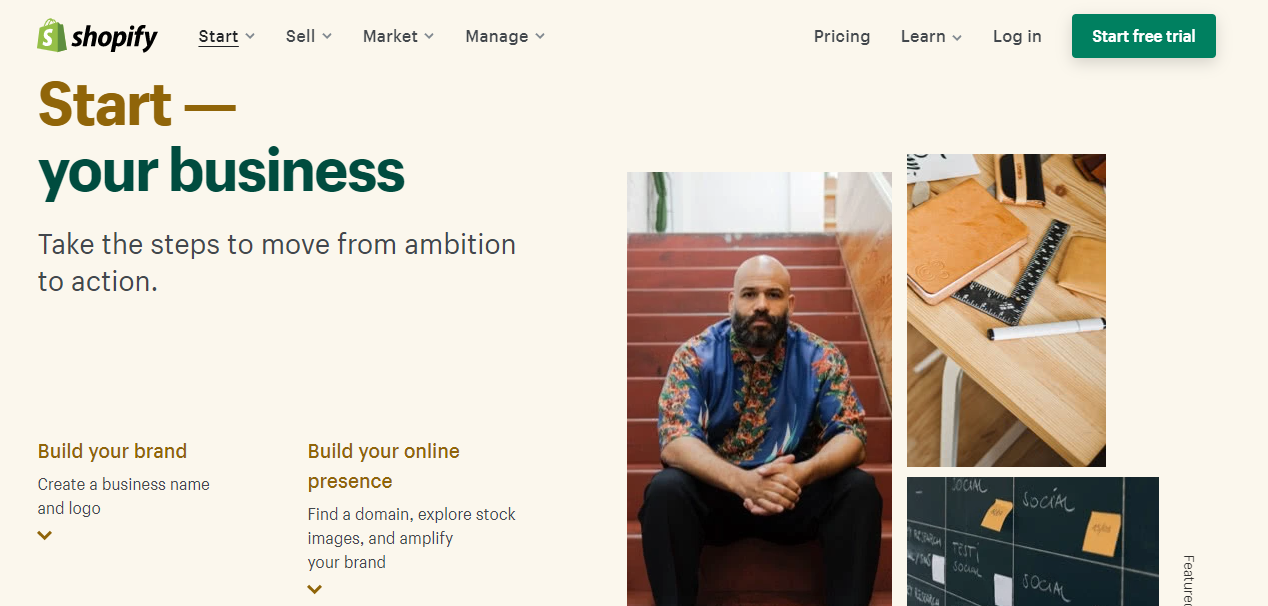
Shopify is the strongest choice for merchants who prioritize speed, simplicity, and a managed infrastructure. If you want to focus on product, marketing, and customer experience rather than server management, Shopify removes the technical overhead that slows teams down.
WooCommerce takes the opposite approach. Rather than a standalone platform, it is a free, open-source plugin that transforms any WordPress site into a fully functional online store. This architecture gives merchants complete control over every line of code, every design element, and every server configuration.

WooCommerce is the right fit for brands with in-house development resources or an agency partner who can manage the technical stack. If your business model demands deep customization, complex integrations, or a content-driven growth strategy, WooCommerce offers a flexibility ceiling that hosted platforms cannot match.
BigCommerce occupies a middle ground between Shopify's simplicity and WooCommerce's flexibility. It is a hosted, SaaS platform like Shopify, but it ships with more built-in features out of the box, reducing the need for paid add-ons.
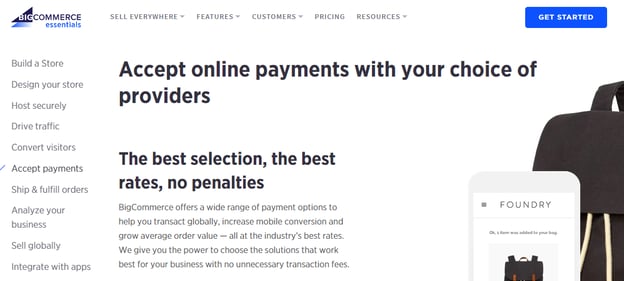

BigCommerce works well for mid-market and B2B-adjacent brands that need advanced features without the overhead of managing their own infrastructure. If you are scaling past $1 million in annual revenue and want built-in functionality that would require multiple paid apps on Shopify, BigCommerce deserves serious consideration.
FactorShopifyWooCommerceBigCommerceHostingIncludedSelf-managedIncludedTransaction Fees0.5-2% on third-party gatewaysNoneNoneCustomizationModerate (Liquid templates)Unlimited (open source)Moderate (Stencil framework)Time to LaunchFastSlow to moderateFastBest ForD2C brands wanting speedDevelopers wanting full controlMid-market brands wanting built-in features
Selecting a platform is not purely a feature comparison. Consider these practical factors before committing:
1. Your team's technical capacity. If you have no developers on staff and no agency partner, a hosted solution like Shopify or BigCommerce will save you from the operational burden of managing servers, security patches, and plugin conflicts.
2. Your growth trajectory. Model your costs at current revenue and at two times and five times your current volume. Shopify's transaction fees and app costs scale linearly. BigCommerce's tier-based pricing can jump at revenue thresholds. WooCommerce's costs are more variable but can be optimized with the right hosting setup.
3. Your marketing and advertising stack. Consider how each platform integrates with your paid media, email, and analytics tools. Shopify's native ad integrations and WooCommerce's WordPress-based SEO advantages each serve different acquisition strategies.
4. Your need for customization. If your business model requires a unique checkout flow, complex product configurations, or custom integrations with ERP and inventory systems, the flexibility ceiling of your platform matters.
Shopify gets the EmberTribe seal of approval. Our team of growth experts swear by Shopify's functionality and ease of use. For the majority of D2C brands and growth-stage eCommerce companies, Shopify delivers the best balance of speed, reliability, and ecosystem support.
BigCommerce is a strong alternative for mid-market brands that need built-in B2B features and want to avoid transaction fees. WooCommerce remains the go-to for technically capable teams that require full customization and a content-driven approach to growth.
If you are looking for the simplest path to launching and scaling your eCommerce business, Shopify is the best place to start. But whichever platform you choose, the real differentiator is not the technology itself. It is how effectively you leverage it to acquire customers, optimize conversions, and build a brand that lasts.

In this post, you'll learn:
Whether it’s a cart recovery system, upsells, a messenger bot, or a review platform, the right Shopify App can drive the conversation, streamline your workload, and boost revenue for your store in little more than a few clicks a week.
From improving conversion rates to bolstering consumer trust, you’d be hard-pressed not to find something a simple app can improve in your store.
But all that convenience comes at a cost. With over 1200 apps to choose from – many of which you’d need to pay for, right out of the gate – and no reliable way to test them, enterprising Shopify store owners can quickly find themselves overwhelmed and underwater
👋 This is exactly what we’re here for!
With decades of combined experience across hundreds of Shopify stores of every possible size and type, we’ve narrowed down the list of must-have apps to 26.
We’ve divvied these apps up into the must-have categories your store should cover, and further broken them down by cost and sophistication – so feel free to choose your own adventure with them at that point.
With this list in hand, you can’t go wrong wading into the Shopify App waters.
If you’re a digital seller, these are non-negotiable.

(Not to be confused with the Facebook Sales Channel)
If you want to advertise your products on Facebook (and you do), your best option is hands-down going to be Flexify.
1. Flexify (Free plan available. Additional charges may apply):
Sure, Shopify has the ability to add Facebook as a sales channel, which allows you to connect your product catalog to an ad account. But that will limit you (and any agency you might want to employ hint hint) in your product set creation and image-cropping options. Flexify’s free plan simplifies this whole process and does it very, very well. Flexify recently introduced its new superfeed which removes the need for pagination and can be used for Google, Pinterest, Snapchat, and Facebook.
(Not to be confused with the Google Sales Channel)
Same deal – if you’re into advertising on Google Shopping (and… you probably are), the Google Shopping Feed is your buddy.
2. Google Shopping Feed ($4.99/month. 21-day free trial.) Additional charges may apply):
Shopify has made an app to try to hook stores’ feeds into Google … but by all accounts (um, including ours), it’s awful. Do yourself a favor, skip the Shopify version and head straight to Google’s purpose-built feed app.
Repeat after us: Abandoned cart recovery = Revenue recovery
All stores need some sort of email marketing solution, which is how you’re going to at least start recovering these carts. Here are some of our favorite, low-risk options:
3. Recart ($29/month. 28-day free trial. Additional charges may apply.)
Also includes Facebook Messenger Recovery, where we’ve seen messages getting upwards of 70% open rates.
4. ShopSync (Free.)
If you’ve already got MailChimp as your email provider, nab this app for recovery. Mailchimp removed its partnership with Shopify and the only way to sync the platforms is with this app.
5. Klaviyo (Free to install. Additional charges may apply.)
Robust email platform, works beautifully with equally sophisticated stores, tons of automation options.
Got another email provider in place? See if they have a Shopify app and give it a go. The above are our favorites, but that doesn’t mean an email platform you love won’t perform adequately in its Shopify implementation. We’re just a little more skeptical (and how much do you really love that email provider anyway? 😉).
6. OneClickUpsell ($24.99/month. 30-day free trial.)
Although this app can be quite expensive, we’ve seen the OneClickUpsell app pay for itself many times over if set up properly.
7. Product Upsell by Bold Apps (From $9.99/month. 14-day free trial.)
This app is an awesome way to increase your average order value.
8. Persistent Cart (Free.)
With this app, you can keep your users logged into their cart across devices.

Capturing customers intent on leaving with some sort of promotion or discount can bump up store conversion rates, with less than 10 minutes of work.
9. Exit Offers ($9.99/month. 14-day free trial.)
10. Wheelio (From $14.92/month. 7-day free trial.)
11. Privy ( $10/month. 15-day free trial.)
When you’re good, you’re good. And you want everyone to know it.

We recommend most eCommerce stores have some sort of reviewing mechanism. They help build trust, build social reactions, and build your bottom line.
12. Product Reviews (Free):
Great for a simple review mechanism where you can manually upload reviews from other platforms, like Amazon.
13. Yotpo Reviews (Free to install. External Charges may apply.):
Perfect for a more complex reviewing mechanism – it verifies reviews to give customers a sense of trust, outputs them to your marketing on a kind of modified Facebook Dynamic Product Ad system, and more.
14. Growave (Free plan available. 14-day free trial.)
This all-in-one platform helps small- and medium-sized Shopify stores gather reviews, wishlists, loyalty programs, referrals, social login, and UGC to improve sales.
Live Chat/Messenger Shopify Apps
There are a ton of live chat apps out there and many of them work just fine. Below, however, are a few that we particularly like. Use them to answer questions, bot together some FAQ responses, direct consumers to the appropriate sections of your site or (😱) chat directly to your customers … live.
15. Chatra Live Chat + Facebook (Free plan available)
16. Tidio Live Chat (Free plan available. Additional charges may apply.)
17. Zendesk Support (Free to install. Additional charges may apply.)
18. Shogun (From $39/month. 10-day free trial.)
Custom landing page builder. Easy as pie, can fit your store theme almost out of the box.
19.Zipify (From $67/month. 14-day free trial.)
Smarter sales funnels & landing pages for your Shopify store.
20.PageFly Advanced Page Builder (Free plan available.)
Build landing pages, product pages, FAQ, home pages & funnels.
Every store is unique, with unique challenges. If your special set of circumstances seems to warrant a little something extra, one of these just may hit the spot.

More apps does not equal better store. In fact, more apps can slow your site down, confuse the systems in place, mess with your site formatting and even drive away confused customers (especially on mobile …yikes!). Consider your needs before implementing and monitor your results after 👍
21. SyncTap (Free plan available. 14-day free trial.)
Target highly profitable audiences with your Facebook ads in seconds!
22. Free Shipping Bar by Hextom (Free plan available.)
Top-of-site announcement bar for free shipping or some other sort of promotion (many themes have this as a built-in feature, just by the way. Check yours for it, first!).
23. Back in Stock (From $19/month. 30-day free trial.)
Run out of inventory quickly and often? Capture that audience before they leave the site. A pre-order app can also work well here, but this one is simpler than most.
24. Product Discount by Bold Apps ($19.99/month. 14-day free trial.)
Storewide sales, flash-sales, & scheduled sales with a click. Boom.
25. Recurring Orders & Subscriptions by Bold Apps ($19.99/month. 90-day free trial.)
For shops with a recurring business model.
26. ShipperHQ (from $50/month. 30-day free trial.):
Create an Amazon-like checkout experience with shipping rates and options that make sense, and convenient delivery options your customers will love. Instantly pull delivery dates from carriers, calculate the most accurate rates possible, set up unique shipping rules and restrictions for any checkout scenario, apply dynamic shipping discounts and promotions, automate LTL freight quoting and box selection for orders, and much more.
👉 Pssst: If you choose to upgrade to the paid version of any of these apps, you’ll need to be logged into your Shopify store as an owner to do so.
If you're ready to level up your Shopify store with less hassle and more help, book a call with us.


.svg)