
In the age of rapid digital transformation, AI has seeped into almost every industry, revolutionizing how we conduct business, design products, and even create content. The ClusterMagic service is a great example, which seamlessly integrates AI for content generation in a hybrid model, providing significant benefits in the SEO results of brands seeking a massive increase in organic traffic. But while AI holds immense promise, it has its limitations. Let's explore the pros and cons of using AI for content creation and understand why a hybrid approach might be the way forward.
Major publishers in sensitive niches like CNET.com, Bankrate.com, and Creditcard.com have already integrated AI-generated content. Other large companies, such as CNN and Forbes, might also be doing so. Countless smaller companies and publishers are utilizing AI, not only on their websites but also on social media, in email marketing, and virtually everywhere else.
Google's stance on AI-generated content is neutral, emphasizing that content should primarily be user-centric. In fact, Google's September 2023 Helpful Content Update removed the mention of "written by people" from their helpful content system guidelines.
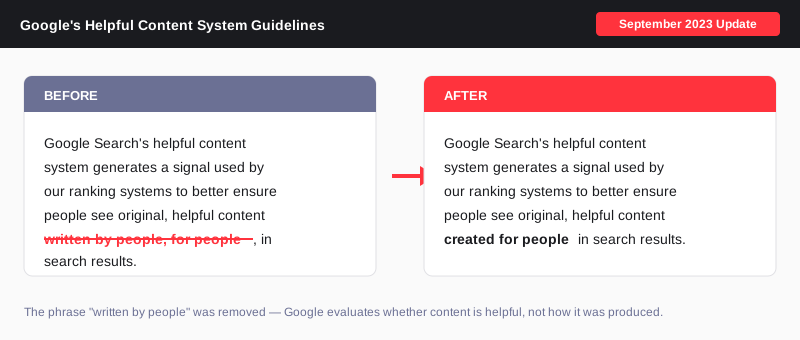
The message is clear: for content to rank well, it must be informative, answer users' queries satisfactorily, and showcase genuine expertise - regardless of how it's created.
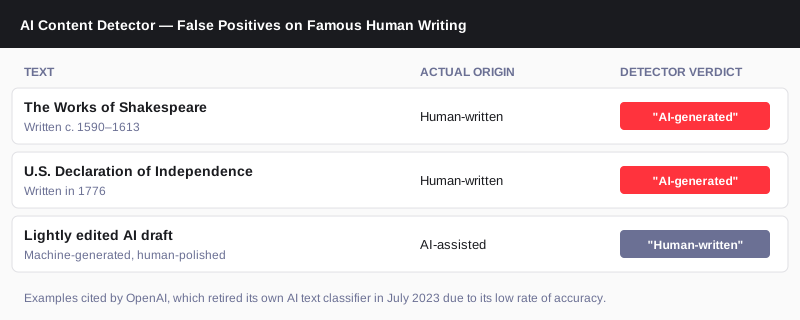
AI Content Detectors like GPTZero, ZeroGPT, and many others are not reliable. Even OpenAI has said as much. They consistently produce false positives about human-written content. Conversely, they can be easily fooled with creative prompting or a bit of human editing.
An interesting note from OpenAI: "we found that it labeled human-written text like Shakespeare and the Declaration of Independence as AI-generated."
Anecdotal evidence and real-life ranking data suggest that while AI-generated content isn't penalized by search engines, it might only achieve high rankings if it meets the above criteria. The role of AI in content creation is still a developing narrative, and its significance is indispensable for maintaining a competitive edge in the future.
At EmberTribe, the understanding is clear - AI serves as a foundation, not the final product. With ClusterMagic, while AI aids in the initial draft based on expert-driven keyword research, human experts step in for the crucial phases of editing, fact-checking, and final review. This hybrid approach ensures the content is accurate and helpful, has the potential to rank, and truly represents their business.
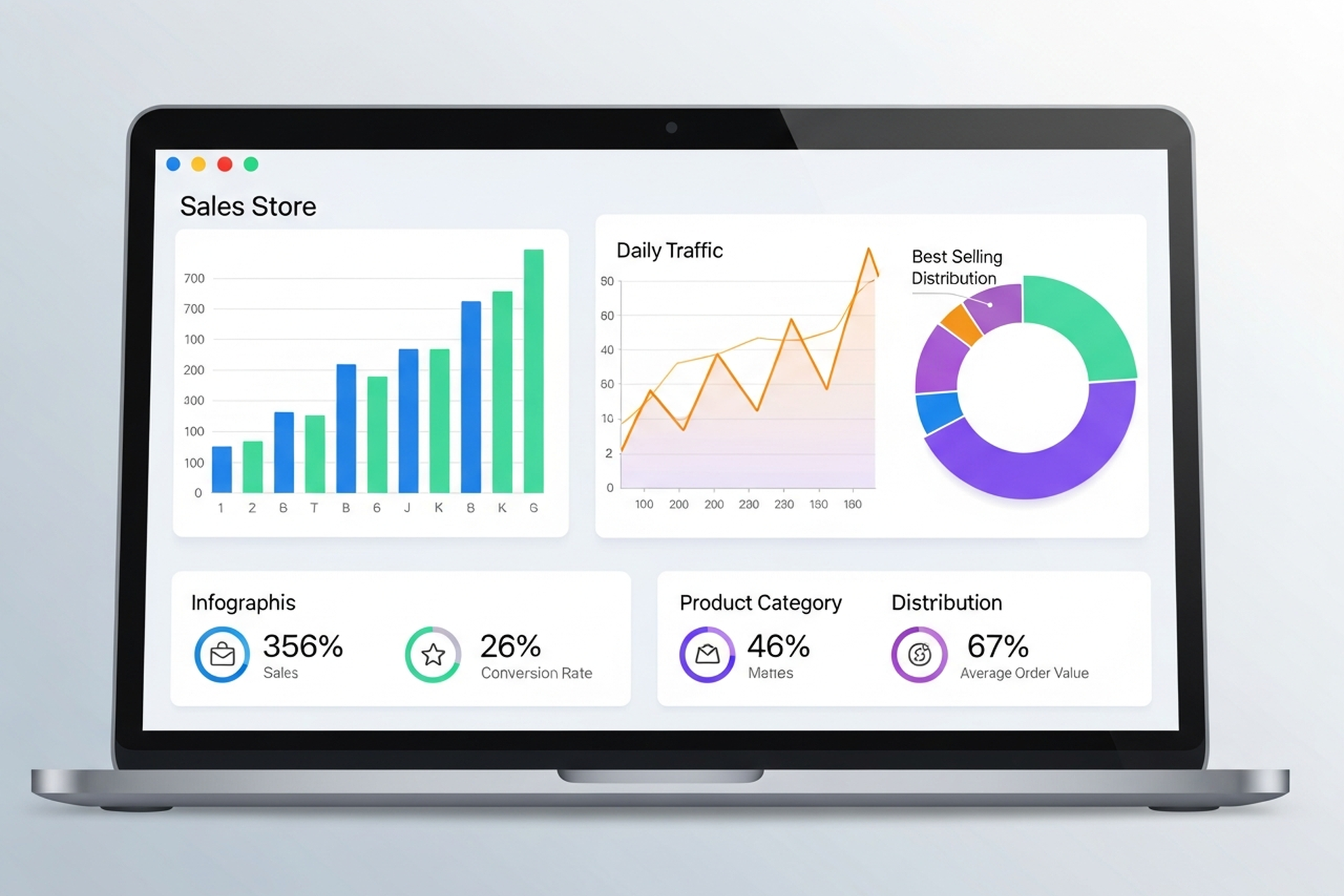
Most ecommerce marketing advice focuses on tactics in isolation: optimize your email subject lines, scale your Google Shopping spend, post more on Instagram. The brands that grow consistently aren't doing any one thing exceptionally well. They're running a system where every channel compounds the others.
This guide covers ecommerce marketing comprehensively — what the major channels are, how they interact, what high-performing brands do differently, and how to allocate budget when you can't invest in everything at once.
Three shifts define the current landscape:
Customer acquisition costs have risen sharply. iOS privacy changes and signal loss across platforms have made paid social less efficient for top-funnel acquisition. Brands that were entirely dependent on Facebook ads in 2022–2023 have had to rebuild their channel mix.
Organic channels have more leverage than they did. According to data from Omnisend, retail and ecommerce businesses now generate 44.6% of their revenue from organic search — more than any other single channel. Brands that invested in SEO and content compounding are now seeing that payoff.
Retention is where margins are recovered. Paid acquisition is expensive. Email and SMS marketing still deliver $36–$79 for every dollar spent according to industry benchmark data, making retention-focused channels the most capital-efficient investment for brands trying to improve profitability, not just revenue.
Google Ads — particularly Google Shopping and Performance Max — remains one of the highest-intent channels for ecommerce. Shoppers who search "buy [product] online" are ready to buy. Paid search captures that demand rather than creating it.
Core formats:
The challenge with paid search is that it scales spend with demand — when demand is low, so is your volume. This is why paid search works best in combination with SEO for organic capture and paid social for demand creation.
Paid social — primarily Meta (Facebook and Instagram) and TikTok — is demand creation. You're interrupting people who weren't actively searching for your product and convincing them they want it. Done well, it fills your funnel. Done poorly, it burns budget with nothing to show.
What separates high-performing paid social from low-performing:
Ecommerce SEO is one of the highest long-term ROI investments a brand can make, and one of the most commonly underfunded. The compounding nature of organic rankings means content and authority built in year one produces traffic in years two, three, and beyond.
The three pillars of ecommerce SEO:
Brands that build SEO infrastructure early — before they need organic traffic urgently — are the ones who have it when paid channels get expensive.
Email and SMS are the highest-ROI channels in ecommerce because you own the relationship. There's no algorithm controlling your reach. Sends go directly to people who have already expressed interest in your brand.
Core sequences that drive revenue:
The key variable is list quality. A small list of highly engaged subscribers consistently outperforms a large, unengaged list in both deliverability and revenue per send.
Content marketing at scale means more than a blog. For ecommerce brands, it encompasses:
Content works best when it's designed with both SEO and conversion in mind — ranking for the right searches and converting visitors who land on it.
Influencer marketing has matured significantly. The most effective programs in 2026 use micro-influencers (10K–200K followers) with authentic audience relationships rather than macro-influencer spray-and-pray campaigns.
Affiliate marketing — where partners earn a commission for each sale they drive — works particularly well for brands with strong unit economics that can sustain a 10–20% commission rate. Both models work best when tracked rigorously and treated as performance channels, not brand exercises.
Acquisition gets you a customer. Retention builds a business. Brands with high customer lifetime value (LTV) can outbid competitors on acquisition because they know how much each customer is actually worth over time.
Retention marketing includes:
The measurement that matters is LTV:CAC ratio — how much a customer is worth over their lifetime relative to what it cost to acquire them. Brands with strong retention programs consistently maintain healthier margins.
Not every channel is appropriate at every stage of growth.
Focus on two or three channels maximum. The typical sequence:
Avoid spreading budget across five channels before any of them are working well.
Once paid and owned channels are working, layer in:
At scale, the question shifts from "which channels" to "how do all channels work together." This is where omnichannel marketing strategy becomes essential — ensuring that email, paid, SEO, and social are coordinated rather than siloed.
There are no universal rules, but common benchmarks for ecommerce brands:
Brands using AI-driven personalization, predictive targeting, and advanced automation consistently outperform category averages on both sales velocity and marketing efficiency — the BigCommerce ecommerce marketing benchmark data supports this trend clearly.
After working with DTC brands across multiple categories, EmberTribe consistently sees the same patterns in brands that grow:
For deeper analysis of how these channels interconnect at a growth-stage brand, the ecommerce growth strategy framework covers the three-lever model that compounds acquisition, retention, and CRO together.
Ecommerce marketing in 2026 is a multi-channel discipline. No single channel builds a brand; the system they form together does. Paid search captures demand. Paid social creates it. SEO compounds organic reach over time. Email and SMS retain and monetize. Content educates and converts.
The brands that win aren't the ones with the biggest budgets — they're the ones who understand how each channel serves the others, allocate accordingly, and measure what actually drives revenue rather than what looks good in a report.
Start where you have the most leverage, build from there, and treat every channel investment as part of a system — not a silo.

Ecommerce growth doesn't happen by accident. The brands that compound year over year aren't just spending more on ads — they're systematically improving four interconnected levers: traffic acquisition, conversion rate, average order value, and customer retention. Get those four working together and your growth becomes self-reinforcing.
This guide breaks down each lever with real benchmarks, specific tactics, and the sequencing that actually works for DTC and growth-stage brands in 2026.
Before diving into tactics, it helps to see how the math works. If you have:
...you're generating roughly $18,750 in monthly revenue from new customers. Improve each lever by 10% and revenue doesn't go up 10% — it compounds across all four variables. That's the case for a systems approach to ecommerce growth rather than chasing individual tactics.
More traffic only helps if it's qualified. The most common mistake growth-stage brands make is optimizing for volume without filtering for intent.
Google Shopping and Performance Max campaigns remain the highest-intent acquisition channels for ecommerce, capturing buyers who are already searching for what you sell. Meta and TikTok ads work best for discovery-driven categories where strong creative can create demand. Structuring campaigns with the right keyword match types — separating branded from non-branded and using exact or phrase match for high-intent terms — is foundational to controlling spend and traffic quality.
A few benchmarks worth knowing:
That second point matters: as more brands pour into paid channels, the brands with better creative and tighter audience targeting win. Structured paid search campaigns that separate branded from non-branded traffic and properly segment campaigns by intent level consistently outperform broad-match everything setups.
Organic search is still one of the highest-ROI channels for ecommerce, but it requires patience and proper architecture. Product and collection pages need to be optimized for transactional keywords, while blog content builds topical authority and captures mid-funnel searchers. A comprehensive ecommerce SEO strategy addresses both layers — the technical foundation and the content that drives sustained organic traffic growth.
Single-channel dependence is a growth risk. Algorithm changes, rising CPMs, and platform policy shifts can crater traffic overnight. Successful brands in 2026 build a portfolio: paid search for intent capture, paid social for top-of-funnel awareness, SEO for compounding organic, and email/SMS for owned audience reach.
The average ecommerce conversion rate sits between 2–4%, with Shopify stores typically hitting 2.5–3%. But those numbers mask enormous variance by category: beauty brands convert at 4–5%, fashion at 2.5–3%, and electronics at just 1.4–2% — and benchmarking yourself against a blended average without accounting for your category and price point leads to wrong conclusions.
Here's a counterintuitive problem most stores haven't solved: mobile drives roughly 80% of ecommerce traffic but converts at roughly half the rate of desktop. Desktop converts at approximately 3.9% versus 1.8% on mobile — and with smartphones now accounting for about 78% of retail site visits worldwide, that gap represents a massive revenue leak. Mobile CRO — faster page load, thumb-friendly navigation, simplified checkout — is the single highest-leverage conversion project for most stores.
The tactics that consistently move the needle:
Building a systematic CRO process — hypothesis → test → measure → implement — beats one-off redesigns almost every time.
AI-driven personalization is becoming table stakes: companies using AI personalization report 40% higher revenue. Product recommendations, personalized email content, and dynamic site experiences based on browse behavior are all within reach for mid-market DTC brands in 2026.
Improving AOV is often the fastest path to improved unit economics because you're generating more revenue from traffic you've already paid to acquire.
The median AOV for DTC brands across paid channels is $74.12, but top-quartile brands consistently operate at $120–$180 through disciplined AOV strategy.
Bundles and kits: Product bundles have two benefits — they increase AOV and often reduce the blended cost per unit, improving margins simultaneously.
Tiered free shipping thresholds: Setting your free shipping threshold 15–20% above your current AOV is one of the oldest and most effective AOV levers. Shoppers will add items to hit the threshold.
Post-purchase upsells: One-click post-purchase offers (native to Shopify Plus and available via apps) convert at 5–15% with essentially zero incremental acquisition cost.
Subscription tiers: For consumable products, subscriptions both increase AOV (through bundle offers) and lock in retention simultaneously.
Retention is where ecommerce profitability actually lives. Approximately 60% of DTC revenue comes from returning customers, and loyal customers convert at 60–70% compared to just 5–20% for new prospects. Yet the average retention rate is only 28.2% — meaning nearly three out of four first-time buyers never return.
Every brand that relies entirely on paid acquisition to hit revenue targets is on a treadmill — running harder just to stay in place. The brands with sustainable ecommerce growth build retention systems that keep customers coming back.
Email converts at 5–8%, making it 3–5x more effective than paid social. A basic retention email program covers:
SMS adds another layer for high-intent moments — flash sales, back-in-stock alerts, and shipping updates.
A well-designed loyalty program increases purchase frequency and creates switching costs. Points-based systems work, but experiential rewards (early access, exclusive products) drive stronger emotional connection.
Most brands should prioritize in this order:
The brands that skip to step 3 and dump budget into paid acquisition without steps 1 and 2 in place are the ones that plateau at $1–2M and can't figure out why.
The brands we work with at EmberTribe are typically at $2–10M in annual revenue and hitting a ceiling. The ceiling almost always comes down to one of the four levers being significantly underperforming — usually a conversion rate problem masked by heavy paid spend, or a retention rate so low that every growth gain gets erased by churn.
We run a diagnostic across all four levers and build a roadmap that sequences investment based on where the multiplier effect is largest. An omnichannel marketing approach that connects paid, organic, email, and on-site experience — rather than managing each in isolation — is what separates brands that scale from brands that spend.
The stores that grow consistently in 2026 aren't chasing the newest tactic. They've built a system where better conversion rates justify more paid spend, which brings in more customers, who get retained through strong email programs, who increase lifetime value, which funds more aggressive acquisition.
Getting into that compounding loop — that's what ecommerce growth actually looks like.
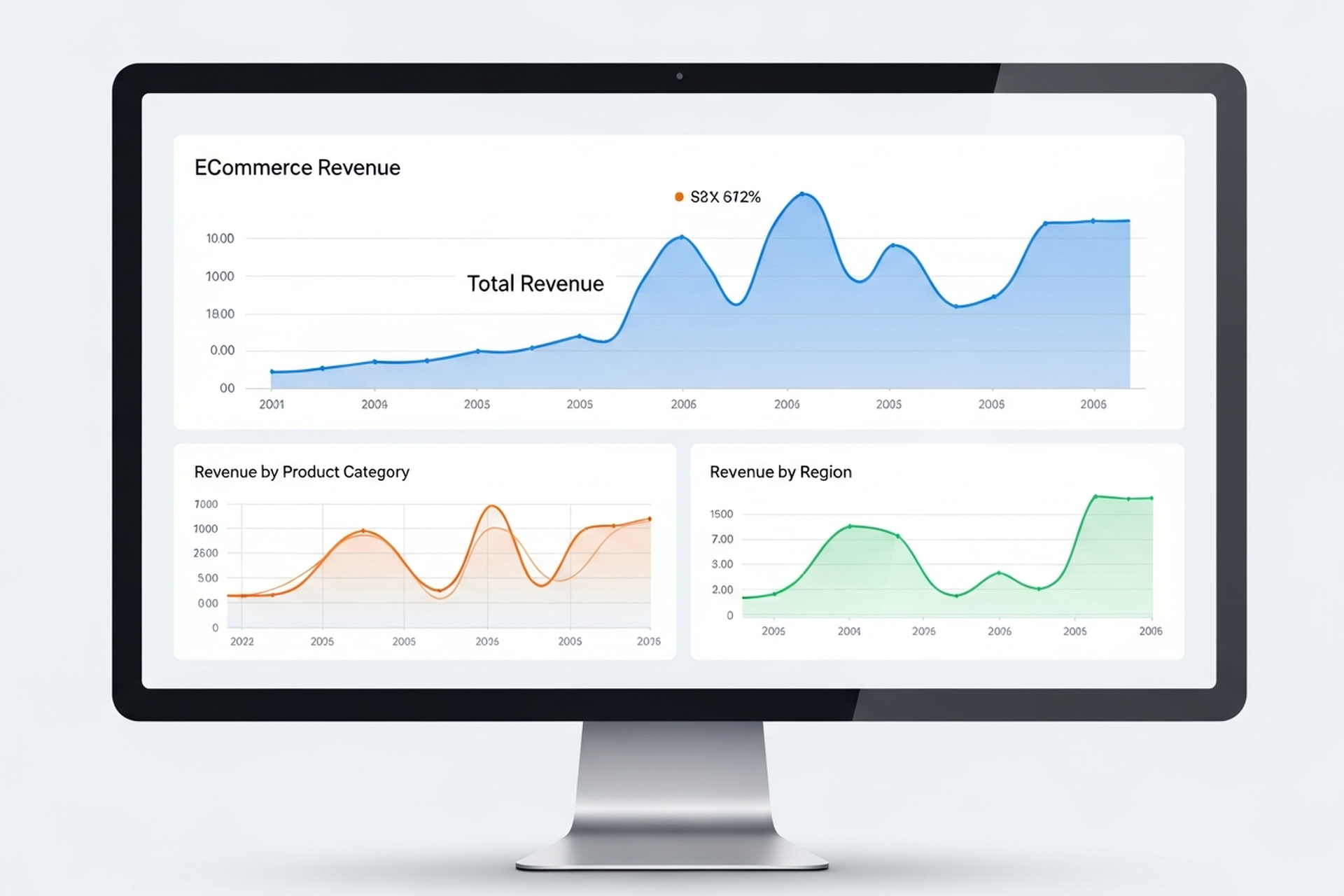
Most ecommerce stores are drowning in data and starving for insight. GA4 dashboards are full of sessions, bounce rates, and pageviews — numbers that describe what happened but don't tell you what to do next. Meanwhile, the metrics that actually drive growth decisions are either buried three reports deep or not being tracked at all.
Ecommerce analytics, done well, narrows your focus to the numbers that connect directly to revenue, margin, and sustainable growth. This guide covers the metrics worth your attention, the tools that surface them, and — most importantly — how to translate data into decisions.
The problem isn't usually a lack of data. It's a lack of a measurement framework. Without one, teams end up tracking everything equally and acting on nothing consistently.
A useful ecommerce analytics setup starts with a clear hierarchy: a small number of primary KPIs that define whether the business is healthy, a second layer of diagnostic metrics that explain why those KPIs are where they are, and a third layer of operational metrics that guide day-to-day decisions.
Most stores invert this — they optimize for operational metrics (sessions, ad clicks, open rates) without connecting them to the primary KPIs that determine whether the business is actually growing.
CVR is the percentage of visitors who complete a purchase. It's the foundational measure of how well your store turns traffic into revenue.
Formula: (Orders / Sessions) × 100
Benchmark: ecommerce conversion rates by industry vary, but a 2–3% conversion rate is a reasonable baseline for most direct-to-consumer stores. Stores above 3.5% have typically invested meaningfully in CRO and UX.
A low CVR tells you that something between arrival and checkout is breaking down — whether that's product-market fit, pricing, trust signals, site speed, or checkout friction. CVR is the best single indicator of your store's health at the mid-funnel level.
AOV measures how much customers spend per transaction. It's one of the fastest levers to pull when you want to grow revenue without acquiring more customers.
Formula: Revenue / Number of Orders
Even a 10% improvement in AOV compounds quickly across your customer base. The highest-impact tactics for increasing AOV are typically product bundling, cross-sell recommendations at cart, free shipping thresholds set slightly above your average transaction size, and subscription upsells where the product fits.
The critical nuance: don't chase AOV at the expense of conversion rate. If discounting or offer changes are required to move AOV, you may be eroding the margin gains you're trying to create.
LTV predicts how much total revenue a customer will generate over their relationship with your brand. It's the most important metric for evaluating the long-term health of your acquisition strategy — and the one most often ignored in early-stage growth.
Basic formula: AOV × Purchase Frequency × Customer Lifespan
In 2026, sophisticated ecommerce teams go further: they segment LTV by acquisition channel, product category, and cohort to understand which customers are actually profitable — not just which ones ordered the most. A customer acquired through a 40%-off promotion often has a dramatically different LTV than one acquired through organic search.
LTV compared to CAC is the ratio that matters most for sustainable growth. A healthy benchmark is LTV:CAC of 3:1 or higher — meaning you recover your acquisition cost three times over. Below 2:1 and you're likely under-investing in retention. Above 5:1 and you may be under-investing in acquisition.
CAC tells you how much you're spending to bring in each new customer. It's only meaningful in context — specifically in relation to LTV.
Formula: Total Marketing and Sales Spend / New Customers Acquired
A common mistake is calculating CAC only against paid channels. Blended CAC — total acquisition spend (paid media, influencer, affiliate, content, brand) divided by all new customers — gives a more accurate picture of what growth is actually costing you.
Tracking CAC by channel lets you see where acquisition efficiency is improving or degrading over time, which informs budget allocation decisions.
ROAS measures revenue generated per dollar of ad spend. It's useful for evaluating campaign-level efficiency but should never be used as a standalone measure of business health — it ignores margin, CAC, and LTV.
Formula: Revenue from Ads / Ad Spend
A 3× ROAS sounds strong but may be unprofitable if your gross margin is 30% and shipping costs are high. Focus on ROAS as a directional signal and contribution margin as the business truth.
This is the metric that most ecommerce brands undertrack and should be reporting first. Contribution margin is what remains after all variable costs — COGS, shipping, fulfillment, returns, and ad spend — are subtracted from revenue.
It tells you whether growing revenue is actually building value or just moving money through a leaky system at scale. If contribution margin is negative, growth is destruction. If it's positive and growing, you have a business worth scaling.
Beyond the primary KPIs, a second layer of metrics helps explain why primary metrics are moving:
You don't need an expensive tech stack to get started. The hierarchy of tools:
Layer 1 — Traffic and Behavior (Free) Google Analytics 4 covers sessions, traffic source, conversion events, and basic funnel analysis. It requires setup investment to be useful (proper event tracking, conversion goals, channel groupings) but is the right starting point for stores under $1M in revenue.
Layer 2 — Attribution and Profit Analytics As ad spend scales, platform-reported ROAS becomes unreliable due to overlapping attribution windows. Tools like Triple Whale, Northbeam, or Rockerbox give you a unified view of channel contribution across Meta, Google, TikTok, and email. These are worth the investment once you're spending $20K+/month on paid media.
Layer 3 — Behavior Analytics Heatmaps and session recordings (Hotjar, Microsoft Clarity) show you where users drop off and why — information that quantitative analytics alone can't surface. Pair these with CRO testing methodology to systematically improve conversion.
Layer 4 — Customer Analytics Platforms like Klaviyo (for email/SMS data) and Lifetimely or Glew (for LTV and cohort analysis) layer customer intelligence on top of transaction data. They're essential for understanding which acquisition channels actually produce high-value customers over time.
Data only earns its keep when it leads to action. A practical framework:
Weekly: Review CVR, ROAS, and ad spend pacing against targets. Flag outliers.
Monthly: Review AOV trends, return rate, email revenue contribution, and new vs. returning customer split. Identify one or two specific hypotheses for the month's optimization focus.
Quarterly: Run a cohort analysis. Compare LTV:CAC by acquisition channel. Evaluate where you're deploying budget relative to where your highest-LTV customers are actually coming from.
This rhythm prevents two failure modes: over-reacting to weekly noise and under-reacting to slow-moving problems (like a gradually declining repeat purchase rate) that only become obvious at the quarterly view.
The most common mistake growth-stage ecommerce brands make is scaling ad spend before their analytics foundation is solid. If you can't attribute revenue accurately, calculate a reliable CAC, or measure LTV by cohort, you're making acquisition decisions based on incomplete information — and the errors compound as spend increases.
Getting ecommerce analytics right — clean tracking, meaningful reporting, and a consistent review cadence — is the prerequisite for efficient growth. At EmberTribe, we treat the analytics audit as the first step in any engagement with an ecommerce brand, because the data quality determines the quality of every decision that follows.
The goal isn't more dashboards. It's fewer metrics, better understood, acted on consistently.
For more on turning your analytics into growth, see our framework for scaling your ecommerce store efficiently and our breakdown of ecommerce CRO tactics that improve conversion.

Finding the best social media marketing agency sounds simple until you're deep in sales calls and every agency claims to deliver "authentic engagement" and "brand-aligned content." The pitch decks look the same. The case studies feel curated. And the contracts all look roughly identical.
The difference between good and great isn't usually visible at the proposal stage. It shows up three months in — in reporting that either reveals business impact or hides behind vanity metrics, in creative that either builds on learning or repeats the same formula, and in communication that either accelerates your team or creates a bottleneck.
This guide breaks down exactly what to look for, what to avoid, and which questions to ask before you commit.
A great agency doesn't just post. It builds a system that turns social platforms into a structured growth channel. The best agencies operate across four interconnected functions:
Most agencies can do two or three of these well. The best ones execute all four with clear accountability and documented learning loops.
The clearest signal of a high-quality agency is their default reporting language. Do they talk about revenue contribution, new customer acquisition, and retention impact — or do they lead with impressions and engagement rate?
Great agencies build their reporting around the metrics that appear in your P&L. They know what your blended CAC looks like and they position social performance relative to it. The 2025 Sprout Social Index found that 65% of marketing leaders want to see direct connections between social campaigns and business goals — yet only 30% of marketers say they can confidently measure social ROI. That gap is where good agencies separate themselves from great ones.
Creative fatigue is the single biggest performance killer on paid and organic social. The best agencies don't just produce content — they run systematic creative tests, document what works and why, and build a library of insights that compounds over time.
Ask any agency you're evaluating: "What does your creative testing process look like, and how do learnings carry forward?" If the answer is vague, that's a signal.
Content that performs on LinkedIn looks nothing like content that performs on Instagram or TikTok. Great agencies have specific knowledge of each platform's algorithm, format preferences, and audience behavior — and they build different content strategies for each rather than repurposing the same asset across everything. According to Sprout Social's 2026 social media statistics, the typical user now moves between nearly seven different platforms per month, making platform-specific expertise more important than ever.
You should always own your ad accounts. Not the agency. If an agency runs your campaigns from their Business Manager and sends you a PDF report at month-end, that's a control problem — you have no visibility into real-time performance and no clean exit path.
The best agencies set up accounts in your name, grant you admin access from day one, and use shared dashboards where you can see performance without waiting for a monthly call.
Generic case studies aren't enough. Look for agencies that have worked with businesses in your category — similar price points, customer acquisition models, and audience demographics. A DTC skincare brand has fundamentally different social media needs than a B2B SaaS company.
Ask for references from clients with a profile similar to yours, and actually call them.
In 2026, communication expectations have shifted. The best agencies provide a dedicated point of contact, a shared Slack channel, and same-day (or sub-4-hour) response times during business hours. They proactively flag issues before you have to ask.
If you're chasing your account manager for basic updates, that agency will slow you down rather than accelerate you.
Organic social and paid social shouldn't operate in separate lanes. The best agencies understand how organic content signals inform paid targeting, how paid amplification extends organic reach, and how the two channels compound each other when managed cohesively.
If an agency pitches you on only one side of that equation, you're getting a partial solution.
Before signing any contract, watch for these warning signs:
Guaranteed follower growth or ROAS: No reputable agency guarantees specific numbers because platform performance depends on variables outside their control — creative resonance, budget, competition, seasonality. Guarantees are a sales tactic, not a performance commitment.
Vanity metrics as the primary KPI: If the agency's pitch deck is full of reach, impressions, and engagement rate but light on conversion data, their reporting will look the same. Push them to talk about how social contributes to acquisition and retention. Research on social media ROI benchmarks consistently shows that the metrics teams track — engagement, conversions, and revenue impact — only deliver value when they're tied to actual business outcomes, not presented in isolation.
Vague deliverable definitions: "We'll create content for your channels" isn't a deliverable. A real scope includes post volume by platform, content formats, ad creative production, reporting cadence, and clearly defined responsibilities on both sides.
Long lock-in contracts on the first engagement: A six-to-twelve month contract with a new agency carries significant risk. Reputable agencies offer three-month trials or month-to-month terms once the initial setup phase is complete. Rigid lock-ins prioritize the agency's revenue over your results.
No client references available: If an agency can't produce two or three clients willing to speak on the record, ask why.
These questions reliably separate genuine expertise from polished sales:
The answers to these questions reveal how an agency actually operates, not how they present in a proposal.
Not every brand should outsource social. For early-stage companies or those where brand voice is tightly tied to a founder's identity, keeping social in-house often produces more authentic results. An agency makes the most sense when:
Once those conditions are met, a strong agency partner multiplies your capacity rather than replacing it. At EmberTribe, we work best with brands that have already validated their core message and are ready to scale reach and conversion simultaneously — not brands still searching for product-market fit.
The best social media marketing agency for your business is the one that speaks the language of growth rather than the language of engagement. They'll report on metrics that affect your bottom line, build creative with documented hypotheses, operate transparently, and communicate like a genuine partner rather than a service provider.
The criteria above aren't a checklist — they're a standard. Most agencies will claim to meet them. Your job is to verify before signing.
For more on evaluating agency partners across different growth channels, see our guides to choosing the best ecommerce marketing agency and finding the right paid social agency for ecommerce brands.

The phrase "best PPC company" gets searched thousands of times a month, and almost every agency in the space claims that title. The problem isn't finding a list of options — it's knowing which criteria actually predict results versus which ones are just good marketing.
This guide takes a criteria-first approach. Before you look at agency names, you need a clear framework for what makes a PPC company genuinely effective, so you can evaluate each option on substance rather than sales pitch.
There are a few qualities that consistently separate high-performing PPC agencies from the field.
The best PPC companies don't lead with impressions, clicks, or even ROAS in isolation. They orient around your actual business economics — your margin structure, customer lifetime value, target CPA, and what a profitable acquisition actually costs.
An agency that presents a proposal full of reach and impression metrics but can't articulate your target cost per acquisition is an agency optimizing for optics. The question to ask: "What does a successful outcome look like for my business, and how will you measure it?" A strong answer will reference your specific margins and CPA targets, not generic benchmarks.
Creative is consistently the largest performance lever in paid campaigns, and it's the one most mid-tier agencies deprioritize. A great PPC company has a documented process for creative iteration: hypothesis, test, measure, scale winners, kill losers. Agencies without this framework plateau quickly once initial account optimizations are exhausted.
Ask for examples of creative tests they've run, what they learned, and how they applied those learnings. Vague answers about "A/B testing" without specifics are a yellow flag.
Google's Smart Bidding and Performance Max campaigns can deliver strong results when managed correctly. They can also quietly waste budget when left unmonitored. Smart Bidding optimizes bids at auction time using dozens of contextual signals — device, location, time of day, remarketing list membership — but it still requires at least 30 conversions per month to function accurately, and it breaks down when conversion tracking is misconfigured or when campaigns are structured poorly from the start.
The best PPC companies use automation as a tool, not an abdication. They review search term reports manually, identify when broad match expansion is pulling in irrelevant traffic, and know when to override automated bidding.
Ask prospective agencies: "Can you give me an example of when you disagreed with automation and what you did about it?" If they can't, they're flying on autopilot.
Strong PPC management involves actively mining data for opportunities — not just forwarding automated Google Ads reports. Look for agencies that analyze time-of-day performance for bid adjustments, geographic data for budget allocation, device performance for bid modifiers, and audience overlap across campaigns. A useful proxy: ask whether they actively monitor Quality Score components — expected CTR, ad relevance, and landing page experience — as diagnostics for where accounts are losing ground in the auction.
The difference between a dashboard dump and an actionable analysis is the difference between a vendor and a partner.
Ask directly: will you retain ownership of your Google Ads account if you leave? Some agencies lock clients into accounts they control, meaning you lose your campaign history, audience data, and conversion tracking if you switch. Google's own documentation on manager account ownership makes clear that client accounts always retain data ownership and the right to remove manager access — but agencies that create accounts under their own manager hierarchy without granting you admin access are effectively holding your campaign history hostage. Reputable PPC companies always work inside client-owned accounts.
Not all red flags are obvious. Here are the ones worth watching for during the evaluation process:
Guaranteed ROAS promises: No legitimate agency can guarantee specific performance outcomes because auction dynamics, competitive landscapes, and market conditions are outside their control. Agencies that lead with guaranteed returns are either lying or planning to underreport costs to hit the number.
Below-market pricing: Genuine PPC management takes time. Keyword research, bid management, ad copy testing, landing page analysis, and ongoing optimization aren't automatable at scale. Agencies pricing significantly below market are usually either doing less than advertised or relying on account managers handling too many clients simultaneously.
Long lock-in contracts with no performance benchmarks: Confident agencies offer 30 or 90-day cancellation terms because they're confident in their work. A 12-month contract with no performance clauses is a sign they know they need time to hide underperformance.
No demonstrated industry experience: PPC strategy isn't fully transferable across verticals. B2B SaaS and DTC ecommerce have entirely different keyword intents, funnel structures, and bidding dynamics. Ask for case studies specifically from your category.
One point of contact who is also the person running campaigns: Strategic thinking and execution are different skill sets. Agencies where the account manager is also the person building and optimizing campaigns often sacrifice one for the other.
Use these during discovery calls to separate signal from noise:
PPC management pricing typically follows one of three models:
Flat monthly retainer: Usually $500–$2,500/month for smaller accounts. Predictable costs, but can misalign incentives if the agency isn't motivated to scale your spend.
Percentage of ad spend: Typically 10–20%, with the percentage decreasing at higher spend levels. Aligns agency compensation with scale, but watch for incentives to spend more rather than spend smarter.
Hybrid: A base retainer covering core management plus a performance percentage above a threshold. Often the most aligned structure for growth-stage brands.
Performance-based pricing (pay only on results) sounds attractive but is uncommon with reputable agencies for good reason — too many variables outside the agency's control affect conversion outcomes.
Rather than gathering five proposals and comparing line items, structure your evaluation around three phases:
Phase 1 — Screen for alignment: Share your P&L context, your target CPA, and your current performance. Agencies that respond with generic proposals didn't listen. Agencies that ask clarifying questions and propose a diagnostic approach are showing you how they'll actually work.
Phase 2 — Assess technical depth: Ask the specific questions above. Request a sample campaign audit or strategy memo. What they produce tells you more than any sales presentation.
Phase 3 — Check references and results: Talk to current clients, not just the references they hand you. Look at case studies for comparable spend levels and verticals. Triangulate what they say with what their clients confirm.
Even the best PPC company operates in a vacuum if your campaigns aren't connected to your landing pages, CRO work, and retention strategy. Paid clicks that go to slow, generic landing pages will underperform regardless of how well the campaigns are built. The relationship between paid search and on-site conversion is where most of the real optimization opportunity lives.
At EmberTribe, we treat paid search as one channel in a connected growth system — not an isolated budget line. The PPC companies that deliver the best long-term results take the same approach: they're invested in what happens after the click, not just what happens in the auction.
The best PPC company for your business is the one that understands your unit economics, runs campaigns with genuine strategic depth, gives you full account ownership, and communicates clearly about what's working and what isn't.
That list is shorter than most "best PPC company" roundups would have you believe — which is exactly why the evaluation criteria matters more than the ranking.
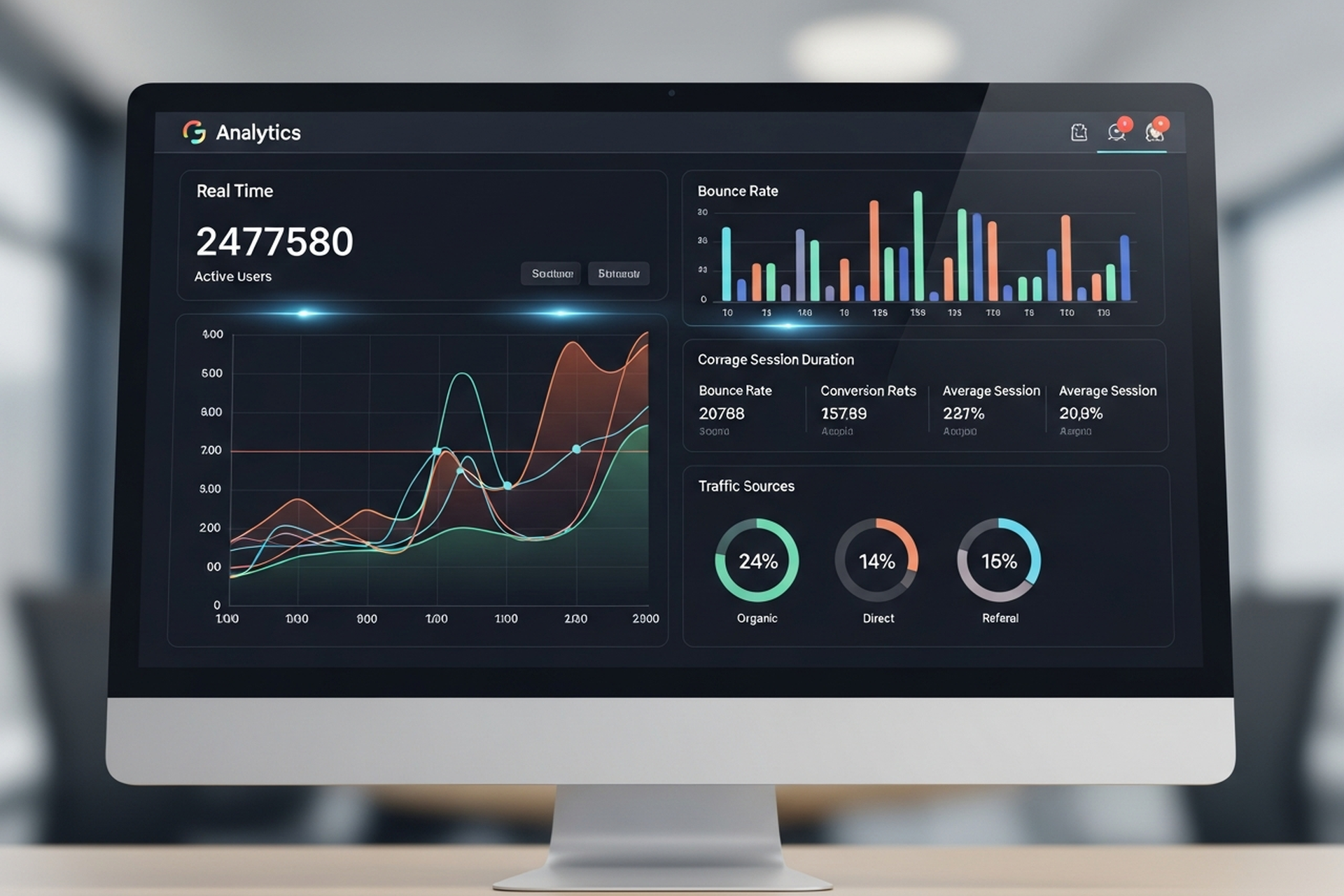
Most teams that say they "use analytics" are really just watching numbers change. They check traffic each Monday, glance at bounce rate, and feel vaguely informed. The data is there — they're just not asking it the right questions.
Analytics in web marketing is a discipline, not a dashboard habit. Done well, it tells you which channels are actually driving revenue, where your funnel breaks down, what visitors are doing before they convert (or don't), and which pages are dragging down your overall performance.
This guide covers what you need to know to build an analytics practice that informs real decisions — from the foundational metrics worth tracking, to the tools most commonly used, to the implementation details that most teams skip.
Web analytics has never been more accessible. Google Analytics 4 is free, most CMS platforms include built-in stats, and there's a tool for every layer of user behavior.
The gap isn't in access to data. It's in what most teams do with it.
The three most common failure modes:
Tracking everything, acting on nothing. More dashboards don't create better decisions. Teams that measure 40 metrics simultaneously are often less decisive than teams tracking five well-defined KPIs with clear action thresholds.
Confusing correlation with causation. Traffic goes up the same week you send an email campaign. Organic rankings improve after a site redesign. These might be related, or they might not. Drawing conclusions without properly structured attribution creates false confidence and poor spending decisions.
Ignoring the implementation layer. Analytics is only as accurate as its setup. Misconfigured conversion tracking, duplicate pageview events, missing UTM parameters, and unfiltered internal traffic are all common problems that silently corrupt your data.
There are dozens of web analytics metrics. Most teams track too many of them. Here are the ones that connect most directly to business performance:
Understanding where traffic comes from and whether that source is growing or declining is the starting point for any channel-level decision.
Engagement metrics tell you whether your traffic is qualified. High traffic with low engagement is often a sign of poorly targeted acquisition, misleading meta descriptions, or content that doesn't match search intent.
Conversion metrics are where analytics connects to business outcomes. They're the most important category and often the most poorly configured.
Still the default for most organizations. GA4 is free, integrates with the full Google marketing stack (Google Ads, Search Console, BigQuery), and has solid machine learning-powered insights built in.
The major shift from Universal Analytics (its predecessor) is the event-based data model. Every interaction is now tracked as an event rather than a pageview or session, which enables much more granular behavioral analysis — but also requires more deliberate implementation to configure correctly.
GA4's built-in AI surfaces automated anomaly detection and predictive audiences, which can flag significant traffic changes before you notice them manually.
GA4 is the standard starting point for most organizations regardless of what else is in the stack.
Where GA4 tells you what is happening in aggregate, Hotjar (and its free alternative, Microsoft Clarity) shows you why at the individual session level. Session recordings, heatmaps, and click maps reveal exactly how users are navigating your pages — where they're clicking, where they're stopping, what they're ignoring.
This behavioral layer is essential for conversion rate optimization. Quantitative data from GA4 tells you a page has a high exit rate. Qualitative data from Hotjar shows you that users are rage-clicking a button that doesn't work on mobile.
For SaaS products and apps, standard web analytics misses most of the interesting data — which features are being used, where users drop off in onboarding, what actions predict retention. Mixpanel and Amplitude are event-based product analytics platforms built for this depth of behavioral analysis.
Both track events at the user level (rather than the session level), which means you can analyze the paths individual users take through your product — not just aggregate traffic patterns.
Data lives in multiple systems — GA4, Google Ads, Facebook Ads, your CRM, email platform. Looker Studio connects these sources into unified dashboards, so you're looking at the full picture rather than switching between tools.
The value isn't in the tool itself but in the unified view it enables: revenue by channel, CAC by campaign, and funnel performance from first touch to close — all in one place.
The biggest analytics problems aren't conceptual — they're technical. Here are the implementation details that most teams get wrong:
Every conversion event on your site should be explicitly defined and verified before drawing conclusions from the data. Form submissions, button clicks, purchases, and demo bookings should each fire a distinct, measurable event — not a generic "page viewed" trigger.
In GA4, verify that your key conversion events are marked as such in the platform. Then test them manually: submit a form, complete a purchase, click a CTA button. Confirm the events fire correctly in the GA4 realtime report.
UTM parameters are how analytics platforms identify the source, medium, campaign, and content of your traffic. Without consistent UTM tagging on all marketing links — email campaigns, social posts, paid ads, partner links — your source attribution becomes unreliable.
The biggest UTM mistake: inconsistent naming conventions. "Email" and "email" are treated as different sources in GA4. "paid_social" and "Paid-Social" will split your data. Define a standard and enforce it across every team that creates tracking links.
If you're on the same IP address as your team, your visits to the site are inflating traffic data and corrupting conversion rates. Filter internal traffic in GA4 by defining internal IP addresses as filters, or by setting an internal traffic property.
This is particularly important for small companies where internal browsing represents a meaningful percentage of total sessions.
If your website and checkout, booking system, or community platform live on different domains, sessions will break between them unless cross-domain tracking is properly configured. A visitor who lands on your main site and checks out on your ecommerce subdomain will appear as two separate users unless the domains are linked in your GA4 configuration.
Analytics tools are infrastructure. The practice is what you do with them.
A few principles that distinguish teams that genuinely use analytics from teams that just have it installed:
Tie every dashboard to a decision. Before adding a metric to your reporting, ask: what decision does this data inform? If you can't answer that, the metric probably doesn't belong in your weekly review.
Establish baselines before drawing conclusions. Knowing your current conversion rate is 1.8% tells you nothing without context. Knowing it was 2.1% last month and 1.4% six months ago gives you a trend to act on.
Use analytics to generate hypotheses, not to confirm assumptions. The most valuable use of behavioral data is to surface unexpected patterns — pages that convert better than expected, traffic sources you weren't investing in, content that drives outsized engagement. These anomalies are where growth opportunities hide.
Separate reporting cadences. Weekly dashboards for operational metrics (traffic, conversion rate, ad spend efficiency). Monthly reviews for channel-level trends and budget decisions. Quarterly analysis for strategic pivots and benchmark comparisons.
Analytics in web marketing is the infrastructure that connects activity to outcomes. Without it, you're spending budget based on intuition and reporting performance based on impression. With it, you can identify exactly which channels, pages, and content types are generating revenue — and make decisions with proportional confidence.
The tools are accessible. GA4 is free. Hotjar has a free tier. Looker Studio is free. The barrier isn't cost — it's configuration and discipline.
Set up tracking correctly before you scale anything. Define the metrics that connect to your business goals rather than the ones that look good in a deck. Review data regularly with specific decisions in mind. And treat anomalies as opportunities, not noise.
Web analytics done well doesn't just tell you what happened. It tells you what to do next.

If you're asking "what is ecommerce," you're entering one of the most dynamic commercial ecosystems in history. Global ecommerce sales are projected to hit $6.88 trillion in 2026 — up 7.2% from the prior year — and the trajectory shows no sign of plateauing. Whether you're launching your first online store or scaling a growth-stage DTC brand, understanding the fundamentals of ecommerce is the foundation everything else is built on.
This guide covers the definition, the major business models, how the channel actually works, the metrics that matter, and the growth strategies that separate high-performing stores from the rest.
Ecommerce (short for electronic commerce) is the buying and selling of goods or services over the internet. It encompasses any transaction conducted digitally — from a consumer purchasing a pair of sneakers through a brand's Shopify store to a manufacturer placing a bulk order through a B2B portal.
Ecommerce is not just online retail. It's a broad category that includes physical products, digital downloads, subscriptions, services, and marketplaces. What defines it is the digital transaction layer: product discovery, purchase, and often fulfillment are all managed through connected systems rather than physical storefronts.
The infrastructure powering ecommerce includes payment processors, logistics networks, CMS platforms, advertising channels, and data analytics — and the brands that master these systems win.
Understanding the different types of ecommerce is critical because each model carries distinct economics, customer relationships, and growth levers.
B2C is the most familiar model: a brand sells products directly to individual consumers via an online storefront. This is the category most people think of when they hear "ecommerce." Amazon, Nike's website, and thousands of Shopify stores operate on B2C principles.
The competitive dynamics in B2C are intense. Customer acquisition costs have risen 222% between 2013 and 2025, making profitability harder to sustain without strong retention.
B2B ecommerce involves transactions between companies — a distributor selling wholesale inventory to retailers, or a SaaS company selling software subscriptions to enterprises. The B2B ecommerce market was valued at $32.11 trillion in 2025 and is growing at a 14.5% compound annual rate.
B2B transactions typically have larger order values, longer sales cycles, and more complex procurement workflows than B2C.
D2C brands manufacture their own products and sell them directly to consumers — cutting out wholesale and retail intermediaries. US D2C ecommerce sales are expected to reach approximately $186 billion in 2025, representing around 19% of total retail ecommerce.
The D2C model offers higher margins and direct customer relationships, but it also puts brands fully responsible for acquisition, retention, and logistics. Competing in D2C successfully requires a tight feedback loop between marketing, product, and operations.
Consumer-to-consumer (C2C) platforms — like eBay or Depop — facilitate transactions between individuals. Marketplace models (Amazon, Etsy) sit between models, enabling third-party sellers to access built-in audiences in exchange for platform fees.
A functional ecommerce operation is really a set of interconnected systems:
The frontend experience — product pages, navigation, checkout — is built on platforms like Shopify, Bigcommerce, or custom-built stacks. The CMS manages content, inventory data, and the customer-facing experience.
Payment gateways (Stripe, PayPal, Shop Pay) handle transaction authorization, security, and currency conversion. The checkout experience is one of the highest-leverage conversion points in the entire funnel.
Once an order is placed, fulfillment begins — picking, packing, shipping, and handling returns. Brands either operate their own fulfillment centers or partner with 3PLs. Speed and reliability here directly impact repeat purchase rates.
Traffic doesn't appear on its own. Paid search, paid social, SEO, email, and SMS all drive visitors into the funnel. The economics only work when the cost to acquire a customer is proportionally lower than what that customer returns over their lifetime.
Every system in ecommerce generates data. The brands with an analytical edge track the right metrics, run structured experiments, and make decisions based on evidence rather than intuition.
No matter what model you operate, a small set of KPIs separates stores that grow from stores that stall.
The percentage of visitors who complete a purchase. The average global ecommerce conversion rate sits between 2% and 4%. A conversion rate above 2% is generally considered solid, but high-performing stores consistently push toward 4–6% through deliberate optimization.
AOV across ecommerce currently averages approximately $145. Increasing AOV through bundling, upsells, and minimum order thresholds is one of the fastest ways to grow revenue without adding more traffic.
CLV estimates total revenue generated by a customer over their relationship with your brand. It's calculated from AOV, purchase frequency, and customer lifespan. Brands that grow CLV — through retention programs, subscriptions, and loyalty mechanics — compound their growth in ways that purely acquisition-focused brands can't match.
CAC measures what you spend to bring in a new customer across all marketing channels. The benchmark to aim for: a 3:1 or better CLV-to-CAC ratio. When CAC climbs faster than CLV, the business model breaks down.
These two metrics reveal friction in your funnel. Average cart abandonment rates across ecommerce run above 70%. Even small reductions in abandonment — through better checkout UX, retargeting, and trust signals — produce outsized revenue impact.
Data and fundamentals matter, but growth comes from execution. Here are the frameworks that move the needle for DTC brands and growth-stage ecommerce operators.
Relying on a single traffic source is the fastest way to expose your brand to catastrophic risk. A mature ecommerce growth strategy diversifies across paid search, paid social, organic SEO, and owned channels like email and SMS. Each channel serves a different part of the funnel and reinforces the others.
For a deeper breakdown of how to structure this, see our guide to ecommerce growth strategy and scaling your online store.
Acquiring a new customer costs five to seven times more than retaining an existing one. Brands that win long-term invest heavily in post-purchase experience: onboarding sequences, loyalty programs, replenishment reminders, and proactive customer service.
Email and SMS are the highest-ROI retention channels available to ecommerce brands. A well-structured lifecycle program can recover abandoned carts, re-engage lapsed buyers, and turn one-time purchasers into repeat customers.
Paid channels are immediate but expensive. SEO builds compound returns — content and technical optimizations that continue driving traffic long after the initial investment. Ecommerce brands that neglect organic search become permanently dependent on paid traffic, eroding their margins as CPC costs rise.
A well-executed SEO program targeting both informational and transactional keywords reduces long-term CAC significantly.
Most brands optimize their ads but neglect landing pages, product pages, and checkout. Conversion rate optimization (CRO) applied across the full funnel — not just the top — is one of the highest-leverage activities available.
The omnichannel approach extends this further: omnichannel marketing for ecommerce ensures that customers who touch your brand across multiple channels (social, search, email, retail) receive a consistent, compounding experience.
Scaling a profitable ecommerce business is very different from scaling an unprofitable one faster. Before increasing spend, ensure your CLV:CAC ratio is healthy, your contribution margin is positive after returns and fulfillment, and your AOV is trending up. Growth on top of broken economics accelerates the problem, not the solution.
Whether you're launching or leveling up, the starting point is the same: clarity on your model, your customer, and your unit economics.
Choose a platform that fits your current stage and can scale with you. Shopify dominates for DTC; Bigcommerce and custom stacks make sense at higher complexity thresholds. Nail the fundamentals — product-market fit, a converting storefront, and at least one reliable acquisition channel — before layering in complexity.
Then build systematically: add channels, test optimizations, invest in retention, and let your data tell you where to push next.
Ecommerce is not a channel — it's a full operating model. Brands that treat it as one isolated tactic miss the compounding returns available when acquisition, retention, content, and data work as a system.
If you're ready to move beyond the basics and build a scalable ecommerce operation, EmberTribe works with DTC brands and growth-stage companies to develop and execute the strategies that drive measurable results — from paid media to retention infrastructure to full-funnel analytics. Let's talk about what growth looks like for your store.
If organic search is part of your growth strategy, there will come a moment when content alone stops moving the needle. A technical SEO agency is often the missing piece — the team that ensures search engines can actually find, crawl, and understand your site before your content has any chance to rank.
This guide covers what technical SEO agencies do, how they price their work, and what separates a genuinely useful technical SEO partner from one that runs reports and disappears.
Technical SEO is the practice of optimizing the infrastructure of your website so that search engines can crawl, index, and rank your pages efficiently. It has nothing to do with what your content says — it's about whether search engines can reach your content at all, and whether your site sends the right signals once they do.
The core areas of technical SEO include:
In 2026, technical SEO also encompasses GEO-readiness — structuring content so that AI-driven search systems can parse and cite it accurately. This is increasingly relevant as AI Overviews and conversational search surfaces reshape how organic traffic arrives.
A technical SEO agency conducts a thorough audit of your site's infrastructure, identifies what's preventing optimal crawling and indexation, then either implements fixes directly or coordinates with your development team.
Typical deliverables from a technical SEO agency include:
Site audits. A full crawl of your domain using tools like Screaming Frog, Sitebulb, or Semrush's site audit module. The audit surfaces broken links, redirect chains, duplicate content, missing canonical tags, thin pages, and crawl budget issues.
Core Web Vitals remediation. Running PageSpeed Insights across your top-traffic pages, diagnosing LCP, CLS, and INP failures, and recommending or implementing fixes — often involving image compression, lazy loading, server-side rendering adjustments, or CDN configuration.
Crawl and index management. Reviewing your XML sitemap, robots.txt, and crawl budget allocation. Ensuring low-value pages aren't cannibalizing your crawl budget from high-value ones.
Schema markup implementation. Adding structured data for products, FAQs, articles, reviews, breadcrumbs, and other content types — then validating with Google's Rich Results Test.
Technical architecture recommendations. Reviewing internal linking structure, URL hierarchy, faceted navigation (especially critical for ecommerce sites), and pagination handling.
Ongoing monitoring. Setting up alerts for indexation drops, Core Web Vitals regressions, and new crawl errors — so problems are caught before they tank rankings.
Content SEO and technical SEO are not competing priorities — they're interdependent. Content SEO focuses on what your pages say and how well they match search intent. Technical SEO focuses on whether those pages can be found and understood at all.
The problem is that most brands invest heavily in one while neglecting the other. A site with brilliant, well-researched content but poor crawlability will see that content fail to rank. A technically pristine site with thin or low-intent content will similarly stall.
For growth-stage DTC brands and SaaS companies, the typical pattern looks like this: early-stage content programs generate traffic, then plateau. The plateau is often less about content quality and more about technical debt — redirect chains from platform migrations, duplicate content from faceted navigation, slow mobile page speeds, or schema gaps that prevent rich result eligibility.
If you're seeing your ecommerce SEO efforts stall despite publishing consistently, a technical audit is almost always the right next step. Similarly, if you've followed a SaaS SEO strategy and aren't seeing organic movement, technical factors are frequently the culprit.
The short answer: you need both. Technical SEO creates the foundation. Content SEO builds on top of it.
Choosing a technical SEO agency requires looking past case study PDFs and into the specifics of how they work. Here's what actually separates strong agencies from weak ones.
They audit before they prescribe. Any agency that promises deliverables before crawling your site is selling a template, not a solution. Every site has unique technical debt. A credible agency starts with a comprehensive audit.
They can implement, not just recommend. Many technical SEO agencies produce detailed audit reports and then leave implementation to your team. If your development resources are limited, prioritize agencies that can execute — not just advise.
They understand your CMS and stack. Technical SEO on Shopify looks different than on a custom React build. An agency that knows the quirks of your platform — whether it's Shopify's canonical tag handling, Webflow's URL structure constraints, or WordPress's indexation pitfalls — will move faster and avoid common mistakes.
They speak in business outcomes. Technical SEO work is deeply technical, but a strong agency translates it into business terms: what's the projected traffic impact of fixing your Core Web Vitals? How much crawl budget is being wasted on low-value pages? If an agency can only talk in jargon, that's a signal.
They have a track record with similar sites. Industry-specific experience matters. An agency with a track record of technical site audits for DTC brands understands the complexity of product catalog SEO, faceted navigation, and inventory-driven URL structures in ways a generalist agency doesn't.
They monitor continuously. Technical SEO isn't a one-time fix. Sites break. Deployments introduce new issues. A strong agency maintains visibility into your site's technical health on an ongoing basis, not just post-audit.
Technical SEO pricing follows a few common models, each suited to different needs.
One-time audits. A comprehensive technical audit typically runs $2,000–$10,000 depending on site complexity, the depth of the audit, and whether the agency produces a prioritized remediation plan or just a raw report. Larger enterprise sites can push well past this range.
Monthly retainers. Ongoing technical SEO maintenance and monitoring typically falls in the $1,500–$5,000 per month range for growth-stage companies. Retainers usually include regular crawl monitoring, Core Web Vitals tracking, schema updates, and priority implementation support.
Project-based engagements. For discrete technical projects — a platform migration, a site architecture overhaul, or a structured data rollout — project-based pricing typically runs $5,000–$30,000 depending on scope and complexity.
Hourly consulting. Independent technical SEO consultants charge $150–$250 per hour. This model works well for companies with capable development teams that need expert direction rather than full execution.
When evaluating pricing, the most important question isn't the cost — it's what's included. Understand whether implementation is in scope, how many hours of work the retainer covers, and what reporting and communication cadence you can expect.
You don't always need an audit to suspect technical issues exist. These are common signals that your site's technical foundation is holding back organic growth.
Your pages are indexed but not ranking despite strong content. If you've invested in content SEO and search engine positioning but rankings remain flat, technical issues — thin duplicate pages, crawl inefficiency, or internal linking gaps — are often the cause.
You recently migrated platforms or redesigned your site. Platform migrations are one of the most common sources of technical SEO damage. Redirect chains, lost canonicals, and structural changes routinely cause significant indexation drops.
Your Core Web Vitals are failing. Check Google Search Console's Core Web Vitals report. If LCP, CLS, or INP are in the "Poor" range for a significant portion of your pages, you're leaving ranking potential on the table.
Googlebot is crawling the wrong pages. If your crawl coverage report in Search Console shows a high volume of crawled pages that aren't indexed — especially from faceted navigation, internal search results, or session parameters — your crawl budget is being wasted.
You have a large, complex catalog. Ecommerce sites with thousands of SKUs face unique technical challenges: duplicate content from product variants, faceted navigation generating infinite URL combinations, and indexation management at scale. These almost always require specialist attention.
At EmberTribe, we treat technical SEO as the foundation of every content program we build. Before we recommend a content strategy, we understand whether your site can actually support one — whether search engines can crawl your pages efficiently, whether your Core Web Vitals meet the bar, and whether your architecture is set up to pass authority to the pages that matter most.
Our approach combines the thoroughness of a dedicated technical SEO audit with the strategic context of a full growth marketing team. We don't produce reports that gather dust — we prioritize findings by revenue impact and work directly with your team to implement them.
If you're a growth-stage DTC brand or SaaS company and organic search is a priority, technical SEO is where sustainable growth starts. Get in touch to see how EmberTribe's SEO services can help you build a foundation that scales.

If you run a small business and you're trying to grow without pouring money into paid ads, small business SEO services are one of the highest-leverage investments available to you. Done right, organic search builds a compounding traffic channel that keeps delivering leads without a cost-per-click attached to every visit.
The problem is that the SEO industry is full of vague promises, opaque deliverables, and agencies that look the same on the surface. Choosing wrong doesn't just waste budget — it can set your site back by months. This guide breaks down exactly what small businesses need from SEO, what it costs in 2026, and how to evaluate providers before you sign anything.
Most SEO frameworks are built for enterprises with dedicated content teams, six-figure link-building budgets, and technical developers on standby. Small businesses are operating with a fraction of those resources, which means the strategy has to be sharper and the priorities more ruthless.
What actually matters for a small business:
Small businesses do not need to compete across hundreds of keywords or dominate national search volume. The goal is to win the specific searches your actual customers are running — and convert them when they land.
Before evaluating any provider, you need to know what a solid baseline looks like. These are the services that consistently move the needle for small businesses:
Technical SEO audit and cleanup. This covers site speed, mobile optimization, crawl errors, broken links, and indexation issues. If Google can't efficiently crawl your site, nothing else matters. For most small business sites, a one-time audit with scheduled monitoring is sufficient.
On-page optimization. Every page on your site — especially the high-priority service or product pages — should have properly structured title tags, meta descriptions, header hierarchies, and content that addresses real search intent. This is foundational and often overlooked.
Content strategy and production. A steady cadence of useful, well-researched content signals topical authority to search engines over time. For small businesses, this doesn't mean publishing daily — two to four quality posts per month, each built around a real keyword opportunity, is often more valuable than ten thin posts.
Link building. Backlinks remain one of Google's strongest ranking signals. Small businesses benefit most from targeted link acquisition — local directory citations, industry-relevant publications, and press mentions — rather than mass outreach that generates low-authority links.
Monthly reporting. Any legitimate SEO service should provide transparent reporting on keyword rankings, organic traffic, and ideally lead or revenue attribution. If a provider only shows you impressions and "activity," that's a sign they're not measuring what matters.
For a deeper look at how SEO fits into a broader search strategy, the ecommerce SEO guide covers technical and content fundamentals that apply across business types — not just online stores.
If your business serves customers in a specific city, region, or set of locations, local SEO is where you should concentrate your resources. The competition at the local level is almost always lower than at the national level, and the searchers are closer to a purchase decision.
The core components of local SEO for small businesses:
Google Business Profile optimization. This is the single most impactful thing a local business can do. Your GBP listing appears in the local pack (the map results at the top of the search page) for relevant searches. An optimized, actively maintained profile — with regular posts, updated photos, accurate hours, and responses to reviews — substantially outperforms a profile that was set up once and forgotten.
Citation building and cleanup. Citations are mentions of your business name, address, and phone number across directories like Yelp, Apple Maps, and industry-specific platforms. Consistency across these listings builds trust with Google and improves local rankings. Outdated or inconsistent citations can suppress your visibility.
Local keyword targeting. Pages on your site should be optimized for terms like "plumber in [city]" or "[service] near [neighborhood]" — not just generic category keywords. This includes dedicated location pages if you serve multiple areas.
Review generation. Reviews on Google and other platforms influence both local rankings and conversion rates. A proactive system for requesting reviews from satisfied customers is often more impactful than any technical optimization.
Local SEO services typically cost $500–$2,000 per month depending on the number of locations, the competitiveness of your market, and the scope of services included.
Pricing for SEO services varies widely, but here are realistic benchmarks for 2026:
One-time SEO audits typically range from $500 to $2,500 depending on the size and complexity of your site. Some agencies offer project-based work for specific deliverables — a site audit, a set of optimized pages, or a content strategy — which can be a more accessible entry point for businesses with tight budgets.
Be cautious of services priced significantly below these ranges. SEO that costs $200/month almost certainly involves automated reporting with minimal real work, templated strategies, or outsourced execution that bypasses quality controls. You often get exactly what you pay for.
The agencies that generate real results invest time in understanding your business, your customers, and your competitive landscape — that work doesn't scale to $150/month retainers. If you're evaluating what the best SEO services look like at different price points, this breakdown of what actually works in 2026 is worth reading before you commit to a budget.
With dozens of agencies competing for small business budgets, these are the differentiators that actually matter:
Specificity in their proposals. A quality SEO provider will ask detailed questions about your business before making any recommendations. If they send you a generic proposal without understanding your market, your competition, or your current search performance, they're working from a playbook that wasn't built for you.
Transparency about methods. You should be able to ask exactly what they'll do each month and get a direct answer. What pages will they optimize? Where will they pursue backlinks? How will they track progress? Any provider who gets vague about their process has something to hide.
Realistic timelines. SEO is not a fast channel. Meaningful results typically take three to six months to materialize, with more substantial outcomes at the 12-month mark. An agency that promises page-one rankings within 30 days is either misleading you or planning to take shortcuts that will hurt your site.
Reporting on business outcomes. The best providers track rankings and traffic, but they also try to connect those metrics to leads, calls, or revenue. An agency that only reports on impressions and "keyword visibility" without any link to business outcomes is optimizing for their own retention, not your results.
Relevant experience. An agency that has worked with businesses in your category or market understands the competitive dynamics, the seasonal patterns, and the content types that actually convert. Ask for examples — not just case studies, but actual businesses they've worked with that you can verify.
For a useful framework on how to assess agency quality regardless of the service, the SaaS SEO agency guide covers evaluation criteria and proposal red flags that apply broadly across SEO engagements.
These signals consistently predict a bad experience:
Guaranteed rankings. No legitimate SEO provider can guarantee a specific ranking position. Google's algorithm is constantly evolving and no agency controls it. Guarantees are a sales tactic, not a service promise.
Black-hat tactics. Link farms, keyword stuffing, spammy directory submissions, and AI-generated content spun at scale are tactics that worked in 2010. In 2026, they trigger penalties that can take months to recover from. If a provider's pricing seems impossibly low, ask specifically how they build links and produce content.
Lock-in contracts without deliverables. A 12-month contract with vague language about "ongoing optimization" is a warning sign. Good agencies are confident enough in their results to define what they'll deliver and let the outcomes speak.
Vanity metrics as the primary KPI. If an agency leads every conversation with impressions, "keyword counts," or domain authority growth without tying those to organic traffic or business outcomes, they're measuring what's easy to show — not what matters.
No case studies or references. An agency that can't show you businesses they've helped — with specifics — hasn't done the work yet. Don't be the test case.
One-size-fits-all proposals. Your business is not identical to the last business they signed. If the proposal doesn't reflect your specific competitive situation, your target geography, or your actual content gaps, it wasn't written for you.
EmberTribe works with growth-stage businesses to build organic search engines that compound over time. We start with a thorough audit of your current search presence, identify the highest-leverage opportunities, and execute a strategy built around your specific market — not a generic template.
If you're evaluating SEO services and want a direct conversation about what's actually achievable for your business, get in touch with our team. We'll tell you what we think, not just what you want to hear.

Most DTC brands reach a point where the default Shopify setup stops working. The theme is too rigid, checkout behavior can't be customized, third-party integrations are held together with duct tape, and page speed is dragging down conversion rates. That's when the conversation about shopify development services typically begins.
But choosing the right partner is harder than it sounds. The range of Shopify developers spans freelancers charging $50/hour to full-service agencies with $50,000 minimum engagements. The scope of what gets called "Shopify development" spans everything from a one-day theme tweak to a six-month headless commerce build. This guide gives you a clear-eyed framework for evaluating options and making a decision that aligns with where your business actually is.
Shopify development is not a single service. It covers a wide spectrum of technical work, and understanding what falls under the umbrella helps you ask sharper questions when vetting partners.
The core service categories include:
Custom theme development. Building a storefront from scratch or significantly modifying an existing Liquid-based theme to match your brand's design system, product presentation needs, and conversion objectives. This goes well beyond selecting a theme from the Shopify theme store.
App and integration development. Custom Shopify apps or private integrations that connect your store to ERPs, CRMs, fulfillment platforms, loyalty systems, and marketing tools like Klaviyo or Gorgias. When off-the-shelf apps don't cut it, development teams build direct API connections.
Headless commerce builds. Decoupling Shopify's commerce engine from the frontend, using frameworks like Next.js or Remix to deliver faster, more flexible storefronts. Headless Shopify is significantly more complex and expensive than standard development, but it gives brands complete control over the customer experience across channels.
Platform migrations. Moving from WooCommerce, BigCommerce, Magento, or a custom-built stack to Shopify. Migration work includes product data transfer, SEO preservation, redirect mapping, and rebuilding integrations.
Speed and performance optimization. Auditing and improving Core Web Vitals, reducing JavaScript payload, optimizing images, and improving time-to-interactive—all of which directly affect conversion rates and organic search rankings.
Ongoing retainer support. Many brands need a development partner on a monthly basis for iterative improvements, A/B test implementation, feature releases, and bug fixes.
This is one of the most common questions brands ask before hiring shopify development services, and the right answer depends on two variables: stage and complexity.
Pre-built themes from the Shopify theme store (including premium options from third-party developers) are viable for brands that are still validating product-market fit or running annual revenues below $2M. They offer fast deployment, predictable costs, and enough flexibility for standard use cases. A good Shopify developer can customize a pre-built theme significantly without starting from scratch.
Custom theme development makes sense when your brand's visual identity requires capabilities that off-the-shelf themes can't support, when you need specific conversion flows (complex product configurators, subscription upsells, multi-step bundling), or when your existing theme is creating measurable performance problems. Custom development typically adds 8–16 weeks to a launch timeline and $10,000–$40,000+ to project costs, but the investment pays off for brands that have found product-market fit and are scaling.
The key mistake brands make is going fully custom too early—or staying on a constrained pre-built theme too long. Part of what a strong shopify development agency brings to this conversation is the experience to assess which path makes sense for your specific situation.
Not every Shopify problem requires a development engagement. Before hiring, it helps to identify which category your challenge falls into.
You should consider bringing in shopify development services when:
Your conversion rate has plateaued despite strong traffic and you've already run CRO experiments at the marketing layer. At that point, development work—faster page speed, improved checkout UX, better mobile layout—is the lever. Building on insights from a rigorous ecommerce CRO process before starting a dev engagement helps you prioritize the right work.
Your tech stack has grown too fragmented. Brands that have bolted on five or six apps to solve individual problems often create performance and reliability issues. A development partner can consolidate this into cleaner custom integrations.
You're preparing for a major growth phase. If you're about to launch a significant paid media investment or enter a new channel, having a store that can handle increased traffic and deliver a high-quality purchase experience is table stakes.
You're migrating from another platform. Ecommerce migrations are high-stakes and technically complex. Shopify developers who specialize in migration work significantly reduce the risk of data loss, broken redirects, and SEO disruption.
Understanding where development fits within your broader ecommerce growth strategy prevents you from treating it as a one-time fix rather than an ongoing capability.
The Shopify Partner ecosystem is large and uneven in quality. These are the factors that separate strong partners from weak ones.
Shopify-specific depth. Some web development agencies claim Shopify expertise while primarily working in other platforms. Look for partners whose portfolio is predominantly Shopify—including Shopify Plus experience if you're on Plus or approaching Plus-level revenue.
Commerce fluency, not just technical skill. The best shopify developers understand conversion rate optimization, customer acquisition economics, and what drives LTV. A partner who only thinks about code output will miss opportunities to build development decisions around business outcomes.
Communication and project management structure. Ask how they handle scope definition, how changes are tracked, what their revision process looks like, and how they communicate blockers. Development projects that lack structure almost always run over time and budget.
References from brands at your stage. A developer who primarily works with enterprise brands may not be the right fit for a $5M DTC brand that needs fast iteration cycles and leaner processes. Ask for references from clients in your revenue range.
Post-launch support model. A strong partner has a defined model for ongoing support after launch—whether that's a retainer, hourly availability, or a clear handoff process if you're managing in-house.
Pricing varies widely depending on scope, agency size, and geography. Here's a realistic breakdown based on current market rates.
Freelance Shopify developers typically charge $50–$150/hour for standard theme work. Rates for experienced custom app developers or headless specialists run higher—$100–$200+/hour.
Boutique agencies and specialized Shopify development studios typically structure projects as flat-fee engagements. A theme customization or migration project usually runs $5,000–$15,000. A full custom theme build is $15,000–$40,000. Headless Shopify builds start at $25,000 and routinely exceed $50,000 for complex implementations.
Retainer arrangements are common for ongoing development support. Monthly retainers typically range from $3,000 to $10,000+ depending on the hours included and the agency's rate structure.
For context: headless development costs roughly 3–5x more than a standard Shopify theme build. The infrastructure and complexity justify that cost only for brands that have a clear, measurable need for it—typically stores doing $5M+ annually with specific performance or multi-channel requirements.
The right way to evaluate cost is against the revenue opportunity. A development investment that lifts conversion rate by 0.5% on a $10M/year store pays back quickly. A $40,000 custom theme build on a $500K/year store likely does not.
At EmberTribe, we work with DTC brands across both the growth marketing and development layers—which means we see how these two sides of ecommerce interact directly. Most of the brands we work with don't have a traffic problem. They have a conversion, retention, or infrastructure problem that's capping the return on their acquisition spend.
Our approach to shopify development services is rooted in that context. Before we scope development work, we audit what's actually limiting performance—whether that's a site speed issue degrading paid traffic ROI, a checkout flow that's losing mobile shoppers, or a fragmented tech stack creating data gaps. Development work that isn't connected to a measurable business outcome tends to be expensive and inconsequential.
If you're evaluating whether custom Shopify development is the right next investment for your brand, we can help you make that assessment clearly. Whether or not a full development engagement is the right path, we'll tell you what is.
Ready to build a store that performs as well as your best campaigns? Talk to EmberTribe about what your Shopify stack needs to support your growth goals.

If you're evaluating a SEM agency, you're likely staring down a familiar problem: your organic traffic is solid, but you need revenue now. Paid search delivers results in days, not months — but only when it's managed well. The difference between a strong sem agency and a mediocre one isn't effort. It's strategy, accountability, and the infrastructure they build around your campaigns.
This guide breaks down exactly what a search engine marketing agency does, how to evaluate one, and what to watch out for before you sign anything.
A SEM agency manages paid search advertising across platforms like Google Ads and Microsoft (Bing) Ads. Their core job is to capture high-intent demand — people who are actively searching for what you sell — and convert that traffic into revenue.
That scope covers a lot of ground. Depending on the engagement, a paid search agency will:
In 2026, the best agencies layer AI-driven bidding and dynamic asset generation on top of these fundamentals — but the fundamentals still have to be right. Automation without a sound account structure doesn't produce results; it just burns budget faster.
Not all paid search agencies are built the same. Here's what separates the performance-focused ones from those that generate reports without moving revenue.
Account ownership. You should own your Google Ads account — not the agency. If they want to run campaigns inside their own manager account with restricted access, that's a serious red flag. You need full ownership so the work stays with you if the relationship ends.
Conversion tracking done right. Sloppy attribution is one of the most common issues in paid search engagements. Look for agencies that implement server-side tracking or enhanced conversions, not just standard Google Tag Manager setups. If their measurement doesn't hold up under scrutiny, you can't trust their reporting.
Transparent communication on bidding strategy. Smart bidding (tCPA, tROAS, Maximize Conversions) can work well, but only with sufficient conversion data and the right targets. An agency should be able to explain clearly why they're using a specific bid strategy for your account, not just default to it because it's the path of least resistance.
Case studies with real numbers. Ask for documented client results. Not logos. Actual performance data — ROAS improvement, cost-per-acquisition reduction, revenue growth — from accounts similar to yours in size, industry, or model. Agencies that can't produce verifiable examples haven't earned the benefit of the doubt.
Landing page involvement. A SEM agency that only manages bids and ignores what happens after the click is leaving money on the table. The best agencies treat the landing page as part of the campaign, not someone else's problem.
For more on what to look for when hiring a paid advertising partner, see our guide to PPC management for ecommerce.
SEM pricing varies significantly based on agency size, ad spend volume, and service scope. The three most common structures you'll encounter:
Percentage of ad spend. The agency charges 10–20% of your monthly ad budget. This model aligns incentives around scale — as your campaigns grow, so does the fee — but it can create misaligned incentives if the agency's income rises by increasing spend rather than improving efficiency.
Monthly retainer. A flat monthly fee, typically ranging from $1,500 to $10,000+ depending on scope. This model works well for companies with stable budgets and clear deliverables. Retainers often come with a one-time setup fee of $500–$3,500 covering account audits, restructuring, and tracking implementation.
Hybrid model. A base retainer covers core management, with performance bonuses tied to hitting specific targets (ROAS, CPA, revenue). This is increasingly common in 2026 because it creates shared accountability. You pay for baseline effort, and the agency earns more when results exceed thresholds.
Most reputable agencies require a minimum engagement of three to six months. Paid search campaigns need time to accumulate data, test variables, and optimize — asking for meaningful results in 30 days is unrealistic for most accounts.
Before signing with any search engine marketing agency, run through these questions in your evaluation calls:
Any agency that hedges heavily on account ownership, attribution, or case studies is worth passing on. The best partners are direct and specific.
SEM and SEO serve different parts of the demand curve, and they work better together than in isolation.
SEO builds authority and captures intent at scale over time. A well-optimized site ranking for high-volume informational and commercial terms generates compounding returns — but those rankings take months to years to build. SEM, by contrast, is available immediately. You can be at the top of search results for high-intent terms tomorrow.
The strongest search marketing programs run both channels in parallel. SEO supports awareness and middle-of-funnel content. SEM covers bottom-of-funnel terms where purchase intent is explicit. Together, they create coverage across the entire search journey — and the data from paid search often informs which organic content is worth building.
For a deeper look at how these channels complement each other, see our breakdown of building a balanced SEO and SEM strategy.
EmberTribe works primarily with DTC brands and growth-stage companies that need paid search to pull real revenue weight — not just generate impressions. Our approach is built around three principles.
First, clean infrastructure. Before we touch bids, we audit account structure, conversion tracking, and attribution. Garbage in, garbage out. If the measurement isn't right, every optimization decision downstream is built on sand.
Second, cross-channel integration. We don't treat Google Ads as an island. Our paid search work connects to creative testing, landing page strategy, and email and SMS flows — because the customer path rarely starts and ends in one place. If you're looking at how this fits into a broader growth strategy, our post on choosing the right marketing agency for your business covers how to evaluate that full-picture thinking.
Third, accountability to revenue. ROAS and CPA are proxies. We work back from the number that matters — revenue — and build campaigns with that target as the anchor.
If your paid search isn't performing to its potential, or you're evaluating SEM agencies for the first time, we're happy to take a look at your current setup and tell you exactly what we see.
Get a free paid search audit from EmberTribe and walk away with a clear picture of what's working, what isn't, and what a focused sem agency engagement could deliver for your business.

Picking the right search marketing company is one of the highest-leverage decisions a growth-stage brand can make. Done right, it compounds: organic rankings build authority while paid search generates immediate revenue, and the two channels reinforce each other. Done wrong, you burn budget on siloed tactics that never connect to pipeline. This guide walks through what a search marketing company actually does in 2026, how to evaluate one, what pricing looks like, and the questions worth asking before you sign a contract.
A search marketing company helps businesses capture demand from search engines—primarily Google, and increasingly Bing and AI-powered answer engines that are reshaping how results surface in 2026. The term is broader than most people assume.
Pure-play SEO agencies focus exclusively on organic rankings: technical health, on-page optimization, content strategy, and link acquisition. Pure-play PPC or paid search agencies focus on advertising: Google Ads campaign structure, bidding, creative, and conversion tracking. A search marketing company—or search engine marketing company—operates across both disciplines under one roof.
That integration matters more than it used to. In 2026, Google's AI-driven results blend organic and paid placements in ways that require a unified approach. A brand that optimizes organic content in isolation from its ad campaigns misses the opportunity to use paid data to accelerate SEO and organic authority to lower paid CPCs. The best search marketing agencies understand that these channels are not competing for the same budget—they are multipliers of each other.
The terminology trips up a lot of buyers. Here is how the terms actually nest:
Search engine marketing (SEM) is the umbrella. It covers any tactic that improves a brand's visibility in search results, paid or organic. SEO and PPC both fall within SEM.
SEO is the organic side. A search marketing company running your SEO program will work on crawlability and site speed, keyword targeting and content architecture, earning backlinks from authoritative sources, and local or international signals depending on your market. Results build over six to twelve months and then compound. As we covered in our guide to search engine positioning, a well-executed organic strategy creates durable traffic that paid channels alone cannot replicate.
PPC (pay-per-click) is the paid side. This includes Google Search Ads, Performance Max campaigns, Shopping campaigns for ecommerce brands, and increasingly, ad placements within AI-generated summaries. A strong PPC management partner runs the full stack: campaign architecture, match types, negative keywords, bidding strategy, landing page alignment, and attribution.
The integration advantage: a search marketing company that runs both has access to paid keyword data that reveals what actually converts—not just what drives clicks. That intelligence directly sharpens the SEO content roadmap. Meanwhile, a brand with strong organic authority typically sees better Quality Scores in Google Ads, which lowers cost per click across paid campaigns. Siloed agencies leave this value on the table.
Not every agency that calls itself a search marketing company operates with the same depth. Here is what separates strong partners from average ones.
Ask to see a case study where organic and paid strategies were built together. If they cannot produce one, the channels are likely managed by separate teams with little cross-pollination.
An agency with real experience in your category—DTC ecommerce, SaaS, B2B services—understands the conversion economics, competitive dynamics, and seasonal patterns that a generalist firm has to learn on your dime. For SaaS brands, our guide to SaaS SEO agencies covers this vertical selection in more detail.
A credible search marketing agency will define success in revenue terms, not vanity metrics. If the initial conversation is dominated by impressions, rankings, and click counts with no connection to cost per acquisition or revenue, that is a red flag.
Search marketing has grown significantly more technical in 2026. Core Web Vitals, structured data, crawl budget management, and first-party data integration for audiences all require engineers who work alongside strategists. Ask who handles technical work and whether they are in-house or subcontracted.
You should own your accounts, have direct dashboard access, and receive reports that connect spend and effort to business outcomes without needing to reverse-engineer the agency's math.
Pricing varies widely, and the model matters as much as the number. In 2026, the dominant structures are:
The most common model, with 78% of agencies using it as their primary structure according to industry data. Retainers for search marketing services typically range from $2,500 to $15,000 per month for growth-stage brands, depending on scope, market competitiveness, and whether paid media management is included. Retainers provide predictable costs and allow the agency to think in quarters rather than one-off sprints.
Common for paid search management specifically. Agencies typically charge 10–20% of managed spend, with minimums that vary by firm. This model aligns the agency's revenue with campaign scale, though it can create incentives to increase spend rather than optimize efficiency.
A growing model, particularly popular with buyers who want their agency to have skin in the game. Structures vary: cost per qualified lead, revenue share (typically 10–25%), or a base retainer plus performance bonuses. These models work best when attribution is clean and the agency has meaningful control over the full funnel.
Used for defined scopes: a technical SEO audit, a keyword architecture buildout, or a landing page testing sprint. Appropriate when you have in-house capacity to execute but need outside expertise for a specific phase.
Most growth-stage brands find that a base retainer covering strategy and management, combined with direct ad spend they control, gives the best balance of accountability and flexibility.
The discovery process reveals more than any case study. These questions cut through positioning to expose how an agency actually works.
How do your SEO and paid teams collaborate day-to-day? You want to hear specifics: shared sprint planning, keyword data flowing between teams, landing page decisions made jointly. Vague answers about "holistic strategy" signal siloed execution.
What does the first 90 days look like? A credible agency should describe a clear onboarding sequence: audit phase, baseline measurement, priority roadmap, and first deliverables. Agencies that skip straight to pitching results without describing the work are worth scrutinizing.
Who will actually work on our account? Senior strategists who close deals often hand off to junior teams. Ask for the specific people who will manage your campaigns and their experience level.
How do you handle attribution? In a world of multi-touch journeys, last-click data tells an incomplete story. Ask how the agency models the contribution of organic and paid search to pipeline, and whether they work with your existing CRM and analytics stack.
What happens if results are below target in month four? How an agency responds to underperformance is more revealing than how they describe hypothetical success. You want transparency, a clear diagnostic process, and a willingness to pivot strategy—not defensiveness or shifting goalposts.
Can we see a client reference in our category? Reference calls are the most underused due diligence tool in agency selection. A strong partner will facilitate these readily.
EmberTribe operates as a growth marketing partner for DTC brands and growth-stage companies, not a channel-specific vendor. Our search marketing work is built on the principle that organic and paid search are more valuable together than apart—a model we've developed across hundreds of campaigns in competitive ecommerce and SaaS markets.
On the paid side, we run Google Search, Shopping, and Performance Max with full attribution and a cost-per-acquisition lens from day one. On the organic side, we build content programs and technical foundations designed to capture demand that paid cannot reach efficiently. The two programs share keyword data, conversion intelligence, and landing page learnings so each informs the other continuously.
If you are evaluating whether a dedicated search marketing company makes sense for your stage—or want to understand how our model compares to the broader agency landscape—we are happy to walk through what a scoped engagement could look like for your brand.
Ready to find out if EmberTribe is the right search marketing partner for your goals? Get in touch with our team to start the conversation.


.svg)