







Email flow is the backbone of every message you send and receive, whether it is a one-to-one conversation or a marketing campaign reaching thousands of subscribers. Understanding the email process flow gives marketers a real advantage: better deliverability, fewer bounced messages, and campaigns that consistently reach the inbox.
In this guide, we break down what email flow is, how it works at a technical level, and why it matters for brands that depend on email as a growth marketing channel. We will also cover the most common email flow problems and how to troubleshoot them.
What Is Email Flow?
Email flow refers to the end-to-end process an email follows as it travels from the sender's device to the recipient's inbox. It involves multiple systems working together, including email clients, outgoing and incoming mail servers, DNS records, and internet service providers (ISPs).
At a high level, every email passes through three stages:
- Composition and sending - The sender drafts a message and hits send. The email client hands the message to an outgoing SMTP server.
- Routing and transfer - DNS lookups identify the recipient's mail server, and the message is relayed across the internet.
- Receiving and delivery - The recipient's mail server authenticates the message, applies spam filters, and delivers it to the inbox.
Understanding each stage is critical for marketers because a breakdown at any point, whether it is a DNS misconfiguration, a spam filter flag, or an authentication failure, means your message never reaches the subscriber.
How the Email Process Flow Works
The email communication process involves a precise sequence of handoffs between servers and protocols. Here is a step-by-step look at what happens after you press send.
The Sending Process
When you compose and send an email, your email client (such as Gmail, Outlook, or a platform like Klaviyo) connects to an outgoing SMTP (Simple Mail Transfer Protocol) server. The SMTP server is responsible for routing your message toward its destination.
The first technical step is a DNS lookup. The sending server queries the Domain Name System to find the MX (Mail Exchange) records for the recipient's domain. For example, if you are sending to someone at example.com, the DNS lookup maps that domain to the IP address of the mail server responsible for handling example.com email.
Once the MX record is resolved, the SMTP server establishes a connection with the recipient's mail server and transfers the message. If the recipient uses a different email provider, the message may pass through multiple relay servers before arriving at its final destination.
The Receiving Process
When the message reaches the recipient's mail server, a series of checks begin:
- Authentication - The server verifies that the sending domain is legitimate using SPF (Sender Policy Framework), DKIM (DomainKeys Identified Mail), and DMARC (Domain-based Message Authentication, Reporting, and Conformance) records. These protocols help prevent spoofing and phishing.
- Spam filtering - The server analyzes the sender's reputation, subject line, body content, links, and attachments. Algorithms flag messages that match known spam patterns.
- Threat scanning - Attachments are scanned for viruses, and hyperlinks are checked against databases of known phishing URLs.
If the email passes all checks, it is delivered to the recipient's inbox. If it fails authentication or triggers a spam filter, it may land in the junk folder or be rejected entirely.
This entire process typically completes in seconds, but the complexity behind it explains why email deliverability is never guaranteed, and why marketers need to understand each step.
Key Components of Email Flow
Every email flow depends on three core infrastructure layers. When any of these components fail or are misconfigured, delivery suffers.
Email Servers
Email servers handle the storage, routing, and delivery of messages. There are two primary types:
- SMTP servers (outgoing) - These accept messages from your email client and route them toward the recipient's domain.
- IMAP/POP3 servers (incoming) - These store received messages and serve them to the recipient's email client on request.
For marketing teams, the health and reputation of your sending SMTP server directly impacts inbox placement. Shared IP addresses with poor sender reputation can drag down deliverability for every brand on that server.
Email Clients
Email clients are the applications people use to read and compose email, including Gmail, Apple Mail, Outlook, and mobile apps. From a marketing perspective, each client renders HTML email differently, which is why testing across clients is essential before launching a campaign.
Email clients also implement their own filtering layers. Gmail's tabbed inbox (Primary, Promotions, Social) is a client-side sorting mechanism that operates independently from server-side spam filters.
Internet Service Providers
ISPs act as intermediaries between senders and recipients. They maintain their own spam filtering infrastructure and sender reputation databases. Major ISPs like Gmail, Yahoo, and Microsoft track sender behavior over time, including bounce rates, complaint rates, and engagement metrics. A poor reputation with any major ISP can result in your emails being silently dropped or routed to spam.
Email Flows in Marketing: Why Marketers Need to Understand This
For DTC brands and growth-stage companies, email is often the highest-ROI channel available. But technical email flow knowledge is not just for IT teams. Marketers who understand how the email communication process works make better decisions about list hygiene, sending frequency, authentication, and content strategy.
Here are the practical implications:
- Deliverability starts with authentication. If your SPF, DKIM, and DMARC records are not properly configured, ISPs will flag your domain. This is the single most common reason marketing emails end up in spam.
- Sender reputation is earned over time. Sending to purchased lists, ignoring bounces, or blasting cold audiences damages your domain reputation, which cascades into lower inbox placement across all campaigns.
- Engagement drives future delivery. ISPs track whether recipients open, click, or mark your emails as spam. High engagement signals that your content is wanted, which improves placement for future sends.
If you are running Shopify email marketing campaigns, understanding these fundamentals can be the difference between a 40% open rate and a 10% one.
Common Email Flow Issues and How to Fix Them
Even well-configured email systems encounter delivery problems. Here are the most common issues and their solutions.
Email Bounces
Bounces occur when an email cannot be delivered to the intended recipient. There are two types:
- Hard bounces - The email address is invalid, the domain does not exist, or the recipient's server has permanently rejected the message. Hard bounces should be removed from your list immediately.
- Soft bounces - The recipient's mailbox is full, the server is temporarily unavailable, or the message is too large. Soft bounces may resolve on their own, but repeated soft bounces to the same address should be treated as hard bounces.
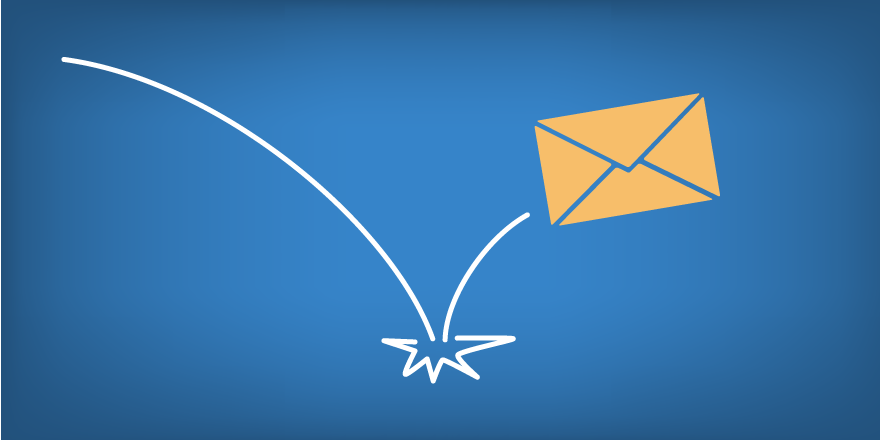
High bounce rates signal poor list hygiene to ISPs and directly damage your sender reputation. Implement double opt-in for new subscribers and regularly clean your list to remove inactive or invalid addresses.
Spam and Junk Filters
Spam filters use a combination of rule-based and machine-learning approaches to classify incoming email. Common triggers include:
- Misleading subject lines or excessive capitalization
- High image-to-text ratios
- Broken or suspicious links
- Missing unsubscribe mechanisms
- Sending from domains with no authentication records
If your marketing emails are landing in spam, audit your authentication records first, then review your content for common trigger patterns. Tools like Mail-Tester or GlockApps can help diagnose specific issues.
Authentication Failures
If SPF, DKIM, or DMARC records are missing or misconfigured, receiving servers may reject your email outright or route it to spam. This is especially common when brands migrate email platforms or add new sending services without updating DNS records.
Work with your email service provider to verify that all authentication records are current and properly aligned with your sending domains.
Email Flow Best Practices for Better Deliverability
To maintain strong inbox placement and get the most from your email marketing, follow these proven practices:
- Authenticate your sending domain. Configure SPF, DKIM, and DMARC records for every domain and subdomain you send from.
- Warm up new IPs and domains. When switching email service providers, gradually increase sending volume over several weeks to build reputation with ISPs.
- Maintain list hygiene. Remove hard bounces immediately, re-engage or sunset inactive subscribers, and never purchase email lists.
- Monitor sender reputation. Use tools like Google Postmaster Tools, Microsoft SNDS, and your ESP's deliverability dashboards to track reputation metrics.
- Segment and personalize. Targeted messages generate higher engagement, which signals to ISPs that your email is wanted. Understanding upper funnel vs. lower funnel strategies helps you match content to subscriber intent.
- Optimize send frequency. Sending too often increases unsubscribes and spam complaints. Sending too rarely means subscribers forget who you are. Test to find the cadence that maximizes engagement for your audience.
Email Flow vs. Email Automation: What Is the Difference?
The terms "email flow" and "email automation flow" are sometimes used interchangeably, but they refer to different concepts.
Email flow (the subject of this guide) describes the technical process by which an email travels from sender to recipient. It is an infrastructure-level concept.
Email automation flows (also called drip campaigns or sequences) are pre-built marketing workflows that send targeted emails based on subscriber behavior or triggers, such as a welcome series, abandoned cart sequence, or post-purchase follow-up.
Both concepts are important. The technical email flow determines whether your message can physically reach the inbox. The automation flow determines what message is sent, when, and to whom. Marketers who master both can optimize their sales funnel from first touch to repeat purchase.
If you are exploring communication channels beyond email, SMS marketing is a complementary channel that operates on different infrastructure but serves similar lifecycle marketing goals.
The Email Communication Process: A Quick Reference
For teams that need a concise overview of how the email communication process works, here are the key steps in order: StepWhat HappensKey Protocol1. ComposeUser writes the message in an email client - 2. SendClient connects to SMTP serverSMTP3. DNS LookupSending server resolves recipient's MX recordsDNS4. TransferMessage is relayed to recipient's mail serverSMTP5. AuthenticateReceiving server checks SPF, DKIM, DMARCSPF/DKIM/DMARC6. FilterSpam and security checks are appliedISP algorithms7. DeliverEmail is placed in the recipient's inbox or spam folderIMAP/POP3
Each step represents a potential point of failure. When troubleshooting delivery issues, work through this process sequentially to isolate where the breakdown is occurring.
Putting Email Flow Knowledge to Work
Understanding how email flow works is not just a technical exercise. For marketers and growth teams, this knowledge translates directly into better campaign performance. When you know how authentication, routing, and filtering affect delivery, you can proactively address issues before they impact revenue.
The brands that win at email marketing are the ones that treat deliverability as a core competency, not an afterthought. They monitor sender reputation, maintain clean lists, authenticate every sending domain, and continuously test their campaigns across email clients and ISPs. Pair that infrastructure discipline with smart newsletter content strategy, and email becomes the most reliable and profitable channel in your growth stack.

.webp)

.svg)


