
The search for the best digital marketing firms typically starts after a growth plateau or a failed agency relationship. By that point, most teams have already learned what a generic vendor looks like: broad service menus, account manager overhead, and reporting that describes activity rather than results. Finding a firm that actually moves revenue requires a different evaluation framework, starting with specialization and structure before getting to price.
The distinction between a "firm" and an "agency" is largely semantic in marketing, but it signals something about positioning. Firms tend to imply structured engagements, deeper specialization, and senior-level execution rather than delegated account management. What matters more than the label is whether the vendor demonstrates vertical experience in your business model.
Retainer engagements are the clearest proxy for client satisfaction. Clients on retainer contracts stay an average of 56 months versus 24 months for project-based clients, according to InfluenceFlow's 2026 agency benchmarking report, and retainer clients churn at 18% annually versus 42% for project clients. Firms with strong retainer books are building long-term relationships because they deliver measurable outcomes. Firms that default to project work often do so because their results do not justify ongoing investment.
Full-stack firms manage multiple channels: paid search, paid social, SEO, email, and content, all under one roof. They make sense for brands that want integrated execution and attribution without coordinating multiple vendors. The risk is diluted specialization: a firm that runs everything may not be best-in-class at any single channel.
Channel-specific specialists focus on one or two channels and go deep. A paid social firm that manages Meta, TikTok, and Pinterest campaigns exclusively develops pattern recognition across thousands of accounts that a generalist cannot replicate. SEM agencies operating purely in paid search build Google Ads account structures and bidding strategies that general firms rarely match. The tradeoff is coordination complexity when you need multiple channels covered simultaneously.
Vertical specialists focus on a specific business model: DTC ecommerce, B2B SaaS, healthcare, or local services. This is the highest-signal category when the vertical matches your business. A firm that has scaled 30 Shopify brands to $10 million understands creative fatigue cycles, contribution margin targets, and LTV models in ways that a generalist cannot replicate. At the $5 million to $20 million ARR inflection point for DTC brands, vertical expertise begins to matter more than channel depth, because strategic decisions require business model understanding, not just platform mechanics.
The evaluation framework differs significantly between B2B and DTC brands, and the best firms in each category are usually not the same firms.
For DTC and ecommerce brands, creative capability is the most important signal. Creative drives 60 to 70 percent of campaign performance on paid social platforms, according to internal Google data cited by Darkroom Agency. Meta's Andromeda algorithm has further shifted the platform away from audience signals toward creative signals, meaning a firm that produces strong ad creative outperforms one that excels at audience segmentation. Firms that combine performance media buying with in-house creative production are specifically built for this environment.
For B2B brands, account-based marketing capability is the differentiating factor. B2B companies that deploy ABM strategies see 87% higher ROI than those using broad-based approaches, per Forrester Research. The ABM services market reached $1.2 billion in 2024, reflecting how much B2B marketing has shifted toward precision targeting over volume. Firms with ABM-specific expertise (intent data integration, targeted account programs, and sales-marketing alignment) serve a fundamentally different need than firms optimized for DTC acquisition.
Digital marketing firms price in three main structures: flat monthly retainer, percentage of spend, or hybrid. The right structure depends on your stage and the channels being managed.

Flat retainers are common for content, SEO, and full-service engagements. Percentage of spend (typically 10 to 20 percent) is standard for paid media management, where the fee scales with the media budget. Hybrid models split a flat strategy fee from a variable media management fee. Seventy-eight percent of digital marketing firms use retainer pricing as their primary model, per InfluenceFlow 2026, which creates predictable cost for the client and stable revenue for the firm.
Pricing signals something beyond cost. A growth-stage firm charging $2,000 per month for full-service management is almost certainly understaffed or using offshore execution layers. Firms operating in the $3,000 to $7,000 monthly range for growth-stage brands can typically support senior execution on your account.
Boutique marketing agencies with narrow specializations often deliver more output per dollar at this tier than larger shops carrying account management overhead. Understanding how to choose the right marketing agency for your stage matters more than maximizing channel coverage per dollar spent.
The evaluation process should filter on fit, not just capability. These six questions surface the information that separates genuinely strong firms from ones that present well:
What is the average annual revenue of your current clients in my category? The answer reveals whether the firm has pattern recognition at your stage or is learning on your budget.
How many accounts does each strategist manage? More than eight accounts typically means reactive management rather than proactive optimization, regardless of how the firm describes its team structure.
Can you walk through your attribution methodology? Firms that cannot explain how they connect spend to pipeline or revenue are reporting activity, not outcomes.
What was your average client retention period over the last three years? A number below 18 months signals a client satisfaction problem. Strong firms can produce this number without hesitation.
Who specifically will work on my account, and can I meet them before signing? The most common complaint in agency relationships is senior sellers handing off to junior executors after the contract is signed. Insist on meeting the actual execution team.
What does success look like in 90 days, and how will you measure it? Firms that cannot define measurable 90-day milestones are not outcomes-oriented. Clear short-term benchmarks reveal whether the firm has realistic expectations for your category.
Guaranteed ROAS or ranking promises are the most visible red flag in any firm pitch. Results depend on competitive conditions, creative quality, and spend levels that no firm controls entirely. Long-term contracts of 12 or more months with no performance clauses lock clients into underperforming relationships with no recourse. Firms that lead with proprietary technology platforms rather than strategy are often selling software subscriptions with thin service wrappers on top.
Reporting dashboards that show impressions and clicks without connecting to revenue or pipeline are designed to demonstrate activity, not outcomes. A firm worth hiring can explain which dollars drove which results, even approximately. The best digital marketing agencies share the same quality signals regardless of size: they push back on unrealistic expectations, define measurable outcomes before starting, and surface problems before clients notice them.
The strongest predictor of a productive firm relationship is vertical alignment. A firm that has worked with 20 brands at your stage and business model has already encountered your specific problems. They know which channels work at your spend level, where creative bottlenecks typically appear, and what realistic performance looks like in your category. The evaluation time invested in finding vertical alignment pays back in avoided ramp time and failed experiments.
For growth-stage ecommerce and DTC brands evaluating demand generation partners, EmberTribe works on the content and paid media programs that build compounding pipeline rather than isolated campaign spikes.

We all love the idea of having our own Pinterest board, right? It shows off our taste to the world, allowing them a glimpse into just how unique and interesting we are.

Here are some other Pinterest tips to keep in mind:
📌 Make sure to include branding in your content, but keep it subtle enough so that it doesn’t stick out like a sore thumb. If it’s too in your face, your audience may not want to pin it and you lose traction from the start.
📌 Another Pinterest best practice to keep in mind is to focus on keywords that your audience is likely to search. If you use targeted keywords, you will come up in users’ searches and your brand will gain increased visibility. Take some time to compile relevant keywords and come up with appropriate board names.
📌 Pinterest, like Instagram, is a very visual platform and not just any old images will do. Plan your Pinterest imagery to catch the attention of a scroller.
📌 Don’t just post and pin to create content. Be deliberate with your content strategy—this is a good time to curate your board. Entire boards can draw users and turn them into followers, so that they know where to keep going for more content. For example, if you’re a men’s clothing eCommerce shop, don’t just pin a shirt or slacks here and there, create boards with outfit ideas for different occasions and seasons.
📌 Remember, a pin can be linked back to a description for more context. This means Pinterest can always play a part in a larger advertising campaign for your business. Just pop your store URL, or even better, a landing page URL, into the pin to lead traffic to your website.
📌 When in doubt, research what other companies are doing with their organic content on Pinterest, and emulate the strategies you like.
Any avid Pinterest user won't think twice before answering a firm “No”!
But that’s probably because they use real life to influence their Pinterest boards and not because they're marketing mavens.
The truth is, Pinterest does not rely entirely on fresh content to overtake older content on its feed. Pinterest has stated that all content across board browsing, search browsing, home feed, and category feed is viewed equally. 🤯
Pinterest decides what should make it to a person’s feed according to the quality of each post as opposed to how recently it was uploaded. As a brand, quality over quantity will definitely serve you well.
Admit it, marketer or not we have all talked about algorithms being (scarily) artificially intelligent, real-life Skynet, and a sinister machine that monitors all our actions and knows us better than we know ourselves.

But do we even know what algorithms are?
We assume there is this one algorithm in a top-secret file at Google Headquarters that’s prized for listening in on our conversations and reading our minds.
But there isn’t just one algorithm, there are many algorithms—each one personalized to produce a result we care about.
For example, putting a pan of water on the stove at a certain temperature for a certain time is a way to reach the result of boiling hot water. This is one equation, or rule, or sequence. Adding eggs to the boiling water and letting them stay in for a certain period of time leads to hard-boiled eggs. This is another sequence that leads to a result.
Continuing with that metaphor, when you type a query into the Google search bar, it doesn’t just fire one sequence to get your result, it fires up an entire kitchen of line cooks. 🍳
Algorithms are excellent tools for optimizing your marketing campaign because they provide what we love best: data. They can help you pick apart your audiences’ complex decisions. Here are a few examples of how you can use algorithms as a marketer.
Algorithms help monitor the behavior of your demographic and suggest the likely hours during the day when your leads are browsing online.
Having a pool of valuable behavioral data can help you remarket to the right people at the right time. If you share that information with your broader marketing team you can even use it to design a unique campaign that incorporates highly targeted information about your audience.
Algorithms can help you personalize the way you show an ad to your consumer or a lead. Remember that song that played on Spotify shuffle? Wasn’t it exactly the kind of tune you were looking for? Now how did that happen? Or that ad about artisanal potato chips made from handpicked Idaho potatoes...how did they know that’s just what you were craving?
Google uses algorithms to show you information that you are likely going to be interested in, such as targeted news articles and tutorials. That means you’re not just being delivered the answer to your query, but information about your query targeted for you based on your search habits.
Targeting is what allows the internet to predict what you may feel like eating the next day. It has consumed so much of your behavioral pattern that you start panicking Google is reading your mind. It’s not…
Or is it?

No seriously, that's just how proactive algorithms are. They make use of something that we hear a lot: Machine learning, aka another way of saying artificial intelligence.
Machine learning helps figure out what your customer is thinking. Are they browsing? Are they going to spend soon? Are they looking to spend now? Basically, it helps you determine the stage of your buyer’s journey so you can address it.
🛠️ Find out how you can build a better funnel with retargeting. →
Sounds great right? By now you feel ready to drive your entire digital marketing campaign based on algorithms. We’ve said a lot of great things about them so far, but are algorithms really the bee’s knees?
The answer to that is yes and no. Google algorithm and machine learning is great at monitoring behavior and 7 times out of 10 it does strike true, but the times it does not is because algorithms cannot grasp context. AI can predict a customer’s response to likely be a certain way, but what if the routine context is changed (as it is in life), rendering the data ineffective?
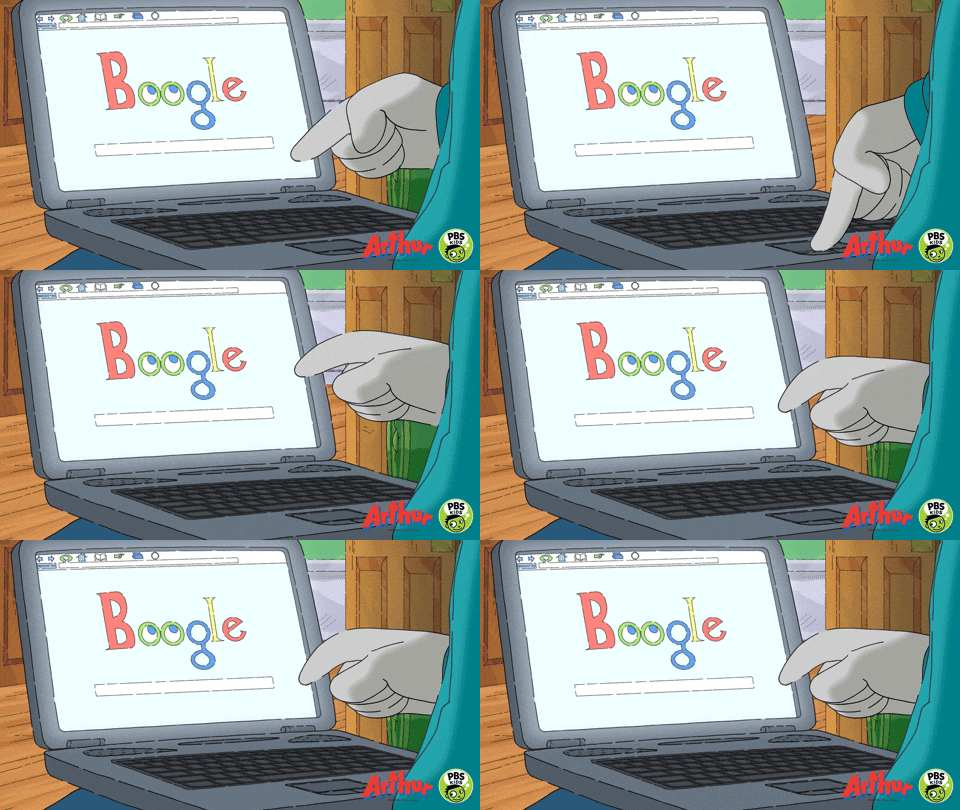
That being said, algorithms remain the foremost tools to learn about humans and their actions. They have brought us far in the way marketers engage with audiences and it has proven effective. For that reason, we have to raise our glass to algorithms that make our lives as marketers just a little easier and more data-driven.
Advertising on Facebook is not for the weak-willed. There’s a lot to know and a lot to learn about Facebook ads to master Facebook marketing skills. That’s one of the reasons there are so many educational resources about Facebook advertising—there’s so much to know!
Luckily, the overlords folks at Facebook have produced tons of learning materials for us lowly marketers.

The Facebook Blueprint certification exams are targeted to digital marketers looking to demonstrate advanced proficiency using Facebook advertising services across platforms. There are 8 total certification levels:
One of our own EmberTribers, Joe, set out to test what a Facebook Blueprint Certification Exam is like and determine if it’s worth the hassle. He took the 100 level “Digital Marketing Associate” course as his test. After finishing his exam (passed with flying colors!), he reported back to us about his experience.
Here’s what he had to say:
Some other questions that our team had for Joe about the process:
Do you think the 100 certification is necessary for Facebook competency?
No, this level is not too difficult and covers a lot of the basics that any seasoned Facebook advertiser would already have under their belt. Taking the certification exam for the 100 level is more of a resume builder than a knowledge builder for those already familiar with Facebook digital marketing.
Was there a fee attached?
Yes, the fee for each exam is $99.
Is it a lifetime or time-limited certification?
The certification is good for 1 year.
Facebook's Blueprint course is a great foundational tool for advertisers. But what about the spaces "in-between" where many marketers find themselves wondering how to address using ads for growth?
Since our agency's inception, we've profitably spent more than $100 million on Facebook runnings ads for ourselves and our clients. We wanted to put all of this practical knowledge to work by creating a free Facebook ads training course for founders who are serious about growing their business with paid ads.
If you're not familiar with Facebook ads yet, you will want to start with the Facebook Blueprint course. Once you're done, we recommend bookmarking our free Facebook ads course or signing up for lessons sent directly to your email inbox.
In these training modules, we outline strategies and tactics that you won't find in the Facebook help section. Take time reviewing these training videos to learn from our deep knowledge of Facebook ads.
Digital marketers seeking a higher level of proficiency in Facebook ads should consider studying up on the 200 and up level certification to get the most bang for their buck. The certification itself, while nice to have, isn’t necessary to become a competent Facebook advertiser, but the lessons can help you boost your skill level.

And if you’re not comfortable learning the ins and outs of Facebook, it might be a good idea to bring in someone steeped in Facebook ad success. Hey, we know some people 😉.
Earlier this year, Facebook announced a new user interface that would overtake so-called “classic Facebook” in September. This means bye-bye 👋 to the old look and hello to a refreshed, updated interface. One of the main motivations for switching to a new Facebook interface (or FB5 as they call it) is a company-wide pivot toward privacy-focused communications.
Another big motivation is simply that Facebook’s desktop UI has remained essentially unchanged for years, and what worked in 2012 doesn’t really translate to a great 2020 user experience. Oh, how time passes...

What the new design addresses:
Among the changes in the new interface:
Unfortunately for Facebook, the UI change has been received with very mixed reviews, and despite the months-long lead time on changes, it seems likely that people will continue to have to grapple with getting used to “new Facebook” for a while.
The new Facebook design has triggered quite a few (negative) emotions from users. The change was made permanent on September 1, 2020, so users and Facebook engineers will have to adapt and make the best of a new situation.
A quick search for “Facebook interface” on Twitter shows that a lot of people aren’t loving the updates, and some are even reporting issues with the desktop interface loading. Well, anyone who has ever done anything knows that it’s impossible to please everyone, so these mixed reviews are far from shocking.

Some common criticisms (so far):
Well, truth be told, our team feels pretty lukewarm toward these changes. However, since we’re in the business of paid social, a big interface change like this could have unexpected influence over Facebook advertising strategies. To put it plainly: the success of Facebook ads is intrinsically tied to the functionality and popularity of Facebook itself.

With web browsing increasingly trending toward mobile usage, this change seems like a warranted update to accommodate evolving preferences.
It’s hard to say right now if these changes will turn out to be positive for the overall user experience or anger frequent Facebook users to the point of no return. But from a personal point of view, if users haven’t been deterred by previous Facebook updates, scandals, and complaints, this remodeled UI seems unlikely to push users away.
For now, Facebook advertising is safe (and we love to see it!). If you're ready to run Facebook ads that get results, let's talk.
Amazon has become the default launchpad for many small to medium-sized ecommerce brands looking to get products in front of buyers quickly. The marketplace's massive reach, built-in logistics infrastructure, and consumer trust make it an attractive starting point. But that convenience comes with trade-offs that many sellers do not fully appreciate until they are deep into the platform.
Selling directly to consumers (D2C or DTC) offers a fundamentally different model. One where you own the customer relationship, control the brand experience, and retain the data that drives long-term growth. Understanding the real differences between these two approaches is essential for building a sustainable ecommerce business.

Amazon offers two seller plans: Professional and Individual. Both carry subscription fees plus per-item selling fees on every transaction. Sellers can handle their own fulfillment or opt into Fulfillment by Amazon (FBA), which adds another layer of fees for picking, packing, shipping, and returns handling.
FBA does solve real operational headaches. Returns processing, customer service for shipping issues, and Prime badge eligibility are genuine advantages. For brands without established logistics capabilities, these services can be the difference between scaling and stalling.

But the costs extend far beyond fees. Here is what many Amazon sellers do not account for:
Most ecommerce brands frame this as an either-or decision, but the real question is about strategic emphasis and resource allocation. Understanding the strengths and limitations of each model helps you make informed decisions about where to invest.
Amazon's strengths are undeniable for certain use cases:
The limitations become more significant as your brand matures:
Direct-to-consumer selling provides advantages that compound over time:
The D2C model is not without its challenges:
The most sophisticated ecommerce brands do not choose one channel exclusively. They use Amazon strategically while building their D2C business as the primary growth engine.
Here is how a hybrid strategy works in practice:
Amazon can serve as a product discovery and validation channel. New products can be tested on the marketplace to gauge demand, collect reviews, and generate initial revenue while your D2C infrastructure scales.
Once a customer discovers your brand, the goal is to move that relationship to your owned channels. This is where packaging inserts, brand registry content, and post-purchase strategies become critical. Every Amazon sale should be viewed as an opportunity to earn a future D2C customer.
Early-stage brands might allocate 70% of resources to Amazon for immediate revenue and 30% to building D2C infrastructure. As the D2C channel matures, that ratio should shift. Mature brands often target an 80/20 split favoring D2C, using Amazon primarily for incremental reach.
Track profitability by channel, not just revenue. Many brands discover that their Amazon revenue looks impressive on the top line but delivers minimal profit after accounting for all fees, advertising costs, and operational overhead. That analysis often accelerates the shift toward D2C investment.
If you are ready to invest in direct-to-consumer growth, these are the foundational elements that drive results:
Your website is your most important asset. It needs to load fast, communicate your value proposition clearly, and guide visitors through a frictionless purchase experience. Platforms like Shopify, BigCommerce, and WooCommerce provide the infrastructure. Your job is to optimize the experience through testing and iteration.
Paid social advertising is the fastest way to drive qualified traffic to a D2C storefront. Start with the platforms where your target audience spends time, test creative aggressively, and scale what works. Build lookalike audiences from your best customers and use retargeting to capture visitors who did not convert on the first visit.
Every visitor who gives you their email address represents a relationship you own. Unlike Amazon customers, these contacts can be nurtured through email sequences, product launch announcements, and personalized offers that drive repeat purchases and increase lifetime value.
Organic traffic through content marketing and SEO is the long-term play that reduces your dependence on paid channels. Create content that addresses your audience's questions, showcases your products in context, and builds the topical authority that drives sustainable search traffic.
Subscription-based models and loyalty programs create predictable revenue and increase customer lifetime value. For consumable products, subscriptions are an obvious fit. For durable goods, loyalty programs with early access, exclusive products, or referral rewards can drive similar retention outcomes.

You should not abandon Amazon overnight. But you should start building your D2C channel with the same urgency you brought to your marketplace presence. The brands that thrive long-term are the ones that own their customer relationships, control their brand experience, and build the data assets that enable smarter marketing decisions over time.
The path from Amazon-dependent to D2C-primary is not instant, but every step in that direction builds equity in a business you fully control. Start with a solid storefront, invest in acquiring customers directly, and use the data you collect to continuously optimize your cash flow and growth runway.

The question is not whether you should sell on Amazon or go D2C. The question is how quickly you can build a direct channel strong enough that Amazon becomes optional rather than essential.
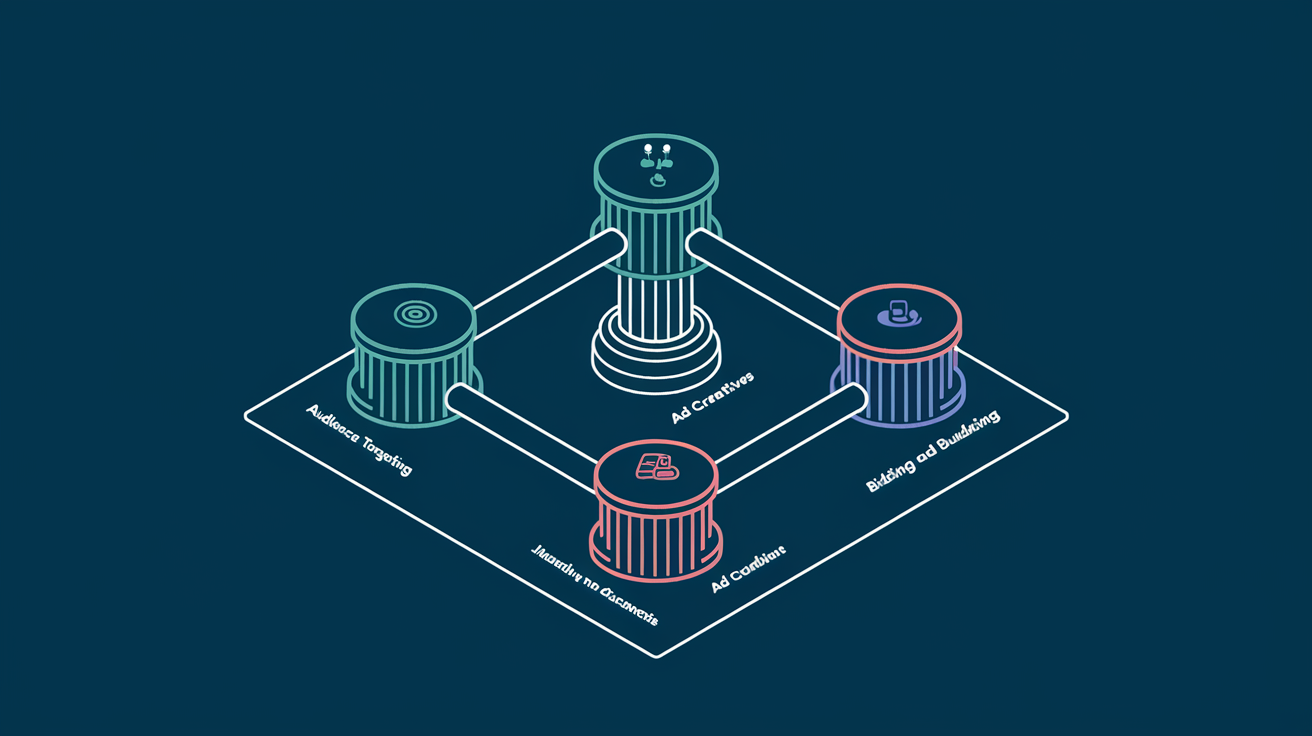
Facebook's Power 5 is a set of five automated advertising tactics that work together to improve campaign performance. Introduced by Meta as a best-practice framework, the Power 5 represents the platform's recommended approach to running ads that leverage machine learning effectively.
The five components are:
Each element works independently, but their real value emerges when used together. The Power 5 framework essentially asks advertisers to trust the algorithm with more decisions, in exchange for better performance at scale.
For Facebook advertisers who have been manually optimizing every aspect of their campaigns, this can feel counterintuitive. But the data consistently shows that advertisers who adopt these practices outperform those who insist on manual control across every variable.
Auto Advanced Matching (AAM) improves the connection between actions taken on your website and the Facebook users who took them. It works by automatically sending hashed customer information from your website, such as email addresses, phone numbers, names, and location data, to Facebook when a conversion event fires.
Without AAM enabled, Facebook relies solely on the pixel cookie to match website conversions to user profiles. As browser restrictions on third-party cookies tighten and users browse across multiple devices, cookie-based tracking misses a growing share of conversions.
AAM fills those gaps by sending additional identifiers that Facebook can use to match conversions to users. The result is more accurate attribution, larger retargeting audiences, and better optimization signals for the algorithm.
For ecommerce stores using Shopify or WooCommerce, AAM is typically enabled by default through their Facebook integrations. For custom-built sites, work with your development team to ensure the correct data layer variables are being captured.
The impact is significant. Enabling AAM typically increases custom audience match rates by 10-30% and improves attributed conversions by 5-15%.
Campaign Budget Optimization moves budget control from the ad set level to the campaign level. Instead of assigning a fixed daily budget to each ad set, you set one budget for the entire campaign and let Facebook's algorithm distribute spending across ad sets based on performance.
In a traditional setup, an advertiser might run five ad sets at $50/day each, spending $250/day total. If one ad set performs exceptionally well and another performs poorly, each still receives its fixed $50 allocation.
With CBO, the same $250/day budget is allocated dynamically. The high-performing ad set might receive $150 while the underperformer gets $20. The algorithm rebalances in real time based on which audiences are delivering the best results.
CBO is particularly powerful when combined with simplified account structure because fewer campaigns mean each campaign receives more budget, giving the algorithm more data to optimize with.
This is perhaps the most impactful and least intuitive element of the Power 5. Facebook's recommendation is to consolidate your account into fewer campaigns, fewer ad sets, and fewer ads rather than creating highly segmented structures.
Many advertisers instinctively create separate campaigns for every audience, every funnel stage, and every product line. A typical over-segmented account might have 20+ campaigns running simultaneously, each with 3-5 ad sets containing 2-3 ads.
This feels like control, but it actually works against you because:
A well-structured Facebook account for most advertisers needs only 3-5 campaigns:
Within each campaign, consolidate audiences rather than fragmenting them. Let the algorithm decide who within a broader audience set is most likely to convert.
This structure works especially well for ecommerce brands running catalog-based advertising, where dynamic ads can serve the right product to the right user without manual audience segmentation.
When you create an ad set, Facebook lets you choose where your ads appear: Feed, Stories, Reels, Marketplace, Audience Network, Messenger, and more. Automatic placements means letting Facebook decide where to show each ad based on where it is most likely to achieve your objective.
The hesitation is understandable. Advertisers worry about their carefully designed feed ads being stretched awkwardly into Stories format, or about budget being wasted on low-quality Audience Network placements.
These concerns were more valid in the early days. Facebook has significantly improved how creative adapts across placements, and the algorithm has gotten better at identifying which placements deliver actual results for each campaign.
Across our managed accounts, campaigns using automatic placements consistently achieved 10-25% lower cost per result compared to manual placement selection. The algorithm finds inventory pockets that manual selection misses, particularly in less competitive placements where CPMs are significantly lower.
Dynamic ads automatically show the right products to people who have expressed interest on your website, in your app, or elsewhere on the internet. Instead of manually creating individual ads for each product, you connect your product catalog and let Facebook generate ads dynamically.
The system connects three inputs:
When a user views a product on your site but does not purchase, Facebook can show them an ad featuring that exact product (and similar items) the next time they open the platform. This is dynamic retargeting at its most effective.
Dynamic ads are not limited to retargeting. Facebook's Dynamic Ads for Broad Audiences (DABA) uses machine learning to show products from your catalog to prospecting audiences who have never visited your site.
The algorithm analyzes user behavior patterns, product attributes, and conversion signals to predict which products each user is most likely to purchase. For catalogs with hundreds or thousands of products, this is far more efficient than manual ad creation.
The real value of the Power 5 framework is not any single element. It is how they compound when used together.
Consider the combined effect:
Each element reduces manual control in favor of algorithmic optimization. And each element provides better data to the others, creating a virtuous cycle of improving performance.
Here is a practical sequence for implementing the Power 5 in your account:
The Power 5 framework represents Facebook's clearest articulation of how advertisers should work with, rather than against, the platform's machine learning capabilities. Advertisers who embrace algorithmic optimization and feed the system with clean data and strong creative consistently outperform those who cling to manual control.
The platform has changed. The strategies that worked when manual optimization was superior, including hyper-segmented audiences, manual placement selection, and ad-set-level budgets, now actively hinder performance. The Power 5 is not just a recommendation. For serious Facebook advertisers, it is the operating system for modern campaign management.
Are you currently maximizing Pinterest advertising for your eCommerce or online retail business? If not, you might be making a big mistake by snubbing this powerful social media marketing platform.

The user mindset on Pinterest is significantly different than it is on other social media platforms — users are often on Pinterest specifically to decide what to buy next, or plan a big future purchase. That high shopping intent is key for conversions!
This makes Pinterest a go-to eCommerce advertising platform full of marketing potential for your business. Imagine being able to present users who are actively searching for your products (or similar ones) with ads while also being able to promote to users who are passively browsing through their feed.
That's a clear win-win for catching ToFu and MoFu audiences.

Pinterest can also reveal your target audience's aesthetic preferences and preferred products and services, giving you an upper hand for your ad creative strategy.
What visuals appeal to your buyer persona? The answer in is the boards!
The best and most effective Pinterest ads:
Here’s some best practices and tips we've come across for how to make the most of your ads:
📌 Pinterest is growing fast and eCommerce advertisers are taking notice. →
This type of ad works well for health and wellness businesses because everyone loves a great success story. The image and the text overlay used for this ad are easily relatable. Your audience is invited to see themselves getting the same end result from your product.
Who says no to cute outfit ideas? There's a lot to gain from advertising clothing and accessories on Pinterest. Just make sure that your ads represent current stock!
Also, take note of the call to action in this ad. A good call to action will grab the attention of audiences. This one gives browsers an idea of cost without having to click first and entices them with a good deal.
Make sure that your pin is interesting enough to convince your audience to visit your website. This ad featuring Drummond House Plans shows a mock up design and floor plan of a modern house. It's not so vague that the viewer thinks it's just a regular house photo, but it also doesn't overstate the business.
On top of the sleek visual, Drummond House Plans takes into account user intent by including tags popular to Pinterest users planning to purchase or build a home.
We've seen clients get big returns on Pinterest ads. Are you ready to try out this visual social platform for your ad campaigns?
Have you scrolled through your Facebook feed and had a good product review catch your eye? Maybe you even ended up buying a product because you were swayed by a positive review from a friend, a relative, or even other online users you don’t really know.

That, my friend, is a result of social proof!
Social proof is social influence derived from the same principle as “word of mouth.” It generally inspires trust between your potential customer and users who leave testimonials about a certain product or service you offer.
Social proof doesn’t just rely on reviews or feedback — it’s also about what people see in your public social engagement such as the number of reactions, comments, and shares your ad receives.
If your ad gained around 1,000 likes whether organically or not, a customer’s natural reaction is to find out why. All thanks to a social phenomenon called FOMO or “fear of missing out,” people always want to know what the next big thing is.

Social proof is part of almost every successful social media marketing campaign and can negatively or positively impact customer’s purchase behavior.
When a customer is in a brick and mortar store, they have full capacity to weigh out options and directly see which product is the best for them. Things are a lot more complicated when shopping online.

Your potential customer needs an external factor to rely on to make a decision — and this is where social proof steps in.
The key to having effective social proof is using specific and authentic user-generated content (such as reviews) in your ads that are targeted to warm audiences. Your warm audiences are people who are already familiar with your products and just need a bit of a nudge to make that purchase.
Your Facebook campaigns can contain reviews that are not too in-your-face or too dry and unexciting. Although reviews are not exactly reactions or shares on your actual ad, they still showcase how other people love your brand and your products.
You can fit these testimonials into your ad copy or creative image into your actual ad depending on the length. Here are 4 stunning social proof examples used in Facebook ads.
Review in headline:

Review in ad:
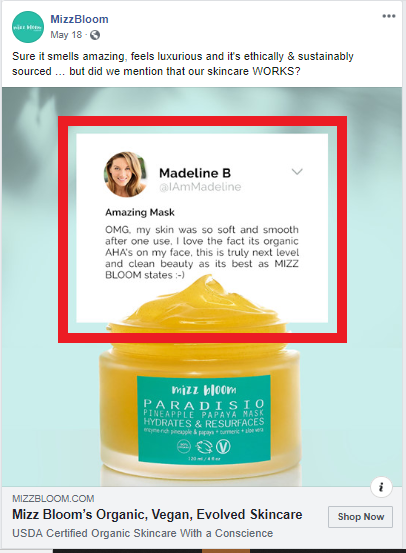
Review in ad text:


Yup, you read that right — Facebook has ad text rules that you need to be wary of before running your campaign.
Facebook’s advertising guidelines include a 20 percent text rule. This specifically means that your image text cannot take up more than 20 percent of the photo. Facebook typically suggests no more than 500 characters and an image that is 400x400 pixels for News Feed ads, simply because they perform and drive results better.
Keep in mind that you can test your ad photos with Facebook’s Text Overlay Tool and see if they fit the standards before officially running your Facebook ads.
How will you use social proof to engage audiences?
How Your Digital Content Strategy Can Generate Inexpensive Growth Through Organic Traffic
"Content is king." We have all heard it before, and every marketer understands the gravitational pull that good content exerts on audiences and search engines alike.
If you think that sounds like a dramatic claim, you might be surprised by the data behind it. Brands that invest consistently in content marketing generate roughly three times as many leads per dollar spent compared to paid channels alone, and those leads compound over time instead of disappearing the moment a budget is paused.
An effective digital content strategy serves a dual purpose: it gives your website ranking authority in search results while also appealing to audiences by providing genuinely valuable information. In other words, investing in good content will help draw inexpensive organic traffic through meaningful engagement.
When done right, your content can generate organic traffic with long-term ROI at a fraction of paid traffic costs.
If you are still not sold on the reigning power of content, here is our proclamation to declare that content is, indeed, still king - and our manifesto for making it work.
Quality content and a healthy organic digital content strategy can increase web traffic at lower costs than running paid ads alone. You can grab the attention of visitors - future customers - through informative and engaging content that adds value to your brand.
Your organic content strategy will help inform a cohesive, multi-dimensional digital marketing strategy across all platforms and channels. If you are testing your content on organic first, you will know what performs well before investing more money into paid traffic.
One of the most compelling reasons to invest in content is the compounding nature of organic results. A single well-optimized blog post can generate traffic for months or even years after publication. Compare that to a paid ad, which stops delivering impressions the moment you turn off spending.
Over time, a library of strong content creates a moat around your brand. Each new piece adds to the site's domain authority, which lifts the performance of every other piece alongside it. This is why companies that commit to building brand trust through SEO see accelerating returns rather than diminishing ones.
Content does not exist in isolation. The insights you gain from organic performance - which headlines resonate, which topics attract engagement, which formats hold attention - become a playbook for your paid campaigns. Test messaging organically first, then pour budget behind what already works. This approach reduces wasted ad spend and shortens the feedback loop between creative ideation and data-driven optimization.

Who doesn't love a good story?
Content goes beyond selling your product or service to telling your story. What is your brand about? What passions, missions, and motivations drive your business? Your digital content should reflect your business's values and priorities.
Do not create content just to have content. It should have a purpose and a place within your digital content strategy. Overall, the content you produce should support direct response campaigns and build credibility among your audience.
Telling your story differentiates your business from the competition and helps solidify your brand in ways that product pages and transactional copy never will.
A strong brand story follows a pattern: identify the customer's problem, explain why that problem matters, and show how your brand delivers a solution others cannot. Every piece of content you produce should reinforce one of these three elements in some way. Blog posts might address the problem. Case studies prove the solution. Social content reminds audiences why the problem matters in the first place.
When executed well, brand storytelling creates emotional resonance that paid ads struggle to achieve. Customers who feel connected to a brand story are more likely to become repeat buyers and organic advocates.
Think about the content you have already produced. No doubt you have done significant work to create quality content for your audience. You do not have to throw away digital content you have invested in.
Content does not have to go to waste when it can be recycled and updated for more organic traffic. It is straightforward to keep good content evergreen by updating links, refreshing statistics, and repackaging information for multiple uses.

You can use past content to build better funnels, reinforce retargeting campaigns, and learn more about your own brand and audience.
Here is a repeatable framework for getting more mileage from every piece of content you create:
This approach ensures you are not starting from zero every time you sit down to create. Your search engine positioning will benefit as refreshed content signals relevance to Google's crawlers.
What if you were able to publish content that could predictably provide measurable business value? You can. This is what we call growth content.
Growth content drives measurable business value in the form of new users, leads, or sales.

A growth content framework consists of five key attributes that help you optimize content creation efforts with an eye toward growth:
By adopting a growth content framework, you can use content strategically and measurably to add value to your digital content strategy. The impact extends across every marketing channel you leverage, from organic search to email to paid social.
Despite all of this talk about creating content, you might still be tempted to ignore the long-term organic content strategy for the quick returns of paid ads.
We cannot deny that paid ads are an effective way to drive traffic to your website. However, if you are seeking a long-term digital marketing strategy to increase traffic at a lower cost, good content is going to drive your organic traffic in valuable ways.
Even better, your content can be used to inform paid traffic and organic traffic alike. Brands that build a balanced search marketing plan combining SEO and SEM consistently outperform those that rely on a single channel.
A long-term content strategy needs structure. Here is how to build one:
Most brands give up on content marketing too early. They publish for three months, see modest results, and redirect budget to paid channels. The brands that win are the ones that stay consistent through the inflection point - the moment when accumulated domain authority and content volume begin generating exponential returns.
The data supports patience. Companies that publish consistently for twelve or more months see organic traffic growth rates that outpace paid acquisition costs by a significant margin.

Content is not a marketing expense - it is a business asset. Every piece you publish adds to a growing library that works for you around the clock, attracting prospects, educating leads, and building the kind of trust that no ad placement can replicate.
The brands that treat content as a strategic priority rather than a checkbox will be the ones that dominate their categories. Build your content marketing strategy with intention, measure what matters, and commit to the long game.
Long live good content.
Deciding to launch an eCommerce business is a significant milestone. But before you make your first sale, one of the most consequential decisions you will face is selecting the platform that powers your online store. The platform you choose affects everything from site speed and checkout experience to long-term scalability and total cost of ownership.
Three platforms dominate the conversation for direct-to-consumer brands and growth-stage retailers: Shopify, BigCommerce, and WooCommerce. Each takes a fundamentally different approach to eCommerce, and the right choice depends on your technical resources, growth trajectory, and operational priorities.
Below, we break down the features, limitations, and ideal use cases for each platform so you can make a data-informed decision.

Shopify has become the default recommendation for D2C brands and for good reason. The platform packages hosting, a drag-and-drop site builder, payment processing, and analytics into a single subscription. You do not need to source separate hosting, worry about SSL certificates, or patch security vulnerabilities yourself.
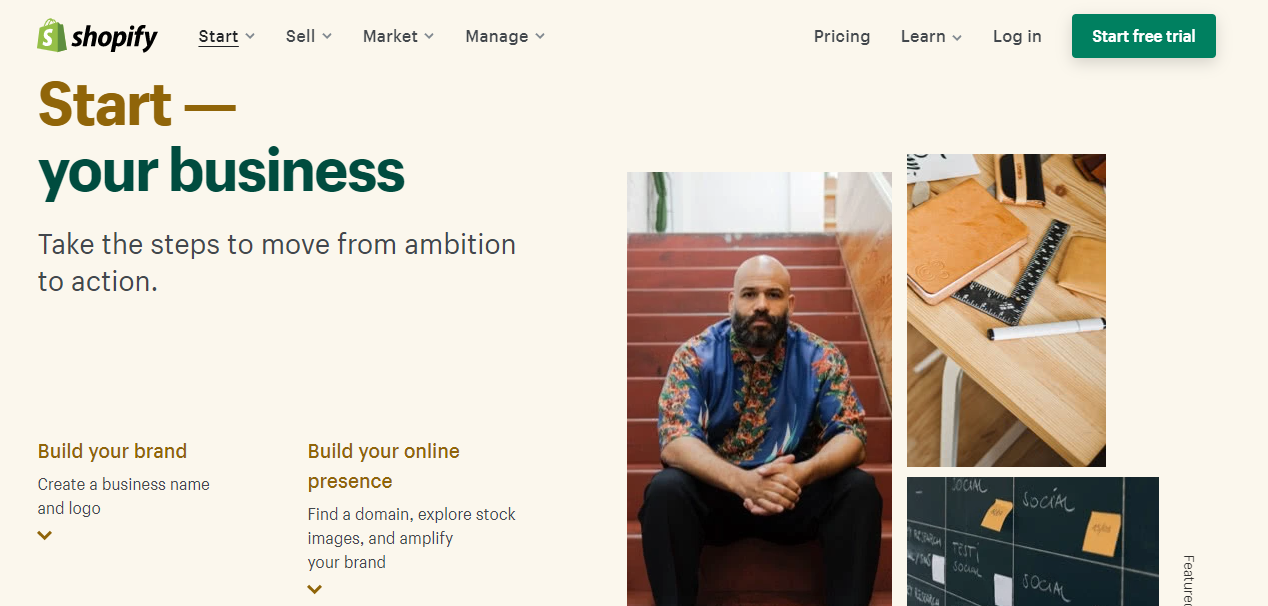
Shopify is the strongest choice for merchants who prioritize speed, simplicity, and a managed infrastructure. If you want to focus on product, marketing, and customer experience rather than server management, Shopify removes the technical overhead that slows teams down.
WooCommerce takes the opposite approach. Rather than a standalone platform, it is a free, open-source plugin that transforms any WordPress site into a fully functional online store. This architecture gives merchants complete control over every line of code, every design element, and every server configuration.

WooCommerce is the right fit for brands with in-house development resources or an agency partner who can manage the technical stack. If your business model demands deep customization, complex integrations, or a content-driven growth strategy, WooCommerce offers a flexibility ceiling that hosted platforms cannot match.
BigCommerce occupies a middle ground between Shopify's simplicity and WooCommerce's flexibility. It is a hosted, SaaS platform like Shopify, but it ships with more built-in features out of the box, reducing the need for paid add-ons.
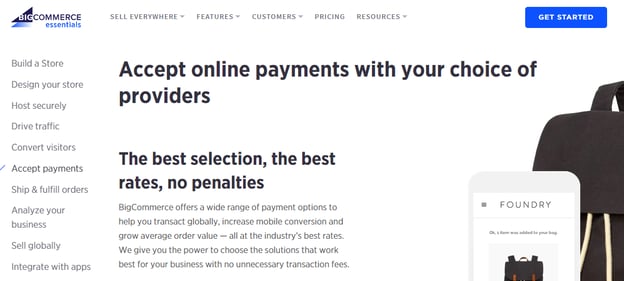

BigCommerce works well for mid-market and B2B-adjacent brands that need advanced features without the overhead of managing their own infrastructure. If you are scaling past $1 million in annual revenue and want built-in functionality that would require multiple paid apps on Shopify, BigCommerce deserves serious consideration.
FactorShopifyWooCommerceBigCommerceHostingIncludedSelf-managedIncludedTransaction Fees0.5-2% on third-party gatewaysNoneNoneCustomizationModerate (Liquid templates)Unlimited (open source)Moderate (Stencil framework)Time to LaunchFastSlow to moderateFastBest ForD2C brands wanting speedDevelopers wanting full controlMid-market brands wanting built-in features
Selecting a platform is not purely a feature comparison. Consider these practical factors before committing:
1. Your team's technical capacity. If you have no developers on staff and no agency partner, a hosted solution like Shopify or BigCommerce will save you from the operational burden of managing servers, security patches, and plugin conflicts.
2. Your growth trajectory. Model your costs at current revenue and at two times and five times your current volume. Shopify's transaction fees and app costs scale linearly. BigCommerce's tier-based pricing can jump at revenue thresholds. WooCommerce's costs are more variable but can be optimized with the right hosting setup.
3. Your marketing and advertising stack. Consider how each platform integrates with your paid media, email, and analytics tools. Shopify's native ad integrations and WooCommerce's WordPress-based SEO advantages each serve different acquisition strategies.
4. Your need for customization. If your business model requires a unique checkout flow, complex product configurations, or custom integrations with ERP and inventory systems, the flexibility ceiling of your platform matters.
Shopify gets the EmberTribe seal of approval. Our team of growth experts swear by Shopify's functionality and ease of use. For the majority of D2C brands and growth-stage eCommerce companies, Shopify delivers the best balance of speed, reliability, and ecosystem support.
BigCommerce is a strong alternative for mid-market brands that need built-in B2B features and want to avoid transaction fees. WooCommerce remains the go-to for technically capable teams that require full customization and a content-driven approach to growth.
If you are looking for the simplest path to launching and scaling your eCommerce business, Shopify is the best place to start. But whichever platform you choose, the real differentiator is not the technology itself. It is how effectively you leverage it to acquire customers, optimize conversions, and build a brand that lasts.
Some of our best-performing ads aren't visually impressive, so don't get too hung up on animation or polish, trust the data.
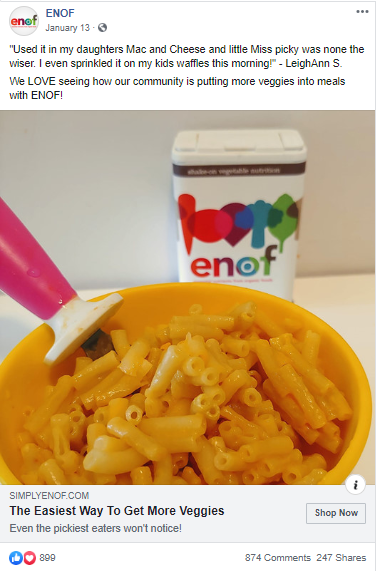
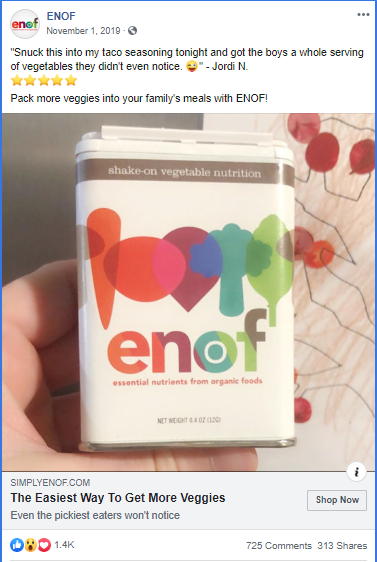
Running "ugly" ads (aka real, lo-fi, less polished) could seem counterintuitive, but if done right, it can help to bring in new customers at a low cost, help convert retargeting audiences, and bring in more traffic to your site.
Consumers trust brands that feel attainable, authentic or aren't big $$$ brands. Ads that are too polished blend in with large companies and often don't attract consumers. Think about the sort of images that you see naturally occurring from other users on your Facebook and Instagram feeds - that is what we’re going for.
If your brand is new, cottage/boutique size, organic, all-natural, "made by moms", etc. then running less-polished" ads could be for you!
Using assets like UGC won't be pixel-perfect but do prove to be very popular and ads consumers trust.
Here are some examples of ads that are producing our best results right now:

Ideas to test "ugly" ads:
Less production time helps you be faster to respond to trends, news, events, new stock, inventory issues, sales etc.
Flashy, polished ads don’t always mean great performance. So test out an “ugly” ad and see if it outperforms. You just might surprise yourself!

In this post, you'll learn:
Whether it’s a cart recovery system, upsells, a messenger bot, or a review platform, the right Shopify App can drive the conversation, streamline your workload, and boost revenue for your store in little more than a few clicks a week.
From improving conversion rates to bolstering consumer trust, you’d be hard-pressed not to find something a simple app can improve in your store.
But all that convenience comes at a cost. With over 1200 apps to choose from – many of which you’d need to pay for, right out of the gate – and no reliable way to test them, enterprising Shopify store owners can quickly find themselves overwhelmed and underwater
👋 This is exactly what we’re here for!
With decades of combined experience across hundreds of Shopify stores of every possible size and type, we’ve narrowed down the list of must-have apps to 26.
We’ve divvied these apps up into the must-have categories your store should cover, and further broken them down by cost and sophistication – so feel free to choose your own adventure with them at that point.
With this list in hand, you can’t go wrong wading into the Shopify App waters.
If you’re a digital seller, these are non-negotiable.

(Not to be confused with the Facebook Sales Channel)
If you want to advertise your products on Facebook (and you do), your best option is hands-down going to be Flexify.
1. Flexify (Free plan available. Additional charges may apply):
Sure, Shopify has the ability to add Facebook as a sales channel, which allows you to connect your product catalog to an ad account. But that will limit you (and any agency you might want to employ hint hint) in your product set creation and image-cropping options. Flexify’s free plan simplifies this whole process and does it very, very well. Flexify recently introduced its new superfeed which removes the need for pagination and can be used for Google, Pinterest, Snapchat, and Facebook.
(Not to be confused with the Google Sales Channel)
Same deal – if you’re into advertising on Google Shopping (and… you probably are), the Google Shopping Feed is your buddy.
2. Google Shopping Feed ($4.99/month. 21-day free trial.) Additional charges may apply):
Shopify has made an app to try to hook stores’ feeds into Google … but by all accounts (um, including ours), it’s awful. Do yourself a favor, skip the Shopify version and head straight to Google’s purpose-built feed app.
Repeat after us: Abandoned cart recovery = Revenue recovery
All stores need some sort of email marketing solution, which is how you’re going to at least start recovering these carts. Here are some of our favorite, low-risk options:
3. Recart ($29/month. 28-day free trial. Additional charges may apply.)
Also includes Facebook Messenger Recovery, where we’ve seen messages getting upwards of 70% open rates.
4. ShopSync (Free.)
If you’ve already got MailChimp as your email provider, nab this app for recovery. Mailchimp removed its partnership with Shopify and the only way to sync the platforms is with this app.
5. Klaviyo (Free to install. Additional charges may apply.)
Robust email platform, works beautifully with equally sophisticated stores, tons of automation options.
Got another email provider in place? See if they have a Shopify app and give it a go. The above are our favorites, but that doesn’t mean an email platform you love won’t perform adequately in its Shopify implementation. We’re just a little more skeptical (and how much do you really love that email provider anyway? 😉).
6. OneClickUpsell ($24.99/month. 30-day free trial.)
Although this app can be quite expensive, we’ve seen the OneClickUpsell app pay for itself many times over if set up properly.
7. Product Upsell by Bold Apps (From $9.99/month. 14-day free trial.)
This app is an awesome way to increase your average order value.
8. Persistent Cart (Free.)
With this app, you can keep your users logged into their cart across devices.
Capturing customers intent on leaving with some sort of promotion or discount can bump up store conversion rates, with less than 10 minutes of work.
9. Exit Offers ($9.99/month. 14-day free trial.)
10. Wheelio (From $14.92/month. 7-day free trial.)
11. Privy ( $10/month. 15-day free trial.)
When you’re good, you’re good. And you want everyone to know it.

We recommend most eCommerce stores have some sort of reviewing mechanism. They help build trust, build social reactions, and build your bottom line.
12. Product Reviews (Free):
Great for a simple review mechanism where you can manually upload reviews from other platforms, like Amazon.
13. Yotpo Reviews (Free to install. External Charges may apply.):
Perfect for a more complex reviewing mechanism – it verifies reviews to give customers a sense of trust, outputs them to your marketing on a kind of modified Facebook Dynamic Product Ad system, and more.
14. Growave (Free plan available. 14-day free trial.)
This all-in-one platform helps small- and medium-sized Shopify stores gather reviews, wishlists, loyalty programs, referrals, social login, and UGC to improve sales.
Live Chat/Messenger Shopify Apps
There are a ton of live chat apps out there and many of them work just fine. Below, however, are a few that we particularly like. Use them to answer questions, bot together some FAQ responses, direct consumers to the appropriate sections of your site or (😱) chat directly to your customers … live.
15. Chatra Live Chat + Facebook (Free plan available)
16. Tidio Live Chat (Free plan available. Additional charges may apply.)
17. Zendesk Support (Free to install. Additional charges may apply.)
18. Shogun (From $39/month. 10-day free trial.)
Custom landing page builder. Easy as pie, can fit your store theme almost out of the box.
19.Zipify (From $67/month. 14-day free trial.)
Smarter sales funnels & landing pages for your Shopify store.
20.PageFly Advanced Page Builder (Free plan available.)
Build landing pages, product pages, FAQ, home pages & funnels.
Every store is unique, with unique challenges. If your special set of circumstances seems to warrant a little something extra, one of these just may hit the spot.

More apps does not equal better store. In fact, more apps can slow your site down, confuse the systems in place, mess with your site formatting and even drive away confused customers (especially on mobile …yikes!). Consider your needs before implementing and monitor your results after 👍
21. SyncTap (Free plan available. 14-day free trial.)
Target highly profitable audiences with your Facebook ads in seconds!
22. Free Shipping Bar by Hextom (Free plan available.)
Top-of-site announcement bar for free shipping or some other sort of promotion (many themes have this as a built-in feature, just by the way. Check yours for it, first!).
23. Back in Stock (From $19/month. 30-day free trial.)
Run out of inventory quickly and often? Capture that audience before they leave the site. A pre-order app can also work well here, but this one is simpler than most.
24. Product Discount by Bold Apps ($19.99/month. 14-day free trial.)
Storewide sales, flash-sales, & scheduled sales with a click. Boom.
25. Recurring Orders & Subscriptions by Bold Apps ($19.99/month. 90-day free trial.)
For shops with a recurring business model.
26. ShipperHQ (from $50/month. 30-day free trial.):
Create an Amazon-like checkout experience with shipping rates and options that make sense, and convenient delivery options your customers will love. Instantly pull delivery dates from carriers, calculate the most accurate rates possible, set up unique shipping rules and restrictions for any checkout scenario, apply dynamic shipping discounts and promotions, automate LTL freight quoting and box selection for orders, and much more.
👉 Pssst: If you choose to upgrade to the paid version of any of these apps, you’ll need to be logged into your Shopify store as an owner to do so.
If you're ready to level up your Shopify store with less hassle and more help, book a call with us.


.svg)