
Businesses that run Google Ads well earn an average of $2 for every $1 spent, and Google itself estimates the platform can deliver up to 800% ROI for advertisers who structure their campaigns correctly. The gap between those results and the advertisers who burn through budget without traction almost always comes down to setup decisions made in the first few hours. This guide walks you through every step, from opening your account to launching a campaign built to convert.
Before logging into Google Ads, two things need to be in place: a Google account linked to your business and a clear conversion goal. That goal could be a purchase, a form submission, a phone call, or a page visit. Without it, you have no signal to optimize toward and no way to know whether your spend is working.
You also need a landing page that matches your ad's promise. Sending traffic to a generic homepage is one of the most common reasons new campaigns underperform. The page a user lands on should directly address whatever the ad offered.
Go to ads.google.com and sign in with your Google account. Google will walk you through a "Smart campaign" setup by default, but skip past it to access Expert Mode. Expert Mode gives you access to all campaign types, full bidding controls, and manual keyword management, which is what you need to run campaigns that scale.
Set your billing country, time zone, and currency carefully. These settings cannot be changed after account creation and affect how your reporting data lines up with your business records.
Conversion tracking is the most important step in this entire process, and it comes before you create a single campaign. In Google Ads, go to Tools, then Measurement, then Conversions. Define your conversion action, whether that is a purchase, a lead form, or a button click.
Install the Google tag on your site and set up the specific conversion event. For purchase-based businesses, enhanced conversions are worth enabling immediately. Enhanced conversions use hashed first-party data to improve measurement accuracy by 20 to 30%, which means your bidding algorithms have better data to work with from day one. Without solid conversion tracking, automated bidding strategies have nothing to learn from.
Google Ads offers several campaign types, each suited to a different goal. For most brands running their first campaign, Search is the right starting point.
Search campaigns show text ads to people actively searching for your product or service. They capture high-intent traffic, and the keyword control makes them easier to manage than other formats. Understanding the full landscape of search advertising helps you fit Search campaigns into a broader paid media strategy.
Performance Max campaigns run across all Google inventory, including Search, Display, YouTube, Gmail, and Shopping, using Google AI to allocate budget. They work best when you already have conversion history and creative assets ready. Starting a brand-new account with PMax before you have conversion data usually leads to wasted spend in the first few weeks.
Shopping campaigns are built for ecommerce and pull product data from your Merchant Center feed. If you sell physical products, a well-structured ecommerce PPC approach treats Shopping and Search as complementary rather than competing channels.
Display and Video campaigns run on Google's network of websites and on YouTube. They are better suited for awareness and retargeting than for direct response in most cases.
Campaign structure directly affects your Quality Score, your budget efficiency, and your ability to read performance data. A common mistake is putting every keyword into one ad group with generic ad copy. Tight structure prevents this.
Organize campaigns around a single product category, service line, or funnel stage. Inside each campaign, create ad groups around tightly related keyword themes. Each ad group should have five to fifteen closely related keywords and ad copy that speaks directly to that specific intent. When your keywords, ads, and landing page all point to the same topic, Google rewards you with a higher Quality Score, which lowers your cost per click.
Keywords are the mechanism that connects your ads to the right search queries. Start with terms your customers actually use, not internal product terminology. Tools like Google Keyword Planner are built into your account and show estimated search volume and bid ranges for any term.
Use a mix of match types strategically. Exact match gives you precise control over which queries trigger your ads. Phrase match expands reach to queries containing your keyword phrase. Broad match, especially when paired with Smart Bidding, lets Google's algorithm discover related queries, but it requires enough conversion data to work well.
Negative keywords are just as important as your target keywords. Add irrelevant terms from the start so your budget is not wasted on queries that will never convert. Review your search terms report weekly in the early weeks of a campaign to catch new negatives before they accumulate cost.
If you want to see what queries are driving results for competitors, reverse-engineering a competitor's keyword strategy can surface opportunities you would not have found through keyword tools alone.
Google Search ads use a Responsive Search Ad format. You provide up to fifteen headlines and four descriptions, and Google tests combinations to find what performs best. Write headlines that include your primary keyword, a specific benefit, and a call to action. Avoid vague phrases like "great service" or "learn more." Specificity converts better.
Pin a headline only when accuracy requires it, such as a brand name or a specific offer. Otherwise, letting Google rotate through combinations gives the algorithm more data to optimize. Include at least one description that provides proof, whether that is a number, a guarantee, a result, or a customer outcome.
Enable ad extensions, now called assets, across the board. Sitelinks, callouts, structured snippets, and call assets expand your ad's footprint on the search results page and improve click-through rate without adding cost per click.
Bidding strategy determines how Google spends your budget and how aggressively it competes in each auction. The right strategy depends on where your account is in its data lifecycle.
For a new account with no conversion history, start with Maximize Clicks with a cost-per-click cap. This gets impressions and clicks while limiting exposure until your tracking is validated. Once you have at least 30 conversions in a 30-day window, switch to Maximize Conversions. After you reach 50 or more weekly conversions consistently, you can layer in a Target CPA to hold Google to a specific cost per acquisition.
Target ROAS is the right choice once you have consistent purchase data and want to optimize for revenue rather than conversion volume. It works well for ecommerce brands where order values vary and you want Google to prioritize higher-value transactions. According to Google's own bidding guidance, Smart Bidding strategies perform best when campaigns are given enough conversion data and are not interrupted by frequent structural changes.
Set a daily budget at the campaign level. A realistic starting budget for Search is enough to generate at least ten to twenty clicks per day based on the average CPC in your category. The average CPC across all industries in Google Ads is $4.22, so a $50 to $100 daily budget gives you enough volume to start seeing meaningful data within a week.
Review your campaign settings before going live. Confirm that your location targeting is set to your actual service area, not a broader default. Check that the Google Search Network is included and that Search Partners and Display Network are turned off until you have baseline data.
Set an ad schedule only if you have a specific business reason to limit hours. Otherwise, let the campaign run and use the data to identify any time-of-day patterns worth acting on.
Google Ads is not a set-it-and-forget-it channel. The first two weeks are about validating your tracking and catching early issues. After that, shift to a weekly optimization rhythm.
Each week, review your search terms report and add negatives, check quality scores by ad group, and compare conversion rates across keywords. Pause keywords that have spent beyond three times your target CPA without converting. Test one new headline or description variant per ad group per month rather than changing everything at once. Isolating variables is the only way to know what actually moved the needle.
Monthly, assess campaign-level performance against your goals, review impression share to understand whether budget or bid constraints are limiting reach, and consider whether your landing pages need updates based on the traffic data you are collecting.
For brands that want support building campaigns from scratch or scaling an existing account, EmberTribe's Google Ads management services cover full-funnel paid search strategy built around measurable growth.
Google Ads excels at capturing demand that already exists. When someone searches for what you offer, Search campaigns put your brand in front of them at exactly the right moment. That makes it one of the most efficient channels for converting high-intent prospects.
What it cannot do is create demand for something people are not actively searching for. If your product or category is new to the market, you may need Display or Video campaigns to build awareness before Search campaigns can reach their potential. Understanding how Google Ads works as a platform gives you a sharper view of where it fits in your overall growth model.
The brands that get the most from Google Ads treat it as a data system, not just an advertising channel. Every campaign generates information about what your customers are searching for, what language converts, and which offers drive action. Run it with that lens and you are building an asset that compounds over time.
Sources:
As businesses strive to connect with their target audience, Facebook Lead Ads have emerged as a valuable tool. Understanding the importance of Facebook Lead Ads and harnessing their benefits can significantly enhance your marketing strategy. Moreover, automating the integration of Facebook Lead Ads with Google Sheets can streamline your data management processes. This is where Zapier, a leading automation tool, comes into play.
Facebook Lead Ads have revolutionized the way businesses gather leads and interact with potential customers. With an aim to simplify the lead generation process, Facebook provides an efficient platform for businesses to showcase their products or services directly to their target audience. Unlike traditional lead generation methods, Facebook Lead Ads eliminate the need for users to fill out lengthy forms, resulting in higher conversion rates.
But what makes Facebook Lead Ads so effective? One key factor is the power of Facebook's extensive user base and advanced targeting capabilities. With over 2.8 billion monthly active users, Facebook allows businesses to precisely reach their desired audience. By leveraging demographic, geographic, and interest-based targeting options, businesses can ensure that their ads are seen by the right people at the right time. This precision targeting not only increases the chances of lead generation but also allows for a more efficient allocation of marketing resources, leading to improved ROI.
Besides, Facebook Lead Ads offer a seamless user experience. When a user clicks on a lead ad, a pre-populated form appears, already filled with their Facebook profile information. This eliminates the need for users to manually enter their details, making the process quick and convenient. By reducing friction in the lead generation process, Facebook Lead Ads significantly increase the likelihood of users completing the form and becoming leads.
Facebook Lead Ads have revolutionized the way businesses gather leads and interact with potential customers. Automating the integration of Facebook Lead Ads with Google Sheets brings numerous benefits to businesses. By eliminating the manual transfer of data from Facebook to Google Sheets, automation saves valuable time and reduces the risk of human error. This ensures accurate and up-to-date data in your Google Sheets, enabling you to make data-driven decisions with confidence.
Additionally, automation enables real-time data syncing. As new leads come in through Facebook Lead Ads, the information is automatically updated in your Google Sheets. This real-time access to leads empowers your sales and marketing teams to react promptly, improving response times and increasing the chances of lead conversion.
Moreover, automating the integration between Facebook Lead Ads and Google Sheets allows for seamless collaboration and data sharing within your organization. Multiple team members can access and work with the lead data simultaneously, fostering better teamwork and coordination.
Furthermore, automation opens up opportunities for advanced data analysis and reporting. With the lead data readily available in Google Sheets, businesses can leverage various data visualization tools and techniques to gain deeper insights into their lead generation efforts. This enables businesses to identify trends, patterns, and areas for improvement, ultimately optimizing their lead generation strategies, which, in the end, will enhance lead management process, save time, reduce errors, and enable data-driven decision-making.
Google Sheets is a powerful cloud-based spreadsheet tool that offers a wide range of features for data management and analysis. Whether you're dealing with simple lists or complex datasets, Google Sheets provides a user-friendly interface and robust functionality.
Google Sheets offers several advantages for businesses in terms of collaboration, accessibility, and integration. Firstly, multiple team members can work on the same sheet simultaneously, fostering collaboration and boosting productivity.
Secondly, Google Sheets provides seamless accessibility. As a cloud-based platform, it enables you to access your data from anywhere, ensuring that you are always in sync with the latest information.
Lastly, Google Sheets integrates smoothly with other Google Workspace tools. This integration allows for efficient data import/export processes and enables the utilization of additional analysis and visualization tools.
Google Sheets offers a wide array of functionalities that make data management a breeze. From data validation and conditional formatting to filtering and sorting capabilities, Google Sheets provides the tools you need to organize and analyze your data effectively.
Furthermore, Google Sheets supports powerful functions and formulas that enable complex calculations and data manipulation. These features empower you to derive insights from your data, enhancing your decision-making process.

Zapier is an automation platform that enables you to connect various apps and automate workflows without the need for coding. With its user-friendly interface and extensive app directory, Zapier streamlines repetitive tasks and enhances productivity.
Zapier operates on a simple principle: "If this, then that." This means that when a trigger event occurs in one app, Zapier performs the specified actions in another app. These automated actions, known as Zaps, enable seamless data transfer and task automation across multiple apps.
To connect your Facebook Lead Ads to Google Sheets, Zapier acts as the bridge between the two platforms. It monitors your Facebook Lead Ads for new leads and transfers the collected data to your specified Google Sheets, eliminating manual data entry.
Zapier offers several advantages when it comes to automating the integration of Facebook Lead Ads with Google Sheets. Firstly, Zapier provides a wide range of built-in integrations, including comprehensive support for Facebook Lead Ads and Google Sheets.
Secondly, Zapier's automation capabilities enable you to set up advanced workflows and perform complex actions. For example, you can apply filters and conditions to control which leads are transferred to Google Sheets, ensuring data accuracy and relevance.
Lastly, Zapier allows for seamless scalability. As your business grows and your automation needs evolve, Zapier provides the flexibility to adapt and integrate with additional apps, extending the automation capabilities of your workflow.
Setting up the automation between Facebook Lead Ads and Google Sheets with Zapier is a straightforward process. By following these steps, you can seamlessly integrate the two platforms and automate your lead management workflow.
Before setting up the integration, make sure you have a Facebook Page and an active Facebook Lead Ads campaign. Ensure that your lead form captures all the necessary information you require from your potential customers. To optimize your lead generation efforts, consider utilizing custom questions or multi-step forms that align with your specific business objectives.
Once your lead form is ready, you can move on to the next step of the integration process.
Next, create a Google Sheets document that will serve as the destination for your Facebook Lead Ads data. Define the columns in your spreadsheet to match the fields you would like to capture from your leads. This ensures that the data is organized in a structured manner, making it easier to analyze and utilize later on.
While setting up the integration between Facebook Lead Ads and Google Sheets with Zapier is generally straightforward, you may encounter some common issues. Knowing how to address these issues can help you ensure a seamless and uninterrupted automation process.
If your Zap encounters connection problems, double-check your account credentials for both Facebook and Google Sheets. Ensure that you have granted the necessary permissions to Zapier to access your accounts.
Verify that your Facebook Lead Ads campaign is active and that the lead form you selected is correctly linked to your Facebook Page. Similarly, confirm that your Google Sheets document exists and is accessible to your Google account.
If the problem persists, consult Zapier's support documentation or reach out to their customer support team for assistance.
To make the most of the automated integration between Facebook Lead Ads and Google Sheets, consider implementing the following tips:
Connecting your Facebook Lead Ads to Google Sheets automatically with Zapier offers numerous benefits for your marketing and data management efforts. By automating the integration, you can optimize your lead generation funnel, enhance data accuracy, and improve your overall lead management workflow. Take advantage of the power of Facebook Lead Ads, Google Sheets, and Zapier to unlock the full potential of your marketing strategy.

Advertising has become an essential component of any successful business strategy. With social media platforms taking center stage, it's crucial for businesses to choose the right platform to maximize their reach and engage with their target audience. Two of the most popular platforms for advertising right now are TikTok and Facebook. Together, we will delve into the intricacies of TikTok ads versus Facebook ads to help you make an informed decision about which platform is the better option for your business.
TikTok, a video-sharing platform, has taken the world by storm with its short, snappy videos that captivate users. With over 2 billion downloads worldwide and a predominantly younger user base, TikTok offers a unique opportunity to connect with Gen Z and millennial audiences in a creative and engaging way.
When it comes to TikTok ads, businesses have a variety of options to choose from. One popular ad format is the "In-Feed Ad," which appears in users' feeds as they scroll through the app. These ads can be up to 60 seconds long and can include clickable links, making them a powerful tool for driving traffic to a website or promoting a specific product or service.
Another type of TikTok ad is the "Brand Takeover Ad," which allows businesses to dominate the app's interface for a brief period of time. When users open the app, they are immediately greeted with a full-screen ad from the brand. This format provides maximum visibility and can be highly effective in creating brand awareness.
On the other hand, Facebook remains the behemoth of social media platforms, boasting more than 2.8 billion monthly active users. Facebook ads provide businesses with a versatile range of formats to target their audience, from image and video ads to carousel and collection ads. Facebook's extensive targeting options allow businesses to reach specific demographics and interests, making it a compelling choice for advertising.
One of the key advantages of Facebook ads is the ability to create highly targeted campaigns. Businesses can choose from a wide range of targeting options, including age, gender, location, interests, and even behaviors. This level of granularity ensures that ads are shown to the most relevant audience, increasing the chances of engagement and conversions.
In addition to targeting options, Facebook also offers a variety of ad placements to suit different marketing objectives. For example, businesses can choose to display their ads in users' news feeds, in the right-hand column of the desktop version, or even in the Messenger app. This flexibility allows businesses to tailor their ads to the platform and placement that will yield the best results.
Furthermore, Facebook's ad formats are designed to capture users' attention and drive action. Video ads, for instance, can autoplay in users' feeds, grabbing their attention as they scroll through. Carousel ads, on the other hand, allow businesses to showcase multiple products or features in a single ad, increasing the chances of engagement and conversions.
Ultimately, both TikTok and Facebook offer unique opportunities for businesses to reach and engage with their target audience. While TikTok excels in its ability to captivate younger audiences with short and creative videos, Facebook's extensive user base and targeting options make it a powerful platform for businesses of all sizes. By understanding the basics of both platforms and tailoring their ad strategies accordingly, businesses can maximize their advertising efforts and drive meaningful results.
When considering the reach of both platforms, understanding their user demographics is essential. TikTok predominantly attracts younger users, with 41% of its users falling between the ages of 16 and 24. This younger demographic is highly engaged and actively seeks new content, making TikTok an ideal platform to nurture brand awareness and build a loyal following. Additionally, TikTok's algorithmic recommendation system ensures that users are constantly exposed to new and trending content, further enhancing its reach among younger audiences.
On the other hand, Facebook's user base is more diverse in terms of age and interests, catering to a wider range of target markets. With over 2.8 billion monthly active users, Facebook remains the largest social media platform in terms of user base. This vast user base allows businesses to reach a broader audience, including older demographics who may not be as active on TikTok.
In terms of global presence, Facebook's reach is unrivaled. With users in virtually every country around the world, Facebook offers businesses the opportunity to target local, national, and international markets. The platform's localization features, such as language preferences and location-based targeting, enable businesses to tailor their content to specific regions and cultures. This global reach has made Facebook a go-to platform for businesses looking to expand their reach and connect with a diverse audience.
TikTok, although rapidly expanding its global footprint, is still more concentrated in certain regions, primarily the United States, India, and China. However, the platform's popularity is steadily growing in other parts of the world, with Europe, Southeast Asia, and Latin America seeing significant increases in user adoption. As TikTok continues to expand its reach, businesses have the opportunity to tap into emerging markets and engage with a younger, highly active audience.
Furthermore, TikTok's unique format, centered around short-form video content, offers businesses a creative and engaging way to connect with their target audience. The platform's emphasis on user-generated content and viral challenges has led to the rise of influencers and brand collaborations, providing businesses with new avenues for brand promotion and product placement. If you want to know how to craft a brilliant TikTok Ad, just click here.

While Facebook offers a wide range of advertising options, including targeted ads, sponsored posts, and messenger ads, TikTok's advertising capabilities are still evolving. However, with the platform's growing popularity and the introduction of features like TikTok Ads Manager, businesses can now leverage TikTok's vast user base to reach their target audience through various advertising formats and different tactics, such as storytelling.
As you see, both TikTok and Facebook offer unique opportunities for businesses to expand their reach and connect with their target audience. While TikTok's reach is primarily concentrated among younger users and is rapidly expanding globally, Facebook's unrivaled user base and global presence make it an essential platform for businesses looking to reach a diverse audience. By understanding the demographics and features of each platform, businesses can develop effective marketing strategies to maximize their reach and engagement on both TikTok and Facebook.
Understanding the costs associated with advertising on both platforms is crucial for budgeting and determining the overall effectiveness of your marketing strategy. TikTok ads tend to be more expensive due to the higher demand and limited ad inventory. However, the higher cost can be offset by the potential for greater user engagement and increased brand visibility.
When it comes to TikTok ads, the higher cost can be attributed to several factors. Firstly, TikTok has quickly gained popularity among users, especially among younger demographics. As a result, the demand for advertising space on the platform has skyrocketed. With more businesses vying for limited ad inventory, the cost of placing ads on TikTok has naturally increased.
Secondly, TikTok offers a unique and highly engaging user experience. The platform's short-form videos, creative filters, and popular challenges have captivated millions of users worldwide. This high level of user engagement makes TikTok an attractive platform for advertisers looking to connect in a meaningful way. As a result, the increased potential for user engagement on TikTok ads contributes to their higher cost.
On the other hand, Facebook offers a range of pricing options, including cost per click (CPC) and cost per thousand impressions (CPM). This flexibility allows businesses to choose the pricing model that aligns with their advertising goals and budget constraints. In this regard, a Pay Per Click Agency can help you define a well-suited strategy to your business.
With the ability to set daily budgets, businesses can have more control over their ad spend on Facebook. This means that if a business has a limited budget, they can allocate their resources strategically and ensure that their ads are being shown to the right audience at the right time. This level of control and flexibility can be particularly beneficial for small businesses or startups with limited advertising budgets.
At last, Facebook's extensive targeting options enable advertisers to reach specific demographics, interests, and behaviors. This level of granularity ensures that ads are shown to the most relevant audience, increasing the chances of user engagement and conversions. By leveraging these targeting capabilities, adapting them to their own goals, businesses can optimize their ad spend and maximize their return on investment.
Exploring the different ad formats offered by each platform is essential to determine which one aligns best with your business objectives. TikTok offers a variety of ad formats, including in-feed ads, brand takeovers, and branded hashtags. These formats allow businesses to engage with users in a way that feels native to the platform, seamlessly blending into the user experience.
Facebook, on the other hand, offers a wide range of ad formats that cater to different objectives. From single image ads to video ads, Facebook's versatility allows businesses to convey their brand message effectively. Additionally, Facebook's dynamic ads enable businesses to create personalized content based on user behavior and interests, increasing the chances of conversion.
Evaluating the performance of your ads is essential to gauge the effectiveness of your marketing efforts. TikTok provides a range of performance metrics, including video views, engagement rate, and follower growth. These metrics allow businesses to analyze the success of their ad campaigns and make data-driven decisions.
Similarly, Facebook offers robust analytics to help businesses measure the impact of their ads. From reach and impressions to click-through rates and conversion tracking, Facebook provides businesses with valuable insights into their campaign performance, allowing for optimization and refinement.

Both TikTok and Facebook offer unique opportunities for businesses to connect with their target audience and achieve their marketing objectives. TikTok provides an avenue to engage with a younger, highly engaged demographic through creative and captivating videos. On the other hand, Facebook's extensive targeting options and global reach make it an attractive choice for businesses of all sizes.
In the long run, the choice between TikTok and Facebook ads comes down to your business goals, target audience, and budget. It is essential to consider these factors and conduct thorough market research to make an informed decision that aligns with your business objectives.
Remember, success in advertising hinges on understanding your audience, crafting compelling content, and continually analyzing and optimizing your campaigns. By leveraging the strengths of both TikTok and Facebook, businesses can create powerful marketing strategies that drive results and propel their brand to new heights.
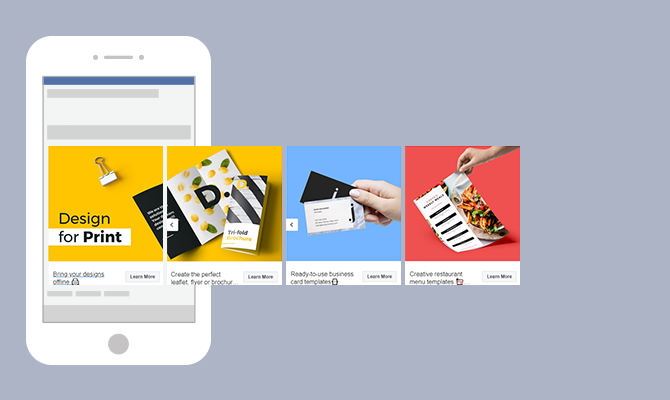
Advertising on social media platforms has become essential for businesses to reach their target audience effectively. Within the realm of social media advertising, Facebook Carousel Ads have emerged as a powerful tool to capture users' attention and drive engagement. Together, we will explore the ins and outs of creating an engaging Facebook Ad, providing you with the best practices to enhance your advertising campaigns.
First and foremost, a Facebook Carousel Ad is a dynamic advertisement format that allows businesses to showcase multiple images or videos, each with its own link, in a single ad unit. The ad appears as a scrollable carousel, enabling users to swipe through the various media elements effortlessly. This ad format offers a visually appealing and interactive way to tell a story or present different products or features.
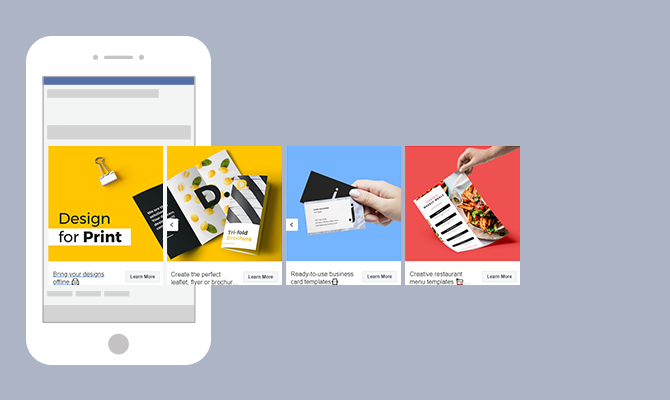
There are several compelling reasons to consider using Facebook Carousel Ads in your advertising strategy:
When it comes to increased engagement, Carousel Ads have proven to be highly effective. The scrollable format captures users' attention and encourages them to explore the different images or videos within the ad. This interactive experience creates a sense of curiosity and excitement, leading to higher click-through rates and longer time spent engaging with the ad.
Moreover, Carousel Ads offer businesses the opportunity to provide users with more information about their brand, products, or services. Instead of relying on a single image or video, Carousel Ads allow you to showcase a variety of visuals that highlight different aspects of your offerings. This enables users to gain a comprehensive understanding of what your brand represents and what you have to offer.
Storytelling is a powerful tool in advertising, and Carousel Ads provide the perfect platform for it. With the ability to present multiple images or videos in a sequential manner, businesses can take users on a journey, guiding them through a narrative that communicates their brand message effectively. This storytelling approach creates a deeper emotional connection with users, making your brand more memorable and relatable.
Carousel Ads can also significantly improve conversion rates. By including multiple links within a single ad, businesses can tailor the user experience based on their interests. For example, if a user is interested in a specific product showcased in the Carousel Ad, they can be directed to a landing page dedicated to that product. This personalized approach increases the likelihood of conversions as users are directed to the most relevant information and offerings.
Creating a successful Facebook Carousel Ad involves careful consideration of various elements. From high-quality images to compelling ad copy and attention-grabbing call-to-action (CTA) buttons, each component plays a vital role in captivating your audience and driving conversions.
When designing a Facebook Carousel Ad, the quality of your images is paramount. Clear, visually appealing images that align with your brand identity and messaging will help captivate your audience and encourage them to explore further. Imagine a carousel ad showcasing a stunning landscape, enticing travelers to embark on an adventure. The vivid colors and breathtaking scenery instantly transport viewers to a world of wanderlust, igniting their desire to learn more about the destination.
However, it's not just about aesthetics. Properly sized and well-lit images are essential to ensure optimal display across various devices and screen sizes. By investing time and effort into selecting and preparing high-quality images, you can enhance the overall impact of your carousel ad and leave a lasting impression on your target audience.
While images play a significant role in Carousel Ads, the accompanying ad copy should not be underestimated. The power of words can complement and reinforce the visual elements, effectively conveying your message to potential customers. Consider a carousel ad promoting a new line of skincare products. Alongside vibrant images showcasing the radiant effects of the products, the ad copy can highlight the key ingredients, emphasizing their nourishing properties and the resulting healthy, glowing skin.
When crafting ad copy, it's crucial to strike a balance between being concise and persuasive. Captivate your audience with compelling language that resonates with their needs and desires. By focusing on the unique features or benefits of your products or services, you can pique their interest and motivate them to take action. Additionally, incorporating a clear call-to-action (CTA) prompts users to engage further, whether it's making a purchase, signing up for a newsletter, or exploring more about your offerings.

CTA buttons serve as a crucial element in driving conversions through Carousel Ads. These buttons provide a clear and direct path for users to take the desired action. When selecting a CTA phrase, it's essential to choose impactful, action-oriented language that aligns with your campaign objectives. For instance, if you're running an e-commerce campaign, a CTA button saying "Shop Now" can create a sense of urgency and encourage users to explore your products further.
Make sure the CTA button stands out within the carousel ad, both in terms of design and placement. Consider using contrasting colors or bold typography to draw attention to the button. Additionally, strategically positioning the CTA button within the carousel sequence can increase the likelihood of user interaction. By creating a seamless user experience and making it effortless for users to take the desired action, you can maximize the effectiveness of your Carousel Ad campaign.
As you embark on creating engaging Carousel Ads, remember that each element, from high-quality images to compelling ad copy and attention-grabbing CTA buttons, contributes to the overall success of your campaign. By carefully crafting each component and ensuring they work harmoniously together, you can create a captivating and persuasive carousel ad that entices your audience and drives meaningful results.
Creating a successful Carousel Ad on Facebook requires careful consideration and attention to detail. A specialized Social Media Advertising Agency could help you implement a well-thought comprehensive strategy. By selecting the right images, writing effective ad text, and choosing the perfect call-to-action (CTA), your audience will be engaged and you will drive the desired actions. Let's dive deeper into each aspect to help you design a compelling Carousel Ad.
One of the key elements of a captivating Carousel Ad is the selection of images. High-resolution product photos can showcase the details and features of your offerings, enticing potential customers. Additionally, lifestyle images can help create a connection between your products or services and the aspirations of your target audience.
Consider going beyond static images and experiment with videos. Videos can bring your offerings to life, allowing viewers to see them in action. They can also be a powerful storytelling tool, capturing attention and conveying your brand's message effectively.
When choosing image combinations for your Carousel Ad, think about the visual appeal and the story you want to tell. Experiment with different sequences and arrangements to create a visually engaging flow that keeps viewers interested and encourages them to interact with your ad.
The ad text in your Carousel Ad plays a crucial role in conveying your message and enticing users to take action. To make the most impact, keep your ad text concise and compelling. Each ad card within the carousel should have a clear and focused message that complements the visuals.
Take the time to understand your target audience and tailor your ad text to resonate with their specific pain points or desires. By addressing their needs directly, you can create a sense of relevance and urgency, increasing the likelihood of engagement.
Consider using persuasive language, highlighting the unique benefits of your offerings, and incorporating social proof or testimonials to build trust. Remember, the goal is to capture attention and encourage users to take the desired action, whether it's making a purchase, signing up for a newsletter, or exploring more about your products or services.
The call-to-action (CTA) is the final piece of the puzzle in your Carousel Ad. It's the prompt that guides users to take the next step and convert. When selecting a CTA, it's essential to align it with the intended action you want users to take.
Start by considering the stage of the customer journey your target audience is in. Are they just discovering your brand, or are they already familiar with your offerings? Based on this understanding, choose a CTA that guides users towards the appropriate next step.
For example, if your goal is to drive immediate conversions, a CTA like "Shop Now" or "Buy Now" can be effective. On the other hand, if you're aiming to nurture leads and build a relationship, a CTA such as "Learn More" or "Sign Up" may be more suitable.
Remember to make your CTA visually prominent within the ad and ensure it stands out from the rest of the content. Use contrasting colors, compelling copy, and clear instructions to encourage users to click and take action.
By carefully selecting the right images, crafting impactful ad text, and choosing a compelling CTA, you can design a Facebook Carousel Ad that captures attention, engages your audience, and drives the desired actions. Start experimenting with these elements and monitor the performance of your ads to continuously optimize and improve their effectiveness.
For your Carousel Ads to be effective, it's crucial to target the right audience. Leverage Facebook's targeting options to define your ideal audience based on demographics, interests, behaviors, or even custom audiences. Refine your targeting strategy to maximize ad relevance and reach.
When setting your budget for Carousel Ads, consider the potential reach and the objectives of your campaign. Facebook offers various bidding options, such as cost per click (CPC) or cost per thousand impressions (CPM). Test different budget levels to find a balance between visibility and cost-effectiveness.

Regularly monitoring the performance metrics of your Carousel Ads is crucial to optimize their effectiveness. Pay attention to key metrics such as click-through rate (CTR), conversion rate, and engagement rate. Based on the insights gained, make data-driven adjustments to improve your ad campaign's performance and achieve the desired results.
By following these examples and best practices, you can create compelling and engaging Facebook Carousel Ads that captivate your audience, drive meaningful engagement, and help you achieve your marketing objectives. Remember to continuously iterate and refine your ad campaigns based on user feedback and data analysis, ensuring the ongoing success of your advertising efforts.
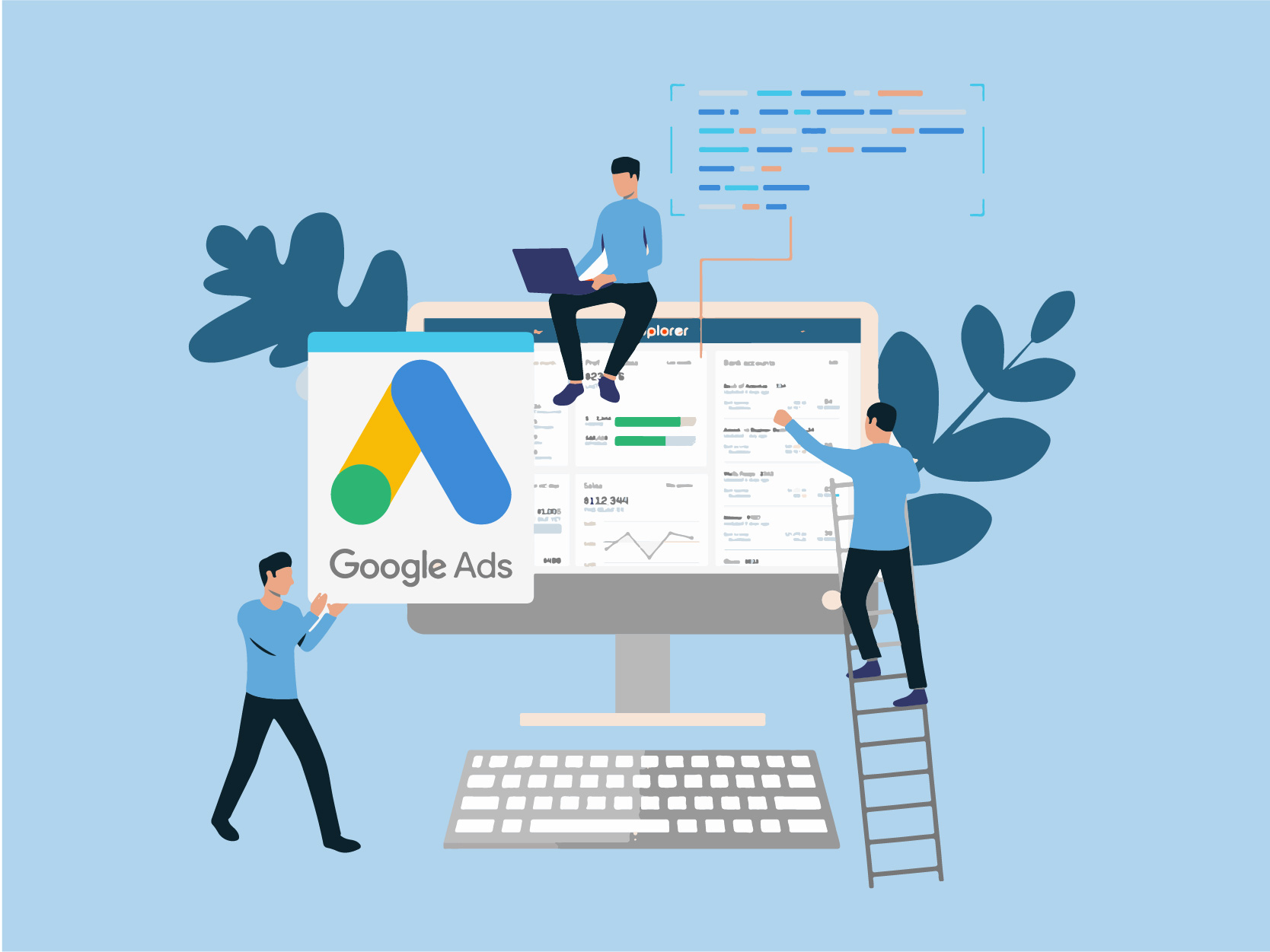
Google Ads is a powerful online advertising platform that can help businesses reach their target audience and drive results. Whether you're new to Google Ads or looking to improve your existing campaigns, this step-by-step guide will walk you through the process of setting up your Google Ads branch effectively.

Google Ads, formerly known as Google AdWords, is a robust advertising platform powered by Google's vast network. It offers a variety of ad formats, such as text ads, display ads, video ads, and more, allowing businesses to reach their target audience across different channels.
Text ads are the most common ad format on Google Ads. They appear as sponsored search results when users search for specific keywords related to your business. Display ads, on the other hand, are visually appealing image or banner ads that are shown on websites within Google's Display Network. Video ads, as the name suggests, are short video clips that can be displayed on YouTube (Ads) or other partner websites.
Google Ads also offers advanced targeting options to help businesses reach the right audience. You can target users based on their location, language, demographics, interests, and even specific websites or apps they visit. This level of precision ensures that your ads are shown to the most relevant audience, increasing the chances of engagement and conversion.
Google Ads is an essential tool for businesses of all sizes. It provides a way to increase visibility, drive website traffic, generate leads, and ultimately, grow your business. With Google Ads, you have the ability to reach users who are actively searching for products or services related to your business, increasing the chances of conversion.
One of the key advantages of Google Ads is its flexibility. You have full control over your ad budget, allowing you to set a daily or monthly spending limit. This ensures that you only spend what you can afford and gives you the flexibility to adjust your budget based on the performance of your ads.
Google Ads also provides detailed performance metrics and analytics, allowing you to track the effectiveness of your campaigns. You can see how many clicks your ads receive, the cost per click, the number of conversions, and much more. This data-driven approach enables you to make informed decisions and optimize your campaigns for maximum results.
Furthermore, Google Ads offers various ad extensions that can enhance the visibility and effectiveness of your ads. These extensions allow you to add additional information, such as phone numbers, addresses, or links to specific pages on your website. This not only makes your ads more informative but also increases the chances of users taking action.
Before diving into the setup process, there are a few things you need to prepare.
Setting up your Google Ads branch requires careful planning and organization. To ensure a smooth and successful setup, it is essential to gather all the necessary information and tools beforehand.
Start by gathering the necessary information and tools for setting up your Google Ads branch. This includes your business website URL, relevant keywords related to your business, ad images or videos, and a clear understanding of your target audience.
When it comes to your business website URL, make sure it is up-to-date and optimized for user experience. A well-designed and user-friendly website will greatly enhance the effectiveness of your Google Ads campaigns.
In terms of relevant keywords, conduct thorough research to identify the most appropriate and high-performing keywords for your business. These keywords will help you reach your target audience and increase the chances of your ads being shown to the right people at the right time.
When selecting ad images or videos, choose visuals that are visually appealing and relevant to your business. High-quality and engaging visuals can significantly improve the click-through rate of your ads.
Lastly, having a clear understanding of your target audience is crucial. Define your target audience based on demographics, interests, and behaviors. This knowledge will enable you to tailor your ads to resonate with your target audience and maximize your campaign's effectiveness.
It's important to establish clear advertising goals before setting up your Google Ads account. Determine what you want to achieve with your ads, whether it's getting more website traffic, increasing sales, or raising brand awareness. This will help you create effective campaigns that align with your business objectives.
Consider the specific metrics you want to track and measure to gauge the success of your campaigns. For example, if your goal is to increase sales, you may want to track the number of conversions or the return on ad spend (ROAS).
Furthermore, setting realistic and attainable goals is crucial. Take into account your budget, resources, and the competitive landscape of your industry. By setting achievable goals, you can stay motivated and focused throughout the setup and optimization process.
Remember, Google Ads can be a powerful tool for driving business growth, but it requires careful planning and strategic execution. By preparing the necessary information and setting clear advertising goals, you are laying the foundation for a successful Google Ads setup.

Now that you have everything in place, it's time to create your Google Ads account.
Creating a Google Ads account is a straightforward process that can be done in a few simple steps. By following these steps, you'll be well on your way to launching successful advertising campaigns:
To begin creating your Google Ads account, navigate to the Google Ads website. You can do this by typing "Google Ads" into your preferred search engine or by directly entering the URL in your browser's address bar.
Once you're on the Google Ads website, locate the "Get Started" button and click on it. This will initiate the account creation process and guide you through the necessary steps.
During the setup process, you'll be asked to provide information about your business. This includes details such as your business name, website, industry, and location. It's important to provide accurate and up-to-date information to ensure that your ads are relevant to your target audience.
One of the crucial aspects of creating a Google Ads account is setting your budget. You'll need to determine how much you're willing to spend on advertising each day. Google Ads offers various budget options, allowing you to choose what works best for your business.
Another important step in creating your Google Ads account is defining your target audience. You'll have the opportunity to specify the geographic locations where you want your ads to appear, ensuring that you're reaching the right people in the right places.
Google Ads also allows you to customize your ad scheduling preferences. This means you can choose the days and times when you want your ads to be displayed. By aligning your ad schedule with your target audience's online behavior, you can maximize the effectiveness of your campaigns.
Once you've provided all the necessary information and customized your preferences, you can proceed to complete the setup process. Review your choices to ensure everything is accurate, and then click on the "Finish" or "Create Account" button to finalize the creation of your Google Ads account.
After creating your Google Ads account, you'll gain access to the Google Ads dashboard. This dashboard serves as your central hub for managing and monitoring your advertising campaigns. Let's take a closer look at some key sections and features you'll encounter:
The "Campaigns" section is where you'll create, organize, and manage your advertising campaigns. Here, you can set campaign goals, select targeting options, and monitor performance metrics such as impressions, clicks, and conversions.
Within each campaign, you'll have the ability to create multiple ad groups. Ad groups allow you to organize your ads based on specific themes or target audiences. This level of granularity enables you to tailor your messaging and optimize your campaigns for better results.
The "Ads" section is where you'll create and manage the actual advertisements that will be shown to your target audience. You can experiment with different ad formats, headlines, descriptions, and visuals to find the most effective combination.
Keywords play a crucial role in Google Ads campaigns. In the "Keywords" section, you can research, select, and manage the keywords that trigger your ads. By choosing relevant and high-performing keywords, you can increase the chances of your ads being shown to the right audience.
The "Reports" section provides valuable insights into the performance of your campaigns. You can generate various reports that highlight key metrics and trends, allowing you to make data-driven decisions and optimize your advertising strategy.
As you navigate the Google Ads dashboard, take some time to explore the various features and settings available. Familiarize yourself with the interface, experiment with different options, and leverage the tools provided to optimize your campaigns for better performance.
With your account ready, it's time to set up your first Google Ads campaign.
When setting up your campaign, you will be presented with different campaign types. Consider your advertising goals and select the one that aligns with your objectives. The available options include Search Network campaigns, Display Network campaigns, Video campaigns, Shopping campaigns, and more.
It’s crucial to define your target audience when setting up your Google Ads campaign. Customizing your targeting options based on demographics, interests, and search intent will ensure that your ads reach the right people. Additionally, set a realistic budget that matches your advertising goals and resources to maximize your return on investment.
The effectiveness of your ads plays a vital role in the success of your Google Ads campaign.
The text in your ads should be catchy, concise, and convey the value proposition of your products or services. Highlight unique selling points, use persuasive language, and include relevant keywords to attract the attention of potential customers. Experiment with different ad variations to see which ones perform best.

Selecting the right keywords is crucial for targeting the right audience. Conduct keyword research to find relevant and high-performing keywords related to your business. Incorporate these keywords into your ad copy, headlines, and landing page content. Additionally, optimizing your website for SEO will improve your organic search rankings and increase your visibility.
Setting up your Google Ads branch doesn't have to be overwhelming. By understanding the basics of Google Ads, preparing the necessary information and tools, creating your account, setting up campaigns, and crafting effective advertisements, you can maximize the potential of this powerful advertising platform. Keep monitoring and optimizing your campaigns to ensure long-term success. Good luck!

Having an effective advertising strategy is crucial for businesses to reach their target audience and drive success. Google Ads is a powerful tool that allows businesses to advertise their products and services to millions of users across the globe. One essential component of Google Ads is the Customer ID, which plays a significant role in optimizing your advertising efforts, including search and social media ads. In this article, we will discuss the importance of understanding and utilizing your Google Ads Customer ID, as well as ways to protect and maximize its potential.

Your Google Ads Customer ID is a string of numbers that is assigned to your account. It serves as a way for Google to track your campaigns, ads, and overall account performance. Think of it as a digital fingerprint that is unique to your account.
With your Customer ID, Google can easily identify and organize all the data related to your advertising efforts. This includes information about your campaigns, ad groups, keywords, and more. It helps Google keep everything organized and makes it easier for you to manage your account.
First and foremost, your Customer ID is the backbone of your Google Ads account. It is the key that unlocks access to all aspects of your campaigns. With your Customer ID, you can monitor your advertising spend, track conversions, analyze performance metrics, and make data-driven decisions to optimize your campaigns.
But the importance of your Customer ID doesn't stop there. It also enables you to link your Google Ads account to other Google services, such as Google Analytics and YouTube. By doing so, you gain access to a wealth of additional data and enhanced targeting capabilities.
For example, by linking your Google Ads account to Google Analytics, you can get a deeper understanding of how your ads are performing and how they are driving traffic to your website. You can track user behavior, identify which keywords are driving the most conversions, and even set up custom reports to get the insights you need.
Similarly, linking your Google Ads account to YouTube Ads allows you to run video ads and reach a wider audience. You can leverage the power of video marketing and tap into the massive user base of YouTube to promote your products or services.
Overall, your Google Ads Customer ID is not just a random string of numbers. It is the key that unlocks the full potential of your advertising efforts. Understanding its importance and leveraging its capabilities can help you take your Google Ads campaigns to new heights.
Locating your Google Ads Customer ID is an essential step in managing your advertising campaigns effectively. Your Customer ID is a unique identifier that allows you to access and control your account. Follow the steps below to find your Customer ID:
Locating your Google Ads Customer ID is a straightforward process. Simply follow the steps below:
Once you have obtained your Customer ID, you can use it to access various features and settings within your Google Ads account. It is important to keep your Customer ID secure and confidential to protect your account from unauthorized access.

While finding your Customer ID is generally simple, there may be instances when you encounter difficulties. Some common issues and their solutions include:
Remember, your Customer ID is a crucial piece of information that allows you to manage your Google Ads account effectively. By following the steps outlined above and addressing any common issues that may arise, you will be able to locate your Customer ID and take full control of your advertising campaigns.
When it comes to running successful advertising campaigns on Google, your Google Ads Customer ID is a powerful tool that can greatly enhance your marketing strategy. Not only does it provide you with a unique identifier for your account, but it also offers a range of features and benefits that can help you achieve your advertising goals.
One of the key advantages of your Google Ads Customer ID is its ability to integrate with other Google services, such as Google Analytics. By linking these accounts, you can gain a deeper understanding of your advertising performance and audience behavior. With Google Analytics, you can track important metrics like website traffic, conversions, and user engagement, allowing you to make data-driven decisions to optimize your campaigns.
Additionally, linking your Customer ID to YouTube opens up a world of video advertising opportunities. With the rise of video content consumption, leveraging YouTube as a platform for your ads can significantly expand your reach and engagement. By connecting your Customer ID to YouTube, you can create and manage video campaigns, target specific audiences, and measure the success of your video ads.
For businesses or advertisers who manage multiple Google Ads accounts, the Customer ID becomes invaluable in streamlining their efforts. Instead of juggling multiple logins and interfaces, consolidating all accounts under one Customer ID allows for a more efficient and seamless management experience.
With a single Customer ID, you can access and manage all your accounts simultaneously, saving time and effort. This feature provides a holistic view of your advertising campaigns, making it easier to analyze performance trends, identify areas for improvement, and make strategic adjustments. Whether you're running multiple campaigns for different products or targeting different regions, having all your accounts accessible through one Customer ID simplifies administrative tasks and ensures consistency in your advertising strategy.
The Customer ID also enables you to set different access levels and permissions for team members or agencies who work on your accounts. This allows for better collaboration and control over who can make changes or view sensitive information, ensuring the security and integrity of your advertising campaigns.
Protecting your Google Ads Customer ID is crucial to maintain the security and integrity of your advertising account. Your Customer ID is a unique identifier that grants access to your account and holds sensitive information. Taking the necessary security measures will help prevent unauthorized access and potential breaches.
To safeguard your Customer ID, it is important to implement the following security measures:
In the unfortunate event that your Customer ID is compromised, it is vital to take immediate action to secure your account. Follow these steps:
By following these security measures and taking immediate action if your Customer ID is compromised, you can help protect your Google Ads account from unauthorized access and potential harm.

Your Google Ads Customer ID generates a wealth of valuable data that can provide insights into your advertising performance. By analyzing this data, you can identify trends, optimize campaign targeting, and make data-driven decisions. Key metrics include impressions, clicks, conversions, cost per click, and return on ad spend, among others. By understanding these metrics and how they relate to your business goals, you can refine your campaigns to maximize results.
Effective utilization of your Google Ads Customer ID data can significantly contribute to your business growth. By identifying profitable keywords, analyzing audience demographics, and tracking conversion rates, you can fine-tune your targeting strategy and allocate resources efficiently. Additionally, comparing data across different time periods can help identify seasonal trends, allowing you to optimize your campaigns accordingly.
Your Google Ads Customer ID is a fundamental element in unlocking the full potential of your advertising campaigns, even if they are managed by you or by a specialized ads agency. By understanding the importance of your Customer ID, locating it easily, maximizing its use, and protecting it diligently, you can harness the power of data-driven marketing to drive business growth and achieve your advertising goals effectively.
The rise of video and SERP advertising has opened up new avenues for businesses to promote their products and services. One such format that has gained substantial popularity is non-skippable YouTube ads. Below, we’ll dive into its details. Don’t miss it.
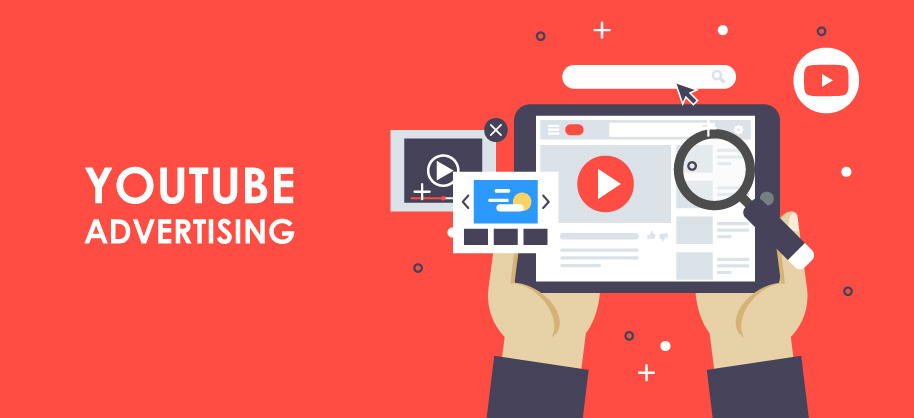
Non-skippable YouTube ads, as the name suggests, are video advertisements that cannot be skipped by viewers. These ads typically play before a viewer's selected video and have a specified duration, often ranging from 15 to 30 seconds. Unlike skippable ads, which allow users to bypass the advertisement after five seconds, non-skippable ads demand the viewer's undivided attention throughout.
But what makes non-skippable ads so effective? Non-skippable ads are strategically designed to capture the viewer's attention from the very beginning. They often employ captivating visuals, compelling storytelling, and persuasive calls to action to engage the audience. By eliminating the option to skip, these ads force viewers to pay attention, increasing the chances of brand recall and message retention.
By design, non-skippable ads offer marketers an opportunity to deliver their message without the risk of users skipping the content. They compel viewers to engage with the ad and increase the likelihood of brand recall. As a result, non-skippable ads can be a powerful tool for marketers seeking to create brand awareness and convey a concise message.
Non-skippable YouTube ads provide several distinct advantages for marketers. Firstly, they ensure that the key message is delivered effectively. With skippable ads, there is always a chance that users will bypass the content without absorbing the intended information. Non-skippable ads address this concern, guaranteeing that the viewer receives the complete advertising experience.
Moreover, non-skippable ads are particularly effective for campaigns that require immediate action or highlight time-sensitive offers. By capturing the viewer's full attention, these ads can increase the likelihood of conversions and generate instant results. For example, a limited-time sale or a flash promotion can benefit greatly from the non-skippable format, as it compels viewers to take immediate action.
Additionally, non-skippable ads can be an effective way to showcase storytelling techniques or introduce new products that require a longer, more immersive narrative. By leveraging the viewer's undivided attention, marketers can create engaging narratives that leave a lasting impact. These ads can be a powerful tool for building brand affinity and establishing an emotional connection with the audience.
Non-skippable YouTube ads have become a popular advertising tool for marketers seeking to reach their target audience effectively. These ads, as the name suggests, cannot be skipped by viewers, ensuring that the brand's message is delivered in its entirety. While they offer several advantages for marketers, it is essential to consider the potential drawbacks and user reactions.
As you figure, non-skippable YouTube ads have their advantages and disadvantages for marketers. While they provide guaranteed exposure and higher engagement rates, they can also lead to viewer annoyance and negative brand perception. Advertisers must carefully craft their non-skippable ads to strike the right balance between capturing attention and respecting the viewer's experience. By doing so, they can maximize the benefits of non-skippable ads while minimizing the potential drawbacks.
Creating non-skippable YouTube ads that leave a lasting impact requires careful planning and strategic execution. Marketers can employ various strategies to maximize the impact and engagement of their non-skippable ads.
One effective approach is to tailor the ad content. By leveraging data analytics and user insights, marketers can create personalized advertisements that resonate with their target audience. Understanding the viewer's preferences, behaviors, and demographics allows marketers to craft ads that are more relevant and appealing, increasing the chances of capturing their attention and driving conversions.
Also, interactive elements can be incorporated to boost engagement in non-skippable ads. By allowing viewers to participate in the ad experience or offering interactive features, marketers can create more immersive and memorable advertising campaigns. For example, interactive quizzes, polls, or mini-games can be integrated into the ad, encouraging viewers to actively engage with the brand. These strategies not only make the ad more enjoyable but also increase the chances of conversion and long-term brand loyalty.
Measuring the success of non-skippable YouTube ads requires a comprehensive evaluation of key performance metrics. One essential metric is the view-through rate (VTR), which indicates the percentage of viewers who watched the entire ad without skipping. A high VTR signifies strong engagement and indicates that the ad effectively captured the viewer's attention.
Other importants metrics are click-through rate (CTR), conversion rate, and return on ad spend (ROAS). These metrics provide insights into user behavior beyond the ad view, indicating whether the ad successfully persuaded viewers to take the desired action, such as visiting the website, making a purchase, or interacting with the brand.
Interpreting data from non-skippable ad campaigns is vital to making informed decisions. Marketers should analyze demographic information, engagement rates, and conversion data to gain insights into the effectiveness of their ad strategy. This data can guide future campaign optimizations, targeting adjustments, or creative enhancements to ensure continuous improvement and maximize return on investment.
The landscape of non-skippable YouTube advertising continues to evolve, with exciting developments on the horizon. One noteworthy trend is the use of personalized and interactive ads. Leveraging emerging technologies, marketers can create tailored experiences that resonate with individual viewers, fostering a deeper connection and engagement.
As the line between content and advertising blurs, native advertising within non-skippable ads is expected to grow. This approach seamlessly integrates brand messaging within relevant content, providing viewers with a more authentic and less intrusive advertising experience.
The future of non-skippable YouTube advertising presents both opportunities and challenges for marketers. Marketers must adapt their strategies to leverage emerging ad formats and interactive technologies. By staying attuned to viewer preferences and behavior, marketers can create non-skippable ads that are engaging, relevant, and respectful of the viewer's experience.
The rise of non-skippable YouTube ads underscores the need for marketers to continually innovate and evolve their advertising approaches. By understanding the benefits, drawbacks, and best practices associated with non-skippable ads, marketers can leverage this format effectively and drive meaningful results for their brands.
Non-skippable YouTube ads can be a powerful tool in a marketer's arsenal. By effectively capturing the viewer's attention and delivering a concise message, non-skippable ads offer a unique opportunity to create brand awareness and foster engagement. Marketers must carefully consider the potential drawbacks of these ads and strive to strike a balance between capturing attention and respecting the viewer's experience. Through the use of key strategies and robust measurement tools, marketers can optimize the impact of non-skippable ads and pave the way for future success in YouTube advertising.
Google has always been at the forefront of technological innovation, and their latest endeavor involves leveraging generative AI for sophisticated ad campaigns. Join us to learn more about the concept of generative AI, its evolution, and how Google is utilizing this technology in advertising.
Generative AI is a branch of artificial intelligence that focuses on creating new content rather than simply analyzing or processing existing data. It involves using algorithms to simulate human-like creativity and generate original, unique content.
Generative AI has the ability to mimic human creativity by learning from vast amounts of data and using that knowledge to generate new and innovative content. This technology has the potential to revolutionize various industries, including art, music, literature, and marketing.
Generative AI has come a long way since its inception. Initially, AI was primarily used for analyzing data and making predictions. However, with advances in deep learning and neural networks, generative AI has emerged as a powerful tool for creative content generation.
One of the breakthroughs in generative AI was the development of generative adversarial networks (GANs). GANs consist of two neural networks: a generator network that creates new content and a discriminator network that evaluates the generated content. These networks work in tandem, constantly improving and refining the generated content.
From generating realistic images to composing music and writing compelling narratives, generative AI is revolutionizing the creative landscape. Artists can now use AI algorithms to create unique and visually stunning artwork. Musicians can leverage generative AI to compose melodies and harmonies that are both innovative and emotionally resonant.
Another exciting application of generative AI is in the field of virtual reality (VR). AI algorithms can generate realistic virtual environments, complete with lifelike characters and interactive elements. This opens up new possibilities for immersive gaming experiences and virtual training simulations.

Despite its many advancements, generative AI still faces challenges. One of the main concerns is the ethical implications of AI-generated content. As AI becomes more capable of creating content that is indistinguishable from human-generated content, issues of authenticity and ownership arise. Striking a balance between creativity and ethical considerations will be crucial for the future of generative AI.
Google has been at the forefront of AI research and development for years. They have a deep-rooted history of exploring AI technologies and integrating them into their products and services. From Google Assistant to autonomous vehicles, Google has been pioneering AI-driven advancements.
One of the earliest instances of Google's foray into AI can be traced back to the introduction of Google Translate. This groundbreaking service utilized AI algorithms to provide accurate translations between different languages. It was a game-changer in the world of language barriers and opened up new possibilities for global communication.
As Google continued to invest in AI, they expanded their efforts into the realm of voice recognition. This led to the development of Google Voice Search, a feature that allowed users to perform searches by simply speaking into their devices. This innovation revolutionized the way people interacted with technology and laid the foundation for the development of virtual assistants.
In recent years, Google has made significant breakthroughs in the field of AI. They have developed advanced machine learning algorithms that can perform complex tasks like natural language processing, image recognition, and more. Their innovations have helped shape the AI landscape and set new industry standards.
One of Google's most notable AI innovations is Google Photos. This application utilizes AI algorithms to organize and categorize photos based on their content. Through deep learning techniques, Google Photos can recognize faces, objects, and even specific locations, making it easier for users to search and manage their vast photo collections.
Another groundbreaking AI innovation by Google is the development of AlphaGo, an AI-powered computer program that can play the ancient Chinese board game, Go. In 2016, AlphaGo made headlines when it defeated the world champion Go player, Lee Sedol, in a five-game match. This achievement showcased the immense capabilities of AI and its potential to outperform human experts in complex tasks.
Google's commitment to AI innovation is further evident in their self-driving car project, Waymo. Through the use of AI algorithms and sensors, Waymo vehicles can navigate the roads autonomously, reducing the need for human intervention. This project represents a significant milestone in the development of autonomous vehicles and highlights Google's dedication to pushing the boundaries of AI technology.
AI can play a crucial role in advertising. It offers marketers the ability to analyze large amounts of data, identify patterns, and make data-driven decisions. This level of analysis was previously unimaginable, as it would have taken humans an immense amount of time and effort to sift through the vast amounts of data available.
AI algorithms can optimize ad campaigns, target specific demographics, and personalize ad content, resulting in increased engagement and conversions. By using AI, advertisers can now deliver highly targeted ads to their audience, ensuring that the right message reaches the right people at the right time. This level of precision is invaluable in a world where consumers are bombarded with countless ads every day.
Generative AI is taking advertising to new heights. With its ability to generate dynamic and personalized content, it enables marketers to create highly targeted and engaging ad campaigns. By leveraging generative AI, advertisers can deliver tailored messages to their audience, capturing their attention and driving brand awareness.
Generative AI algorithms can analyze vast amounts of data and generate ad content that is tailored to individual preferences and interests. This level of personalization goes beyond simply targeting demographics; it allows advertisers to create ads that resonate with individuals on a personal level.
For example, a clothing retailer can use generative AI to create personalized ads that showcase products based on a customer's browsing history and previous purchases. By showing customers items that align with their personal style and preferences, the retailer can significantly increase the chances of conversion.
The future of AI in advertising looks promising. As technology continues to advance, AI algorithms will become even more sophisticated and capable. We can expect increased automation, better targeting capabilities, and more personalized ad experiences. AI will continue to shape the advertising landscape and revolutionize how brands reach and engage with their audience.

While AI presents numerous opportunities, it also brings challenges and risks. Privacy concerns, data security, and ethical implications are crucial considerations when leveraging AI in advertising. As AI becomes more prevalent, it is essential for brands and advertisers to establish transparent and responsible AI practices to maintain trust with consumers.
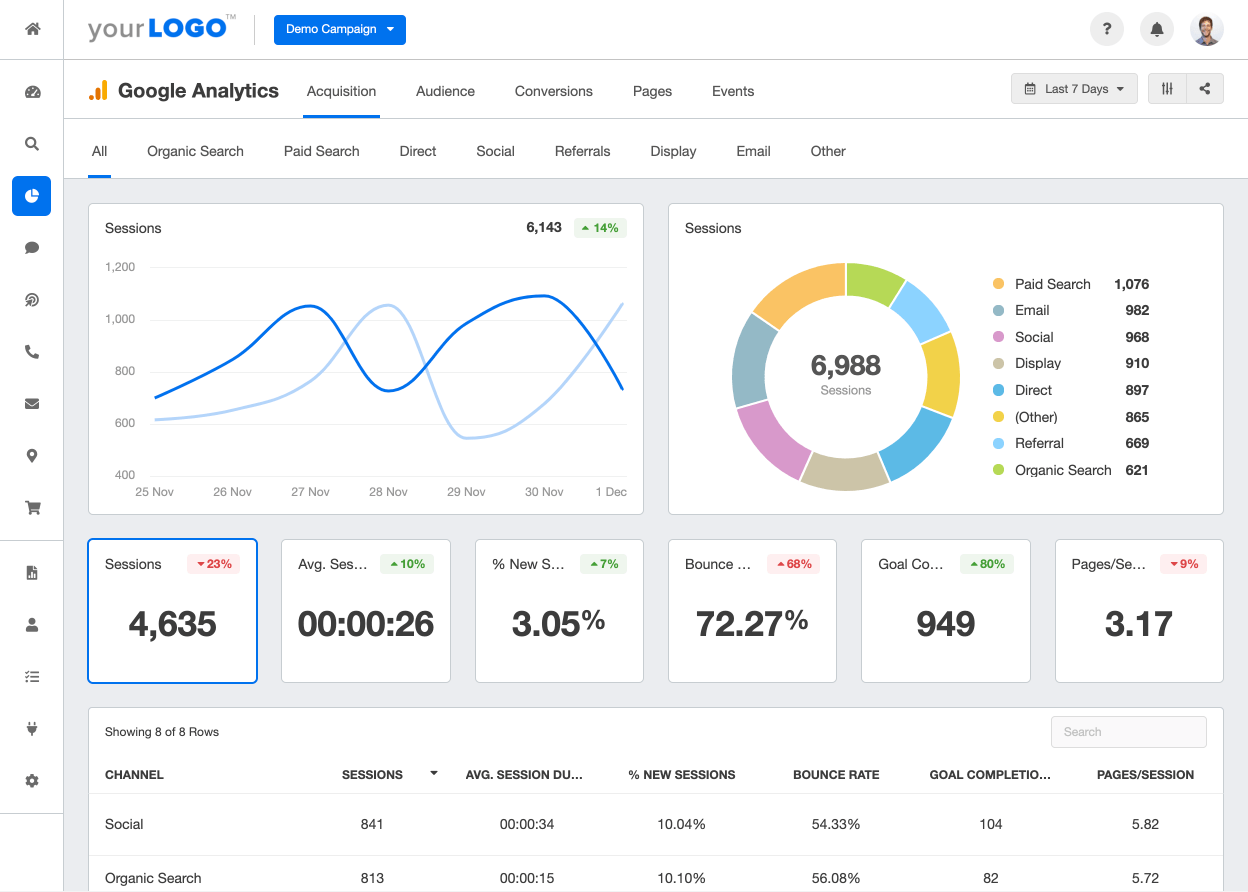
Google Ads Conversion Tracking is a feature provided by Google that allows you to track and measure the actions taken by users on your website after they click on your Google Ads. It provides you with valuable data on the effectiveness of your ads and helps you understand which campaigns are generating the most conversions and revenue.
With Google Ads Conversion Tracking, you can set up conversion actions that align with your business goals. These actions can be as simple as tracking purchases or more complex, such as tracking form submissions or app downloads. By defining these conversion actions, you can accurately measure the success of your advertising campaigns and make data-driven decisions to optimize your marketing strategies.
By implementing Google Ads Conversion Tracking on your Shopify store, you can gain valuable insights into the performance of your ads. You can see which keywords, ads, and campaigns are driving the most conversions, allowing you to allocate your budget more effectively and focus on strategies that yield the best results.
Conversion tracking is essential because it allows you to measure the return on investment (ROI) of your advertising efforts accurately. By knowing which campaigns generate the most conversions and revenue, you can allocate your budget more effectively and focus on strategies that yield the best results.
With Google Ads Conversion Tracking, you can go beyond tracking clicks and impressions. You can track the actions that users take on your website after clicking on your ads, giving you a better understanding of the customer journey and the effectiveness of your marketing campaigns.
Conversion tracking provides you with valuable data that can help you refine your targeting, messaging, and landing pages to improve your overall conversion rates. By analyzing the data, you can identify trends and patterns that can guide your marketing decisions and help you optimize your campaigns for better results.
By analyzing the data, you can pinpoint any bottlenecks or areas where users are dropping off, allowing you to make necessary adjustments to improve the user experience and increase conversions. With this, you can accurately measure the ROI of your advertising efforts and make data-driven decisions to improve your overall conversion rates.
The first step in setting up conversion tracking is to enable the relevant settings on your Shopify store. This ensures that the necessary data is captured accurately to track and measure conversions. To do this, follow these steps:
In addition to Google Ads Conversion Tracking, it's also important to have Google Analytics set up on your Shopify store. Google Analytics provides a comprehensive overview of your website's performance and can give you insights beyond just conversions. To install Google Analytics, follow these steps:
By integrating Google Analytics with your Shopify store, you gain access to a wealth of data about your website visitors, including their demographics, behavior, interactions, bounce rate, time on site, and page views. This information can help you understand your audience better and optimize your marketing strategies accordingly.
Now that you have prepared your Shopify store, it's time to set up your Google Ads account for conversion tracking. Follow these steps to ensure that your Google Ads campaigns are accurately tracking the valuable actions taken by your website visitors.
If you haven't already done so, you'll need to create a Google Ads account. Visit the Google Ads website and sign up for an account. Once you have created your account, you'll need to set up your billing information and choose your ad campaign settings.
After creating your Google Ads account, you'll need to set up conversion actions. Conversion actions define the specific actions you want to track. To create a new conversion action, go to the Tools & Settings section in your Google Ads account and select "Conversions." Click on the "+" button to create a new conversion action. Follow the prompts to set up your conversion action, including the name, value, and other relevant details. Once you have configured your conversion action, you'll be provided with a conversion tracking tag.
Now that you have set up your Google Ads account and created conversion actions, it's time to integrate the conversion tracking tag with your Shopify store. By doing this, you'll be able to automatically track conversions and gather valuable data to optimize your campaigns.
To add the conversion tracking tag to your Shopify store, navigate to the Shopify admin panel and go to Online Store > Themes. Locate your current theme and click on "Actions" > "Edit Code." Find the "theme.liquid" file and insert the conversion tracking tag just before the closing tag. Save the changes, and the conversion tracking tag will now be implemented on your Shopify store.
After adding the conversion tracking tag to your Shopify store, it's important to verify that everything is set up correctly. To do this, go back to your Google Ads account and navigate to the "Conversions" section. Find the conversion action you created and click on the "Test" button. This will allow Google Ads to verify that the tracking tag is correctly installed on your website. Once the test is successful, you can be confident that your conversion tracking setup is working as intended.

While setting up Google Ads Conversion Tracking on Shopify is relatively straightforward, you may encounter some common issues along the way. Here are a few potential problems and how to solve them:
Accurate conversion data is essential for optimizing your Google Ads campaigns. To ensure that your conversion data is as accurate as possible, regularly monitor your tracking and test your conversion actions across different devices and scenarios. Additionally, keep an eye on your Google Analytics reports to gain further insights into user behavior and identify potential discrepancies in your conversion tracking.
As you see, Google Ads Conversion Tracking on your Shopify store is not as daunting as it may seem. If your store needs a technical overhaul before tracking can be properly implemented, working with Shopify development specialists ensures the theme and checkout code are set up in a way that doesn't interfere with tag firing. With the steps outlined in this guide, you can easily integrate this powerful feature into your marketing strategy. By accurately tracking conversions and utilizing the data insights, you can optimize your Google Ads campaigns for maximum profitability and drive more sales for your Shopify store.
But -if this isn't enough- don't take our word. Read some examples of successful Google Ads campaigns and revenue growth right here.

Finding the right ecommerce Google Ads agency for your business can be a daunting task. With so many options available, it's important to understand the role of a Google Ads agency and why your ecommerce business needs one. Here, we'll explore key factors to consider when choosing a Google Ads agency, how to evaluate their performance, questions to ask potential agencies, and how to make the final decision. By following these steps, you'll be on your way to finding the perfect agency to help grow your ecommerce business.
When it comes to online advertising, Google Ads is an incredibly powerful tool. With billions of searches conducted on Google every day, businesses have a unique opportunity to reach their target audience and drive traffic to their websites. However, navigating the intricacies of Google Ads can be challenging, especially for businesses without a dedicated marketing team or the necessary expertise. That's where a Google Ads agency comes in.
A Google Ads agency is a team of experts that specialize in managing Google Ads campaigns for businesses. They have the knowledge and experience to create and optimize ad campaigns that generate leads and drive conversions. Their expertise extends beyond simply setting up ads, as they also analyze data, monitor performance, and make adjustments to maximize results. By hiring a Google Ads agency, you're leveraging their expertise to boost your online presence and attract more customers.
Google Ads is one of the most effective advertising platforms for ecommerce businesses. It allows you to reach potential customers at the moment they're actively searching for products or services similar to what you offer. However, managing Google Ads campaigns requires expertise and constant monitoring to ensure optimal performance. By partnering with a Google Ads agency, you can offload this responsibility to professionals who specialize in navigating the complexities of the platform. They'll help you create engaging ads, target the right keywords, and maximize your advertising budget, ultimately resulting in increased website traffic and conversions for your ecommerce business.
Running a successful ecommerce business involves more than just setting up an online store and waiting for customers to come. It requires a strategic approach to marketing and advertising to stand out in a crowded online marketplace. This is where a Google Ads agency can be a game-changer for your ecommerce business.
When you partner with a Google Ads agency, they will take the time to understand your ecommerce business inside out. They'll delve deep into your product offerings,target audience, and competitive landscape. Armed with this knowledge, they will develop a comprehensive Google Ads strategy that aligns with your business goals and drives results.

One of the key advantages of using Google Ads for your ecommerce business is the ability to target specific keywords that potential customers are actively searching for. For example, if you sell organic skincare products, a Google Ads agency can help you identify relevant keywords like "organic skincare," "natural beauty products," or "vegan skincare." By targeting these keywords, your ads will appear at the top of Google's search results when someone searches for these terms, increasing the visibility of your ecommerce business and attracting potential customers.
Nonetheless, managing Google Ads campaigns requires ongoing optimization and monitoring. Bids need to be adjusted, ad copy needs to be refined, and targeting parameters need to be tweaked to stay ahead of the competition. This can be time-consuming and overwhelming for ecommerce business owners who are already juggling multiple aspects of their business. By partnering with a Google Ads agency, you can focus on running your business while leaving the intricacies of Google Ads to the experts.
A Google Ads agency will continuously monitor the performance of your campaigns, analyzing data and making data-driven decisions to improve results. They will identify trends, uncover opportunities, and make strategic adjustments to ensure that your advertising budget is being used effectively. With their help, you can maximize your return on investment and drive more traffic to your ecommerce website, ultimately leading to increased sales and revenue.
In conclusion, a Google Ads agency plays a crucial role in helping businesses navigate the complexities of Google Ads and drive results. By leveraging their expertise, businesses can reach their target audience, increase online visibility, and attract more customers. Whether you're a small business owner or an ecommerce entrepreneur, partnering with a Google Ads agency can be a game-changer for your online advertising efforts.
These factors will help you narrow down your options and find an agency that aligns with your business goals and requirements.
One of the most important factors to consider is the agency's experience and expertise. Look for an agency that has a proven track record of managing successful Google Ads campaigns for ecommerce businesses. They should have experience in your industry and possess a deep understanding of the unique challenges and opportunities within the ecommerce space. Additionally, the agency should stay up-to-date with the latest trends and best practices in Google Ads to ensure they deliver optimal results for your business.
It's crucial to find a Google Ads agency that understands the intricacies of the ecommerce industry. They should be familiar with the specific needs and requirements of ecommerce businesses, such as product listings, shopping campaigns, and conversion tracking. This industry knowledge will enable them to create tailored strategies that resonate with your target audience and drive meaningful results for your ecommerce business.
Before making a decision, it's essential to review the agency's track record and client testimonials. Look for case studies or success stories that showcase their ability to generate positive results for their clients. Additionally, reach out to their previous or current clients to get firsthand feedback on their experience working with the agency. This will provide valuable insights into the agency's communication, performance, and overall satisfaction of their clients.
Once you've narrowed down your options and selected a few potential Google Ads agencies, it's time to evaluate their performance. This step will help you assess their capabilities and determine if they're the right fit for your ecommerce business.
When evaluating an agency's performance, there are several key performance indicators (KPIs) to consider. These may include click-through rates (CTR), conversion rates, cost per click (CPC), return on ad spend (ROAS), and overall return on investment (ROI). Look for agencies that have consistently delivered positive results across these metrics, as it's a strong indicator of their ability to optimize campaigns and generate meaningful outcomes for their clients.

Google Ads agencies provide regular reports on campaign performance, which include various data and metrics. When reviewing these reports, pay attention to the level of detail provided and how well the agency explains the insights derived from the data. A good agency will not only present the numbers but also provide actionable recommendations for improvement based on the data analysis. This demonstrates their commitment to transparency and their ability to make data-driven decisions.
As you move closer to making a decision, it's crucial to ask potential Google Ads agencies a series of questions to ensure they meet your business requirements and expectations. These questions will help you gain insights into their strategies, pricing, and contract terms.
After careful consideration and evaluation, it's time to make the final decision and choose your Google Ads agency. This decision shouldn't be taken lightly, as it will have a significant impact on your ecommerce business's success.
Take the time to compare the options you've narrowed down based on their experience, expertise, performance, and pricing. Consider the agency's communication style and how well they understand your business goals. Additionally, assess their ability to align with your core values and work collaboratively with your team.
Ultimately, the right Google Ads agency for your ecommerce business will be the one that demonstrates a deep understanding of your industry, possesses the necessary expertise, and aligns with your business goals. Trust your instincts and choose an agency that you believe will be a long-term partner in helping you achieve your ecommerce business objectives.
By following the steps outlined in this article, you'll be well-equipped to find the right ecommerce Google Ads agency for your business. If you're specifically evaluating firms that specialize in paid search, the guide to choosing a Google PPC agency narrows the focus to agencies optimized around Google's ad ecosystem. Remember to consider the agency's experience, understanding of the ecommerce industry, and track record of success. Evaluate their performance based on key metrics and ask important questions to gain a clear understanding of their strategies and pricing. Making an informed decision will set your ecommerce business on the path to success with effective Google Ads campaigns.

If you've encountered a Google Ads 500 Error, don't panic. This guide will take you through the process of understanding the error, exploring its impact on your Google Ads campaigns, and providing you with step-by-step instructions on how to troubleshoot and prevent similar errors in the future.
A 500 Error, also known as a Internal Server Error, indicates that an unexpected condition occurred, preventing the server from fulfilling your request. This could be due to a variety of factors, including misconfigurations, programming errors, or issues with the server infrastructure.
When you encounter a 500 Error, it's important to understand that the problem lies with the server, not your specific request or configuration. This means that you don't have direct control over resolving the error, but you can take steps to troubleshoot and report the issue to Google Ads support.
One possible cause of a 500 Error is a misconfiguration in the server settings. This could be related to the server software, such as Apache or Nginx, or the server's operating system. It's important to ensure that all server configurations are set up correctly and that any recent changes to the server's settings are thoroughly tested before deploying them in a production environment.
Another potential cause of a 500 Error is a programming error in the server-side code. This could be a bug or an issue with the code logic that is preventing the server from processing requests correctly. In such cases, it's crucial to review the server-side code, identify any errors or issues, and fix them accordingly.
When it comes to Google Ads, a 500 Error can have a significant impact on your advertising campaigns. The error interrupts the delivery of your ads, potentially leading to decreased visibility and potential revenue losses. Therefore, it's essential to address and resolve this issue promptly to ensure your ads reach their intended audience.
Not only can a 500 Error affect the delivery of your ads, but it can also impact the overall user experience on your website. If the error occurs when a user clicks on your ad and tries to access your website, they may encounter a blank page or an error message, leading to frustration and a negative perception of your brand.
A 500 Error can also impact your Quality Score in Google Ads. Quality Score is a metric used by Google to determine the relevance and quality of your ads and landing pages. If your website consistently returns 500 Errors, it may signal to Google that your website is unreliable or poorly maintained, resulting in a lower Quality Score and potentially higher advertising costs.
To mitigate the impact of a 500 Error on your Google Ads campaigns, it's crucial to monitor your ads and website regularly. Implementing a robust monitoring system can help you identify any server-side errors promptly and take immediate action to resolve them. Additionally, regularly testing your website's performance and functionality can help uncover any potential issues before they affect your advertising campaigns.

In some cases, your server might experience a momentary overload due to a sudden surge in traffic or other resource-intensive processes. This overload can result in a 500 Error. Monitoring and optimizing your server's performance can help prevent these issues.
Server overload can occur when your website experiences a significant increase in user traffic, causing the server to struggle to handle the load. This can happen during peak hours, when many users are accessing your website simultaneously. Additionally, resource-intensive processes such as running complex scripts or executing large database queries can also contribute to server overload.
To avoid server overload, it is essential to regularly monitor your website's traffic patterns and server performance. By identifying potential bottlenecks and optimizing your server's configuration, you can ensure that it can handle the expected load and prevent 500 Errors from occurring.
If you're using plugins or extensions in conjunction with your Google Ads campaigns, it's possible that one of them is causing conflicts and triggering the 500 Error. Disabling or updating these plugins can help resolve the issue.
Plugins and extensions can enhance the functionality of your website and provide additional features for your Google Ads campaigns. However, they can also introduce compatibility issues and conflicts that may lead to a 500 Error. These conflicts can occur when a plugin or extension modifies crucial files or interferes with the normal operation of your website.
To troubleshoot this issue, you can start by disabling all plugins and extensions and then enabling them one by one to identify the problematic one. Once you have identified the culprit, you can either update it to a newer version or find an alternative plugin or extension that provides similar functionality without causing conflicts.
In rare cases, corrupted files on your server can cause a 500 Error. These files may be integral to the functioning of your advertising campaigns. Identifying and repairing any corrupted files can help rectify the error.
Corrupted files can occur due to various reasons, such as incomplete file transfers, hardware failures, or software bugs. When these corrupted files are essential for the operation of your advertising campaigns, they can lead to a 500 Error and disrupt your Google Ads performance.
To address this issue, you can perform a thorough examination of your server's file system to identify any corrupted files. This can be done by checking file integrity using tools like checksum verification or by comparing file versions with known good copies. Once the corrupted files are identified, you can replace them with their undamaged counterparts or restore them from backups if available.
Regular backups of your website's files are crucial in mitigating the impact of corrupted files. By having up-to-date backups, you can quickly restore any corrupted files and minimize the downtime caused by a 500 Error.
With the causes in mind, let's now dive into the troubleshooting process for a Google Ads 500 Error.
Begin by inspecting your server logs. These logs can provide valuable insights into the underlying issue causing the 500 Error. Look for any error messages or indications of resource limitations. Analyzing these logs will guide you towards potential solutions.
If you suspect that a plugin or extension is triggering the error, disable them temporarily. Monitor whether the 500 Error persists. If the error disappears, it's likely that one of the plugins or extensions was the culprit. Gradually enable them one by one until you identify the problematic one. Updating or replacing that specific plugin or extension can resolve the issue.
If a corrupted file is causing the error, you'll need to locate and repair it. Consult with your server administrator or IT team to identify the affected files and work on restoring them. If possible, having regular file backups will prove to be invaluable in mitigating the impact of corrupted files.

Now that you've resolved the current 500 Error, it's essential to implement preventive measures to avoid encountering similar issues in the future.
Perform routine maintenance tasks on your server, ensuring that it remains optimized and up to date. Regularly monitor its performance and promptly address any potential issues that arise. By proactively managing your server, you can minimize the risk of encountering server-related errors.
Maintain a proactive approach towards managing your plugins and extensions. Regularly update them to ensure compatibility with the latest versions of other software or platforms you're using. Developers often release updates that address known bugs and vulnerabilities, reducing the chances of causing errors like the 500 Error.
Implement a reliable file backup system that performs regular backups of your important files. In the event of a corrupted file or other issues, having a recent backup can save you time and effort in resolving errors. Make sure that your backup system runs consistently and that you can easily restore files if needed.
By following these preventive measures, you'll greatly reduce the likelihood of experiencing Google Ads 500 Errors in the future, allowing your campaigns to run smoothly.
So, there you go: troubleshooting a Google Ads 500 Error might seem daunting, but with the right approach, it's entirely manageable. Understand the error, identify its causes, and follow the step-by-step guide provided. By implementing preventive measures, you'll not only troubleshoot the current error but also safeguard your campaigns from future disruptions. Keep your Google Ads running error-free and maximize their potential.
Most advertisers skip straight from campaign strategy to the Google Ads editor, writing headlines and descriptions directly in the platform. The result is often ad copy that looks fine in a text field but falls flat on the actual search results page. A mockup bridges that gap. It gives you a realistic preview of how your ad will appear to users, allowing you to evaluate messaging, formatting, and competitive positioning before a single dollar of budget is spent.
For growth-stage brands running five- and six-figure monthly budgets, this preview step is not optional. A poorly structured ad wastes impressions, drives up cost per click, and drags down Quality Score. A well-crafted mockup, on the other hand, helps you spot weak copy, misaligned extensions, and formatting issues before they cost you real money.
Before building your mockup, it helps to understand the canvas you are working with. Google Ads supports multiple formats including Search ads, Display ads, Video ads, Shopping ads, and Performance Max campaigns. Each format has distinct creative requirements and user contexts.
For the purposes of this guide, we will focus on Search ads, the most common format for lead generation and direct-response campaigns. A standard Responsive Search Ad (RSA) allows up to 15 headlines (30 characters each) and 4 descriptions (90 characters each). Google dynamically assembles combinations to find top performers, but what the user actually sees on the SERP follows a predictable structure:
Your mockup should replicate this structure as closely as possible so you can evaluate the full ad unit rather than isolated text fields.
Every effective ad starts with a clear goal. Are you driving purchases, generating leads, promoting a specific offer, or building brand awareness? Your objective dictates the messaging angle, the call to action, and the landing page you send traffic to.
Write your objective in a single sentence before touching any ad copy. For example: "Drive demo requests from mid-market SaaS buyers evaluating CRM solutions." This constraint keeps your messaging focused and prevents the common trap of trying to say everything in a single ad.
Before writing a word of copy, search for your target keywords and study what is already on the page. Take note of:
This competitive context is critical. Your ad does not exist in isolation. It appears alongside three or four other ads and ten organic results. Your mockup should account for this environment so your copy stands out rather than blends in.
With your objective defined and competitive landscape mapped, it is time to draft your headlines and descriptions.
Headlines: Focus on three categories of headlines to pin in positions one, two, and three:
Descriptions: Use these to expand on the promise in your headlines. Include specifics like pricing, time frames, customer counts, or results. Vague descriptions like "We offer great solutions for your business" waste valuable real estate.
Write at least three complete headline/description combinations so you can compare them side by side in your mockup.
Extensions are one of the most underutilized levers in Google Ads. They increase your ad's visual footprint on the SERP, provide additional click targets, and directly improve Quality Score and click-through rate.
Build these extensions into your mockup:
When you include extensions in your mockup, you get a realistic view of how much SERP real estate your ad will occupy versus a competitor running ads without extensions.

You have several options for assembling your mockup into a visual format:
Whichever method you choose, create mockups for both desktop and mobile. Mobile SERPs truncate headlines more aggressively and display fewer extensions, so your ad needs to communicate its core message in the first two headlines.
Your mockup process should include a budget framework, not just creative. Align your bidding strategy with your campaign objective:
Document your target CPC, daily budget, and expected impression share alongside your mockup. This gives stakeholders a complete picture of what the campaign will look like and what it will cost.
A mockup gets you 80 percent of the way to a strong ad, but real performance data closes the remaining gap. Google's RSA format inherently tests headline and description combinations, but you should also run structured experiments:
Run each test for at least two to three weeks or until you reach statistical significance, typically 100 or more conversions per variant.
Once your campaign is live, track these metrics to evaluate whether your mockup translated into real-world performance:

Your mockup is a living document. Revisit and update it as you gather performance data:
Even experienced advertisers fall into these traps:
Creating a Google Ads mockup is not extra work. It is the work that prevents wasted spend, misaligned messaging, and underperforming campaigns. By previewing your ad in context, refining copy against competitors, and building in extensions from the start, you set your campaign up to win from day one.
Start with a clear objective, research your competitive SERP, build a complete ad unit including extensions, and test relentlessly once you launch. The brands that treat mockups as a core part of their paid media workflow consistently outperform those that skip straight to the editor.

Instagram has emerged as a dominant force in the digital marketing landscape. With its visually-driven format and highly engaged user base, it offers businesses a unique opportunity to showcase their products and connect with their audience. In order to stand out and capture the attention of users, it is crucial to create engaging Instagram ad mockups. But, first, what are them?
Instagram has revolutionized the way brands advertise, allowing them to showcase their products in a visually appealing and captivating manner. As a result, it has become an integral part of digital marketing strategies for many businesses. With the ability to target specific demographics and interests, Instagram ads can effectively reach the right audience and drive engagement.
However, in order to make the most of Instagram ads, mockups must resonate with your target audience. Ad mockups serve as a preview of your actual ad and allow you to experiment with different visuals, copy, and brand identity elements.
Ad mockups are an essential part of the creative process when it comes to Instagram advertising. They allow you to experiment with various design elements, test different approaches, and refine your messaging before investing in a full-scale ad campaign. By creating mockups, you can ensure that your ads are visually appealing, on-brand, and effectively convey your message to your target audience.
Creating ad mockups also helps you align your marketing goals with your creative strategy. By visualizing how your ad will look and feel, you can make informed decisions about the overall design, color scheme, and layout. This ensures that your ad not only captures the attention of your target audience but also aligns with your brand's identity and values.
By carefully considering these essential components, you can create an ad that stands out from the rest and effectively captures the attention of your target audience.

Before diving into the design phase, take the time to plan your ad campaign thoroughly. Define your campaign objectives, target audience, and key messaging. Conduct market research to understand your audience's preferences and interests. By laying a solid foundation, you can create a mockup that aligns with your overall marketing strategy.
Once you have a clear understanding of your campaign objectives and target audience, it's time to bring your mockup to life. Use graphic design tools or hire a professional designer to create visually appealing ad mockups. Experiment with different layouts, colors, and fonts to find the combination that resonates with your audience and aligns with your brand identity.
Remember to adhere to Instagram's ad guidelines and ensure that your mockup meets the required specifications for seamless integration into the platform. Pay attention to image resolution, aspect ratio, and file size to prevent any issues during the ad creation process.
Once your ad mockup is ready, it's crucial to review it thoroughly before finalizing the design. Take a step back and evaluate your mockup from the perspective of your target audience. Does it convey your message effectively? Is it visually compelling? Are there any areas for improvement?
Seek feedback from your team or trusted individuals to gather different perspectives. Use this feedback to refine your mockup further and make any necessary adjustments. This iterative process ensures that you create an ad that truly resonates with your audience and meets your campaign objectives.
Creating an engaging Instagram ad mockup requires thoughtful planning and attention to detail. Here are some additional tips to enhance the effectiveness of your ad mockup:
Invest time in understanding your target audience's preferences, interests, and pain points. Tailor your ad mockup to resonate with their needs and desires. By crafting ads that speak directly to your audience, you can increase engagement and drive conversions.

Instagram offers a range of features such as Stories, IGTV, and shopping tags that can enhance the effectiveness of your ad mockup. Explore these features and experiment with different formats to create a compelling ad experience.
Don't be afraid to test different versions of your ad mockup to see which resonates best with your audience. A/B testing can provide valuable insights and help you optimize your ad for maximum impact. Monitor key metrics such as click-through rates, engagement rates, and conversions to gauge the success of your ad campaign.
There you go. An engaging Instagram ad mockup is a crucial step in driving successful ad campaigns on the platform. By understanding the importance of ad mockups, incorporating essential elements, and following a systematic approach, you can create ads that captivate your audience and drive meaningful results for your business.


.svg)