
Most Shopify stores are not under-tracked. They are over-reported. GA4 shows one revenue number, Shopify shows another, Meta claims it drove the sale, and Klaviyo claims credit too.
The average ecommerce team runs 17 to 20 platforms in their martech stack, yet 65% still cite data integration as their single biggest barrier to effective measurement. The problem is rarely a shortage of data. It is a shortage of the right tools, configured for the right questions.
This guide organizes the best ecommerce analytics tools by function so you can match each one to your business stage and budget, instead of buying everything at once and measuring nothing well.
Ecommerce analytics tools fall into four layers, and each layer answers a different question. Buying a Layer 4 profit analytics platform before you have clean Layer 1 tracking is like installing a turbocharger on a car with a broken engine.
The framework below moves from foundational to advanced. Most brands should start at Layer 1, validate that tracking is accurate, then add each subsequent layer as revenue and ad spend scale.

Google Analytics 4 is the standard starting point for any ecommerce store. It covers sessions, traffic source, conversion events, and basic funnel analysis at no cost. The trade-off is configuration overhead: GA4 requires proper event tracking, conversion goal setup, and custom channel groupings to be genuinely useful.
For stores under $1M in annual revenue, GA4 is the right primary analytics tool. For stores spending $20K or more per month on paid media, it is a necessary foundation but not a sufficient attribution solution.
Shopify's native analytics dashboard is included with every plan and requires no setup. It surfaces sales by channel, customer reports, and conversion rates directly from your store's transaction data. The limitation is scope: it only sees what happens inside Shopify, not the full marketing picture that drives customers there.
Use Shopify Analytics for operational decisions (top products, peak times, return rates) and a dedicated attribution tool for channel-level decisions.
Microsoft Clarity provides heatmaps and session recordings for free. It shows where users drop off, which elements get clicks, and how far people scroll on product and checkout pages. For diagnosing conversion problems, it is one of the highest-leverage free tools available. Pair it with your CVR data from Shopify to form testable hypotheses before running CRO experiments.
Once you are spending consistently on paid media across Meta, Google, and TikTok, platform-reported ROAS becomes unreliable. Each platform takes credit for conversions with overlapping attribution windows, inflating individual channel numbers by 20 to 60%. This is where purpose-built attribution tools become essential.
For a broader comparison of attribution approaches, see our breakdown of analytics platforms for DTC and SaaS brands.
Triple Whale is the dominant attribution platform for Shopify-first DTC brands. It pulls data from Shopify, Meta, Google, TikTok, and email into a single dashboard with real-time reporting and sub-3-second load times. Pricing starts at $129 per month, making it accessible for brands at the $500K to $5M revenue stage.
Triple Whale's strength is its unified "Pixel" that tracks individual purchase journeys across channels, giving you a single view of blended CAC and true ROAS. It also includes creative analytics so you can see which ad creatives are actually driving revenue, not just clicks.
Northbeam takes a different approach, combining multi-touch attribution with media mix modeling (MMM). It is built for brands with complex, multi-channel marketing setups and starts at around $1,000 per month. The investment makes sense once you are spending $100K or more per month on paid media and need modeling-level precision for budget allocation.
Northbeam is more configurable and better suited to brands that run both direct-response and brand-building campaigns simultaneously. For straightforward Shopify DTC operations, Triple Whale typically offers better value at lower spend levels.
Rockerbox sits between GA4 and Northbeam in terms of complexity and cost. It excels at unifying ad platform data with Shopify revenue in a clean, rules-based attribution model. It is a strong choice for brands that want more than GA4 offers but are not yet ready for the investment of Northbeam.
Owned channel performance belongs in a separate category because it answers a different question: how much of your revenue comes from customers you already have?
Klaviyo is the standard email and SMS platform for Shopify brands, and its analytics layer is more useful than most teams realize. Klaviyo attributes revenue directly from campaign to purchase with segment-level granularity, showing you which flows and campaigns are driving repeat purchases and which audience segments have the highest LTV.
Healthy ecommerce stores derive 25 to 40% of total revenue from email and SMS. If your owned channel share is below 15%, Klaviyo's analytics will quickly show you where the opportunity lies. Pricing is free up to 250 contacts, making it accessible at every stage.
For a deeper look at how analytics and email work together to build retention, see our guide on ecommerce analytics metrics that drive growth.
For brands running dedicated SMS programs, both Postscript and Attentive provide channel-level revenue attribution, opt-in source tracking, and A/B testing for SMS campaigns. The distinction matters because SMS subscribers often convert at 2 to 4 times the rate of email subscribers, and understanding which acquisition sources produce the highest-value SMS subscribers requires platform-native analytics.
This layer answers the question that earlier layers cannot: are the customers you are acquiring actually profitable over time?
Lifetimely is purpose-built for Shopify profit and customer analytics. It tracks contribution margin per order (factoring in COGS, shipping, and ad spend), runs cohort LTV analysis by acquisition source, and produces a profit and loss view that connects marketing spend to net margin. This is the tool that reveals whether a high-ROAS channel is actually generating profitable customers or just high-frequency returners.
Ecommerce brands should target a 3:1 LTV to CAC ratio as a baseline health benchmark. Lifetimely makes that calculation visible at the channel and cohort level, not just as a business-wide average.
BeProfit and Glew serve similar functions: pulling Shopify order data, COGS, and ad spend into profitability dashboards. BeProfit is more focused on unit economics per SKU and order, while Glew adds broader customer segmentation and channel analytics. Both are strong choices for brands that want profitability visibility without building custom data infrastructure.
StoreHero is a newer entrant focused on connecting ad efficiency to unit economics in a single dashboard. It is particularly useful for brands running multiple channels simultaneously and wanting to see contribution margin impact by campaign in near-real-time.
Choosing tools based on current revenue and ad spend avoids over-investing in complexity before you need it.
Under $500K ARR: GA4, Shopify Analytics, Microsoft Clarity. Focus on clean event tracking and understanding where conversion is breaking down before spending on attribution tools.
$500K to $2M ARR: Add Triple Whale once paid ad spend reaches $10K to $20K per month. Add Klaviyo from day one if you are running email. This stack answers the core questions at a cost that makes sense.
$2M to $10M ARR: Add Lifetimely or BeProfit for profitability visibility. Evaluate Northbeam if you are running heavy cross-channel campaigns and need media mix modeling. Your analytics budget at this stage should be 1 to 3% of total ad spend.
$10M and above: Consider a dedicated data warehouse (Snowflake or BigQuery) with a BI layer on top. At this stage, custom reporting built on first-party data often outperforms any off-the-shelf tool. For a broader view of how enterprise analytics stacks are assembled, see our guide to marketing analytics tools and how to choose the right stack.
The most common failure is purchasing attribution tools before fixing the tracking underneath them. If GA4 is missing conversion events, if Shopify orders are not being attributed to the right source, or if UTM parameters are inconsistently applied across campaigns, every layer on top of that foundation will report inaccurate data.
Before evaluating Triple Whale or Northbeam, audit your GA4 setup for event tracking completeness, verify that your Shopify order data is clean, and confirm that all paid campaigns use consistent UTM conventions. Attribution tools surface and amplify what is already in your data. They cannot fix a broken foundation.
A solid analytics stack built on accurate first-party data is the foundation of every paid media decision, budget allocation, and retention strategy that scales. The tools are available at every price point. The discipline to configure them correctly, and to act on what they report, is the actual differentiator.

Most brands launch a loyalty program because a competitor has one. That is not a strategy. Customer loyalty plans work when they are built around a specific business goal, structured for the right customer behavior, and measured like any other growth channel. When they are not, they become expensive discount machines that train customers to wait for rewards instead of paying full price.
This guide covers what customer loyalty plans actually are, the four structural models that dominate the market, the conditions that make each one succeed or fail, and how to measure whether yours is generating real return.
A customer loyalty plan is a structured system for rewarding repeat purchase behavior and deepening the relationship between a brand and its customers. The plan defines which behaviors earn rewards, what those rewards are worth, and how customers move through the program over time.
The core premise is straightforward: retaining an existing customer costs significantly less than acquiring a new one. Research published in Harvard Business Review on customer retention economics found that acquiring a new customer is five to twenty-five times more expensive than keeping one, and that a 5% improvement in retention can increase profits by 25% to 95%. A well-structured loyalty plan converts that math into a concrete revenue lever.
This is meaningfully different from a one-off promotion. A promotion captures short-term behavior. A loyalty plan shapes long-term buying patterns and, at its best, shifts how customers think about your brand relative to alternatives.
Understanding your customer acquisition cost is the baseline before designing any loyalty plan. If you do not know what it costs to win a customer, you cannot set rational thresholds for what it is worth to keep one.
There is no single right structure for customer loyalty plans. The right model depends on your product category, purchase frequency, average order value, and what your customers actually value.
Points programs are the most widely deployed model. Customers earn points on purchases (and often on ancillary actions like reviews, referrals, or social shares) and redeem them for discounts, free products, or exclusive access.
This model works well for brands with high purchase frequency, where customers have regular reasons to log in and check their balance. The challenge is perceived value erosion. If points feel hard to accumulate or the redemption process is confusing, engagement drops and the program becomes background noise.
Points programs also carry a liability risk: unredeemed points sit on the balance sheet as a future obligation. Brands that grow programs quickly without modeling redemption rates can create significant financial exposure.
Tiered programs assign customers to status levels based on spending volume, points accumulated, or engagement. Each tier unlocks progressively better benefits: free shipping, early access, dedicated support, or exclusive products.
The mechanism here is status aspiration. Customers in a tier just below the next level are more likely to consolidate spending with your brand to reach that threshold. This is why tiered programs tend to drive higher average order values than flat points programs.
The failure mode is over-engineering. Programs with five or six tiers, complex multipliers, and expiring statuses create confusion that discourages participation. Three tiers with clearly differentiated benefits is usually the ceiling before complexity starts working against you.
Your ecommerce CRM is the operational backbone of any tiered program. Without accurate tracking of lifetime spend, tier assignments break down and customer trust erodes fast.
Paid loyalty programs charge customers an upfront or recurring fee in exchange for guaranteed benefits. Amazon Prime is the canonical example, but paid programs appear across DTC categories from beauty to pet food.
The business case is compelling: customers who pay to join a program have a financial incentive to recoup that fee through purchases, which drives both frequency and average order value. Paid members also tend to have higher lifetime value and lower churn than free-program members.
The barrier is the ask. You have to demonstrate clear, tangible value before a customer will hand over a membership fee. Free shipping, members-only pricing, and exclusive product access are the most common value propositions. Brands with thin margins need to model the economics carefully, because free shipping for high-volume members can quickly become unprofitable without minimum order thresholds.
Most mature loyalty programs blend elements from multiple models: a points foundation, tiered status levels, and optional paid upgrades for customers who want premium access. Hybrid structures can accommodate a wide range of customers but require more sophisticated infrastructure and clearer communication to avoid confusion.
Shopify's overview of loyalty program types documents how brands like Sephora and Nordstrom run complex hybrid structures effectively because they invest heavily in making the program legible to customers at every touchpoint.
Structure alone does not determine whether a loyalty plan succeeds. Execution and design choices matter as much as the model.
Personalization is now a baseline expectation. McKinsey research on personalization and revenue growth found that 76% of consumers get frustrated when brands fail to deliver personalized interactions, and that companies excelling at personalization generate 40% more revenue from those activities than average. A loyalty plan that sends every member the same email with the same offer is leaving revenue on the table.
Redemption friction kills programs. If customers cannot figure out how to redeem their rewards, or if the process takes too many steps, they disengage. Brands that bury redemption behind account logins, minimum thresholds, and narrow expiration windows train customers to see the program as a trap rather than a benefit.
The reward has to feel worth earning. This sounds obvious, but many programs fail because the economics are structured for the brand's benefit, not the customer's. If a customer needs to spend $500 to earn a $10 reward, most of them will never bother. The sweet spot is a reward that feels attainable within a realistic purchase horizon.
Communication cadence matters. Loyalty members who receive no communication after joining forget they are enrolled. Regular, relevant touchpoints that report on points balances, upcoming tier thresholds, or member-exclusive offers keep the program front of mind without becoming noise.
For DTC brands, connecting your loyalty plan to your broader ecommerce marketing strategy determines how effectively you can recruit new members, reactivate lapsed ones, and use program data to improve targeting.
Customer loyalty plans are marketing investments. They need to be measured like one.
The core metrics fall into three categories:
Program engagement: enrollment rate, active member rate (members who earned or redeemed in the last 90 days), and redemption rate. Low redemption is often misread as a good thing because it lowers liability. In practice, low redemption signals that members are not engaged enough to care.
Customer behavior: purchase frequency, average order value, and repeat purchase rate for members versus non-members. If loyalty members do not buy more often or spend more per order than non-members, the program is not driving the behavior it is supposed to.
Financial return: incremental revenue attributable to the program, cost per enrolled member, and the ratio of reward liability to generated revenue. This requires clean attribution, which is why tracking these figures in your ecommerce analytics platform from program launch is essential.
A useful benchmark: your loyalty plan should move the ecommerce growth metrics that actually matter for your business model, whether that is repeat purchase rate, customer lifetime value, or referral volume. If none of those numbers improve after 90 days, the program design needs to be revisited before you scale it.
Launching without a control group. If you enroll every customer in the program at launch, you have no baseline to measure against. Segment a portion of your customer base out of the program initially so you can measure incremental impact.
Treating loyalty as a discount channel. Programs that primarily offer percentage discounts attract price-sensitive customers who will defect to the next brand running a better sale. The most defensible loyalty programs offer benefits that competitors cannot easily replicate: exclusive products, early access, or community membership.
Ignoring the data. Every interaction a loyalty member has with your program generates signal about what they value, when they are most likely to purchase, and where they are at risk of churning. Brands that do not build reporting and feedback loops into the program structure miss the analytical upside. Your marketing analytics stack should be pulling loyalty program data into the same view as your acquisition and retention metrics.
Overcomplicating the earn structure. Multiple points multipliers, category exclusions, and rotating bonus periods create cognitive load that reduces participation. The brands running the most effective programs tend to have the simplest earn mechanics.
Customer loyalty plans are not a standalone channel. They work best when integrated with your broader retention and acquisition strategy.
Loyalty data can improve paid acquisition targeting by identifying the characteristics of your highest-value customers. It can feed content personalization, inform your email and SMS segmentation, and surface early signals of churn risk. A well-instrumented program becomes a data asset, not just a retention tool.
For growth-stage DTC brands, the right time to invest in a formal loyalty plan is usually when repeat purchase rate plateaus despite strong acquisition volume. That signal indicates customers are not finding enough reason to return on their own, and a structured incentive system can close that gap.
If you are earlier in that process and still mapping the mechanics of your customer lifecycle, the customer loyalty program fundamentals post covers the foundational elements before you get into structural decisions.
The teams at EmberTribe work with DTC brands to design loyalty plans that tie directly to growth KPIs, including the tracking and reporting infrastructure needed to measure whether they are working. If you are building or rebuilding a program, that is a reasonable place to start the conversation.

A Shopify store redesign is a major investment. Custom builds range from $25,000 to $250,000+ depending on scope and complexity, with most projects taking 8–16 weeks from kickoff to launch. Shopify's official theme store gives you a sense of the design range possible on the platform before engaging an agency. At those stakes, picking the wrong Shopify web design agency doesn't just cost money — it costs time you can't get back and can actively hurt your conversion rate if the new design doesn't perform.
The problem is that most Shopify design agencies present themselves similarly: a portfolio of visually polished stores, case studies about brand transformations, and a process that sounds thorough on paper. Distinguishing the ones that actually build for performance from the ones that build for aesthetics requires asking better questions than "do you like their work?"
This guide gives you the framework for doing that.
The most common mistake brands make when hiring a Shopify web design agency is evaluating portfolios on aesthetics rather than performance. A beautiful store that converts at 1.2% is losing to a less striking competitor converting at 2.8%.
Conversion rate is the metric that determines whether a store redesign paid off. The agencies that understand this approach every design decision through a performance lens: how does this navigation structure influence the path to purchase? Does this product page layout reduce friction or add it? Does the checkout flow create confidence or hesitation?
Strong Shopify design agencies report specific conversion outcomes. Look for case study language like "achieved a 25–40% increase in conversion rate through product page redesign" — concrete percentages tied to specific changes, not vague claims about brand uplift or "improved user experience."
If an agency's portfolio doesn't include conversion metrics, ask for them directly. The answer tells you a lot about how they think about success.
Shopify stores in different categories have genuinely different design requirements. A fashion brand's product page needs different elements than a supplements brand, which needs different elements than a home goods store. An agency that has worked extensively in your category will bring category-specific insights — what trust signals matter, what objections to address, where customers drop off — that a generalist won't have.
Look for 3–5 stores in your product category with performance metrics attached. If they don't have relevant category experience, that's not necessarily disqualifying — but they need to demonstrate they understand your customers' purchase psychology even without direct precedent.
Visual design is only part of a Shopify project. The best agencies understand the full platform:
Ask any agency candidate to walk you through how they approach the Shopify app stack for a project like yours. A knowledgeable answer will include specific app recommendations with rationale, and honest trade-offs. A vague answer suggests design-only capability.
Over 70% of ecommerce traffic comes from mobile devices. A Shopify store that looks exceptional on desktop but creates friction on mobile is losing conversions constantly. Evaluate portfolio stores on your phone, not just your laptop — look at navigation usability, button sizing, product image load speed, and how the checkout flow handles on mobile.
Ask specifically how the agency approaches mobile-first design in their process. It should be the primary design environment, not a responsive adaptation of the desktop view.
The answer should lead with conversion metrics, not design awards or subjective quality. If the agency's definition of success is "a store you're proud of," that's a red flag. The right answer names specific KPIs: conversion rate, average order value, cart abandonment rate, and revenue per visitor.
Before any design work starts, a capable Shopify web design agency should conduct structured research: reviewing your existing analytics to identify where customers drop off, analyzing competitor stores, understanding your customer segments and purchase journey, and auditing your current technical setup.
An agency that moves straight from "signed contract" to "here are your mockups" is skipping the work that makes design decisions defensible. Beautiful choices that aren't grounded in your customers' behavior are educated guesses.
The launch of a new store is the beginning of optimization, not the end. Ask whether the agency includes post-launch A/B testing, conversion audits at defined milestones, or ongoing support as part of the engagement — or whether they hand off at launch and disappear.
The best ecommerce growth strategies treat the store as a continuously improving asset, not a one-time project. Agencies that share this philosophy build post-launch optimization into the engagement structure.
Google's Core Web Vitals directly affect both organic search rankings and user experience. Ask for page speed scores from stores the agency has built. A well-built Shopify store should score 80+ on PageSpeed Insights for mobile. If the agency doesn't track this, their stores are probably slow.
Design projects go sideways most often not because of bad design, but because of unclear expectations, slow communication, and revision processes that drag timelines. Get specific: How many revision rounds are included? What's the turnaround time for feedback? Who is your primary point of contact? Do you work in Figma, and do you have access to those files?
Shopify web design agency pricing varies significantly by scope and agency size:
Timelines typically run 6–16 weeks for custom builds. Beware agencies that promise full custom builds in 4 weeks — that timeline usually means they're using a premium theme with light customization, regardless of what the proposal says.
Ongoing retainers for post-launch support, optimization, and app management typically run $2,000–$6,000/month depending on scope.
Portfolio with no performance data. If every case study describes the project aesthetically but never mentions conversion rate, average order value, or revenue impact, the agency either doesn't measure performance or doesn't want you to know the numbers.
Overpromising timelines. A legitimate custom Shopify build takes 8+ weeks minimum. Projects promised faster are usually not as custom as represented.
Proprietary platforms or themes. Some agencies build on proprietary frameworks or themes that lock you in to ongoing fees or make future work difficult. Everything built on your Shopify store should be transferable.
No discovery phase. Skipping structured research before design means making guesses about your customers. Good guesses sometimes, wrong ones often.
They don't ask about your marketing stack. A Shopify store doesn't exist in isolation — it needs to work with your email platform, paid social pixels, attribution tools, loyalty programs, and subscription apps. An agency that doesn't ask about integrations will create integration headaches later.
At EmberTribe, we work with DTC brands across the Shopify ecosystem and see the full picture of what separates stores that convert from stores that look good and underperform. The consistent differentiator is whether the agency treats design as a means to a business outcome or as the outcome itself.
The stores we see performing best were built by agencies that asked hard questions before designing anything, measured conversion at every stage of the project, and built ongoing optimization into their engagement model — not just a handoff at launch.
Finding a Shopify web design agency that actually builds for conversion requires looking past portfolio aesthetics to process, performance data, and technical depth. Ask for conversion metrics from comparable clients. Understand their discovery process. Get specific about post-launch optimization and how they measure project success.
A great Shopify design agency is a long-term partner in growing your store's performance — not just a vendor that delivers a beautiful site and moves on.
The difference between converting at 1.5% and 2.5% is doubling your effective media efficiency without spending another dollar on acquisition. That's worth evaluating carefully before you hire.

Your Shopify store is only as good as the team behind it. Whether you're launching from scratch, customizing a theme, or rebuilding a store that's outgrown its original structure, hiring the right Shopify developers is one of the most consequential decisions you'll make for your ecommerce business.
The challenge: the market is full of developers who claim Shopify expertise. Sorting genuine specialists from generalists who learned Liquid last month requires a structured approach. This guide covers the types of Shopify developers, realistic cost ranges, and the vetting process that separates strong hires from expensive mistakes.
Not all Shopify developers do the same work. Understanding the distinctions helps you hire for your actual need rather than overpaying for skills you don't require.
Theme developers specialize in customizing Shopify's front-end — modifying existing themes, building custom sections, adjusting product page layouts, and improving site performance within the constraints of Shopify's theme architecture.
Best for: Brands that have a theme they want to customize rather than replace, or that need specific merchandising features (sticky carts, custom product options, enhanced collection filtering) without a full rebuild.
These developers work across both the front-end (what customers see) and the back-end — app development, custom APIs, Shopify Functions, and integrations with third-party systems like ERPs, inventory management tools, and loyalty platforms.
Best for: Brands with complex operational requirements: custom checkout logic, subscription mechanics, multi-location inventory, or third-party data integrations.
Shopify Plus developers specialize in enterprise-tier stores. They work with Shopify Functions, Launchpad, Flow automations, and custom checkout experiences that aren't available on standard plans.
Best for: High-volume brands on Shopify Plus who need custom checkout flows, B2B functionality, or automated campaign management.
App developers build custom Shopify apps — either private apps for a single store or public apps listed in the Shopify App Store. This is specialized work requiring knowledge of Shopify's App Bridge, API rate limits, and billing APIs.
Best for: Brands that can't find an existing app that meets their needs, or that have proprietary logic that needs to run inside the Shopify admin.
The right hiring model depends on project scope and risk tolerance.
Freelancers are typically more affordable and better suited for contained, well-scoped projects: a theme customization, a single app integration, a performance audit, or a bug fix. The Shopify Partner Directory lists vetted freelancers who have been reviewed by Shopify — a meaningful signal compared to sourcing from general platforms.
Freelancers work best when:
The risk with freelancers is continuity: if they become unavailable mid-project, you're rebuilding context with someone new. Always ensure code is documented and you retain full ownership of all deliverables.
Agencies bring team depth — designers, developers, QA specialists, and project managers working in a coordinated structure. That overhead comes at a cost, but it's worth it when:
Agencies almost always cost more per hour than freelancers, but their structured process reduces the risk of abandoned or half-finished builds.
Pricing ranges widely based on geography, experience level, and project type.
Hourly rates:
Project-based pricing:
In-house comparison: A full-time Shopify developer in the US earns $70,000–$120,000 annually before benefits, tools, and management overhead. This only makes financial sense if you have enough ongoing development work to fill their time. Most brands under $20M in revenue are better served by contractors or an agency retainer.
The vetting process determines whether you get what you pay for. Here's what to look for — and what to watch out for.
Screenshots and mockups prove nothing. Ask for live store URLs and look at actual performance: how fast does the page load, how smooth is the mobile experience, are there obvious UX issues? If a developer can't share live examples, treat that as a red flag.
Liquid is Shopify's proprietary templating language and the foundation of all theme development. Ask candidates to explain how they'd solve a specific front-end problem using Liquid — any developer who hesitates on a basic question has likely been over-representing their experience.
A professional Shopify developer uses version control (GitHub or Bitbucket) and can hand off clean, documented code. If they're working in the Shopify theme editor without a local development environment or version control, your code history is at risk.
How quickly do they respond during the sales process? Do they ask clarifying questions about your requirements, or do they just send a quote? Developers who ask good questions before pricing are almost always more reliable in execution than those who quote instantly without detail.
The most common complaint about Shopify developers is missed deadlines. When checking references, ask specifically: did they hit the timeline they quoted, and how did they communicate when something slipped?
Hiring based on price alone. The cheapest developer almost always costs more in the end — through revision cycles, abandoned projects, or code that's difficult to maintain.
Not documenting the scope. "Make my store better" is not a project brief. Every engagement should have a clear statement of work: what's in scope, what's not, what the deliverables are, and who owns what.
Skipping a paid trial. For any project over $5,000, run a paid trial task first. Give the developer a small, scoped task — $300–$500 worth of work — before committing to the full engagement. You'll learn more in that exercise than from any portfolio review.
Not retaining code ownership. Your store's codebase belongs to you. Make sure any contract specifies that you own all work product, and that the developer works in your Shopify account — not one they control.
Technical development decisions affect marketing outcomes directly. Page speed has a direct impact on user retention and conversions — and it influences both ecommerce SEO rankings and paid ad quality scores. Checkout friction affects your conversion rate optimization baseline. Getting your Shopify infrastructure right isn't just a development question — it's a growth question.
Brands that invest in a well-built store before scaling paid media consistently see better returns. The store itself becomes a performance asset, not a drag on every campaign.
Hiring Shopify developers is high-stakes work. The right developer — whether a freelance specialist or a dedicated agency team — can accelerate your store's performance for years. The wrong one can cost you months and money you won't easily recoup.
Lead with clarity: define your project scope tightly, vet on Liquid knowledge and live work samples, run a paid trial for any meaningful engagement, and make sure you own everything at the end. The Shopify Partner Directory is a reliable starting point for finding vetted talent.
The goal isn't just to build a functional store. It's to build one that performs — for your customers, your marketing team, and your bottom line.
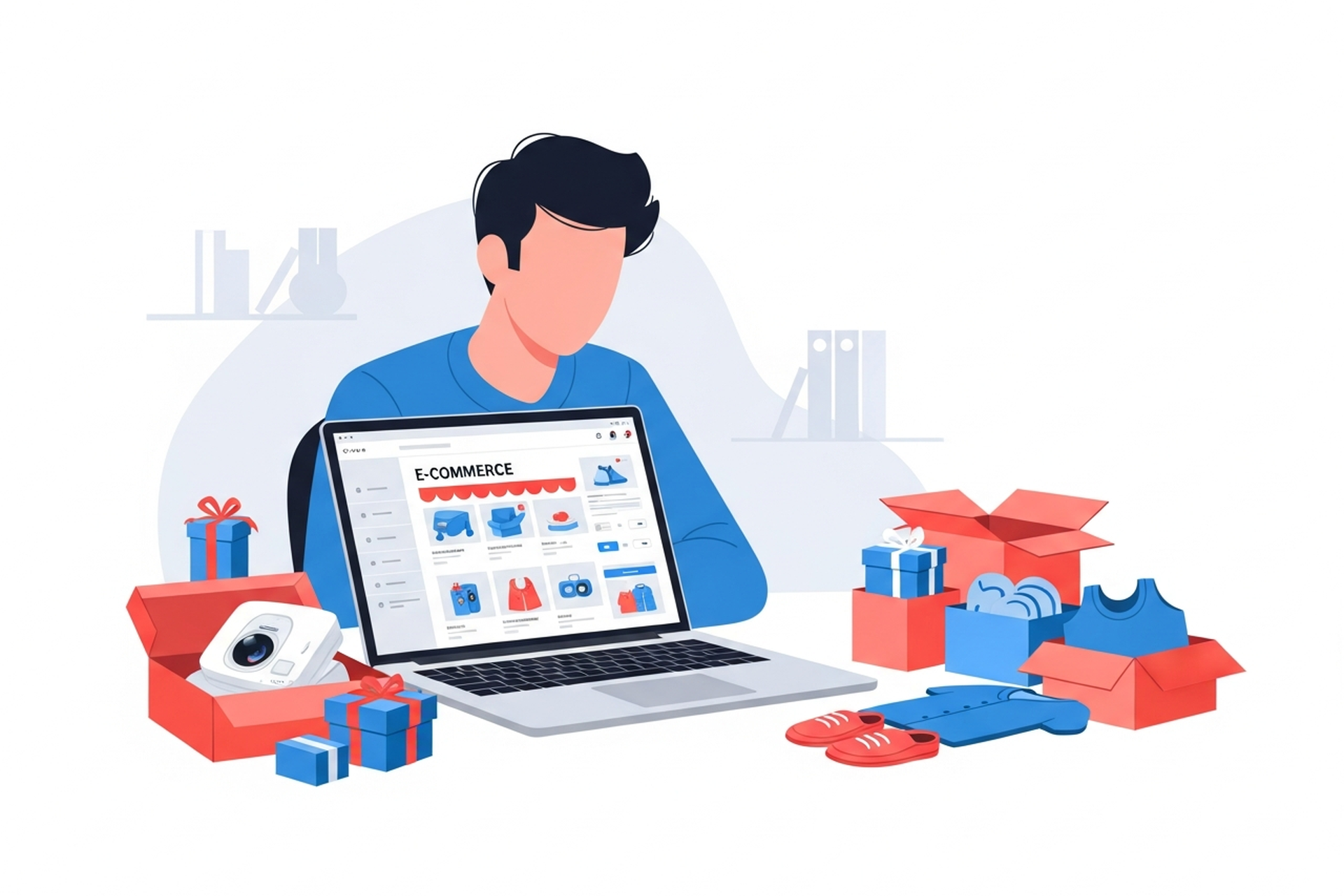
Getting into ecommerce in 2026 has never been more accessible — and never more competitive. Platforms like Shopify have removed most of the technical barriers, payment processing is plug-and-play, and global supplier networks make product sourcing relatively straightforward. The challenge isn't launching a store. The challenge is building one that actually sells.
This guide walks through how to get into ecommerce step by step: picking a model that fits your goals and resources, choosing the right platform, sourcing products, and driving your first traffic.
Before you pick a product or build a store, you need a clear picture of what kind of ecommerce business you're actually building. The model determines your economics, your operational requirements, and your growth ceiling.
You manufacture or source a product, brand it, and sell it directly to consumers through your own online store. No retail middlemen, no marketplace fees — you control the customer relationship, the pricing, and the data.
DTC has the highest margin potential and the highest brand-building ceiling, but it also requires upfront investment in inventory, branding, and customer acquisition. The global DTC market is projected to reach $319.57 billion in 2026, which signals both the opportunity and the competition.
Best for: Entrepreneurs with a specific product idea, domain expertise in a category, or a genuine brand angle.
You list products from a supplier in your store. When a customer orders, the supplier ships directly to them. You never touch inventory.
The appeal is obvious: low startup costs, no inventory risk. The reality is equally obvious: lower margins (typically 15–30%), less control over quality and shipping times, and products that are available from dozens of other stores. Dropshipping can work as a starting point or for validating product demand, but it's difficult to build a defensible brand on a dropshipping-only model.
Best for: Testing product demand before committing to inventory, or supplementing an existing brand with extended product range.
Rather than building your own store, you list products on existing marketplaces with built-in traffic. Lower barrier to entry — you skip the challenge of driving traffic from scratch — but you're competing on a crowded platform with thin differentiation and marketplace fees of 8–15%.
Best for: Validating products quickly, or businesses where marketplace SEO (particularly Amazon) is a core acquisition strategy.
You source generic products from manufacturers (often overseas), brand them with your own labels and packaging, and sell under your brand name. Lower development cost than custom products, higher margin and brand control than dropshipping.
Best for: Entrepreneurs who want brand equity without product development complexity.
If you don't have a specific product idea, the evaluation framework is:
Demand: Is there demonstrable search volume or marketplace demand for this product? Use Google Trends, Amazon bestseller lists, and keyword research tools to validate interest before committing.
Margin viability: Can you source the product at a cost that leaves enough margin to cover shipping, returns, ad spend, and operational costs while remaining price-competitive? As a rough guide, DTC businesses typically target 60–70% gross margin to make paid acquisition economics work.
Repeat purchase potential: Products that get reordered — consumables, supplements, pet food, beauty — have dramatically better lifetime value economics than one-time purchases. If your product is high-ticket and single-purchase, you'll need to prioritize AOV from day one.
Differentiation: What's your angle? "We sell yoga mats" isn't a business. "We sell yoga mats designed specifically for travel athletes, made from recycled materials" is closer to a brand.
For most new ecommerce businesses, the platform decision comes down to Shopify vs. everything else — because Shopify has become the default infrastructure for DTC brands at every stage from $0 to $100M+.
The dominant ecommerce platform for a reason. Shopify handles payments, inventory, shipping integrations, and has thousands of apps for every conceivable use case. The learning curve is gentle — you can have a functional store live in a weekend.
Shopify plans start at $39/month (Basic) through $399/month (Advanced), with Shopify Plus at $2,300+/month for enterprise brands. Transaction fees apply if you don't use Shopify Payments.
Best for: Almost everyone getting started in DTC ecommerce.
WordPress's ecommerce plugin. Highly customizable and no platform fees, but requires more technical comfort than Shopify. Hosting, security, and performance are your responsibility.
Best for: Businesses that already operate a WordPress site or need deep technical customization.
Solid alternatives to Shopify with different feature sets and pricing. Worth evaluating if you have specific requirements Shopify doesn't meet natively.
If marketplace selling is your model, Amazon FBA (Fulfillment by Amazon) is the most powerful distribution option available. FBA handles storage, picking, packing, and shipping. Your products become Prime-eligible. The tradeoff: referral fees of 8–15%, plus FBA fulfillment fees, plus you're building on rented land.
Once model and platform are locked, the foundational setup covers:
Legal structure: Register your business entity (LLC is the most common for US-based ecommerce). Open a separate business bank account. Consult a tax professional on sales tax obligations — nexus rules are complex and vary by state.
Domain and branding: Your domain, logo, brand colors, and brand voice should be established before launch. First impressions are expensive to redo.
Payment processing: Shopify Payments is the simplest option for Shopify stores (includes Visa, Mastercard, Amex, Apple Pay, Google Pay). PayPal is a useful secondary option since some customers trust it more than unfamiliar processors.
Shipping setup: Define your shipping zones, rates, and carriers. Free shipping is often table stakes for conversion — build your pricing to absorb it rather than adding it at checkout.
Return policy: A clear, customer-friendly return policy removes one of the biggest conversion barriers. It also affects how you're rated on marketplaces.
The pages every ecommerce store needs:
Before launch, run through your own checkout as a customer on both desktop and mobile. Mobile drives the majority of ecommerce traffic, and a clunky mobile checkout will kill your conversion rate from day one.
Traffic is the universal challenge for new stores. The options in roughly ascending order of effort and time:
Short-form video on TikTok, Instagram Reels, and YouTube Shorts is the highest-leverage free traffic channel for ecommerce in 2026. The platforms reward authentic, product-focused content — showing how the product works, behind-the-scenes sourcing, before-and-after demonstrations. User-generated content performs particularly well.
The caveat: organic social builds slowly. It's worth starting on day one, but don't bank on it for revenue in months 1–3.
The fastest way to get qualified traffic to a new store. Meta (Facebook/Instagram) and TikTok allow you to target audiences by interest, behavior, and demographics, then test your product-market fit in real time with real dollars.
Start with a small budget ($20–$50/day), test multiple creative angles, and treat early ad spend as product and market research. If you can't get your CPA below your gross margin at small scale, fix the funnel before you scale.
Once you have some product and category page SEO in place, Google Shopping campaigns capture high-intent buyers actively searching for products like yours. Slightly more complex to set up than social ads but often more efficient for established products with clear search demand.
Search engine optimization takes time — typically 6–12 months before meaningful organic traffic — but becomes one of your highest-ROI acquisition channels once established. A solid ecommerce SEO strategy built into your store architecture from the start means you're compounding free traffic while you spend on paid channels.
Build your email list from the first day. A welcome discount popup (10–15% off first order) is the standard entry point. Your email list is the only audience you actually own — social platforms can disappear, ad costs can spike, but your email subscribers remain yours.
Most new ecommerce businesses try to do everything at once. Here's what actually matters first:
Once you have early traction and a converting store, growth becomes about the four core levers of ecommerce growth: traffic, conversion rate, average order value, and retention. The brands that scale to $1M and beyond are the ones that build systems around all four — not just pour money into acquisition.
If you're building something with real product-market fit and are ready to scale paid channels, that's typically where an ecommerce marketing agency partnership starts to make economic sense — because the cost of a strategic partner is small relative to the cost of mismanaged ad spend at meaningful scale.
The technical and logistical barriers to starting an ecommerce business have never been lower. The competitive barrier — building something customers actually prefer, marketing it effectively, and keeping them coming back — is as high as it's ever been.
The businesses that succeed in 2026 aren't the ones with the most sophisticated technology stack. They're the ones with a clear brand angle, a product customers genuinely love, and a disciplined approach to growth.
Start with those fundamentals. Everything else is figure-outable.
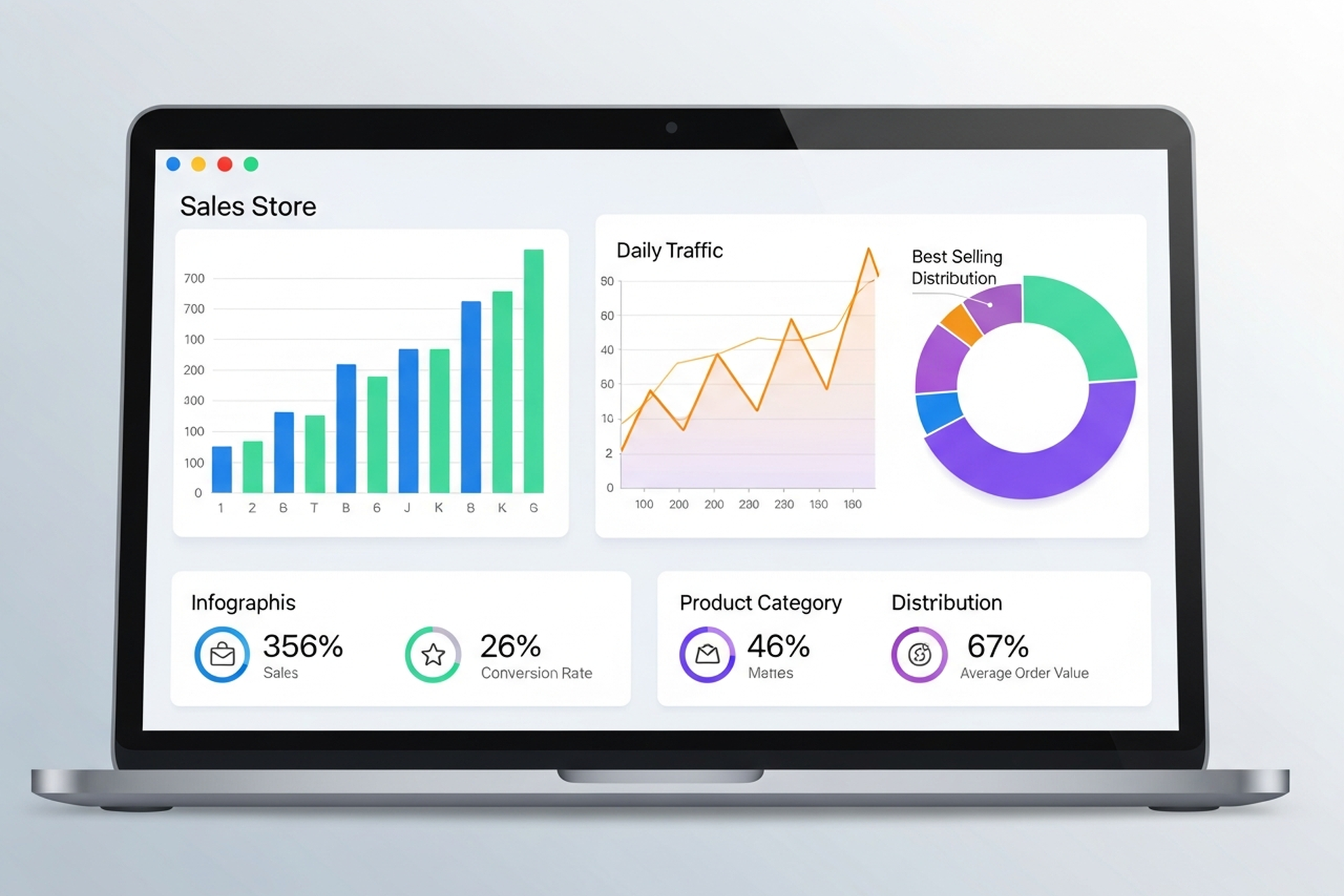
Most ecommerce marketing advice focuses on tactics in isolation: optimize your email subject lines, scale your Google Shopping spend, post more on Instagram. The brands that grow consistently aren't doing any one thing exceptionally well. They're running a system where every channel compounds the others.
This guide covers ecommerce marketing comprehensively — what the major channels are, how they interact, what high-performing brands do differently, and how to allocate budget when you can't invest in everything at once.
Three shifts define the current landscape:
Customer acquisition costs have risen sharply. iOS privacy changes and signal loss across platforms have made paid social less efficient for top-funnel acquisition. Brands that were entirely dependent on Facebook ads in 2022–2023 have had to rebuild their channel mix.
Organic channels have more leverage than they did. According to data from Omnisend, retail and ecommerce businesses now generate 44.6% of their revenue from organic search — more than any other single channel. Brands that invested in SEO and content compounding are now seeing that payoff.
Retention is where margins are recovered. Paid acquisition is expensive. Email and SMS marketing still deliver $36–$79 for every dollar spent according to industry benchmark data, making retention-focused channels the most capital-efficient investment for brands trying to improve profitability, not just revenue.
Google Ads — particularly Google Shopping and Performance Max — remains one of the highest-intent channels for ecommerce. Shoppers who search "buy [product] online" are ready to buy. Paid search captures that demand rather than creating it.
Core formats:
The challenge with paid search is that it scales spend with demand — when demand is low, so is your volume. This is why paid search works best in combination with SEO for organic capture and paid social for demand creation.
Paid social — primarily Meta (Facebook and Instagram) and TikTok — is demand creation. You're interrupting people who weren't actively searching for your product and convincing them they want it. Done well, it fills your funnel. Done poorly, it burns budget with nothing to show.
What separates high-performing paid social from low-performing:
Ecommerce SEO is one of the highest long-term ROI investments a brand can make, and one of the most commonly underfunded. The compounding nature of organic rankings means content and authority built in year one produces traffic in years two, three, and beyond.
The three pillars of ecommerce SEO:
Brands that build SEO infrastructure early — before they need organic traffic urgently — are the ones who have it when paid channels get expensive.
Email and SMS are the highest-ROI channels in ecommerce because you own the relationship. There's no algorithm controlling your reach. Sends go directly to people who have already expressed interest in your brand.
Core sequences that drive revenue:
The key variable is list quality. A small list of highly engaged subscribers consistently outperforms a large, unengaged list in both deliverability and revenue per send.
Content marketing at scale means more than a blog. For ecommerce brands, it encompasses:
Content works best when it's designed with both SEO and conversion in mind — ranking for the right searches and converting visitors who land on it.
Influencer marketing has matured significantly. The most effective programs in 2026 use micro-influencers (10K–200K followers) with authentic audience relationships rather than macro-influencer spray-and-pray campaigns.
Affiliate marketing — where partners earn a commission for each sale they drive — works particularly well for brands with strong unit economics that can sustain a 10–20% commission rate. Both models work best when tracked rigorously and treated as performance channels, not brand exercises.
Acquisition gets you a customer. Retention builds a business. Brands with high customer lifetime value (LTV) can outbid competitors on acquisition because they know how much each customer is actually worth over time.
Retention marketing includes:
The measurement that matters is LTV:CAC ratio — how much a customer is worth over their lifetime relative to what it cost to acquire them. Brands with strong retention programs consistently maintain healthier margins.
Not every channel is appropriate at every stage of growth.
Focus on two or three channels maximum. The typical sequence:
Avoid spreading budget across five channels before any of them are working well.
Once paid and owned channels are working, layer in:
At scale, the question shifts from "which channels" to "how do all channels work together." This is where omnichannel marketing strategy becomes essential — ensuring that email, paid, SEO, and social are coordinated rather than siloed.
There are no universal rules, but common benchmarks for ecommerce brands:
Brands using AI-driven personalization, predictive targeting, and advanced automation consistently outperform category averages on both sales velocity and marketing efficiency — the BigCommerce ecommerce marketing benchmark data supports this trend clearly.
After working with DTC brands across multiple categories, EmberTribe consistently sees the same patterns in brands that grow:
For deeper analysis of how these channels interconnect at a growth-stage brand, the ecommerce growth strategy framework covers the three-lever model that compounds acquisition, retention, and CRO together.
Ecommerce marketing in 2026 is a multi-channel discipline. No single channel builds a brand; the system they form together does. Paid search captures demand. Paid social creates it. SEO compounds organic reach over time. Email and SMS retain and monetize. Content educates and converts.
The brands that win aren't the ones with the biggest budgets — they're the ones who understand how each channel serves the others, allocate accordingly, and measure what actually drives revenue rather than what looks good in a report.
Start where you have the most leverage, build from there, and treat every channel investment as part of a system — not a silo.

Ecommerce growth doesn't happen by accident. The brands that compound year over year aren't just spending more on ads — they're systematically improving four interconnected levers: traffic acquisition, conversion rate, average order value, and customer retention. Get those four working together and your growth becomes self-reinforcing.
This guide breaks down each lever with real benchmarks, specific tactics, and the sequencing that actually works for DTC and growth-stage brands in 2026.
Before diving into tactics, it helps to see how the math works. If you have:
...you're generating roughly $18,750 in monthly revenue from new customers. Improve each lever by 10% and revenue doesn't go up 10% — it compounds across all four variables. That's the case for a systems approach to ecommerce growth rather than chasing individual tactics.
More traffic only helps if it's qualified. The most common mistake growth-stage brands make is optimizing for volume without filtering for intent.
Google Shopping and Performance Max campaigns remain the highest-intent acquisition channels for ecommerce, capturing buyers who are already searching for what you sell. Meta and TikTok ads work best for discovery-driven categories where strong creative can create demand. Structuring campaigns with the right keyword match types — separating branded from non-branded and using exact or phrase match for high-intent terms — is foundational to controlling spend and traffic quality.
A few benchmarks worth knowing:
That second point matters: as more brands pour into paid channels, the brands with better creative and tighter audience targeting win. Structured paid search campaigns that separate branded from non-branded traffic and properly segment campaigns by intent level consistently outperform broad-match everything setups.
Organic search is still one of the highest-ROI channels for ecommerce, but it requires patience and proper architecture. Product and collection pages need to be optimized for transactional keywords, while blog content builds topical authority and captures mid-funnel searchers. A comprehensive ecommerce SEO strategy addresses both layers — the technical foundation and the content that drives sustained organic traffic growth.
Single-channel dependence is a growth risk. Algorithm changes, rising CPMs, and platform policy shifts can crater traffic overnight. Successful brands in 2026 build a portfolio: paid search for intent capture, paid social for top-of-funnel awareness, SEO for compounding organic, and email/SMS for owned audience reach.
The average ecommerce conversion rate sits between 2–4%, with Shopify stores typically hitting 2.5–3%. But those numbers mask enormous variance by category: beauty brands convert at 4–5%, fashion at 2.5–3%, and electronics at just 1.4–2% — and benchmarking yourself against a blended average without accounting for your category and price point leads to wrong conclusions.
Here's a counterintuitive problem most stores haven't solved: mobile drives roughly 80% of ecommerce traffic but converts at roughly half the rate of desktop. Desktop converts at approximately 3.9% versus 1.8% on mobile — and with smartphones now accounting for about 78% of retail site visits worldwide, that gap represents a massive revenue leak. Mobile CRO — faster page load, thumb-friendly navigation, simplified checkout — is the single highest-leverage conversion project for most stores.
The tactics that consistently move the needle:
Building a systematic CRO process — hypothesis → test → measure → implement — beats one-off redesigns almost every time.
AI-driven personalization is becoming table stakes: companies using AI personalization report 40% higher revenue. Product recommendations, personalized email content, and dynamic site experiences based on browse behavior are all within reach for mid-market DTC brands in 2026.
Improving AOV is often the fastest path to improved unit economics because you're generating more revenue from traffic you've already paid to acquire.
The median AOV for DTC brands across paid channels is $74.12, but top-quartile brands consistently operate at $120–$180 through disciplined AOV strategy.
Bundles and kits: Product bundles have two benefits — they increase AOV and often reduce the blended cost per unit, improving margins simultaneously.
Tiered free shipping thresholds: Setting your free shipping threshold 15–20% above your current AOV is one of the oldest and most effective AOV levers. Shoppers will add items to hit the threshold.
Post-purchase upsells: One-click post-purchase offers (native to Shopify Plus and available via apps) convert at 5–15% with essentially zero incremental acquisition cost.
Subscription tiers: For consumable products, subscriptions both increase AOV (through bundle offers) and lock in retention simultaneously.
Retention is where ecommerce profitability actually lives. Approximately 60% of DTC revenue comes from returning customers, and loyal customers convert at 60–70% compared to just 5–20% for new prospects. Yet the average retention rate is only 28.2% — meaning nearly three out of four first-time buyers never return.
Every brand that relies entirely on paid acquisition to hit revenue targets is on a treadmill — running harder just to stay in place. The brands with sustainable ecommerce growth build retention systems that keep customers coming back.
Email converts at 5–8%, making it 3–5x more effective than paid social. A basic retention email program covers:
SMS adds another layer for high-intent moments — flash sales, back-in-stock alerts, and shipping updates.
A well-designed loyalty program increases purchase frequency and creates switching costs. Points-based systems work, but experiential rewards (early access, exclusive products) drive stronger emotional connection.
Most brands should prioritize in this order:
The brands that skip to step 3 and dump budget into paid acquisition without steps 1 and 2 in place are the ones that plateau at $1–2M and can't figure out why.
The brands we work with at EmberTribe are typically at $2–10M in annual revenue and hitting a ceiling. The ceiling almost always comes down to one of the four levers being significantly underperforming — usually a conversion rate problem masked by heavy paid spend, or a retention rate so low that every growth gain gets erased by churn.
We run a diagnostic across all four levers and build a roadmap that sequences investment based on where the multiplier effect is largest. An omnichannel marketing approach that connects paid, organic, email, and on-site experience — rather than managing each in isolation — is what separates brands that scale from brands that spend.
The stores that grow consistently in 2026 aren't chasing the newest tactic. They've built a system where better conversion rates justify more paid spend, which brings in more customers, who get retained through strong email programs, who increase lifetime value, which funds more aggressive acquisition.
Getting into that compounding loop — that's what ecommerce growth actually looks like.
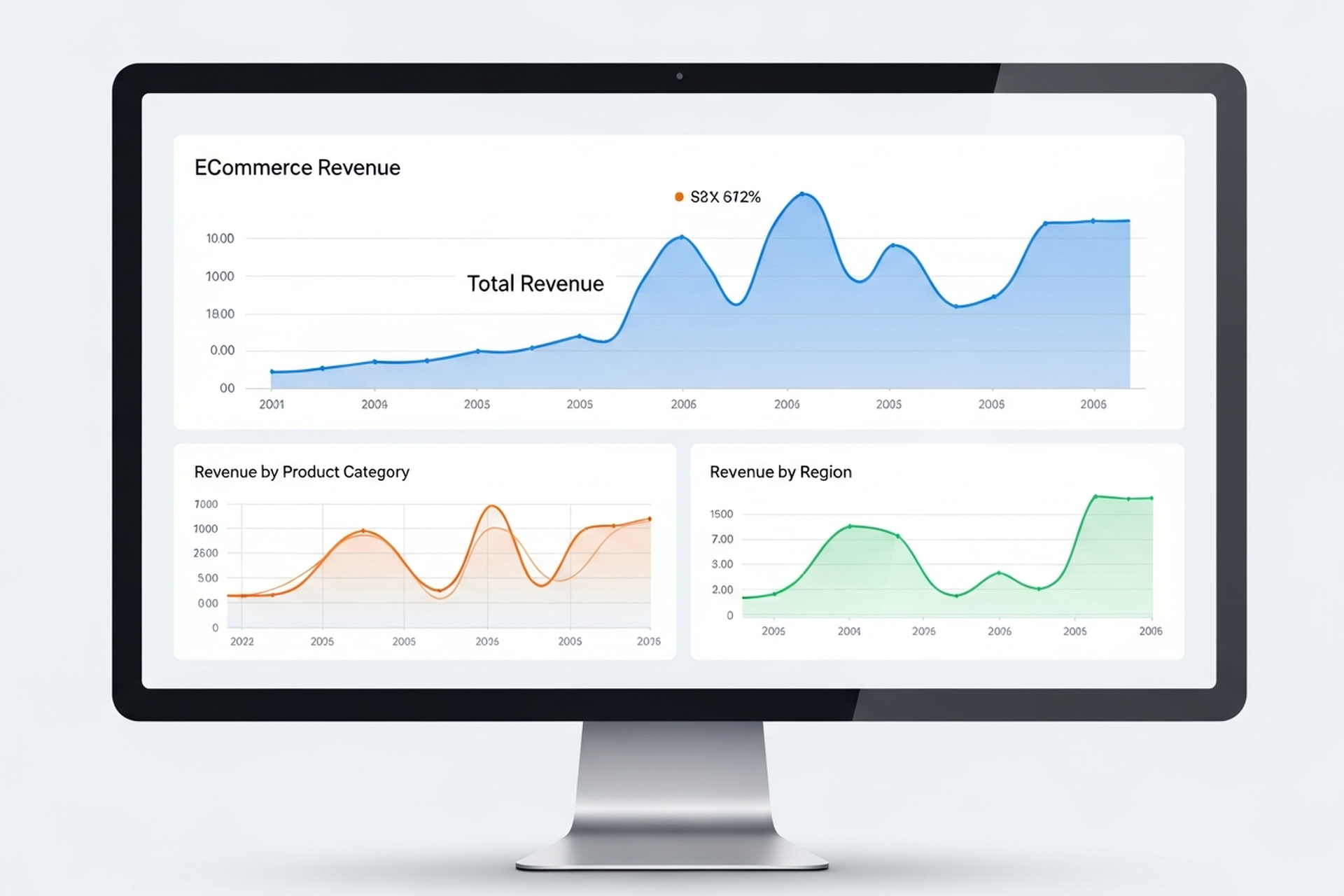
Most ecommerce stores are drowning in data and starving for insight. GA4 dashboards are full of sessions, bounce rates, and pageviews — numbers that describe what happened but don't tell you what to do next. Meanwhile, the metrics that actually drive growth decisions are either buried three reports deep or not being tracked at all.
Ecommerce analytics, done well, narrows your focus to the numbers that connect directly to revenue, margin, and sustainable growth. This guide covers the metrics worth your attention, the tools that surface them, and — most importantly — how to translate data into decisions.
The problem isn't usually a lack of data. It's a lack of a measurement framework. Without one, teams end up tracking everything equally and acting on nothing consistently.
A useful ecommerce analytics setup starts with a clear hierarchy: a small number of primary KPIs that define whether the business is healthy, a second layer of diagnostic metrics that explain why those KPIs are where they are, and a third layer of operational metrics that guide day-to-day decisions.
Most stores invert this — they optimize for operational metrics (sessions, ad clicks, open rates) without connecting them to the primary KPIs that determine whether the business is actually growing.
CVR is the percentage of visitors who complete a purchase. It's the foundational measure of how well your store turns traffic into revenue.
Formula: (Orders / Sessions) × 100
Benchmark: ecommerce conversion rates by industry vary, but a 2–3% conversion rate is a reasonable baseline for most direct-to-consumer stores. Stores above 3.5% have typically invested meaningfully in CRO and UX.
A low CVR tells you that something between arrival and checkout is breaking down — whether that's product-market fit, pricing, trust signals, site speed, or checkout friction. CVR is the best single indicator of your store's health at the mid-funnel level.
AOV measures how much customers spend per transaction. It's one of the fastest levers to pull when you want to grow revenue without acquiring more customers.
Formula: Revenue / Number of Orders
Even a 10% improvement in AOV compounds quickly across your customer base. The highest-impact tactics for increasing AOV are typically product bundling, cross-sell recommendations at cart, free shipping thresholds set slightly above your average transaction size, and subscription upsells where the product fits.
The critical nuance: don't chase AOV at the expense of conversion rate. If discounting or offer changes are required to move AOV, you may be eroding the margin gains you're trying to create.
LTV predicts how much total revenue a customer will generate over their relationship with your brand. It's the most important metric for evaluating the long-term health of your acquisition strategy — and the one most often ignored in early-stage growth.
Basic formula: AOV × Purchase Frequency × Customer Lifespan
In 2026, sophisticated ecommerce teams go further: they segment LTV by acquisition channel, product category, and cohort to understand which customers are actually profitable — not just which ones ordered the most. A customer acquired through a 40%-off promotion often has a dramatically different LTV than one acquired through organic search.
LTV compared to CAC is the ratio that matters most for sustainable growth. A healthy benchmark is LTV:CAC of 3:1 or higher — meaning you recover your acquisition cost three times over. Below 2:1 and you're likely under-investing in retention. Above 5:1 and you may be under-investing in acquisition.
CAC tells you how much you're spending to bring in each new customer. It's only meaningful in context — specifically in relation to LTV.
Formula: Total Marketing and Sales Spend / New Customers Acquired
A common mistake is calculating CAC only against paid channels. Blended CAC — total acquisition spend (paid media, influencer, affiliate, content, brand) divided by all new customers — gives a more accurate picture of what growth is actually costing you.
Tracking CAC by channel lets you see where acquisition efficiency is improving or degrading over time, which informs budget allocation decisions.
ROAS measures revenue generated per dollar of ad spend. It's useful for evaluating campaign-level efficiency but should never be used as a standalone measure of business health — it ignores margin, CAC, and LTV.
Formula: Revenue from Ads / Ad Spend
A 3× ROAS sounds strong but may be unprofitable if your gross margin is 30% and shipping costs are high. Focus on ROAS as a directional signal and contribution margin as the business truth.
This is the metric that most ecommerce brands undertrack and should be reporting first. Contribution margin is what remains after all variable costs — COGS, shipping, fulfillment, returns, and ad spend — are subtracted from revenue.
It tells you whether growing revenue is actually building value or just moving money through a leaky system at scale. If contribution margin is negative, growth is destruction. If it's positive and growing, you have a business worth scaling.
Beyond the primary KPIs, a second layer of metrics helps explain why primary metrics are moving:
You don't need an expensive tech stack to get started. The hierarchy of tools:
Layer 1 — Traffic and Behavior (Free) Google Analytics 4 covers sessions, traffic source, conversion events, and basic funnel analysis. It requires setup investment to be useful (proper event tracking, conversion goals, channel groupings) but is the right starting point for stores under $1M in revenue.
Layer 2 — Attribution and Profit Analytics As ad spend scales, platform-reported ROAS becomes unreliable due to overlapping attribution windows. Tools like Triple Whale, Northbeam, or Rockerbox give you a unified view of channel contribution across Meta, Google, TikTok, and email. These are worth the investment once you're spending $20K+/month on paid media.
Layer 3 — Behavior Analytics Heatmaps and session recordings (Hotjar, Microsoft Clarity) show you where users drop off and why — information that quantitative analytics alone can't surface. Pair these with CRO testing methodology to systematically improve conversion.
Layer 4 — Customer Analytics Platforms like Klaviyo (for email/SMS data) and Lifetimely or Glew (for LTV and cohort analysis) layer customer intelligence on top of transaction data. They're essential for understanding which acquisition channels actually produce high-value customers over time.
Data only earns its keep when it leads to action. A practical framework:
Weekly: Review CVR, ROAS, and ad spend pacing against targets. Flag outliers.
Monthly: Review AOV trends, return rate, email revenue contribution, and new vs. returning customer split. Identify one or two specific hypotheses for the month's optimization focus.
Quarterly: Run a cohort analysis. Compare LTV:CAC by acquisition channel. Evaluate where you're deploying budget relative to where your highest-LTV customers are actually coming from.
This rhythm prevents two failure modes: over-reacting to weekly noise and under-reacting to slow-moving problems (like a gradually declining repeat purchase rate) that only become obvious at the quarterly view.
The most common mistake growth-stage ecommerce brands make is scaling ad spend before their analytics foundation is solid. If you can't attribute revenue accurately, calculate a reliable CAC, or measure LTV by cohort, you're making acquisition decisions based on incomplete information — and the errors compound as spend increases.
Getting ecommerce analytics right — clean tracking, meaningful reporting, and a consistent review cadence — is the prerequisite for efficient growth. At EmberTribe, we treat the analytics audit as the first step in any engagement with an ecommerce brand, because the data quality determines the quality of every decision that follows.
The goal isn't more dashboards. It's fewer metrics, better understood, acted on consistently.
For more on turning your analytics into growth, see our framework for scaling your ecommerce store efficiently and our breakdown of ecommerce CRO tactics that improve conversion.

If you're asking "what is ecommerce," you're entering one of the most dynamic commercial ecosystems in history. Global ecommerce sales are projected to hit $6.88 trillion in 2026 — up 7.2% from the prior year — and the trajectory shows no sign of plateauing. Whether you're launching your first online store or scaling a growth-stage DTC brand, understanding the fundamentals of ecommerce is the foundation everything else is built on.
This guide covers the definition, the major business models, how the channel actually works, the metrics that matter, and the growth strategies that separate high-performing stores from the rest.
Ecommerce (short for electronic commerce) is the buying and selling of goods or services over the internet. It encompasses any transaction conducted digitally — from a consumer purchasing a pair of sneakers through a brand's Shopify store to a manufacturer placing a bulk order through a B2B portal.
Ecommerce is not just online retail. It's a broad category that includes physical products, digital downloads, subscriptions, services, and marketplaces. What defines it is the digital transaction layer: product discovery, purchase, and often fulfillment are all managed through connected systems rather than physical storefronts.
The infrastructure powering ecommerce includes payment processors, logistics networks, CMS platforms, advertising channels, and data analytics — and the brands that master these systems win.
Understanding the different types of ecommerce is critical because each model carries distinct economics, customer relationships, and growth levers.
B2C is the most familiar model: a brand sells products directly to individual consumers via an online storefront. This is the category most people think of when they hear "ecommerce." Amazon, Nike's website, and thousands of Shopify stores operate on B2C principles.
The competitive dynamics in B2C are intense. Customer acquisition costs have risen 222% between 2013 and 2025, making profitability harder to sustain without strong retention.
B2B ecommerce involves transactions between companies — a distributor selling wholesale inventory to retailers, or a SaaS company selling software subscriptions to enterprises. The B2B ecommerce market was valued at $32.11 trillion in 2025 and is growing at a 14.5% compound annual rate.
B2B transactions typically have larger order values, longer sales cycles, and more complex procurement workflows than B2C.
D2C brands manufacture their own products and sell them directly to consumers — cutting out wholesale and retail intermediaries. US D2C ecommerce sales are expected to reach approximately $186 billion in 2025, representing around 19% of total retail ecommerce.
The D2C model offers higher margins and direct customer relationships, but it also puts brands fully responsible for acquisition, retention, and logistics. Competing in D2C successfully requires a tight feedback loop between marketing, product, and operations.
Consumer-to-consumer (C2C) platforms — like eBay or Depop — facilitate transactions between individuals. Marketplace models (Amazon, Etsy) sit between models, enabling third-party sellers to access built-in audiences in exchange for platform fees.
A functional ecommerce operation is really a set of interconnected systems:
The frontend experience — product pages, navigation, checkout — is built on platforms like Shopify, Bigcommerce, or custom-built stacks. The CMS manages content, inventory data, and the customer-facing experience.
Payment gateways (Stripe, PayPal, Shop Pay) handle transaction authorization, security, and currency conversion. The checkout experience is one of the highest-leverage conversion points in the entire funnel.
Once an order is placed, fulfillment begins — picking, packing, shipping, and handling returns. Brands either operate their own fulfillment centers or partner with 3PLs. Speed and reliability here directly impact repeat purchase rates.
Traffic doesn't appear on its own. Paid search, paid social, SEO, email, and SMS all drive visitors into the funnel. The economics only work when the cost to acquire a customer is proportionally lower than what that customer returns over their lifetime.
Every system in ecommerce generates data. The brands with an analytical edge track the right metrics, run structured experiments, and make decisions based on evidence rather than intuition.
No matter what model you operate, a small set of KPIs separates stores that grow from stores that stall.
The percentage of visitors who complete a purchase. The average global ecommerce conversion rate sits between 2% and 4%. A conversion rate above 2% is generally considered solid, but high-performing stores consistently push toward 4–6% through deliberate optimization.
AOV across ecommerce currently averages approximately $145. Increasing AOV through bundling, upsells, and minimum order thresholds is one of the fastest ways to grow revenue without adding more traffic.
CLV estimates total revenue generated by a customer over their relationship with your brand. It's calculated from AOV, purchase frequency, and customer lifespan. Brands that grow CLV — through retention programs, subscriptions, and loyalty mechanics — compound their growth in ways that purely acquisition-focused brands can't match.
CAC measures what you spend to bring in a new customer across all marketing channels. The benchmark to aim for: a 3:1 or better CLV-to-CAC ratio. When CAC climbs faster than CLV, the business model breaks down.
These two metrics reveal friction in your funnel. Average cart abandonment rates across ecommerce run above 70%. Even small reductions in abandonment — through better checkout UX, retargeting, and trust signals — produce outsized revenue impact.
Data and fundamentals matter, but growth comes from execution. Here are the frameworks that move the needle for DTC brands and growth-stage ecommerce operators.
Relying on a single traffic source is the fastest way to expose your brand to catastrophic risk. A mature ecommerce growth strategy diversifies across paid search, paid social, organic SEO, and owned channels like email and SMS. Each channel serves a different part of the funnel and reinforces the others.
For a deeper breakdown of how to structure this, see our guide to ecommerce growth strategy and scaling your online store.
Acquiring a new customer costs five to seven times more than retaining an existing one. Brands that win long-term invest heavily in post-purchase experience: onboarding sequences, loyalty programs, replenishment reminders, and proactive customer service.
Email and SMS are the highest-ROI retention channels available to ecommerce brands. A well-structured lifecycle program can recover abandoned carts, re-engage lapsed buyers, and turn one-time purchasers into repeat customers.
Paid channels are immediate but expensive. SEO builds compound returns — content and technical optimizations that continue driving traffic long after the initial investment. Ecommerce brands that neglect organic search become permanently dependent on paid traffic, eroding their margins as CPC costs rise.
A well-executed SEO program targeting both informational and transactional keywords reduces long-term CAC significantly.
Most brands optimize their ads but neglect landing pages, product pages, and checkout. Conversion rate optimization (CRO) applied across the full funnel — not just the top — is one of the highest-leverage activities available.
The omnichannel approach extends this further: omnichannel marketing for ecommerce ensures that customers who touch your brand across multiple channels (social, search, email, retail) receive a consistent, compounding experience.
Scaling a profitable ecommerce business is very different from scaling an unprofitable one faster. Before increasing spend, ensure your CLV:CAC ratio is healthy, your contribution margin is positive after returns and fulfillment, and your AOV is trending up. Growth on top of broken economics accelerates the problem, not the solution.
Whether you're launching or leveling up, the starting point is the same: clarity on your model, your customer, and your unit economics.
Choose a platform that fits your current stage and can scale with you. Shopify dominates for DTC; Bigcommerce and custom stacks make sense at higher complexity thresholds. Nail the fundamentals — product-market fit, a converting storefront, and at least one reliable acquisition channel — before layering in complexity.
Then build systematically: add channels, test optimizations, invest in retention, and let your data tell you where to push next.
Ecommerce is not a channel — it's a full operating model. Brands that treat it as one isolated tactic miss the compounding returns available when acquisition, retention, content, and data work as a system.
If you're ready to move beyond the basics and build a scalable ecommerce operation, EmberTribe works with DTC brands and growth-stage companies to develop and execute the strategies that drive measurable results — from paid media to retention infrastructure to full-funnel analytics. Let's talk about what growth looks like for your store.
Most DTC brands reach a point where the default Shopify setup stops working. The theme is too rigid, checkout behavior can't be customized, third-party integrations are held together with duct tape, and page speed is dragging down conversion rates. That's when the conversation about shopify development services typically begins.
But choosing the right partner is harder than it sounds. The range of Shopify developers spans freelancers charging $50/hour to full-service agencies with $50,000 minimum engagements. The scope of what gets called "Shopify development" spans everything from a one-day theme tweak to a six-month headless commerce build. This guide gives you a clear-eyed framework for evaluating options and making a decision that aligns with where your business actually is.
Shopify development is not a single service. It covers a wide spectrum of technical work, and understanding what falls under the umbrella helps you ask sharper questions when vetting partners.
The core service categories include:
Custom theme development. Building a storefront from scratch or significantly modifying an existing Liquid-based theme to match your brand's design system, product presentation needs, and conversion objectives. This goes well beyond selecting a theme from the Shopify theme store.
App and integration development. Custom Shopify apps or private integrations that connect your store to ERPs, CRMs, fulfillment platforms, loyalty systems, and marketing tools like Klaviyo or Gorgias. When off-the-shelf apps don't cut it, development teams build direct API connections.
Headless commerce builds. Decoupling Shopify's commerce engine from the frontend, using frameworks like Next.js or Remix to deliver faster, more flexible storefronts. Headless Shopify is significantly more complex and expensive than standard development, but it gives brands complete control over the customer experience across channels.
Platform migrations. Moving from WooCommerce, BigCommerce, Magento, or a custom-built stack to Shopify. Migration work includes product data transfer, SEO preservation, redirect mapping, and rebuilding integrations.
Speed and performance optimization. Auditing and improving Core Web Vitals, reducing JavaScript payload, optimizing images, and improving time-to-interactive—all of which directly affect conversion rates and organic search rankings.
Ongoing retainer support. Many brands need a development partner on a monthly basis for iterative improvements, A/B test implementation, feature releases, and bug fixes.
This is one of the most common questions brands ask before hiring shopify development services, and the right answer depends on two variables: stage and complexity.
Pre-built themes from the Shopify theme store (including premium options from third-party developers) are viable for brands that are still validating product-market fit or running annual revenues below $2M. They offer fast deployment, predictable costs, and enough flexibility for standard use cases. A good Shopify developer can customize a pre-built theme significantly without starting from scratch.
Custom theme development makes sense when your brand's visual identity requires capabilities that off-the-shelf themes can't support, when you need specific conversion flows (complex product configurators, subscription upsells, multi-step bundling), or when your existing theme is creating measurable performance problems. Custom development typically adds 8–16 weeks to a launch timeline and $10,000–$40,000+ to project costs, but the investment pays off for brands that have found product-market fit and are scaling.
The key mistake brands make is going fully custom too early—or staying on a constrained pre-built theme too long. Part of what a strong shopify development agency brings to this conversation is the experience to assess which path makes sense for your specific situation.
Not every Shopify problem requires a development engagement. Before hiring, it helps to identify which category your challenge falls into.
You should consider bringing in shopify development services when:
Your conversion rate has plateaued despite strong traffic and you've already run CRO experiments at the marketing layer. At that point, development work—faster page speed, improved checkout UX, better mobile layout—is the lever. Building on insights from a rigorous ecommerce CRO process before starting a dev engagement helps you prioritize the right work.
Your tech stack has grown too fragmented. Brands that have bolted on five or six apps to solve individual problems often create performance and reliability issues. A development partner can consolidate this into cleaner custom integrations.
You're preparing for a major growth phase. If you're about to launch a significant paid media investment or enter a new channel, having a store that can handle increased traffic and deliver a high-quality purchase experience is table stakes.
You're migrating from another platform. Ecommerce migrations are high-stakes and technically complex. Shopify developers who specialize in migration work significantly reduce the risk of data loss, broken redirects, and SEO disruption.
Understanding where development fits within your broader ecommerce growth strategy prevents you from treating it as a one-time fix rather than an ongoing capability.
The Shopify Partner ecosystem is large and uneven in quality. These are the factors that separate strong partners from weak ones.
Shopify-specific depth. Some web development agencies claim Shopify expertise while primarily working in other platforms. Look for partners whose portfolio is predominantly Shopify—including Shopify Plus experience if you're on Plus or approaching Plus-level revenue.
Commerce fluency, not just technical skill. The best shopify developers understand conversion rate optimization, customer acquisition economics, and what drives LTV. A partner who only thinks about code output will miss opportunities to build development decisions around business outcomes.
Communication and project management structure. Ask how they handle scope definition, how changes are tracked, what their revision process looks like, and how they communicate blockers. Development projects that lack structure almost always run over time and budget.
References from brands at your stage. A developer who primarily works with enterprise brands may not be the right fit for a $5M DTC brand that needs fast iteration cycles and leaner processes. Ask for references from clients in your revenue range.
Post-launch support model. A strong partner has a defined model for ongoing support after launch—whether that's a retainer, hourly availability, or a clear handoff process if you're managing in-house.
Pricing varies widely depending on scope, agency size, and geography. Here's a realistic breakdown based on current market rates.
Freelance Shopify developers typically charge $50–$150/hour for standard theme work. Rates for experienced custom app developers or headless specialists run higher—$100–$200+/hour.
Boutique agencies and specialized Shopify development studios typically structure projects as flat-fee engagements. A theme customization or migration project usually runs $5,000–$15,000. A full custom theme build is $15,000–$40,000. Headless Shopify builds start at $25,000 and routinely exceed $50,000 for complex implementations.
Retainer arrangements are common for ongoing development support. Monthly retainers typically range from $3,000 to $10,000+ depending on the hours included and the agency's rate structure.
For context: headless development costs roughly 3–5x more than a standard Shopify theme build. The infrastructure and complexity justify that cost only for brands that have a clear, measurable need for it—typically stores doing $5M+ annually with specific performance or multi-channel requirements.
The right way to evaluate cost is against the revenue opportunity. A development investment that lifts conversion rate by 0.5% on a $10M/year store pays back quickly. A $40,000 custom theme build on a $500K/year store likely does not.
At EmberTribe, we work with DTC brands across both the growth marketing and development layers—which means we see how these two sides of ecommerce interact directly. Most of the brands we work with don't have a traffic problem. They have a conversion, retention, or infrastructure problem that's capping the return on their acquisition spend.
Our approach to shopify development services is rooted in that context. Before we scope development work, we audit what's actually limiting performance—whether that's a site speed issue degrading paid traffic ROI, a checkout flow that's losing mobile shoppers, or a fragmented tech stack creating data gaps. Development work that isn't connected to a measurable business outcome tends to be expensive and inconsequential.
If you're evaluating whether custom Shopify development is the right next investment for your brand, we can help you make that assessment clearly. Whether or not a full development engagement is the right path, we'll tell you what is.
Ready to build a store that performs as well as your best campaigns? Talk to EmberTribe about what your Shopify stack needs to support your growth goals.

The marketing landscape in 2026 looks fundamentally different from just two years ago. Marketing trends that were once experiments—AI-driven personalization, social commerce, generative search—have become table stakes. Brands that anticipated these shifts are pulling ahead; those that didn't are scrambling to catch up.
This guide covers the eight most significant marketing trends shaping strategy and spend in 2026, with actionable takeaways for DTC brands and growth-stage companies ready to compete on the channels that actually convert.
In 2026, AI is no longer a productivity add-on. It is embedded in the core of how growth teams operate. From building automated flows and testing creative variations to predicting churn and identifying high-value segments, AI functions as a co-pilot for marketers who know how to direct it.
The practical impact is speed. Campaigns that once took weeks to build and test now ship in days. Brands using AI for creative personalization and audience segmentation report 30–50% improvements in engagement compared to static campaign approaches.
Takeaway: The competitive advantage is not in having AI—everyone does. It is in building the data infrastructure and team workflows that let AI make better decisions faster than your competitors.
Third-party cookies are effectively gone. Stricter regulations in the EU, Apple's privacy changes, and browser-level tracking restrictions have forced a full pivot. In 2026, the brands winning on personalization are those that built robust first-party data engines early.
First-party data comes from direct customer interactions: purchases, email signups, loyalty programs, quiz flows, and post-purchase surveys. Unlike borrowed third-party signals, this data reflects real intent and real behavior—and it compounds. The longer you collect it, the more precise your targeting becomes.
Zero-party data—information customers voluntarily share, like preferences and self-reported goals—is emerging as the highest-signal input for personalization at scale.
Takeaway: Audit your first-party data collection across every touchpoint. If you are still relying heavily on third-party targeting, the gap between you and data-rich competitors will widen throughout 2026.
Consumers in 2026 expect brands to remember them. Generic email blasts and one-size-fits-all landing pages produce diminishing returns. The expectation is contextual relevance: the right message, channel, and offer based on where a customer is in the relationship.
This is where AI and first-party data converge. Brands using behavioral data and AI to deliver hyper-personalized product recommendations, dynamic email content, and tailored ad experiences consistently outperform those relying on broad segmentation.
Takeaway: Start with email and owned channels where personalization is technically accessible today. Build toward dynamic web experiences and predictive recommendations as your data layer matures.
Short-form video has already won the content consumption battle. In 2026, the evolution is commerce integration. Shoppable video—where users move from discovery to checkout without leaving the platform—is one of the strongest commerce bets of the year.
Social commerce revenues are projected to surpass $1 trillion globally by 2028. Live shopping, shoppable posts, and in-stream checkout are scaling fast, particularly on TikTok Shop, Instagram, and YouTube Shopping. AI is now powering hyper-personalized product recommendations within these video experiences, making the path from interest to purchase shorter than ever.
For ecommerce brands, the implication is clear: video is not a brand-building luxury. It is a direct-response channel.
Takeaway: Invest in short-form video content with a commerce-first lens. Test shoppable formats and live shopping events. Measure cost-per-acquisition, not just reach.
Google AI Overviews, ChatGPT Search, Perplexity, and Claude are changing how users find and consume information. Instead of returning a list of links, generative search delivers synthesized answers—often without sending the user to any specific website.
This has real consequences for organic traffic. But it also creates a new opportunity: brands that are cited in AI-generated summaries gain authority signals that convert. Research shows AI-driven search platforms are influencing between 9.7% of B2B revenue and 11.4% of B2C revenue.
The content strategy shift is significant. Optimizing for keywords is no longer sufficient. Content must be optimized for inclusion in AI-generated answers, which means prioritizing authority, comprehensiveness, and E-E-A-T (Experience, Expertise, Authoritativeness, Trustworthiness). For ecommerce brands navigating this shift, a strong ecommerce SEO foundation is the prerequisite.
Takeaway: Audit your highest-traffic content for E-E-A-T signals. Structured data, author credentials, original data, and comprehensive coverage all increase the likelihood of being cited in generative search results.
Customers in 2026 interact with brands across a dozen touchpoints before converting. They read an email, browse a product page, see a retargeting ad on Instagram, check reviews on Reddit, and ask ChatGPT for a comparison. They expect the experience to be consistent and contextually aware across all of it.
Brands operating in disconnected channels—where email says one thing, ads say another, and the website doesn't reflect either—are creating friction that erodes trust and conversion rates. The omnichannel marketing imperative is not just about being present everywhere. It is about creating a coherent, personalized experience that meets customers where they are.
The infrastructure requirement is real: a unified customer data platform (CDP), consistent creative systems across channels, and clear attribution logic that tells you which touchpoints are actually driving revenue.
Takeaway: Map the full customer journey for your top-converting segments. Identify where the experience breaks down across channels and prioritize closing those gaps before expanding to new platforms.
The era of paying influencers to post is giving way to something more durable: genuine co-creation. In 2026, the brands seeing the strongest influencer ROI are building long-term creator partnerships where the creator has real input on product, campaign direction, and community building.
Nano- and micro-influencers (1,000–100,000 followers) continue to outperform mega-influencers on engagement rates and conversion metrics. Their audiences are more niche, more trusting, and more responsive to genuine recommendations. AI tools are now used to identify creators with strong brand-audience alignment beyond follower count alone.
User-generated content (UGC) sits alongside influencer partnerships as a high-trust signal. Brands seeding products strategically to generate authentic UGC at scale are building social proof that paid ads cannot replicate.
Takeaway: Shift budget toward fewer, deeper creator relationships. Prioritize micro-influencers with high engagement rates in your product category. Build UGC systematically, not opportunistically.
In an environment where every brand can generate content at scale using AI, the differentiator is not volume—it is depth, originality, and authority. The content marketing trends for 2026 favor brands building genuine topical expertise over those publishing thin, keyword-targeted articles.
Google's continued quality updates and the rise of generative search both reward expertise. Brands that develop proprietary research, deep-dive guides, and expert-led content are building assets that compound in value over time. A well-executed content marketing strategy is one of the few growth investments that generates returns years after publication.
For growth-stage brands, this means focusing content investment on a defensible niche rather than trying to cover every topic at surface depth.
Takeaway: Audit your content library for depth. Identify your highest-authority topic clusters and invest in making those posts genuinely comprehensive. Quantity without depth is a losing strategy in 2026.
The common thread running through all of these marketing trends is compounding advantage. First-party data gets more valuable over time. Authority content ranks and earns citations in AI summaries for years. Creator relationships deepen and become harder to replicate. Omnichannel infrastructure, once built, becomes a structural advantage.
The brands that move on these trends now—before they become universally adopted—will have a meaningful head start. Those that wait will find themselves paying a premium to catch up on every channel simultaneously.
If your brand is navigating how to prioritize across these trends and build a growth engine that compounds, EmberTribe works with DTC and growth-stage companies to turn strategy into execution. Learn how we approach growth marketing for brands that are ready to scale.

Starting an ecommerce business in 2026 is more accessible than it has ever been — and more competitive. The barrier to launch has dropped to a few hundred dollars and a weekend of focused work. The barrier to building a brand that actually grows is another matter entirely. This guide covers both: a clear, actionable framework for how to start an ecommerce business, and the strategic decisions that separate stores that stall at $10K/month from those that scale past it.
The single most common reason ecommerce businesses fail early is selling to an audience that does not exist at the size the founder imagined. Niche selection is not a branding exercise — it is a demand exercise.
Start with a category you understand. Your knowledge of the customer, the product, and the purchasing language gives you a durable edge over generalist competitors. Then validate with data before you invest in inventory or branding.
Use Google Trends to assess search trajectory. Look for niches with steady or rising interest, not declining ones. Plug your target keywords into a keyword research tool to check monthly search volume and competition density. Browse the relevant subreddits, Facebook groups, and TikTok comment sections to understand what problems buyers are trying to solve and what current products fail to deliver.
For 2026, categories with strong demand signals include functional wellness products, sustainable goods, personalized home goods, and specialty pet products. These are not easy niches — they are populated niches. The opportunity lives in the specific angle, not the broad category.
Validation checklist before you move forward:
Your business model determines your margins, your cash requirements, and your operational complexity from day one. There is no universally correct choice — only the right fit for your capital, timeline, and product vision.
Direct-to-consumer (DTC) with owned inventory gives you the highest margins and the most control over product quality and brand experience. It also requires upfront capital to purchase stock and somewhere to store it. This model is best for founders with validated product-market fit who are ready to commit to a SKU set.
Dropshipping eliminates inventory risk by fulfilling orders directly from a supplier. Your margins are lower (typically 15–30%) and you have limited control over shipping times and product quality. It is a legitimate way to validate demand before committing to inventory, but it is rarely a long-term competitive moat.
Wholesale and private label sit in the middle. You purchase products in bulk from a manufacturer, often adding your own branding. Minimum order quantities typically start at $500–$5,000. This is the path most growth-stage DTC brands are on: they own the brand, contract the manufacturing, and control the customer relationship.
Print-on-demand (POD) is ideal for design-driven or creator-led brands. You upload designs; a fulfillment partner prints and ships on demand. Margins are tight, but capital requirements are minimal and the model scales without inventory risk.
Whatever model you choose, understand your unit economics before you launch. Know your cost of goods, your target blended margin, your average order value, and how much customer acquisition will cost you at your expected conversion rate.
Platform selection is a foundational decision that affects your development costs, your marketing integrations, and your ability to scale. The wrong choice creates technical debt you pay for years.
Shopify remains the dominant choice for new and growth-stage DTC brands in 2026. Plans start at $29/month. The platform is fast to deploy — a complete store can go live in a weekend — and it connects natively to Meta, Google, TikTok, and the major shipping carriers. Its app ecosystem covers virtually every use case. The trade-off is transaction fees (unless you use Shopify Payments) that become meaningful at volume.
WooCommerce is the right choice if you are already running WordPress, have development resources, and want maximum flexibility with no transaction fees. Setup is more complex — expect two to four weeks and potentially $2,000–$5,000 in developer costs if you are not doing it yourself. At high revenue volumes, the fee savings make this worthwhile.
BigCommerce offers a strong middle ground for brands with complex catalogs or B2B requirements. It charges no transaction fees and handles multi-currency and multi-storefront scenarios well.
For most founders starting out, Shopify is the correct default. The platform tax is worth paying for the speed, support, and ecosystem access you get in return. You can revisit the platform decision once you have built meaningful revenue and a clear picture of your technical requirements.
For a detailed comparison, see our breakdown of BigCommerce, Shopify, or WooCommerce.
With your platform chosen, execution is largely sequential. Work through these in order.
Secure your domain. Use your brand name if available — .com is still the credibility standard. If your exact brand name is taken, consider a variation rather than a different TLD. Domain cost is typically $10–$15/year.
Select a theme built for conversion. Avoid heavily customized themes in the early stage — they slow launch and rarely outperform clean, fast-loading defaults. Shopify's default themes convert. Add your brand colors, typography, and photography, then launch.
Configure payments. Enable Shopify Payments or connect Stripe. Add Shop Pay for one-click checkout — it meaningfully lifts mobile conversion rates. Activate the payment methods your audience expects: Apple Pay, Google Pay, and at least one buy-now-pay-later option if your AOV is above $75.
Write product pages that sell. This is where most new stores underinvest. Each product page needs a benefit-led headline, a description that addresses the specific objection the buyer has before they add to cart, and photography that shows the product in use — not just on a white background. Add reviews from day one, even if you have to manually import them from supplier samples.
Build the foundational pages: About, FAQ, Shipping & Returns, and Contact. These pages are trust signals. Buyers check them before they purchase, especially from an unfamiliar brand.
A store with no traffic is not a business — it is a website. Marketing is not something you bolt on after launch. It is something you architect before it.
SEO starts before you go live. Structure your URL hierarchy cleanly. Write meta titles and descriptions for every product and collection page. Identify the keywords your buyers use when they are ready to purchase and build those terms into your product and category copy naturally. For a thorough framework, see The Complete Ecommerce SEO Guide for Online Stores.
Email is your highest-ROI owned channel. Set up your core automations before you send a single paid click to your store: welcome series, abandoned cart, post-purchase, and win-back. These four flows alone can recover 10–20% of revenue you would otherwise leave on the table.
Paid social and search are how you accelerate acquisition once your foundation is in place. Do not run paid media before your store converts — you will burn budget proving that paid traffic cannot fix a broken funnel. When your conversion rate is at or above 2%, paid media becomes a lever. Below that, it is a distraction.
Choose one paid channel to start. Meta (Facebook and Instagram) gives you the broadest reach and the most granular audience targeting for DTC brands. TikTok Ads is strong for impulse and lifestyle products. Google Ads captures high-intent buyers who are actively searching for what you sell. Master one channel before you expand.
Understanding how to build a full ecommerce growth strategy will help you sequence these channels correctly as you scale.
Your launch is a hypothesis, not a conclusion. The goal is to get real purchase data as quickly as possible so you can iterate on the things that matter: your product positioning, your conversion rate, your customer acquisition cost, and your repeat purchase rate.
Before you launch publicly, run through a full transaction test from a different device and browser. Check every email automation. Verify your shipping rates are correct. Confirm your analytics tracking is firing on purchases.
For your first traffic, exhaust your owned network before you pay for it. Post on your personal social accounts. Email your existing contacts. Post in relevant communities where self-promotion is permitted. This gives you your first reviews, your first customer feedback, and your first real conversion data — for free.
Set a 30-day post-launch review. Pull your conversion rate, your top traffic sources, your most-viewed products, and your cart abandonment rate. Let the data tell you where to focus. Most first stores need work on either the product pages (where interest drops) or the checkout (where intent drops).
Launching without a conversion-ready store. Paid traffic sent to a slow-loading, low-trust store is wasted. Get your site speed above 80 on PageSpeed Insights and your product pages to a professional standard before you run ads.
Ignoring unit economics until it is too late. Know your numbers before you scale. If your customer acquisition cost exceeds your first-purchase margin, you are paying to acquire customers you will never recoup — unless your LTV justifies it, which requires a data-backed retention strategy.
Choosing a niche based on passion rather than demand. Passion keeps you motivated; demand keeps you solvent. Both matter, but demand is the non-negotiable.
Scaling ad spend before the funnel is proven. The most expensive mistake in ecommerce marketing is pouring budget into a leaky funnel. Fix conversion first. Scale second.
Neglecting post-purchase experience. Your most profitable customer is one who already bought from you. Brands that build retention programs — loyalty, email, SMS, repeat purchase incentives — outperform acquisition-only brands at every revenue tier. For a broader view of how to connect these touchpoints, see our guide on omnichannel marketing for ecommerce.
Knowing how to start an ecommerce business is step one. Building one that grows past the first $100K — and keeps growing — requires a performance marketing infrastructure that most founders do not have the bandwidth to build alone.
EmberTribe works with DTC brands and ecommerce operators who are ready to move past the early-stage grind and build a scalable acquisition and retention engine. If you are at the stage where strategy and execution matter, talk to our team about what that looks like for your store.

If you run a DTC brand and you're still managing customer data in spreadsheets — or relying on your email platform's contact list to stand in for a real strategy — you're leaving money on the table. A purpose-built ecommerce CRM is the infrastructure that separates brands scaling past seven figures from those stuck on a revenue plateau.
This guide covers what an ecommerce CRM actually does, how it differs from traditional CRM software, which platforms lead the market in 2026, and how growth-stage brands use CRM to systematically increase customer lifetime value.
An ecommerce CRM (customer relationship management system) is software built specifically to manage relationships with online shoppers at scale. Unlike a generic CRM designed for B2B sales teams, an ecommerce CRM is built around the realities of high-volume online transactions: rapid purchase cycles, anonymous-to-known customer journeys, and the constant need to predict who will buy again and when.
At its core, an ecommerce CRM consolidates every customer signal into a unified profile: order history, browsing behavior, email engagement, support tickets, product reviews, and referral data. From that unified view, it enables segmentation, automation, and reporting that would be impossible to manage manually across hundreds of thousands of customers.
The best ecommerce CRM platforms don't just store data — they activate it. They trigger the right message at the right moment based on customer behavior, and they give your team the analytics to understand where LTV is growing and where it's leaking.
Traditional CRMs — tools like Salesforce Sales Cloud or HubSpot CRM in its base form — were designed for B2B sales teams managing long, human-driven deal cycles. They track leads through pipelines, log call notes, assign account owners, and manage relationships that unfold over weeks or months.
Ecommerce operates on entirely different mechanics:
An ecommerce CRM is architected around these realities. It connects natively with Shopify, BigCommerce, or WooCommerce. It ingests behavioral events from your storefront in real time. It automatically calculates metrics like purchase frequency, days between orders, predicted next purchase date, and customer LTV segments. And it triggers automations based on those signals without requiring manual intervention.
Traditional CRMs can be configured to handle some of this, but the customization cost is significant. Ecommerce-native platforms ship these capabilities out of the box.
Not all tools marketed as ecommerce CRMs are created equal. These are the features that actually move the needle for DTC brands:
Unified customer profiles. Every customer should have a single record that consolidates purchase history, email activity, on-site behavior, support interactions, and channel attribution. Without this, your segmentation is built on incomplete data.
Behavioral segmentation. The ability to build audiences based on what customers do — not just who they are. Segments like "purchased twice in the last 90 days," "viewed a product category 3+ times but never purchased," or "last order was 120+ days ago" are where CRM-driven revenue actually lives.
Purchase history tracking. Your CRM should give you visibility into what customers bought, when they bought it, how much they spent, and what they've been browsing since. This is the foundation of replenishment campaigns, cross-sell sequences, and LTV modeling.
Email and SMS automation. Ecommerce CRMs typically include or integrate tightly with email and SMS tools. Abandoned cart sequences, post-purchase flows, win-back campaigns, and VIP retention series should all run automatically based on CRM triggers.
LTV prediction and RFM analysis. Recency, Frequency, and Monetary value analysis segments customers by their purchase patterns to identify who's most valuable, who's at risk of churning, and who's on a trajectory to become a high-LTV customer. Predictive LTV modeling takes this further by estimating future value based on early behavioral signals.
Shopify (or platform) integration. Native integration with your storefront is non-negotiable. Real-time order sync, product catalog access, and storefront event tracking are table stakes.
Reporting and attribution. Your CRM should show you which campaigns, segments, and automations are actually driving revenue — not just open rates.
The market has matured significantly. Here are the platforms leading the category for DTC and growth-stage ecommerce brands:
Klaviyo remains the dominant choice for Shopify-native brands. Its data model is built entirely around ecommerce events, its segmentation is best-in-class, and its flow builder handles complex behavioral automations without requiring developer support. If you're on Shopify and scaling past $1M, Klaviyo is the default starting point.
HubSpot is the right choice for brands that need a true CRM — not just email automation — alongside marketing and sales tooling. HubSpot's ecommerce integrations have matured considerably, and for brands with a consultative or wholesale element alongside DTC, it offers a unified view that pure email platforms can't match.
Drip positions itself as an affordable email CRM for ecommerce with strong behavioral segmentation and automation capabilities. It's a solid option for brands in the $500K–$3M range that want more than a basic email tool without the complexity of enterprise platforms.
Omnisend competes on omnichannel capability — email, SMS, push notifications, and web popups managed from a single platform. It integrates well with Shopify, BigCommerce, and WooCommerce, and its automation templates are well-suited to standard ecommerce flows.
Salesforce Commerce Cloud is built for enterprise-scale operations. It handles colossal data volumes, complex multi-brand architectures, and custom data models that off-the-shelf tools can't accommodate. For brands doing $50M+ or managing multiple retail and DTC channels simultaneously, Salesforce is the enterprise standard.
Gorgias sits at a different point in the stack — it's a customer support platform that functions as a CRM for support-heavy brands. Every ticket includes full purchase history, previous conversations, and customer value context. For brands where post-purchase support is a retention lever, Gorgias often works alongside a dedicated email CRM rather than replacing it.
The right choice depends on your revenue stage, tech stack, and how much of your CRM functionality you need natively versus through integrations. Understanding how CRM integrates with marketing automation is worth reviewing before you commit to a platform.
Acquiring a customer once is a marketing expense. Getting them to buy again — and again — is where margin is made. Your ecommerce CRM is the system that makes retention systematic rather than reactive.
The most effective CRM-driven LTV strategies follow a consistent pattern:
Segment by purchase stage, not just demographics. First-time buyers, two-time buyers, and customers with three or more purchases have meaningfully different churn risk and engagement patterns. Your CRM should treat them differently — and your automations should reflect that.
Build replenishment and cross-sell sequences. If you know what someone bought and roughly when they'll run out or want to upgrade, you can time outreach accordingly. This is one of the highest-ROI automations available to consumable or repeat-purchase brands.
Run active win-back campaigns. Customers who haven't purchased in 90–180 days are at risk, but not lost. A properly segmented win-back series — with a compelling offer and a clear reason to return — can recover 10–20% of churning customers. Without a CRM tracking lapse behavior, most brands simply let those customers disappear.
Identify and protect your VIP segment. Your top 10–20% of customers by LTV likely represent 40–60% of your revenue. Your CRM should surface this segment automatically, and your retention strategy should treat them differently: early access, exclusive offers, proactive support outreach.
Use cohort analysis to spot problems early. Comparing 90-day repeat purchase rates across acquisition cohorts reveals which channels and campaigns are bringing in customers who actually come back — and which ones are optimizing for first-order ROAS at the expense of LTV. Your ecommerce growth strategy should be informed by this data, not built around single-touch attribution.
CRM also powers the omnichannel marketing approach that the highest-performing DTC brands run — connecting email, SMS, paid retargeting, and on-site personalization into a coherent customer experience rather than a set of disconnected campaigns.
The technology is only as valuable as the strategy behind it. These are the mistakes that most often undermine CRM results for DTC brands:
Treating CRM as a broadcast tool. Using your CRM to send the same email to your entire list is just email marketing with a more expensive system. The value is in segmentation and automation — if you're not using both, you're underutilizing the platform.
Neglecting data hygiene. CRM data degrades over time. Email addresses go invalid, purchase records get duplicated, segments get stale. Brands that don't audit and clean their CRM data regularly find that their automation performance erodes without obvious cause.
Building flows and never updating them. A welcome series written in 2023 may not reflect your current product line, messaging, or offer strategy. CRM automations require periodic review and optimization — not just setup.
Optimizing for open rates instead of revenue. Deliverability and engagement metrics matter, but the north star for CRM should be revenue per recipient and repeat purchase rate. Brands that optimize purely for open rates often end up suppressing their best customers to protect metrics.
Skipping conversion rate optimization on the post-click experience. Getting customers to click from a CRM email is only half the job. If the landing page or product page isn't converting, CRM-driven traffic won't generate returns. Ecommerce CRO and CRM strategy need to be coordinated.
Not connecting CRM data to paid media. Your CRM's customer segments are some of the most valuable audiences you can feed into Facebook, Instagram, and Google. Suppressing recent purchasers from acquisition campaigns and creating lookalikes from high-LTV segments are basic applications that many brands still skip.
An ecommerce CRM is only as effective as the strategy behind it. At EmberTribe, we help DTC brands turn customer data into compounding retention revenue — connecting CRM strategy, email automation, and paid media into a growth system that scales.
If you're evaluating platforms, rebuilding your retention program, or looking for a partner who understands how all the pieces fit together, talk to our team. We work with growth-stage ecommerce brands who are ready to move beyond one-time acquisition and build something that lasts.


.svg)