
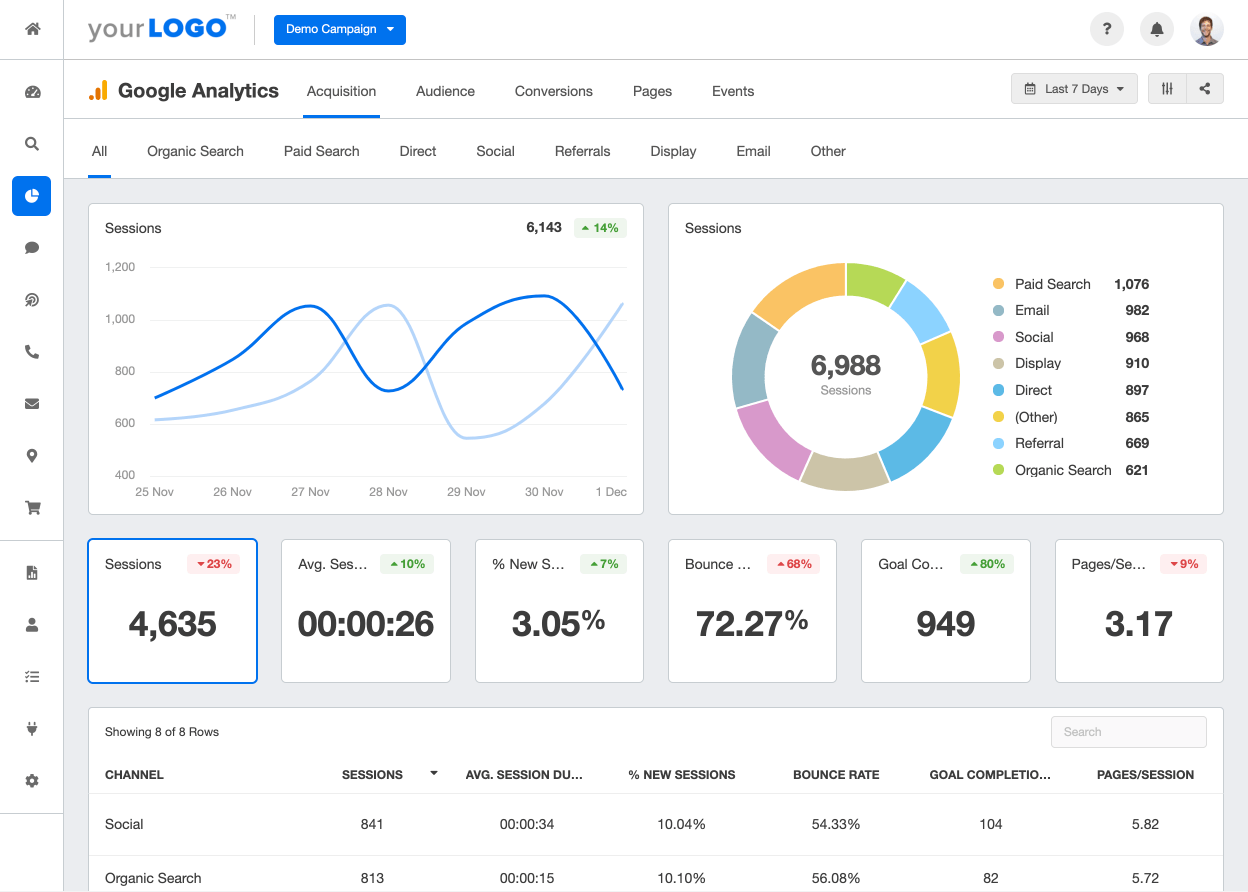
Google Ads Conversion Tracking is a feature provided by Google that allows you to track and measure the actions taken by users on your website after they click on your Google Ads. It provides you with valuable data on the effectiveness of your ads and helps you understand which campaigns are generating the most conversions and revenue.
With Google Ads Conversion Tracking, you can set up conversion actions that align with your business goals. These actions can be as simple as tracking purchases or more complex, such as tracking form submissions or app downloads. By defining these conversion actions, you can accurately measure the success of your advertising campaigns and make data-driven decisions to optimize your marketing strategies.
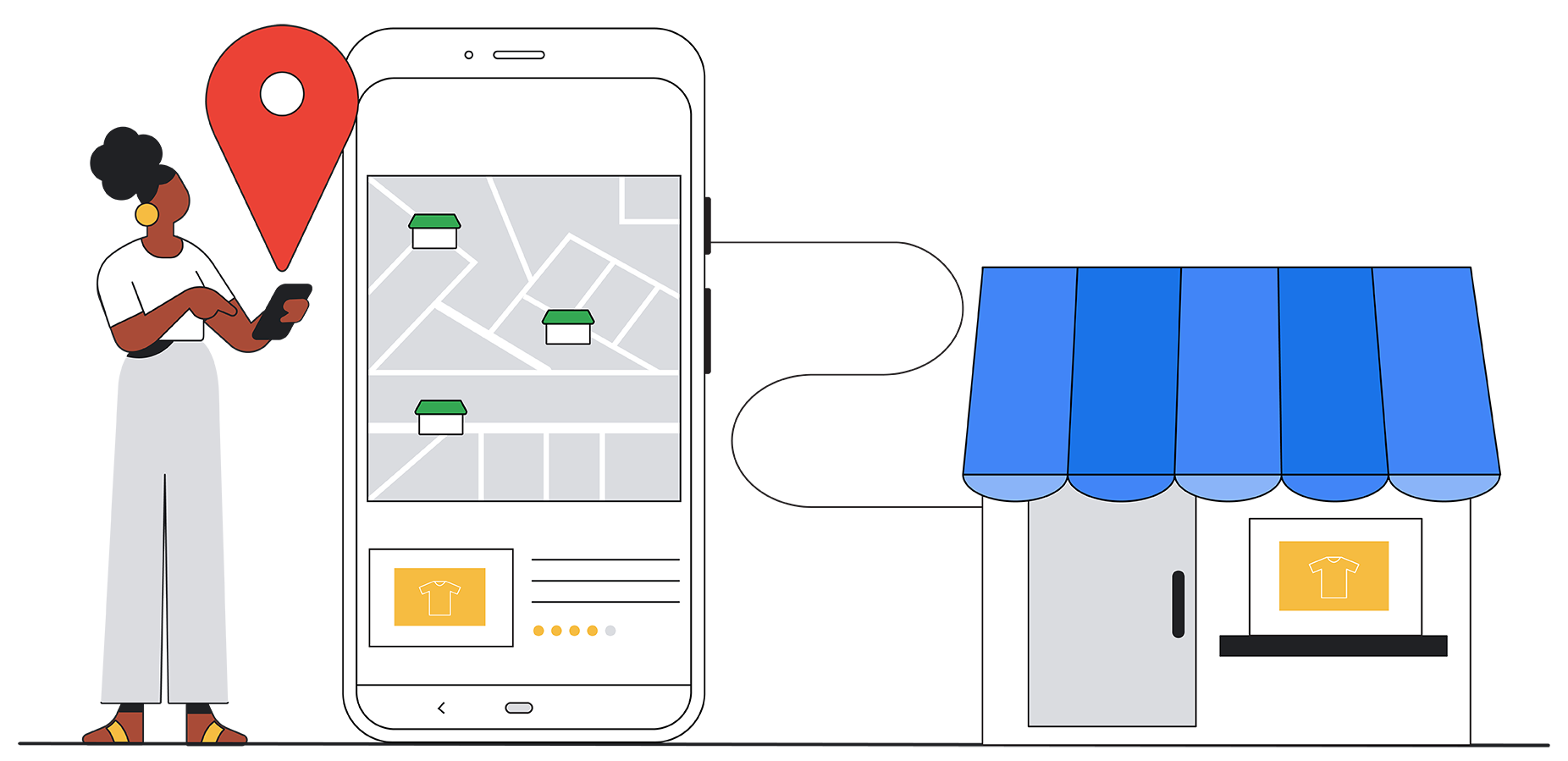
By implementing Google Ads Conversion Tracking on your Shopify store, you can gain valuable insights into the performance of your ads. You can see which keywords, ads, and campaigns are driving the most conversions, allowing you to allocate your budget more effectively and focus on strategies that yield the best results.
Conversion tracking is essential because it allows you to measure the return on investment (ROI) of your advertising efforts accurately. By knowing which campaigns generate the most conversions and revenue, you can allocate your budget more effectively and focus on strategies that yield the best results.
With Google Ads Conversion Tracking, you can go beyond tracking clicks and impressions. You can track the actions that users take on your website after clicking on your ads, giving you a better understanding of the customer journey and the effectiveness of your marketing campaigns.
Conversion tracking provides you with valuable data that can help you refine your targeting, messaging, and landing pages to improve your overall conversion rates. By analyzing the data, you can identify trends and patterns that can guide your marketing decisions and help you optimize your campaigns for better results.
By analyzing the data, you can pinpoint any bottlenecks or areas where users are dropping off, allowing you to make necessary adjustments to improve the user experience and increase conversions. With this, you can accurately measure the ROI of your advertising efforts and make data-driven decisions to improve your overall conversion rates.
The first step in setting up conversion tracking is to enable the relevant settings on your Shopify store. This ensures that the necessary data is captured accurately to track and measure conversions. To do this, follow these steps:
In addition to Google Ads Conversion Tracking, it's also important to have Google Analytics set up on your Shopify store. Google Analytics provides a comprehensive overview of your website's performance and can give you insights beyond just conversions. To install Google Analytics, follow these steps:
By integrating Google Analytics with your Shopify store, you gain access to a wealth of data about your website visitors, including their demographics, behavior, interactions, bounce rate, time on site, and page views. This information can help you understand your audience better and optimize your marketing strategies accordingly.
Now that you have prepared your Shopify store, it's time to set up your Google Ads account for conversion tracking. Follow these steps to ensure that your Google Ads campaigns are accurately tracking the valuable actions taken by your website visitors.
If you haven't already done so, you'll need to create a Google Ads account. Visit the Google Ads website and sign up for an account. Once you have created your account, you'll need to set up your billing information and choose your ad campaign settings.
After creating your Google Ads account, you'll need to set up conversion actions. Conversion actions define the specific actions you want to track. To create a new conversion action, go to the Tools & Settings section in your Google Ads account and select "Conversions." Click on the "+" button to create a new conversion action. Follow the prompts to set up your conversion action, including the name, value, and other relevant details. Once you have configured your conversion action, you'll be provided with a conversion tracking tag.
Now that you have set up your Google Ads account and created conversion actions, it's time to integrate the conversion tracking tag with your Shopify store. By doing this, you'll be able to automatically track conversions and gather valuable data to optimize your campaigns.
To add the conversion tracking tag to your Shopify store, navigate to the Shopify admin panel and go to Online Store > Themes. Locate your current theme and click on "Actions" > "Edit Code." Find the "theme.liquid" file and insert the conversion tracking tag just before the closing tag. Save the changes, and the conversion tracking tag will now be implemented on your Shopify store.
After adding the conversion tracking tag to your Shopify store, it's important to verify that everything is set up correctly. To do this, go back to your Google Ads account and navigate to the "Conversions" section. Find the conversion action you created and click on the "Test" button. This will allow Google Ads to verify that the tracking tag is correctly installed on your website. Once the test is successful, you can be confident that your conversion tracking setup is working as intended.

While setting up Google Ads Conversion Tracking on Shopify is relatively straightforward, you may encounter some common issues along the way. Here are a few potential problems and how to solve them:
Accurate conversion data is essential for optimizing your Google Ads campaigns. To ensure that your conversion data is as accurate as possible, regularly monitor your tracking and test your conversion actions across different devices and scenarios. Additionally, keep an eye on your Google Analytics reports to gain further insights into user behavior and identify potential discrepancies in your conversion tracking.
As you see, Google Ads Conversion Tracking on your Shopify store is not as daunting as it may seem. If your store needs a technical overhaul before tracking can be properly implemented, working with Shopify development specialists ensures the theme and checkout code are set up in a way that doesn't interfere with tag firing. With the steps outlined in this guide, you can easily integrate this powerful feature into your marketing strategy. By accurately tracking conversions and utilizing the data insights, you can optimize your Google Ads campaigns for maximum profitability and drive more sales for your Shopify store.
But -if this isn't enough- don't take our word. Read some examples of successful Google Ads campaigns and revenue growth right here.

Email marketing remains one of the most profitable marketing channels available to brands today. With average returns exceeding $36 for every dollar spent, getting your email strategy right is not optional; it is essential. One of the most persistent questions marketers face is straightforward: how long should a newsletter actually be?
The answer is not a single number. The ideal newsletter length depends on your audience, your goals, and the type of content you are delivering. But there are clear, data-backed guidelines that can help you find the right length for your specific situation.
The length of your newsletter directly impacts three critical metrics: open rate, click-through rate, and unsubscribe rate. Get the length wrong in either direction and you will see measurable drops in performance.
Too long: Subscribers see a wall of text, skim past the important parts, and eventually stop opening your emails altogether. Long newsletters also increase load times on mobile devices, where the majority of emails are now read.
Too short: Subscribers feel that the content is not worth their time. They may question why you are emailing at all if the content is thin. Short newsletters with little substance train your audience to ignore you.
The goal is not to hit a magic word count. The goal is to deliver enough value to justify the subscriber's attention without exceeding the point where engagement drops off.

While the exact sweet spot varies by industry and audience, research consistently points to a few key benchmarks:
The key insight is that newsletter length should match subscriber expectations. If someone signs up for a daily news digest, they expect brevity. If they subscribe to a weekly strategy breakdown, they expect depth.
Understanding your target audience is the most important factor in determining newsletter length. Some subscribers prefer short, actionable updates they can scan in 30 seconds. Others want comprehensive analysis they can read over coffee.
The best way to learn what your audience prefers is to ask them directly. A one-question survey embedded in your newsletter asking readers to choose between "shorter and more frequent" versus "longer and less frequent" can provide clear directional data.
You can also analyze behavioral data. If your click-through rates are highest on shorter newsletters, your audience is telling you something. If engagement drops after a certain scroll depth, you have found your natural length ceiling.
Different types of newsletters serve different purposes, and each purpose has an ideal length range:
The frequency at which you send newsletters directly influences how long each one should be. There is an inverse relationship: the more frequently you send, the shorter each individual newsletter should be.
Daily newsletters should rarely exceed 200 to 300 words. Subscribers receiving daily emails will not commit significant time to each one. Respect their inbox by being concise.
Weekly newsletters have more room. The 300 to 700 word range tends to perform well for weekly sends. Subscribers have had a week between messages and are more willing to invest a few minutes.
Monthly newsletters can be the most comprehensive. With four weeks of content to cover, monthly newsletters in the 700 to 1,200 word range can work well. However, even monthly newsletters should be scannable, with clear section breaks and visual hierarchy.
This balance between frequency and length ties into your broader email marketing strategy. Every email you send either builds or erodes subscriber trust, so getting this balance right is critical.
Newsletter length does not directly affect open rates, since subscribers decide whether to open based on the subject line, sender name, and preview text. However, length has an indirect effect. If subscribers consistently find your newsletters too long or too short, they will stop opening them over time. The cumulative effect of poorly calibrated length shows up in declining open rates over weeks and months.
This is where length has the most direct impact. Research shows that newsletters with a single, clear call to action outperform those with multiple competing links. Shorter newsletters naturally lend themselves to focused CTAs, while longer newsletters risk diluting attention across too many options.
If your newsletter is long, prioritize your most important CTA at the top and repeat it at the bottom. Do not bury critical links in the middle of a long block of text.
Consistently sending newsletters that are too long for your audience will drive unsubscribes. Subscribers who feel overwhelmed by content volume will eventually opt out. This is especially true for daily and weekly newsletters where the cumulative time commitment adds up quickly.
On the flip side, newsletters that are too short and lack substance can also trigger unsubscribes. If subscribers feel they are not getting value, they will leave.
Rather than guessing, use this structured approach to find the right newsletter length for your audience:
Send three newsletters at different lengths over three consecutive sends: one short (under 300 words), one medium (400 to 600 words), and one long (700 to 1,000 words). Keep subject lines, send times, and audience segments consistent across all three.
Track open rates, click-through rates, time on email (if your ESP provides this), and unsubscribes for each length variation. Create a simple scorecard to compare performance across the three lengths.
Many email service providers now offer scroll tracking or heat map data. Use this to identify exactly where readers stop engaging. If most of your audience drops off after 400 words, that is a strong signal about your ideal length.
Different segments of your audience may prefer different lengths. Power users and highly engaged subscribers may welcome longer, more detailed content. New subscribers or less engaged segments may respond better to shorter, more focused newsletters.
Understanding how different segments respond ties into broader funnel strategy. Top-of-funnel subscribers typically prefer shorter introductory content, while bottom-of-funnel subscribers are ready for more detailed information.
Newsletter length is not a set-it-and-forget-it decision. Audience preferences shift over time, and the competitive landscape of the inbox changes constantly. Review your length performance quarterly and make adjustments based on the data.
Regardless of how long your newsletter is, formatting can make or break the reading experience:
These formatting principles work across any email platform and can significantly improve engagement regardless of total word count. If your newsletters feed into a broader content marketing strategy, consistent formatting also reinforces brand recognition.

Once you have established your target newsletter length, track these key performance indicators consistently:
If you notice a decline in engagement, consider adjusting the length or content to better align with subscriber preferences. If open rates are high but click-through rates are low, the problem is likely in the newsletter content or length rather than the subject line. If click-through rates are strong but conversions are low, the issue may be on your landing page or sales funnel rather than in the email itself.
The ideal newsletter length is not a universal constant. It is a variable that depends on your audience, your content type, your sending frequency, and your business goals. The brands that consistently win at email marketing are the ones that treat length as a testable hypothesis rather than a fixed rule.
Start with the benchmarks outlined in this guide, run your own tests, and let the data guide your decisions. The most important thing is to stop guessing and start measuring. Your subscribers will tell you exactly what they want if you pay attention to the metrics.
For brands looking to optimize their entire email marketing program alongside paid acquisition and growth channels, a data-driven approach to newsletter length is one of the highest-leverage improvements you can make.

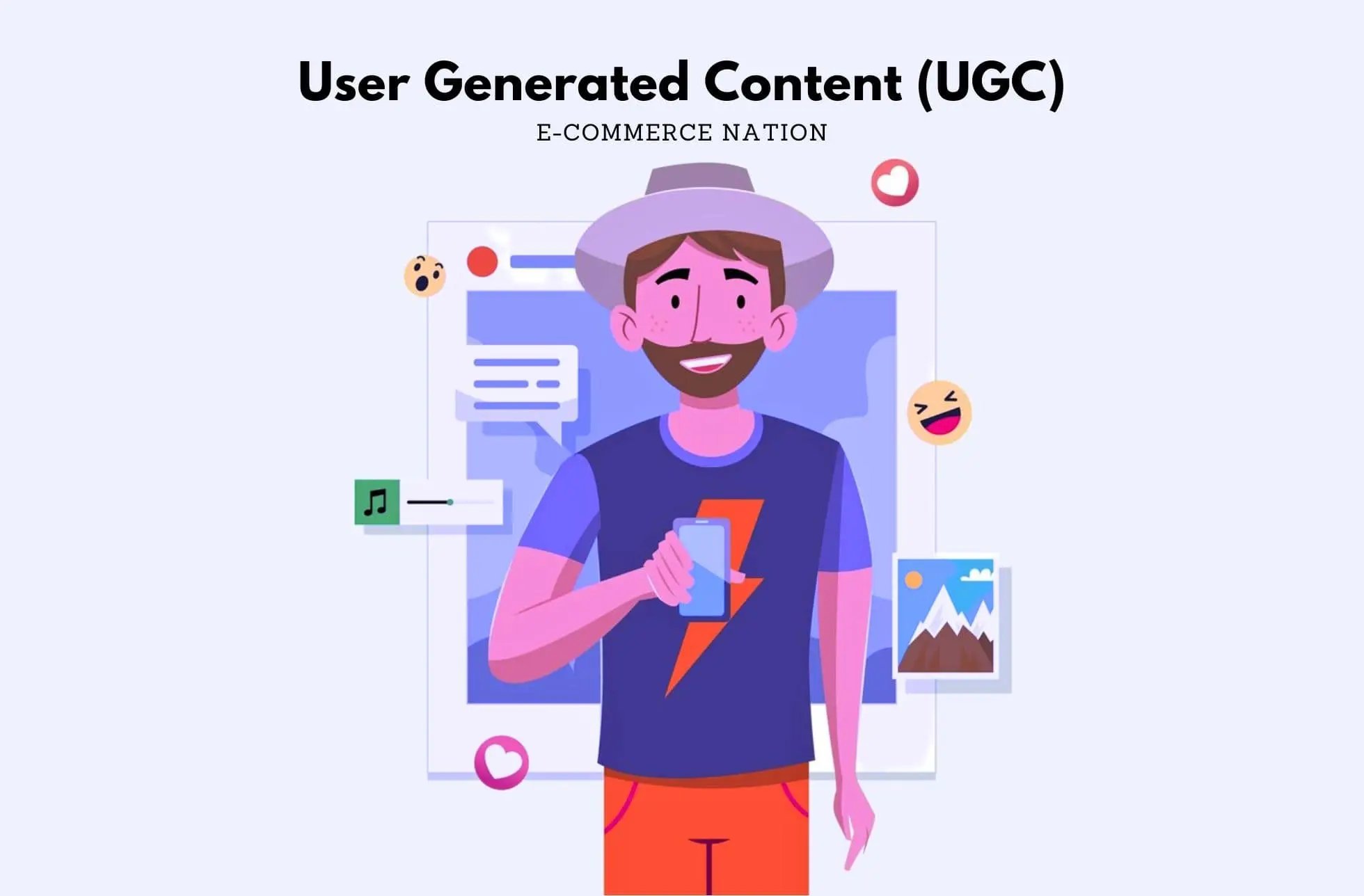
Have you ever heard of the acronym UGC? It refers to User-Generated Content. It relates to any form of content that is created by individuals who are not professionally affiliated with a brand. This can include customer reviews, testimonials, social media posts, photos, and videos. UGC is important in advertising because it adds credibility and authenticity to a brand's message. Consumers are more likely to trust content created by their peers rather than traditional, branded advertising. UGC also allows brands to engage with their customers on a personal level and tap into the creativity of their audience, and its complementary to other marketing tactics, like Instagram Ads. In this piece we will explore its details.

Imagine a clothing brand (maybe like this one) that encourages its customers to share photos of themselves wearing their products on social media using a specific hashtag. These user-generated photos not only showcase the brand's clothing in real-life situations but also demonstrate how customers style and enjoy the products. This type of UGC serves as a powerful marketing tool, as it allows potential customers to see the brand's products in action and gain a sense of trust and confidence in their quality.
UGC can also take the form of written reviews and testimonials. Many online retailers provide a platform for customers to leave reviews and ratings for products they have purchased. These reviews serve as a valuable source of information for potential buyers, as they provide insights into the product's performance, quality, and overall customer satisfaction. By incorporating UGC in the form of reviews, brands can showcase the positive experiences of their customers and build trust with potential buyers.
UGC ads have a significant impact on brand perception. They help build trust and credibility by providing real-life evidence of a brand's offerings. Let's explore two key ways that UGC ads can positively influence brand perception.
Trust is a crucial factor in any consumer-brand relationship. UGC ads help build trust by showcasing the experiences, opinions, and recommendations of real customers. When potential customers see that others have had positive interactions with a brand, they are more likely to trust that brand and consider its products or services.
For example, a brand can display UGC ads featuring satisfied customers using their products. These ads can include testimonials or quotes from customers, along with images or videos of them using the product. By showing real people with positive experiences, the brand builds credibility and trust with its audience.
Imagine a UGC ad for a skincare brand where customers share their before and after photos, along with their personal stories of how the brand's products transformed their skin. These authentic testimonials provide social proof and reassure potential customers that the brand's claims are genuine. This trust-building aspect of UGC ads can have a lasting impact on brand perception.
Consumers value authenticity more than ever. UGC ads provide an opportunity for brands to showcase their authenticity by giving their customers a voice. By featuring content created by users and customers, brands can demonstrate that they value their audience's opinion and are willing to engage with them on a personal level.
For instance, a brand can run a UGC campaign encouraging customers to share their experiences or creative interpretations of the brand's products. By highlighting this content in their ads, the brand shows that they appreciate their customers' input and are genuinely interested in their stories. This authenticity resonates with consumers and can positively impact their perception of the brand.
Consider a UGC ad for a fashion brand where customers are encouraged to share their unique styling ideas using the brand's clothing. By featuring these creative interpretations in their ads, the brand not only showcases the versatility of their products but also celebrates their customers' individuality. This approach fosters a sense of community and connection between the brand and its customers, enhancing brand authenticity.
Implementing UGC ads requires careful planning and execution. Here are two key strategies to consider when incorporating UGC into your advertising campaigns.
Not all UGC is suitable for every brand. It's important to identify UGC that aligns with your brand's values and resonates with your target audience. Conduct thorough research and analysis to understand the type of UGC that works best for your brand. Look for UGC that showcases your products or services in a positive light and reflects the desired image of your brand.
For example, if you are a beauty brand, you may want to focus on UGC that features customers demonstrating makeup tutorials or showcasing the results of using your products. On the other hand, if you are a travel brand, you may want to highlight UGC that captures scenic views or customer experiences during their travels.
Once you have identified suitable UGC, it's essential to integrate it seamlessly into your advertising campaigns. Ensure that the UGC ads align with your brand's visual identity and messaging. This can be achieved by incorporating your brand's logo, color scheme, and taglines into the UGC ads.
Consider using different formats such as social media posts, videos, or testimonials to keep your ad campaign dynamic and engaging. You can also leverage social media platforms and user-friendly tools to collect and curate UGC for your ads.
Measuring the success of UGC ads is crucial to understand their impact and make informed decisions for future campaigns. Here are two key performance indicators to consider when evaluating the effectiveness of your UGC ads.
One key performance indicator for UGC ads is engagement. Monitor the number of likes, comments, and shares that your UGC ads receive on social media platforms. This metric indicates how well your UGC ads are resonating with your audience and whether they are encouraging active engagement.

Another important metric to consider is conversion rate. Track the number of conversions, such as purchases or sign-ups, that result from your UGC ads. This metric illustrates how well your UGC ads are driving actual customer action and generating a return on investment.
To analyze the effectiveness of your UGC ads, compare the performance of your UGC ads to other types of ads. Analyze metrics such as click-through rates, conversion rates, and return on ad spend for UGC ads versus non-UGC ads. This analysis will help you determine the impact of UGC on your advertising campaigns and identify areas for improvement.
While UGC ads offer numerous benefits, brands may face challenges when implementing them in their advertising campaigns. Here are two common challenges and strategies to overcome them.
When using UGC in your ads, it's important to ensure that you have the necessary rights and permissions from the creators of the content. This includes obtaining consent to feature the content in your ads, giving proper attribution to the creators, and complying with copyright laws.
Develop a clear policy and guidelines for obtaining and using UGC in your ads. Educate your customers about your policy and encourage them to share their content within those guidelines. Additionally, consider using a legal team or consulting with experts to ensure that you are compliant with all legal requirements.
With UGC ads, maintaining quality and consistency can be challenging since the content is created by different individuals. To overcome this challenge, establish clear guidelines and provide examples of the type of content you are looking for. Encourage your audience to submit high-quality content that aligns with your brand's standards.
Additionally, consider implementing a review and approval process for UGC content. This way, you can ensure that the content meets your brand's guidelines before featuring it in your ads. Provide feedback to contributors to help them improve their content submissions and align with your brand's expectations.
UGC ads have proven to be a powerful tool for brands in enhancing brand perception, building trust, and boosting engagement. By incorporating UGC into their advertising campaigns, brands can tap into the authenticity and creativity of their audience. However, brands must carefully strategize and measure the success of their UGC ads while overcoming legal and quality challenges. By understanding the power of UGC and implementing it effectively, brands can elevate their advertising efforts and connect with their audience on a deeper level.

Did you know that 52% of US millennials use Pinterest? Among the myriad of platforms available, Pinterest has emerged as a powerful platform for enhancing e-commerce businesses. It allows to showcase their products and engage with potential customers. In this comprehensive guide, we will delve into the world of Pinterest Marketing Services, including its e-commerce ads, while exploring its basics, setting up a business account, developing a marketing strategy, and optimizing SEO to maximize your business's presence on Pinterest.
Pinterest is a visual discovery and bookmarking platform where users can discover and save ideas for various aspects of their lives. It provides a unique opportunity for businesses to showcase their products and services through visually appealing pins, which users can save and share.
When it comes to understanding the basics of Pinterest marketing, it's important to recognize the platform's user base. Pinterest has a predominantly female audience, with women in the age range of 18 to 34 years being the primary users. This demographic presents valuable opportunities for businesses targeting this specific audience.
One of the key aspects of Pinterest marketing is creating visually appealing pins that capture the attention of users. High-quality images, creative designs, and engaging content are essential for standing out in the Pinterest feed. Businesses can use this platform to showcase their products in a way that resonates with their target audience.
Pinterest marketing has proven to be a highly effective strategy for businesses in various industries. With over 450 million active users worldwide, businesses have the potential to reach a vast audience and increase brand visibility. The platform's user base is highly engaged, with users spending an average of 14.2 minutes per visit, making it an ideal platform for businesses to capture the attention of their target audience.
One of the key reasons why Pinterest marketing is essential for businesses is the strong intent to purchase among Pinterest users. According to a study conducted by Pinterest, 85% of weekly Pinners have made a purchase based on content they saw from brands on Pinterest. This presents a significant opportunity for businesses to drive conversions and increase sales.

In addition to the large user base and high intent to purchase, Pinterest offers unique features that make it a valuable platform for businesses. Rich Pins, for example, allow businesses to provide detailed information about their products, such as pricing, availability, and product descriptions. This additional information helps users make informed decisions and increases the chances of conversions.
Another valuable feature offered by Pinterest is Buyable Pins. These pins enable users to make purchases directly through the platform, without having to leave the site. This seamless shopping experience makes it easier for users to convert and provides businesses with a direct channel to drive sales.
Setting up a Pinterest business account is an important step towards establishing a strong online presence for your brand. By utilizing the platform's unique features and tools, you can effectively showcase your products or services to a wider audience. In this guide, we will explore the key elements of creating a compelling business profile and utilizing Pinterest Analytics to measure your success.
When it comes to creating your Pinterest business profile, attention to detail is crucial. Start by selecting a profile picture that accurately represents your brand. This could be your company logo or a visually appealing image that reflects your brand identity, and therefore, it will be the initial flag of your brand awareness in the mind of the consumer. Make it count!
In addition to a captivating profile picture, it is essential to provide a concise yet informative bio that highlights your business's unique selling points. Use this space to briefly explain what sets your brand apart from the competition and why users should follow or engage with your content.
Completing your profile with contact information and links to your website and other social media platforms is also crucial. This allows users to easily connect with your brand and explore your offerings further. By providing multiple avenues for engagement, you increase the chances of converting Pinterest users into loyal customers.
Once your business account is set up, it's time to dive into the world of Pinterest Analytics. This powerful tool provides valuable insights into your audience and the performance of your pins. By understanding these analytics, you can make data-driven decisions to optimize your marketing strategy and drive better results.

One of the key metrics to track is impressions, which refers to the number of times your pins are seen by users. By monitoring impressions, you can gauge the reach of your content and identify trends that resonate with your audience. Engagements, another important metric, measure the number of interactions users have with your pins, such as saves, clicks, and comments. By analyzing engagements, you can determine which pins are most effective in capturing users' attention and driving engagement.
Click-through rates (CTR) are yet another crucial metric to keep an eye on. CTR measures the percentage of users who click on your pins to visit your website or landing page. By tracking CTR, you can assess the effectiveness of your call-to-action and optimize your pins to drive more traffic to your desired destination.
By utilizing Pinterest Analytics, you can gain a deeper understanding of your audience's preferences, behaviors, and interests. This Data-Driven-Marketing allows you to tailor your content to better resonate with your target audience, resulting in increased engagement, conversions, and ultimately, business growth.
When it comes to developing a successful Pinterest marketing strategy, there are several key factors to consider. One of the first steps is identifying your target audience and understanding their preferences and interests. This can be done through thorough research and analysis of Pinterest Analytics.
By delving into the data provided by Pinterest Analytics, you can gain valuable insights into your target audience's behavior. This information will help you create content that not only resonates with them but also meets their needs and desires.
Then you should analyze your competitors. By studying what your competitors are doing on Pinterest, you can gain inspiration and identify opportunities to differentiate your brand.
Once you have a clear understanding of your target audience and have analyzed your competitors, it's time to start crafting your brand's Pinterest content strategy. Creating compelling and visually appealing content is crucial for success on this platform.
Pinterest encourages businesses to not only promote their products but also provide inspiration and helpful information to users. This means that your content strategy should go beyond simply showcasing your products. It should also include lifestyle pins, tutorials, and user-generated content.
By blending promotional pins with other types of content, you can establish your brand as an authority in your niche. This will help build trust with your audience and keep them coming back for more.
Overall, developing a Pinterest marketing strategy requires a deep understanding of your target audience, careful analysis of your competitors, and a thoughtful approach to content creation. By taking these steps, you can position your brand for success on Pinterest and tap into the platform's vast potential.
When it comes to advertising on Pinterest, there are several tools and strategies that businesses can leverage to maximize their reach and drive more traffic to their websites. Two of the most effective advertising tools on Pinterest are Promoted Pins and Pinterest Shopping Ads.
Promoted Pins are a powerful advertising tool that allows businesses to boost the visibility and reach of their pins. By strategically targeting specific keywords, interests, and demographics, promoted pins can help drive more traffic to your website, increase brand awareness, and generate leads and sales.
But how can you optimize your promoted pins to ensure they resonate with your target audience and encourage engagement? Crafting compelling visuals is key. Eye-catching images and videos can capture the attention of users as they scroll through their Pinterest feed. Additionally, compelling copy is essential. Your pin's description should be concise, yet persuasive, highlighting the unique selling points of your product or service. Finally, don't forget to include clear calls to action. Whether it's "Shop Now," "Learn More," or "Sign Up," a strong call to action can prompt users to take the desired action.
Pinterest Shopping Ads provide businesses with a unique opportunity to showcase their products to users actively searching for inspiration and research. These paid ads feature product information, pricing, and availability directly on Pinterest, making it convenient for users to explore and purchase products without leaving the platform.
For businesses looking to leverage Pinterest Shopping Ads effectively, there are a few key steps to consider. First and foremost, ensure that your product catalog is up to date and accurately reflects your inventory. This will help avoid any discrepancies or disappointments for potential customers. Additionally, optimizing your ads for mobile is crucial. Pinterest is primarily accessed through mobile devices, so it's essential to ensure that your ads are visually appealing and user-friendly on smaller screens. By doing so, you can maximize your reach and conversion potential.
Overall, Pinterest offers a range of advertising tools that businesses can utilize to expand their online presence and drive more traffic and sales. Whether it's through Promoted Pins or Pinterest Shopping Ads, taking advantage of these tools can help businesses connect with their target audience and achieve their marketing goals.
Keywords play a crucial role in Pinterest's search algorithm, making it essential to optimize your pins and boards with relevant keywords. Conduct thorough keyword research to identify popular search terms in your niche and strategically incorporate them into your pin descriptions, titles, and board names.
Consider using long-tail keywords to target specific niches and optimize your pins for different seasons, events, or trends to increase their visibility in search results.
Hashtags are another powerful tool to maximize your visibility on Pinterest. Research popular and relevant hashtags in your industry and incorporate them into your pin descriptions to increase the discoverability of your content.
Be strategic with your hashtags, using a combination of broad and specific terms to reach a wider audience while targeting users interested in your specific niche.
Mastering Pinterest marketing services is very helpful for businesses looking to expand their online presence and connect with their target audience. By understanding the basics, setting up a business account, developing a marketing strategy, utilizing advertising tools, and optimizing SEO, businesses can leverage Pinterest's potential to drive brand awareness, engagement, and conversions. Keep in mind that Pinterest is a dynamic platform, so continuously monitor analytics, adapt your strategy, and stay up to date with the latest trends to maintain a competitive edge in the ever-evolving world of social media marketing.
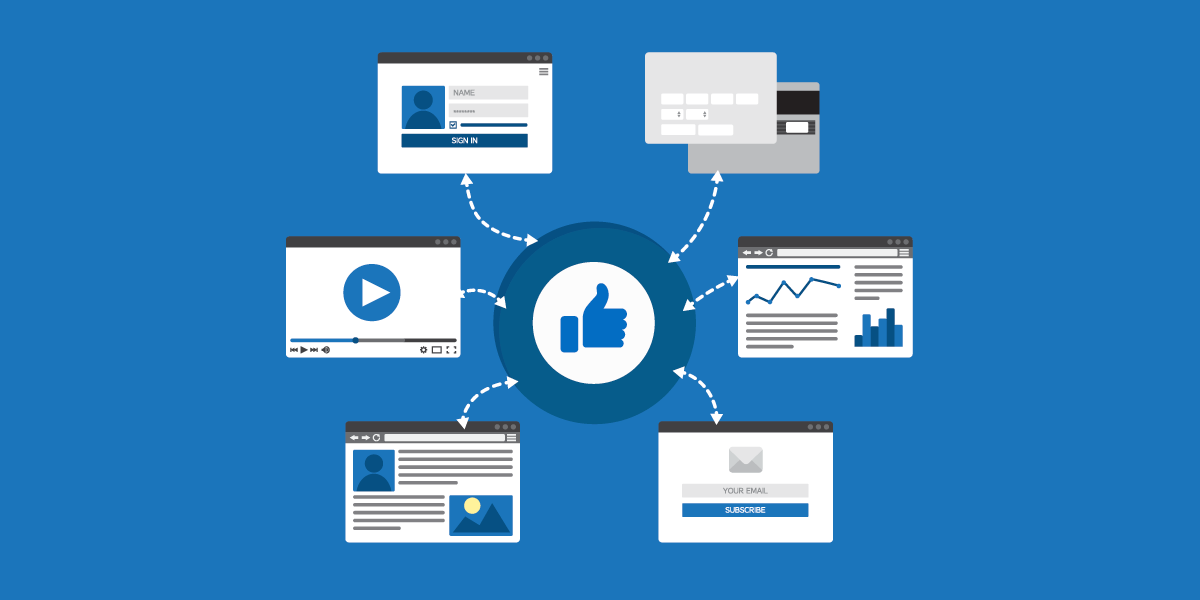
Facebook's Ad Policy can be a complex and daunting task, but it is crucial for advertisers to understand and comply with these policies in order to run successful ad campaigns on the platform. This policy serves as a set of guidelines that outline what types of ad content are allowed, what is prohibited, and what advertisers need to do to ensure compliance.
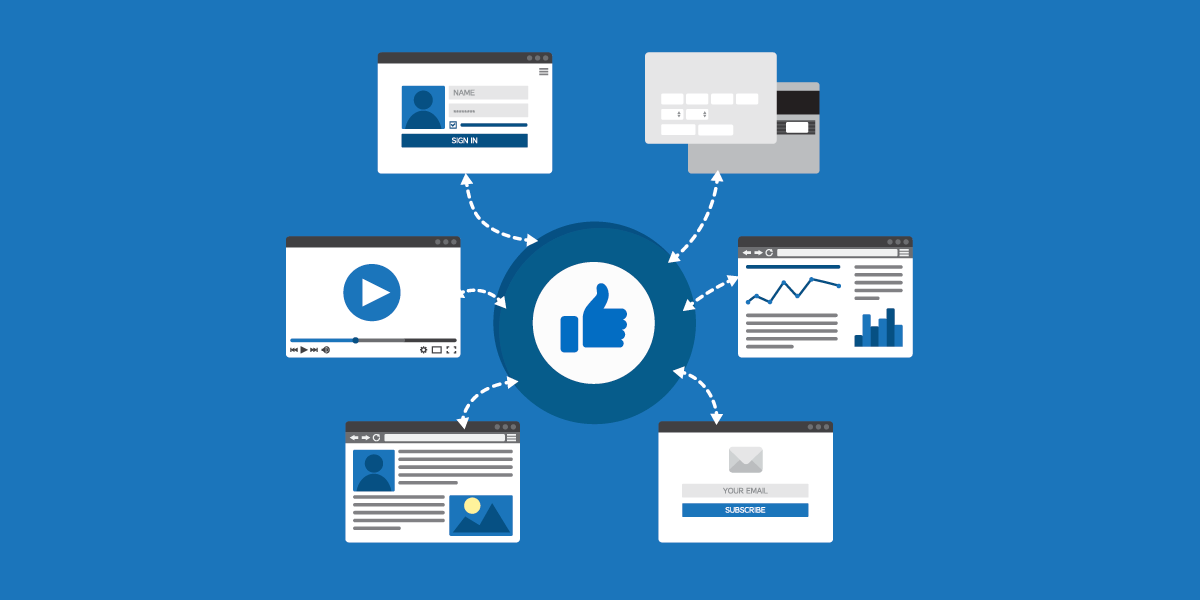
It is a comprehensive document that covers a wide range of topics, ensuring that advertisers adhere to ethical and legal standards. It not only protects users from misleading or offensive content but also maintains the integrity of the platform as a whole.
Facebook's Ad Policy covers a wide range of topics, including prohibited content such as illegal products, misleading claims, and offensive material. It also addresses rules regarding targeting, ad formats, and landing pages. Advertisers must familiarize themselves with these policies to avoid running afoul of the rules.
When it comes to targeting, Facebook's Ad Policy ensures that advertisers cannot discriminate based on factors such as race, ethnicity, religion, or gender. This promotes fairness and equality in advertising, preventing any form of discrimination or bias.
In terms of ad formats, Facebook provides various options such as image ads, video ads, carousel ads, and more. Advertisers must ensure that their ads meet the specified requirements for each format, including image dimensions, video length, and other technical specifications.
It also addresses landing pages. Advertisers must ensure that the landing page associated with their ads complies with the policy as well. This means that the landing page should provide accurate information and not contain any prohibited content or misleading claims. Be attentive at the development stage and reach out a web-development expert if necessary.
As you navigate Facebook's Ad Policy, you will come across various key terms that are important to understand. These include terms like "prohibited content," "restricted content," "ad disapproval," and "policy violations." Knowing the definitions of these terms will help you effectively navigate and comply with the policy.
"Prohibited content" refers to the types of content that are strictly forbidden on Facebook's platform. This includes illegal products, misleading claims, offensive material, and other content that violates the Ad Policy.
"Restricted content," on the other hand, refers to content that is allowed under certain conditions or restrictions. This may include content related to alcohol, gambling, or other sensitive topics that require additional scrutiny to ensure compliance with legal and ethical standards.
If an ad does not comply with Facebook's Ad Policy, it may be subject to "ad disapproval." This means that the ad will not be allowed to run on the platform until the issues are addressed and the ad complies with the policy.
Lastly, "policy violations" refer to instances where an advertiser repeatedly fails to comply with Facebook's Ad Policy. In such cases, Facebook may take further action, such as disabling the advertiser's account or limiting their access to certain ad features.
Understanding these key terms is essential for advertisers to navigate Facebook's Ad Policy effectively and ensure compliance with the guidelines set forth by the platform.
Compliance with Facebook's Ad Policy is critical for advertisers for several reasons. Failure to comply can result in serious consequences that may impact your ability to run ads on the platform. On the other hand, adhering to the policy can bring numerous benefits, including increased ad performance, improved ad placements, and increased trust from Facebook and its users.
Facebook's Ad Policy is designed to maintain a safe and positive advertising environment for users. By following the guidelines set by Facebook, advertisers can ensure that their ads are relevant, trustworthy, and respectful of user experience. This not only benefits the advertisers themselves, but also contributes to a better user experience on the platform and, at the end, boost sales.
Non-compliance with Facebook's Ad Policy can lead to a range of consequences, from ad disapprovals and restrictions to temporary or permanent account suspensions. These actions can severely impact your ability to reach your target audience and achieve your advertising goals. It is essential to understand the potential consequences and take steps to avoid them.
When an ad is found to be in violation of Facebook's Ad Policy, it may be disapproved, meaning it will not be shown to users. This can be a significant setback for advertisers who have invested time and resources into creating their campaigns. Additionally, repeated violations can result in further restrictions, such as limited ad delivery or even a complete suspension of the advertising account.
Temporary or permanent account suspensions can have far-reaching consequences. They not only prevent the advertiser from running ads but also disrupt ongoing campaigns, potentially leading to missed opportunities and loss of revenue. Rebuilding trust with Facebook after a suspension can be challenging and time-consuming, making it crucial to prioritize compliance from the start.
On the other hand, complying with Facebook's Ad Policy offers numerous benefits. Advertisements that adhere to the policy have a higher chance of being approved and reaching their intended audience. Compliance also helps build trust with Facebook and its users, which can lead to increased ad performance and better placements.
When an ad complies with Facebook's guidelines, it is more likely to be shown to the target audience, increasing the chances of engagement and conversions. By following the policy, advertisers can ensure that their ads are relevant, accurate, and respectful, enhancing the overall user experience on the platform.
Plus, compliance with Facebook's Ad Policy helps build a positive reputation for advertisers. When users see ads that are trustworthy and aligned with their interests, they are more likely to engage with them. This increased trust can lead to higher click-through rates, improved ad performance, and ultimately, better return on investment for advertisers.
By following the guidelines, you can ensure that your ad campaigns run smoothly and effectively. Adhering to Facebook's Ad Policy not only helps you avoid the negative consequences of non-compliance but also opens up opportunities for success and growth in your advertising efforts.
Now that you understand the basics of Facebook's Ad Policy and the importance of compliance, let's explore how you can ensure that your ads adhere to the policy guidelines.

Regularly reviewing your ads for compliance is essential. Carefully examine the content of your ads, including the text, images, and landing pages, to ensure they align with Facebook's guidelines. Keep in mind the guidelines regarding prohibited and restricted content, avoiding misleading claims, and using appropriate targeting criteria.
When reviewing your ads, pay close attention to the text used. Make sure it is clear, concise, and does not contain any language that could be considered misleading or deceptive. Additionally, check that the images used are relevant to the product or service being advertised and do not violate any copyright or intellectual property rights.
Another important aspect to consider is the landing page that users are directed to when they click on your ad. Ensure that the landing page provides accurate and relevant information related to the ad. It should also have a clear call-to-action that aligns with the purpose of the ad.
By thoroughly reviewing your ads, you can identify any potential issues and make the necessary adjustments to ensure compliance with Facebook's policy. It would be suitable to work with experts in the ad world to avoid any mistakes and ensure effectiveness.
Facebook provides a range of ad tools that can help you stay compliant with their policy. These tools include features that allow you to check your ad's compliance status, get feedback on policy violations, and resolve any issues that arise. Make use of these tools to proactively identify and address compliance concerns.
One of the key ad tools provided by Facebook is the Ads Manager. This tool allows you to manage and monitor your ads, providing insights into their performance and compliance status. It also offers a policy checker feature that scans your ads for any potential policy violations and provides recommendations on how to address them.
In addition to the Ads Manager, Facebook also offers a policy support team that can provide guidance and assistance in ensuring your ads comply with their policy. If you have any questions or concerns regarding your ad's compliance, you can reach out to this team for expert advice.
By utilizing these ad tools, you can stay proactive in maintaining compliance with Facebook's policy. Regularly check the compliance status of your ads, address any violations promptly, and seek assistance when needed to ensure your ads meet Facebook's guidelines.
Even with careful review and diligent adherence to the guidelines, issues with Facebook's Ad Policy can still arise. Here are some common issues you may encounter and their possible solutions.
If your ad has been disapproved, carefully review the feedback provided by Facebook to understand the specific violation. Make the necessary edits to bring your ad into compliance and then resubmit it for review. It is important to understand why your ad was disapproved to avoid similar issues in the future.
In some cases, you may receive a policy violation notice from Facebook. This typically occurs when multiple ads or your entire ad account has been found in violation of the policies. Take the time to thoroughly review the violations and implement the necessary changes to ensure future compliance. Consider seeking expert advice or consulting Facebook's support resources for additional guidance.
As an advertiser, staying up to date with policy changes and best practices is crucial for successful navigation of Facebook's Ad Policy.
Facebook's Ad Policy is dynamic and subject to regular updates. It is crucial to stay informed about these changes to maintain compliance. Subscribe to relevant newsletters, follow Facebook's official updates, and engage in industry forums to stay up to date with the latest policy modifications and best practices.
With all this, you have a complete notion of what it takes to ensure your ads comply with Facebook's policy and enjoy the benefits of successful ad campaigns on the platform.
Google Ads Conversion Tracking is a feature provided by Google that allows you to track and measure the actions taken by users on your website after they click on your Google Ads. It provides you with valuable data on the effectiveness of your ads and helps you understand which campaigns are generating the most conversions and revenue.
With Google Ads Conversion Tracking, you can set up conversion actions that align with your business goals. These actions can be as simple as tracking purchases or more complex, such as tracking form submissions or app downloads. By defining these conversion actions, you can accurately measure the success of your advertising campaigns and make data-driven decisions to optimize your marketing strategies.
By implementing Google Ads Conversion Tracking on your Shopify store, you can gain valuable insights into the performance of your ads. You can see which keywords, ads, and campaigns are driving the most conversions, allowing you to allocate your budget more effectively and focus on strategies that yield the best results.
Conversion tracking is essential because it allows you to measure the return on investment (ROI) of your advertising efforts accurately. By knowing which campaigns generate the most conversions and revenue, you can allocate your budget more effectively and focus on strategies that yield the best results.
With Google Ads Conversion Tracking, you can go beyond tracking clicks and impressions. You can track the actions that users take on your website after clicking on your ads, giving you a better understanding of the customer journey and the effectiveness of your marketing campaigns.
Conversion tracking provides you with valuable data that can help you refine your targeting, messaging, and landing pages to improve your overall conversion rates. By analyzing the data, you can identify trends and patterns that can guide your marketing decisions and help you optimize your campaigns for better results.
By analyzing the data, you can pinpoint any bottlenecks or areas where users are dropping off, allowing you to make necessary adjustments to improve the user experience and increase conversions. With this, you can accurately measure the ROI of your advertising efforts and make data-driven decisions to improve your overall conversion rates.
The first step in setting up conversion tracking is to enable the relevant settings on your Shopify store. This ensures that the necessary data is captured accurately to track and measure conversions. To do this, follow these steps:
In addition to Google Ads Conversion Tracking, it's also important to have Google Analytics set up on your Shopify store. Google Analytics provides a comprehensive overview of your website's performance and can give you insights beyond just conversions. To install Google Analytics, follow these steps:
By integrating Google Analytics with your Shopify store, you gain access to a wealth of data about your website visitors, including their demographics, behavior, interactions, bounce rate, time on site, and page views. This information can help you understand your audience better and optimize your marketing strategies accordingly.
Now that you have prepared your Shopify store, it's time to set up your Google Ads account for conversion tracking. Follow these steps to ensure that your Google Ads campaigns are accurately tracking the valuable actions taken by your website visitors.
If you haven't already done so, you'll need to create a Google Ads account. Visit the Google Ads website and sign up for an account. Once you have created your account, you'll need to set up your billing information and choose your ad campaign settings.
After creating your Google Ads account, you'll need to set up conversion actions. Conversion actions define the specific actions you want to track. To create a new conversion action, go to the Tools & Settings section in your Google Ads account and select "Conversions." Click on the "+" button to create a new conversion action. Follow the prompts to set up your conversion action, including the name, value, and other relevant details. Once you have configured your conversion action, you'll be provided with a conversion tracking tag.
Now that you have set up your Google Ads account and created conversion actions, it's time to integrate the conversion tracking tag with your Shopify store. By doing this, you'll be able to automatically track conversions and gather valuable data to optimize your campaigns.
To add the conversion tracking tag to your Shopify store, navigate to the Shopify admin panel and go to Online Store > Themes. Locate your current theme and click on "Actions" > "Edit Code." Find the "theme.liquid" file and insert the conversion tracking tag just before the closing tag. Save the changes, and the conversion tracking tag will now be implemented on your Shopify store.
After adding the conversion tracking tag to your Shopify store, it's important to verify that everything is set up correctly. To do this, go back to your Google Ads account and navigate to the "Conversions" section. Find the conversion action you created and click on the "Test" button. This will allow Google Ads to verify that the tracking tag is correctly installed on your website. Once the test is successful, you can be confident that your conversion tracking setup is working as intended.
While setting up Google Ads Conversion Tracking on Shopify is relatively straightforward, you may encounter some common issues along the way. Here are a few potential problems and how to solve them:
Accurate conversion data is essential for optimizing your Google Ads campaigns. To ensure that your conversion data is as accurate as possible, regularly monitor your tracking and test your conversion actions across different devices and scenarios. Additionally, keep an eye on your Google Analytics reports to gain further insights into user behavior and identify potential discrepancies in your conversion tracking.
As you see, Google Ads Conversion Tracking on your Shopify store is not as daunting as it may seem. If your store needs a technical overhaul before tracking can be properly implemented, working with Shopify development specialists ensures the theme and checkout code are set up in a way that doesn't interfere with tag firing. With the steps outlined in this guide, you can easily integrate this powerful feature into your marketing strategy. By accurately tracking conversions and utilizing the data insights, you can optimize your Google Ads campaigns for maximum profitability and drive more sales for your Shopify store.
But -if this isn't enough- don't take our word. Read some examples of successful Google Ads campaigns and revenue growth right here.
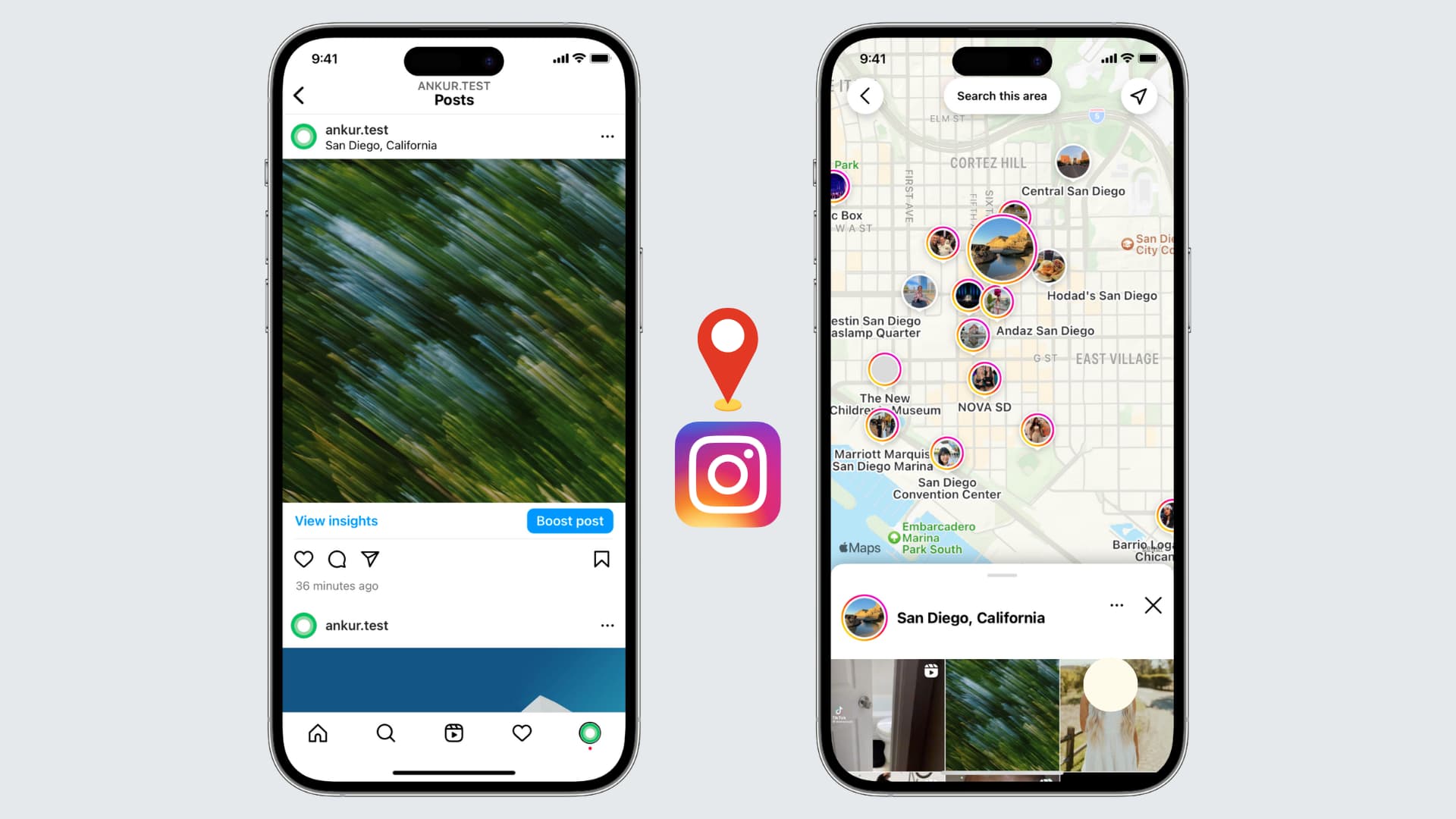
If you're an avid Instagram user looking to enhance your profile and connect with local followers, adding your location to your Instagram bio can be a game-raiser.
Before diving into the steps, it's essential to grasp why location plays a crucial role in your Instagram bio. The social media landscape, especially Instagram, thrives on personal connections and relatability. By including your location, you instantly provide potential followers with valuable information about where you live, work, or frequently visit. This simple piece of information can help foster a sense of trust and authenticity, making it easier to connect with others in your local community.
When you include your location in your Instagram bio, you are not only telling people where you are geographically but also giving them a glimpse into your lifestyle. For example, if you live in a bustling city like New York, your bio might indicate that you are a city dweller who enjoys the vibrant energy and cultural diversity that the city offers. On the other hand, if you live in a small town surrounded by nature, your bio might reflect your love for outdoor activities and a slower-paced lifestyle.
One of the primary benefits of adding your location to your Instagram bio is increased visibility. When users search for specific locations or browse through nearby profiles, having your location readily accessible in your bio gives you a better chance of appearing in those search results. This increased visibility can lead to new followers, collaborations, and even potential business opportunities.

Imagine you are a food blogger based in San Francisco. By including your location in your bio, you make it easier for people searching for food-related content in the city to discover your profile. This can result in more followers who are genuinely interested in your content and may even lead to collaborations with local restaurants or brands.
Location tagging also allows you to tap into the power of local hashtags. When you include your location in your bio, you can use location-specific hashtags in your posts to further boost your visibility. This strategy helps you connect with people who are actively searching for content related to your location, increasing the likelihood of engagement and interaction.
By including your location in your Instagram bio, you make it easier for local followers to find and connect with you. Whether you're looking to meet like-minded individuals, network with professionals in your area, or simply make new friends, adding your location can help attract the right audience. Building a strong local community on Instagram can lead to meaningful relationships both online and offline.
Now that you grasp the significance of adding your location to your Instagram bio, let's dive into the practical steps. Before making any changes, it's important to familiarize yourself with the Instagram app and navigate to your profile. Follow these steps to access your Instagram profile:
To access your Instagram profile, open the Instagram app on your mobile device and log in to your account. Once logged in, tap the profile icon, usually located in the bottom right corner. This will take you to your Instagram profile where all your posts, followers, and bio information are displayed.
Once you're on your Instagram profile, you'll be greeted by a visually appealing grid of your posts. This is where your creativity shines through as you curate a feed that reflects your personality and interests. Take a moment to browse through your posts, reminisce about the memories captured in each image, and appreciate the artistry you've shared with your followers.
Now that you've explored your posts, it's time to focus on your bio. Your Instagram bio is a small but powerful space where you can introduce yourself, showcase your passions, and leave a lasting impression on anyone who visits your profile. To make changes to your bio, navigate to the bio section by tapping the "Edit Profile" button located below your bio description. This will open up the editing options for your bio.
As you enter the bio editing screen, take a moment to reflect on who you are and what message you want to convey to your audience. Your bio should be a reflection of your personality, values, and interests. It's an opportunity to showcase your uniqueness and stand out from the crowd. Consider the tone you want to set, whether it's witty, professional, or heartfelt, and craft your bio accordingly.
Think about what makes you special and what sets you apart from others. Are you an avid traveler, a passionate foodie, or a dedicated fitness enthusiast? Incorporate these aspects into your bio to give people a glimpse into your world.
After you've made the necessary changes to your bio, take a step back and review it with a critical eye. Does it accurately represent who you are? Is it engaging and captivating? Make any final adjustments to ensure that your bio is a true reflection of yourself and leaves a lasting impression on anyone who stumbles upon your profile.
Now that you're in the bio editing section, you're ready to add your location. Simply follow these steps:
Within the bio editing section, locate the text field where your bio description is displayed. You can add your location information by typing it directly into the text field. It's important to be accurate and precise about your location to ensure the information is useful for potential followers.
After entering your location information, make sure to save your updated bio by tapping the "Save" button located in the top right corner of the screen. Once saved, your location will be visible in your Instagram bio, allowing others to easily identify your whereabouts.
Now that you know the steps to add your location to your Instagram bio, let's explore some additional tips to optimize your bio for maximum impact:
Incorporating relevant keywords related to your location can help attract specific audiences. For example, if you're a photographer based in New York City, including keywords like "NYC photographer" or "New York City-based artist" can help you stand out to users searching for those terms.
Hashtags are powerful tools for increasing your visibility on Instagram. Consider including location-specific hashtags in your bio to further connect with users interested in your area. This can expand your reach and help you gain exposure to a broader audience.

While adding your location to your Instagram bio is relatively straightforward, you may encounter some common issues along the way. Here are a few troubleshooting tips:
If your location isn't appearing in your bio after saving the changes, try refreshing your profile by closing the Instagram app and reopening it. Also ensure that your location settings are enabled in your device's privacy settings.
If you're unable to save your updated bio, double-check that you've entered your location information correctly and that you're connected to a stable internet connection. If the issue persists, try logging out and logging back into your Instagram account to resolve any temporary glitches.
By following these simple steps and implementing the tips mentioned, you can effortlessly add your location to your Instagram bio, boost your visibility, and connect with local followers. Embrace the power of location tagging and watch as your Instagram profile becomes a conversation topic.


.svg)