
Most Shopify stores are not under-tracked. They are over-reported. GA4 shows one revenue number, Shopify shows another, Meta claims it drove the sale, and Klaviyo claims credit too.
The average ecommerce team runs 17 to 20 platforms in their martech stack, yet 65% still cite data integration as their single biggest barrier to effective measurement. The problem is rarely a shortage of data. It is a shortage of the right tools, configured for the right questions.
This guide organizes the best ecommerce analytics tools by function so you can match each one to your business stage and budget, instead of buying everything at once and measuring nothing well.
Ecommerce analytics tools fall into four layers, and each layer answers a different question. Buying a Layer 4 profit analytics platform before you have clean Layer 1 tracking is like installing a turbocharger on a car with a broken engine.
The framework below moves from foundational to advanced. Most brands should start at Layer 1, validate that tracking is accurate, then add each subsequent layer as revenue and ad spend scale.

Google Analytics 4 is the standard starting point for any ecommerce store. It covers sessions, traffic source, conversion events, and basic funnel analysis at no cost. The trade-off is configuration overhead: GA4 requires proper event tracking, conversion goal setup, and custom channel groupings to be genuinely useful.
For stores under $1M in annual revenue, GA4 is the right primary analytics tool. For stores spending $20K or more per month on paid media, it is a necessary foundation but not a sufficient attribution solution.
Shopify's native analytics dashboard is included with every plan and requires no setup. It surfaces sales by channel, customer reports, and conversion rates directly from your store's transaction data. The limitation is scope: it only sees what happens inside Shopify, not the full marketing picture that drives customers there.
Use Shopify Analytics for operational decisions (top products, peak times, return rates) and a dedicated attribution tool for channel-level decisions.
Microsoft Clarity provides heatmaps and session recordings for free. It shows where users drop off, which elements get clicks, and how far people scroll on product and checkout pages. For diagnosing conversion problems, it is one of the highest-leverage free tools available. Pair it with your CVR data from Shopify to form testable hypotheses before running CRO experiments.
Once you are spending consistently on paid media across Meta, Google, and TikTok, platform-reported ROAS becomes unreliable. Each platform takes credit for conversions with overlapping attribution windows, inflating individual channel numbers by 20 to 60%. This is where purpose-built attribution tools become essential.
For a broader comparison of attribution approaches, see our breakdown of analytics platforms for DTC and SaaS brands.
Triple Whale is the dominant attribution platform for Shopify-first DTC brands. It pulls data from Shopify, Meta, Google, TikTok, and email into a single dashboard with real-time reporting and sub-3-second load times. Pricing starts at $129 per month, making it accessible for brands at the $500K to $5M revenue stage.
Triple Whale's strength is its unified "Pixel" that tracks individual purchase journeys across channels, giving you a single view of blended CAC and true ROAS. It also includes creative analytics so you can see which ad creatives are actually driving revenue, not just clicks.
Northbeam takes a different approach, combining multi-touch attribution with media mix modeling (MMM). It is built for brands with complex, multi-channel marketing setups and starts at around $1,000 per month. The investment makes sense once you are spending $100K or more per month on paid media and need modeling-level precision for budget allocation.
Northbeam is more configurable and better suited to brands that run both direct-response and brand-building campaigns simultaneously. For straightforward Shopify DTC operations, Triple Whale typically offers better value at lower spend levels.
Rockerbox sits between GA4 and Northbeam in terms of complexity and cost. It excels at unifying ad platform data with Shopify revenue in a clean, rules-based attribution model. It is a strong choice for brands that want more than GA4 offers but are not yet ready for the investment of Northbeam.
Owned channel performance belongs in a separate category because it answers a different question: how much of your revenue comes from customers you already have?
Klaviyo is the standard email and SMS platform for Shopify brands, and its analytics layer is more useful than most teams realize. Klaviyo attributes revenue directly from campaign to purchase with segment-level granularity, showing you which flows and campaigns are driving repeat purchases and which audience segments have the highest LTV.
Healthy ecommerce stores derive 25 to 40% of total revenue from email and SMS. If your owned channel share is below 15%, Klaviyo's analytics will quickly show you where the opportunity lies. Pricing is free up to 250 contacts, making it accessible at every stage.
For a deeper look at how analytics and email work together to build retention, see our guide on ecommerce analytics metrics that drive growth.
For brands running dedicated SMS programs, both Postscript and Attentive provide channel-level revenue attribution, opt-in source tracking, and A/B testing for SMS campaigns. The distinction matters because SMS subscribers often convert at 2 to 4 times the rate of email subscribers, and understanding which acquisition sources produce the highest-value SMS subscribers requires platform-native analytics.
This layer answers the question that earlier layers cannot: are the customers you are acquiring actually profitable over time?
Lifetimely is purpose-built for Shopify profit and customer analytics. It tracks contribution margin per order (factoring in COGS, shipping, and ad spend), runs cohort LTV analysis by acquisition source, and produces a profit and loss view that connects marketing spend to net margin. This is the tool that reveals whether a high-ROAS channel is actually generating profitable customers or just high-frequency returners.
Ecommerce brands should target a 3:1 LTV to CAC ratio as a baseline health benchmark. Lifetimely makes that calculation visible at the channel and cohort level, not just as a business-wide average.
BeProfit and Glew serve similar functions: pulling Shopify order data, COGS, and ad spend into profitability dashboards. BeProfit is more focused on unit economics per SKU and order, while Glew adds broader customer segmentation and channel analytics. Both are strong choices for brands that want profitability visibility without building custom data infrastructure.
StoreHero is a newer entrant focused on connecting ad efficiency to unit economics in a single dashboard. It is particularly useful for brands running multiple channels simultaneously and wanting to see contribution margin impact by campaign in near-real-time.
Choosing tools based on current revenue and ad spend avoids over-investing in complexity before you need it.
Under $500K ARR: GA4, Shopify Analytics, Microsoft Clarity. Focus on clean event tracking and understanding where conversion is breaking down before spending on attribution tools.
$500K to $2M ARR: Add Triple Whale once paid ad spend reaches $10K to $20K per month. Add Klaviyo from day one if you are running email. This stack answers the core questions at a cost that makes sense.
$2M to $10M ARR: Add Lifetimely or BeProfit for profitability visibility. Evaluate Northbeam if you are running heavy cross-channel campaigns and need media mix modeling. Your analytics budget at this stage should be 1 to 3% of total ad spend.
$10M and above: Consider a dedicated data warehouse (Snowflake or BigQuery) with a BI layer on top. At this stage, custom reporting built on first-party data often outperforms any off-the-shelf tool. For a broader view of how enterprise analytics stacks are assembled, see our guide to marketing analytics tools and how to choose the right stack.
The most common failure is purchasing attribution tools before fixing the tracking underneath them. If GA4 is missing conversion events, if Shopify orders are not being attributed to the right source, or if UTM parameters are inconsistently applied across campaigns, every layer on top of that foundation will report inaccurate data.
Before evaluating Triple Whale or Northbeam, audit your GA4 setup for event tracking completeness, verify that your Shopify order data is clean, and confirm that all paid campaigns use consistent UTM conventions. Attribution tools surface and amplify what is already in your data. They cannot fix a broken foundation.
A solid analytics stack built on accurate first-party data is the foundation of every paid media decision, budget allocation, and retention strategy that scales. The tools are available at every price point. The discipline to configure them correctly, and to act on what they report, is the actual differentiator.

Some of our best-performing ads aren't visually impressive, so don't get too hung up on animation or polish, trust the data.
Running "ugly" ads (aka real, lo-fi, less polished) could seem counterintuitive, but if done right, it can help to bring in new customers at a low cost, help convert retargeting audiences, and bring in more traffic to your site.
Consumers trust brands that feel attainable, authentic or aren't big $$$ brands. Ads that are too polished blend in with large companies and often don't attract consumers. Think about the sort of images that you see naturally occurring from other users on your Facebook and Instagram feeds - that is what we’re going for.
If your brand is new, cottage/boutique size, organic, all-natural, "made by moms", etc. then running less-polished" ads could be for you!
Using assets like UGC won't be pixel-perfect but do prove to be very popular and ads consumers trust.
Here are some examples of ads that are producing our best results right now:
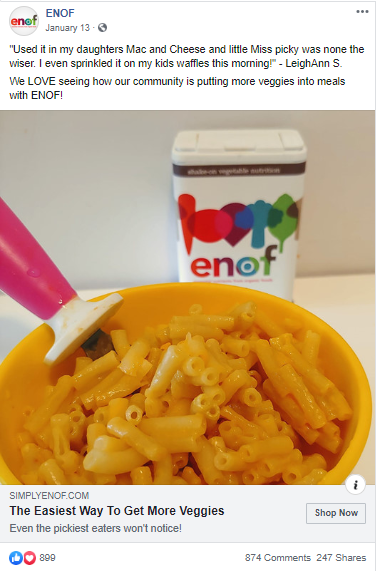
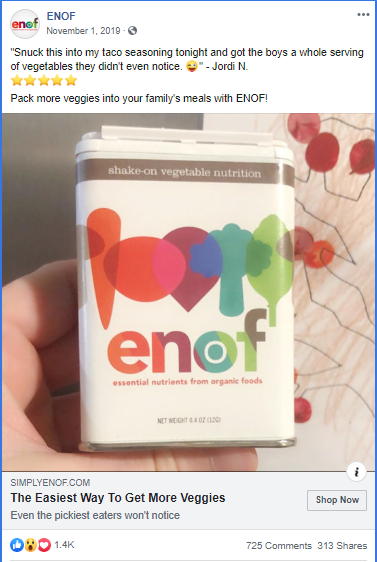
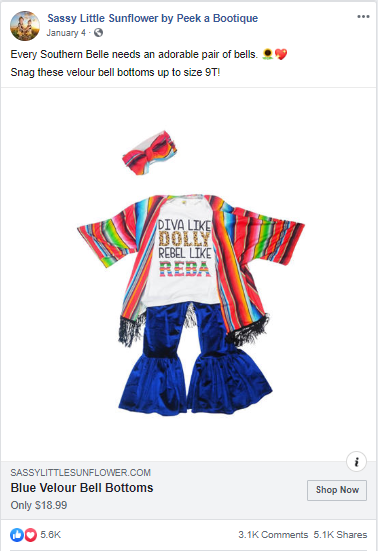
Ideas to test "ugly" ads:
Less production time helps you be faster to respond to trends, news, events, new stock, inventory issues, sales etc.
Flashy, polished ads don’t always mean great performance. So test out an “ugly” ad and see if it outperforms. You just might surprise yourself!

In this post, you'll learn:
Whether it’s a cart recovery system, upsells, a messenger bot, or a review platform, the right Shopify App can drive the conversation, streamline your workload, and boost revenue for your store in little more than a few clicks a week.
From improving conversion rates to bolstering consumer trust, you’d be hard-pressed not to find something a simple app can improve in your store.
But all that convenience comes at a cost. With over 1200 apps to choose from – many of which you’d need to pay for, right out of the gate – and no reliable way to test them, enterprising Shopify store owners can quickly find themselves overwhelmed and underwater
👋 This is exactly what we’re here for!
With decades of combined experience across hundreds of Shopify stores of every possible size and type, we’ve narrowed down the list of must-have apps to 26.
We’ve divvied these apps up into the must-have categories your store should cover, and further broken them down by cost and sophistication – so feel free to choose your own adventure with them at that point.
With this list in hand, you can’t go wrong wading into the Shopify App waters.
If you’re a digital seller, these are non-negotiable.

(Not to be confused with the Facebook Sales Channel)
If you want to advertise your products on Facebook (and you do), your best option is hands-down going to be Flexify.
1. Flexify (Free plan available. Additional charges may apply):
Sure, Shopify has the ability to add Facebook as a sales channel, which allows you to connect your product catalog to an ad account. But that will limit you (and any agency you might want to employ hint hint) in your product set creation and image-cropping options. Flexify’s free plan simplifies this whole process and does it very, very well. Flexify recently introduced its new superfeed which removes the need for pagination and can be used for Google, Pinterest, Snapchat, and Facebook.
(Not to be confused with the Google Sales Channel)
Same deal – if you’re into advertising on Google Shopping (and… you probably are), the Google Shopping Feed is your buddy.
2. Google Shopping Feed ($4.99/month. 21-day free trial.) Additional charges may apply):
Shopify has made an app to try to hook stores’ feeds into Google … but by all accounts (um, including ours), it’s awful. Do yourself a favor, skip the Shopify version and head straight to Google’s purpose-built feed app.
Repeat after us: Abandoned cart recovery = Revenue recovery

All stores need some sort of email marketing solution, which is how you’re going to at least start recovering these carts. Here are some of our favorite, low-risk options:
3. Recart ($29/month. 28-day free trial. Additional charges may apply.)
Also includes Facebook Messenger Recovery, where we’ve seen messages getting upwards of 70% open rates.
4. ShopSync (Free.)
If you’ve already got MailChimp as your email provider, nab this app for recovery. Mailchimp removed its partnership with Shopify and the only way to sync the platforms is with this app.
5. Klaviyo (Free to install. Additional charges may apply.)
Robust email platform, works beautifully with equally sophisticated stores, tons of automation options.
Got another email provider in place? See if they have a Shopify app and give it a go. The above are our favorites, but that doesn’t mean an email platform you love won’t perform adequately in its Shopify implementation. We’re just a little more skeptical (and how much do you really love that email provider anyway? 😉).
6. OneClickUpsell ($24.99/month. 30-day free trial.)
Although this app can be quite expensive, we’ve seen the OneClickUpsell app pay for itself many times over if set up properly.
7. Product Upsell by Bold Apps (From $9.99/month. 14-day free trial.)
This app is an awesome way to increase your average order value.
8. Persistent Cart (Free.)
With this app, you can keep your users logged into their cart across devices.
Capturing customers intent on leaving with some sort of promotion or discount can bump up store conversion rates, with less than 10 minutes of work.
9. Exit Offers ($9.99/month. 14-day free trial.)
10. Wheelio (From $14.92/month. 7-day free trial.)
11. Privy ( $10/month. 15-day free trial.)
When you’re good, you’re good. And you want everyone to know it.

We recommend most eCommerce stores have some sort of reviewing mechanism. They help build trust, build social reactions, and build your bottom line.
12. Product Reviews (Free):
Great for a simple review mechanism where you can manually upload reviews from other platforms, like Amazon.
13. Yotpo Reviews (Free to install. External Charges may apply.):
Perfect for a more complex reviewing mechanism – it verifies reviews to give customers a sense of trust, outputs them to your marketing on a kind of modified Facebook Dynamic Product Ad system, and more.
14. Growave (Free plan available. 14-day free trial.)
This all-in-one platform helps small- and medium-sized Shopify stores gather reviews, wishlists, loyalty programs, referrals, social login, and UGC to improve sales.
Live Chat/Messenger Shopify Apps
There are a ton of live chat apps out there and many of them work just fine. Below, however, are a few that we particularly like. Use them to answer questions, bot together some FAQ responses, direct consumers to the appropriate sections of your site or (😱) chat directly to your customers … live.
15. Chatra Live Chat + Facebook (Free plan available)
16. Tidio Live Chat (Free plan available. Additional charges may apply.)
17. Zendesk Support (Free to install. Additional charges may apply.)
18. Shogun (From $39/month. 10-day free trial.)
Custom landing page builder. Easy as pie, can fit your store theme almost out of the box.
19.Zipify (From $67/month. 14-day free trial.)
Smarter sales funnels & landing pages for your Shopify store.
20.PageFly Advanced Page Builder (Free plan available.)
Build landing pages, product pages, FAQ, home pages & funnels.
Every store is unique, with unique challenges. If your special set of circumstances seems to warrant a little something extra, one of these just may hit the spot.

More apps does not equal better store. In fact, more apps can slow your site down, confuse the systems in place, mess with your site formatting and even drive away confused customers (especially on mobile …yikes!). Consider your needs before implementing and monitor your results after 👍
21. SyncTap (Free plan available. 14-day free trial.)
Target highly profitable audiences with your Facebook ads in seconds!
22. Free Shipping Bar by Hextom (Free plan available.)
Top-of-site announcement bar for free shipping or some other sort of promotion (many themes have this as a built-in feature, just by the way. Check yours for it, first!).
23. Back in Stock (From $19/month. 30-day free trial.)
Run out of inventory quickly and often? Capture that audience before they leave the site. A pre-order app can also work well here, but this one is simpler than most.
24. Product Discount by Bold Apps ($19.99/month. 14-day free trial.)
Storewide sales, flash-sales, & scheduled sales with a click. Boom.
25. Recurring Orders & Subscriptions by Bold Apps ($19.99/month. 90-day free trial.)
For shops with a recurring business model.
26. ShipperHQ (from $50/month. 30-day free trial.):
Create an Amazon-like checkout experience with shipping rates and options that make sense, and convenient delivery options your customers will love. Instantly pull delivery dates from carriers, calculate the most accurate rates possible, set up unique shipping rules and restrictions for any checkout scenario, apply dynamic shipping discounts and promotions, automate LTL freight quoting and box selection for orders, and much more.
👉 Pssst: If you choose to upgrade to the paid version of any of these apps, you’ll need to be logged into your Shopify store as an owner to do so.
If you're ready to level up your Shopify store with less hassle and more help, book a call with us.
Most business owners running digital ads are trained early on to focus on ROAS. By definition, “return on ad spend” sounds like it MUST be the holy grail metric of digital marketing. You’ve spent money on advertising with the expectation that in return, you will receive revenue.
However, few words sum up the panic and despair you feel when, in the early days of your ad campaigns, you see $150 in Shopify revenue on one tab and $500 in ad spend on the other.
⬆️ Level up your ROAS with Snapchat ads. →
For most business owners, it’s impossible not to lose sight of the long-term goals.

In that moment, it’s important to take a step back and consider the bigger picture of what you’re trying to achieve, both as a company and in your digital campaigns.
The digital marketplace is complex. There are countless variables that influence whether or not someone buys from you.
😱 Are your analytics lying to you? →
Ad creative, ad copy, price, promotions, free shipping, the purchase process, trust in the brand, trust in the website, customer service, other sites selling the same product, other sites selling similar products, people who sit on a cart to decide – and then forget.
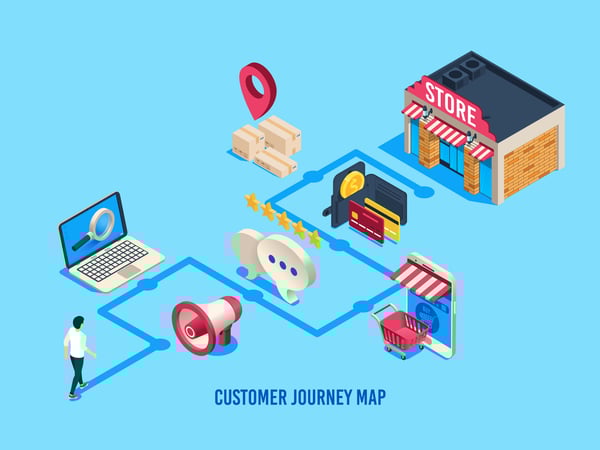
Every one of these variables – and many more – have a direct impact on whether you will get a return on your ad spend. And whether your company will be around in 6 months.
However it’s impossible to know, much less get these critical factors, right if your sole mission statement is to increase ROAS month over month.
Knowing and understanding what creates a growing and sustainable buying process requires time, iterating, testing and repeating – all of which require some ad spend.
No one wants to hear this: investing money to know your buyers’ process and what will make your company successful will lower your ROAS, as some of your money is diverted to testing. But invest, you must.

Founders are engineered to trust their gut, sometimes to a fault. They don’t want to spend money – or time – on iterating and testing because they are sure their assumptions are correct.
💊 Hard to swallow pill: Facebook ads don't always work. Here's why. →
The unfortunate reality is that the longer you begrudge ad spend on testing, the more money you waste on less effective ads, the lower your ROAS, and the longer you’re wasting money and suffering a low ROAS.

For instance, you may have perfected a BBQ rub that you sell out of every weekend at the local farmer’s marketing. You’re positive that as soon as you get your online store up and some ads running, your greatest obstacle will be keeping up with inventory. I mean, people LOVE this stuff. 😋
You get a Shopify account and start to run some ads. The ads are driving a lot of traffic to your site – you may even be getting some adds to cart. Unfortunately, your orders are bumping around 3 a day.
You may have forgotten to account for some of those critical variables or external factors we mentioned – like trust-building elements, shopping flow, technical issues and shipping issues. No one is buying from you for one or many reasons.
This is a classic case of "You don’t know what you don’t know."
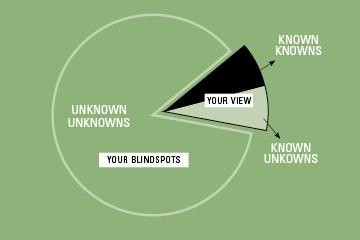
Credit: peerinsight.com
However, now that ads are driving traffic to the site, testing various usual suspects, you come to understand that people need some convincing with testimonials, BBQ awards logos, reviews, free samples – and they need free shipping to push past the finish line.
🍨 Get the scoop on conversion rate optimization. →
These external factors can be smoked out as quickly as possible (pun intended, see what we did there?), removing obstacles to people buying – and increasing that flow of ROAS back to you. But more importantly, you’re building a stronger company and a brand with staying power. You now know what’s important to your customers and are removing barriers that frustrate them. This is an exercise in growth marketing!
Let’s say your investment in market research by way of ad traffic pays off, and you get to a comfortable ROAS. It’s tempting to assume you’re good to coast into retirement on the back of your world class BBQ blend.
You may have hit a ROAS that makes you happy, but it’s important to continue viewing that number as one indicator metric of many. Even when it’s trending upward, it cannot become the focal point of your business.

As a growing company, it’s important to turn your attention and an allotment of your ad spend to understanding bigger metric fish: like the lifetime value of each customer.
And what makes one customer more valuable than another, and how do you specifically target more valuable customers?
Which customers are more likely to advocate for your product, resulting in more customers and more sales?
FEATURED RESOURCE: Use this spreadsheet to calculate critical KPIs like CPA, target ROAS, and gross profit.
Your main objective for the first few months of any digital campaign should be to come away with a deadly accurate pulse on your market conditions, your purchasing audience, what compels them to pay for your product and any obstacles getting in the way of paying for your product.
Armed with this knowledge, you can make critical decisions around HOW to market your product in digital ads, through a keen understanding of your audience’s pricing tolerance, preferred messaging and detailed targeting.
For the first phase of your digital campaign, ROAS is simply the cherry on top. You’re building the sundae from the bottom up, starting with:
While any business owner would jump at the above information, few actually get there. Far too many are dissuaded from the testing it takes to uncover this valuable information by one difficult truth: These kinds of objectives are often at odds with increasing short-term ROAS.
Unlocking seven or eight figures of revenue might mean taking a hit on the first few months of ad spend. Brace yourself – it may be even more with big ticket items or those with a long purchase path. That's not a bad thing if you're laying the foundations for long-term success!
🏫 Want to get schooled? Check out our free training resources. →
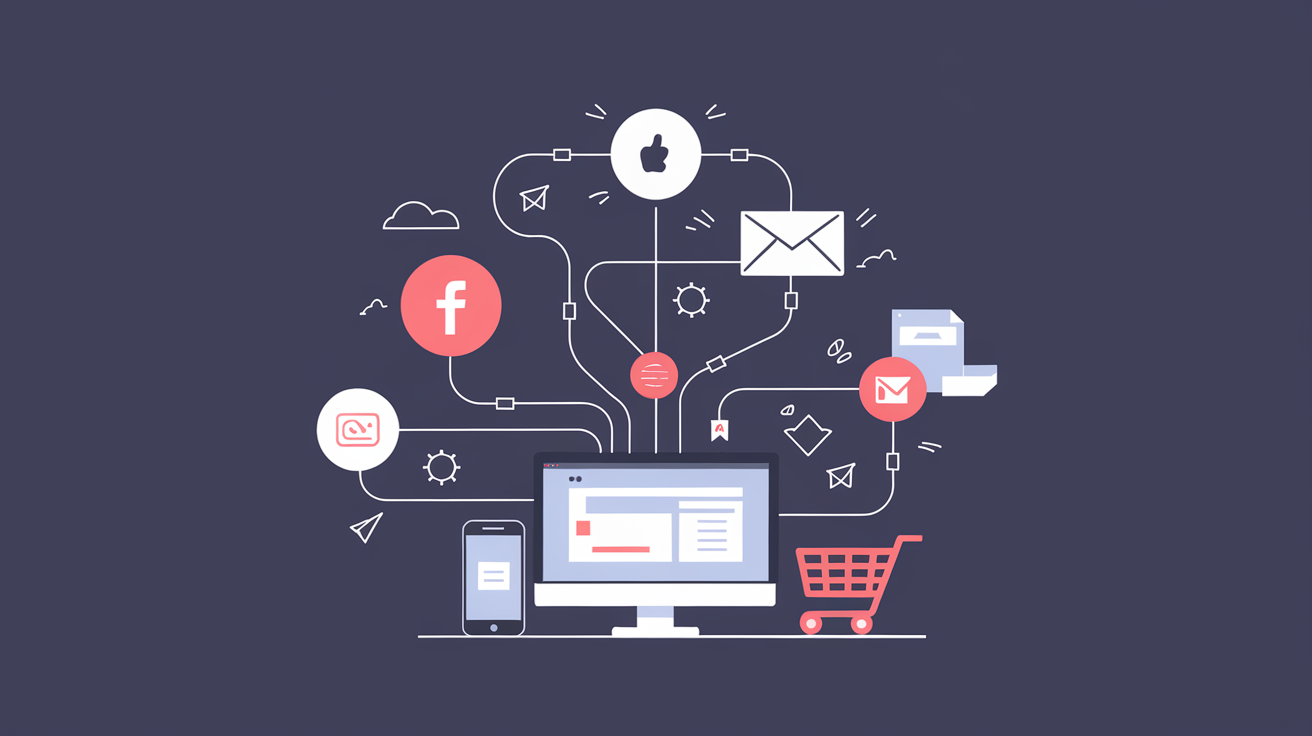
Your customers move between five or more channels before making a purchase. If those channels feel disconnected, you lose them. An omnichannel marketing strategy eliminates the gaps between touchpoints so every interaction builds toward conversion, not confusion.
For ecommerce brands scaling past seven figures, omnichannel is no longer a competitive advantage. It is the baseline expectation. The question is not whether to pursue it, but how to execute it without burning budget on channel sprawl.
Most ecommerce brands already operate across multiple channels. They run paid social, send email campaigns, maintain an organic search presence, and maybe show up on a marketplace or two. That is multichannel. But multichannel alone creates a fragmented experience.
Multichannel means being present on multiple platforms. Omnichannel means those platforms talk to each other. The distinction matters because customers do not think in channels. They think in experiences. A shopper who clicks a Facebook ad, browses on mobile, and completes a purchase on desktop expects the brand to recognize them at every step.
When channels operate in silos, you see these problems:
Avoiding common mistakes around channel consistency is step one. Building a connected system is step two.
A working omnichannel marketing strategy requires four structural elements. Miss any one of them and you end up with expensive multichannel instead of coordinated omnichannel commerce.
Every channel generates data. The problem is that most brands store it in separate systems. Your email platform knows purchase history. Your ad platform knows click behavior. Your site analytics know browsing patterns. None of them share the full picture.
A customer data platform (CDP) or a well-configured CRM solves this. Tools like Segment or Klaviyo can unify identity resolution across devices and channels, giving you a single customer view that powers every marketing decision.
What unified data enables:
Omnichannel does not mean identical content on every platform. It means a consistent brand story adapted to each channel's native format. Your Instagram creative should feel like it belongs to the same brand as your email campaigns and your product pages.
This requires:
Orchestration is the difference between sending a customer five disconnected messages and guiding them through a coordinated journey. It means your paid media, email, SMS, and on-site experience work together rather than competing for the same conversion.
Effective orchestration looks like this: StagePaid MediaEmail/SMSOn-SiteAwarenessProspecting ads with social proofWelcome sequence after lead captureBlog content with category CTAsConsiderationRetargeting with product-specific creativeBrowse abandonment flowsPersonalized recommendationsPurchaseDynamic product adsCart abandonment seriesUrgency messaging and reviewsRetentionLookalike suppression, loyalty offersPost-purchase and replenishment flowsAccount dashboard and reorder prompts
Choosing the right mix of channels matters enormously. Understanding how different growth marketing channels impact your business helps you prioritize where to invest before you orchestrate.
Single-channel attribution is a relic. If you only credit the last click, you will systematically undervalue the channels that introduce customers to your brand and overvalue the ones that close them.
Modern omnichannel measurement requires:
Tools like Triple Whale and Northbeam specialize in cross-channel attribution for ecommerce brands.
You do not need a single platform that does everything. You need a stack where data flows freely between tools. Here is a practical framework for assembling your omnichannel platform:
Data Layer: CDP or CRM that serves as the single source of truth. This is the hub that connects everything else.
Acquisition Layer: Paid social (Meta, TikTok), paid search (Google, Bing), and programmatic display. These channels should share audience and conversion data with your data layer.
Retention Layer: Email and SMS platforms with behavioral triggers. These should fire based on real-time customer actions, not static schedules.
Commerce Layer: Your ecommerce platform (Shopify, BigCommerce, or custom) feeding product, inventory, and order data back to the data layer.
Analytics Layer: Cross-channel attribution and reporting that pulls from all of the above.
The key criterion for every tool in the stack: does it integrate cleanly with the rest? A best-in-class tool that creates a data silo is worse than a good tool that plays well with others.
Even brands with the right intent get tripped up by execution errors. Here are the most common:
Expanding channels before mastering existing ones. Adding TikTok Shop because it is trending, while your email flows are still template-based and your paid social creative has not been refreshed in months, is a recipe for diluted effort. Master two or three channels before adding more.
Treating personalization as a feature, not a strategy. Dropping a first name into a subject line is not personalization. True personalization means adjusting the offer, the timing, and the channel based on where a customer sits in their journey. When done right, this keeps your sales funnel consistent across every touchpoint.
Ignoring post-purchase as a channel. The transaction is not the end of the customer relationship. Post-purchase email, SMS, and on-site experiences drive repeat purchase rate and lifetime value. Brands that treat omnichannel as an acquisition-only strategy leave significant revenue on the table.
Over-indexing on technology, under-indexing on process. Buying a CDP does not make you omnichannel. Having a clear process for how data flows, who owns each channel, and how campaigns are coordinated across teams is what makes it work.
Omnichannel marketing is not a project with a finish line. It is an operating model. The brands that win are not the ones with the most channels. They are the ones where every channel reinforces the same customer journey.
If you are running paid, email, and organic as separate workstreams with separate teams and separate dashboards, start here:
The shift from multichannel to omnichannel is not about doing more. It is about making what you already do work together. The brands that figure this out first will compound their advantage over the ones still running disconnected campaigns across disconnected platforms.
Omnichannel commerce is where ecommerce is heading. The only variable is how quickly your brand gets there.


.svg)