
Cost per user acquisition (also called customer acquisition cost, or CAC) is the single metric that determines whether a growth strategy is sustainable or just fast. Companies that grow their revenue while holding or reducing CAC build durable businesses. Companies that grow revenue while CAC climbs quietly are building a funding dependency.
Most companies calculate it wrong, benchmark it against the wrong reference points, and address it with the wrong levers. This guide covers all three.
CAC is not one number. It is three different calculations that serve three different purposes, and conflating them causes expensive decisions.
Blended CAC is total sales and marketing spend divided by all new customers acquired in the same period, regardless of channel. This includes customers from organic search, word-of-mouth, referrals, and direct traffic alongside paid acquisition. Blended CAC is what investors and finance teams typically want to see. It reflects the true average cost of growth.
Because it absorbs "free" customers from organic channels, blended CAC is always lower than paid CAC.
Paid CAC is only paid-channel spend divided by customers attributable to those channels. Paid CAC is consistently higher than blended CAC. The gap between the two quantifies how much your organic acquisition is subsidizing your paid media.
A company with a $200 blended CAC and a $600 paid CAC has a strong organic engine. If that organic engine weakens, the true cost of growth surfaces fast.
Channel-level CAC breaks acquisition cost out per channel: paid search, paid social, email, organic SEO, referral, outbound SDR. This is the most operationally useful view for budget allocation. A blended CAC of $400 can mask a paid social CAC of $900 and an organic SEO CAC of $80. Without channel-level breakdowns, you are allocating budget based on averaged-out noise.
The practical rule: use blended CAC to benchmark and communicate. Use paid CAC to evaluate paid media efficiency. Use channel-level CAC to allocate budget and cut underperforming channels.
The formula is simple: total sales and marketing spend divided by new customers acquired. The application is where teams go wrong.
What belongs in the numerator (spend): ad spend, marketing software and tools, sales team salaries and commissions, marketing team salaries, content production costs, and overhead allocated to those teams. Personnel costs represent 50 to 70% of true acquisition cost in most companies, yet many teams only count ad spend. Excluding salaries understates true CAC by 30 to 50%.
What belongs in the denominator (customers): net-new customers only. Reactivated churned customers and expanded accounts should not go here. If they do, CAC is artificially deflated and the business looks more efficient than it is.
Time-period mismatches are the other common error. Attributing one quarter's marketing spend against that same quarter's new customer count ignores conversion lag: campaigns take weeks or months to produce closed customers. A rolling three-month average, or lagging the denominator by one period, produces more accurate numbers.
Benchmarks are only useful when compared at the right level of specificity. Industry-wide averages obscure category and motion differences that determine whether a given CAC is healthy or alarming.
DTC Ecommerce benchmarks (2025-2026):
According to Userpilot's CAC benchmark research, fully loaded CAC across tracked ecommerce businesses averages significantly higher once personnel costs are included.
B2B SaaS benchmarks by motion:
The 16x gap between PLG and sales-led acquisition reflects the fundamental cost difference between product-driven trial conversion and outbound-heavy enterprise selling. Most SaaS companies should know which motion dominates their revenue and benchmark accordingly, not against a blended SaaS average that mixes both.
By acquisition channel (B2B SaaS, per First Page Sage's CAC report):
The channel-level data is the most actionable benchmarking layer. If your paid search CAC is $1,400 and the benchmark is $802, the gap is a diagnostic: you have a conversion problem, a targeting problem, or both.
CAC in isolation is incomplete. A $1,000 CAC for a customer worth $10,000 in lifetime gross profit is excellent. A $200 CAC for a customer worth $350 is a slow bleed.

The standard benchmark is a 3:1 LTV:CAC ratio as the minimum for sustainability: for every $1 spent acquiring a customer, the customer should generate $3 in lifetime gross profit. The median across tracked SaaS companies is approximately 3.2:1.
The ratio is only as good as the LTV estimate. Gross profit LTV, not revenue LTV, is the correct input. A SaaS company with 40% gross margins calculating LTV on revenue is overstating the ratio by 2.5x. A DTC brand calculating LTV on 12-month windows without modeling declining repurchase probability is making the same error in a different form.
The ratio also sets a per-customer budget ceiling: if average customer LTV is $10,000, maximum allowable CAC is $3,333 to maintain 3:1. This gives marketing a hard number to optimize toward, rather than an abstract efficiency goal.
The payback period answers a different question than LTV:CAC: not whether acquisition is profitable, but when it becomes profitable. For capital-constrained companies, this is often the more important metric.
Formula: CAC divided by (average monthly revenue per customer multiplied by gross margin percentage).
SaaS benchmarks:
According to The SaaS CFO's analysis of CAC payback benchmarks, self-serve B2B SaaS typically achieves 8.6-month payback while sales-led enterprise averages 14 to 24 months, reflecting the higher CAC and longer ramp to recognized revenue.
A rising payback period is a leading indicator of capital inefficiency before it shows up in the P&L. A company with 24-month payback is effectively lending its CAC to each new customer for two years. In a high-growth environment with available capital, that is fundable. In a capital-scarce environment, it becomes an existential constraint.
For DTC ecommerce, subscription conversion is the single biggest lever on payback period. A brand selling consumables with a 20% subscription take rate recovers CAC in 2 to 3 purchases; a brand with no subscription mechanic may need 5 to 7.
According to Paddle's analysis of CAC trends over time, average CAC has increased approximately 60% across B2B and B2C businesses since 2021. The proximate cause was Apple's iOS 14.5 ATT rollout in April 2021, which allowed approximately 75% of iOS users to opt out of cross-app tracking.
The downstream effect: Meta and Instagram lost the attribution layer their performance advertising was built on. Advertisers could not prove ROI with precision, so they bid more conservatively, CPMs rose, and acquisition costs climbed. Meta Q1 2025 CPMs hit $10.88, up 19.2% year-over-year.
The structural problem is broader than a single policy change. More brands compete on fewer dominant platforms. Cookie deprecation in Chrome has extended attribution gaps beyond mobile. Lookalike audiences are saturated from heavy use, forcing advertisers into colder inventory.
Creative fatigue cycles have shortened from 6 to 8 weeks to 2 to 3 weeks, increasing creative production cost as a share of total acquisition cost.
An important distinction: some of the observed CAC increase is real (higher CPMs, more competition) and some is measurement noise (lost attribution making conversion tracking incomplete, so reported CAC rises without actual costs rising equivalently). Both are real problems, but they require different solutions.
Not all CAC reduction levers are equivalent. Three have disproportionate impact.
Conversion rate optimization. Improving landing page or checkout conversion from 1% to 2% cuts CAC by 50% with zero change in spend. A 20% improvement at the highest-drop-off funnel stage has the same CAC impact as cutting the entire marketing budget by 20%. This is consistently the highest-ROI intervention available and the most neglected.
Referral programs. Referral CAC in B2B SaaS averages approximately $150, compared to $802 for paid search. Referred customers also show 16% higher lifetime value and 37% higher retention than non-referred customers. Referral programs are underused because the attribution is lagged and the economics only become obvious in hindsight.
Organic channel investment. Organic SEO CAC runs materially below paid equivalents in every measured category. The tradeoff is time: organic channels take 6 to 18 months to ramp, but they compound and do not reprice with every platform auction. As paid CAC continues climbing, the comparative economics of organic improve each year. For companies with a long enough horizon, investing in customer acquisition through organic channels produces the widest CAC differential over time.
Channel mix optimization, first-party data improvement, and retention investment all contribute as well. But the leverage hierarchy matters: fix conversion rates first, then build referral mechanics, then invest in organic, then optimize channel mix. Doing them in reverse order optimizes around a leaking funnel.
Cost per user acquisition is not just a marketing metric. It is the variable that determines how much capital a business needs to grow, how long investors will stay patient, and whether a company can reach profitability before its runway ends. The brands and SaaS companies that get this right are not necessarily spending less than their competitors. They are spending on channels with better unit economics, converting more of the traffic they already have, and building acquisition motions that improve over time.
If you want to audit your acquisition economics and identify where the highest-leverage improvements are, EmberTribe works with growth-stage DTC and B2B brands on programs designed to grow revenue without proportionally growing the cost to acquire it.

If you've encountered a Google Ads 500 Error, don't panic. This guide will take you through the process of understanding the error, exploring its impact on your Google Ads campaigns, and providing you with step-by-step instructions on how to troubleshoot and prevent similar errors in the future.
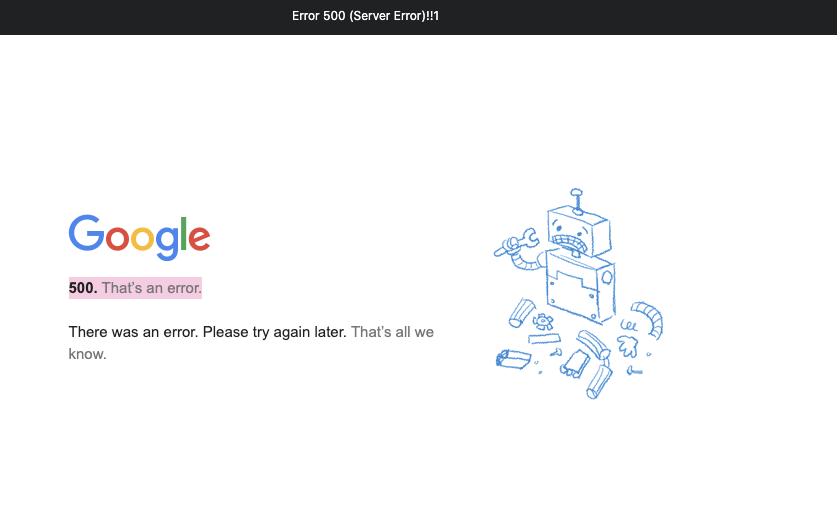
A 500 Error, also known as a Internal Server Error, indicates that an unexpected condition occurred, preventing the server from fulfilling your request. This could be due to a variety of factors, including misconfigurations, programming errors, or issues with the server infrastructure.
When you encounter a 500 Error, it's important to understand that the problem lies with the server, not your specific request or configuration. This means that you don't have direct control over resolving the error, but you can take steps to troubleshoot and report the issue to Google Ads support.
One possible cause of a 500 Error is a misconfiguration in the server settings. This could be related to the server software, such as Apache or Nginx, or the server's operating system. It's important to ensure that all server configurations are set up correctly and that any recent changes to the server's settings are thoroughly tested before deploying them in a production environment.
Another potential cause of a 500 Error is a programming error in the server-side code. This could be a bug or an issue with the code logic that is preventing the server from processing requests correctly. In such cases, it's crucial to review the server-side code, identify any errors or issues, and fix them accordingly.
When it comes to Google Ads, a 500 Error can have a significant impact on your advertising campaigns. The error interrupts the delivery of your ads, potentially leading to decreased visibility and potential revenue losses. Therefore, it's essential to address and resolve this issue promptly to ensure your ads reach their intended audience.
Not only can a 500 Error affect the delivery of your ads, but it can also impact the overall user experience on your website. If the error occurs when a user clicks on your ad and tries to access your website, they may encounter a blank page or an error message, leading to frustration and a negative perception of your brand.
A 500 Error can also impact your Quality Score in Google Ads. Quality Score is a metric used by Google to determine the relevance and quality of your ads and landing pages. If your website consistently returns 500 Errors, it may signal to Google that your website is unreliable or poorly maintained, resulting in a lower Quality Score and potentially higher advertising costs.
To mitigate the impact of a 500 Error on your Google Ads campaigns, it's crucial to monitor your ads and website regularly. Implementing a robust monitoring system can help you identify any server-side errors promptly and take immediate action to resolve them. Additionally, regularly testing your website's performance and functionality can help uncover any potential issues before they affect your advertising campaigns.

In some cases, your server might experience a momentary overload due to a sudden surge in traffic or other resource-intensive processes. This overload can result in a 500 Error. Monitoring and optimizing your server's performance can help prevent these issues.
Server overload can occur when your website experiences a significant increase in user traffic, causing the server to struggle to handle the load. This can happen during peak hours, when many users are accessing your website simultaneously. Additionally, resource-intensive processes such as running complex scripts or executing large database queries can also contribute to server overload.
To avoid server overload, it is essential to regularly monitor your website's traffic patterns and server performance. By identifying potential bottlenecks and optimizing your server's configuration, you can ensure that it can handle the expected load and prevent 500 Errors from occurring.
If you're using plugins or extensions in conjunction with your Google Ads campaigns, it's possible that one of them is causing conflicts and triggering the 500 Error. Disabling or updating these plugins can help resolve the issue.
Plugins and extensions can enhance the functionality of your website and provide additional features for your Google Ads campaigns. However, they can also introduce compatibility issues and conflicts that may lead to a 500 Error. These conflicts can occur when a plugin or extension modifies crucial files or interferes with the normal operation of your website.
To troubleshoot this issue, you can start by disabling all plugins and extensions and then enabling them one by one to identify the problematic one. Once you have identified the culprit, you can either update it to a newer version or find an alternative plugin or extension that provides similar functionality without causing conflicts.
In rare cases, corrupted files on your server can cause a 500 Error. These files may be integral to the functioning of your advertising campaigns. Identifying and repairing any corrupted files can help rectify the error.
Corrupted files can occur due to various reasons, such as incomplete file transfers, hardware failures, or software bugs. When these corrupted files are essential for the operation of your advertising campaigns, they can lead to a 500 Error and disrupt your Google Ads performance.
To address this issue, you can perform a thorough examination of your server's file system to identify any corrupted files. This can be done by checking file integrity using tools like checksum verification or by comparing file versions with known good copies. Once the corrupted files are identified, you can replace them with their undamaged counterparts or restore them from backups if available.
Regular backups of your website's files are crucial in mitigating the impact of corrupted files. By having up-to-date backups, you can quickly restore any corrupted files and minimize the downtime caused by a 500 Error.
With the causes in mind, let's now dive into the troubleshooting process for a Google Ads 500 Error.
Begin by inspecting your server logs. These logs can provide valuable insights into the underlying issue causing the 500 Error. Look for any error messages or indications of resource limitations. Analyzing these logs will guide you towards potential solutions.
If you suspect that a plugin or extension is triggering the error, disable them temporarily. Monitor whether the 500 Error persists. If the error disappears, it's likely that one of the plugins or extensions was the culprit. Gradually enable them one by one until you identify the problematic one. Updating or replacing that specific plugin or extension can resolve the issue.
If a corrupted file is causing the error, you'll need to locate and repair it. Consult with your server administrator or IT team to identify the affected files and work on restoring them. If possible, having regular file backups will prove to be invaluable in mitigating the impact of corrupted files.

Now that you've resolved the current 500 Error, it's essential to implement preventive measures to avoid encountering similar issues in the future.
Perform routine maintenance tasks on your server, ensuring that it remains optimized and up to date. Regularly monitor its performance and promptly address any potential issues that arise. By proactively managing your server, you can minimize the risk of encountering server-related errors.
Maintain a proactive approach towards managing your plugins and extensions. Regularly update them to ensure compatibility with the latest versions of other software or platforms you're using. Developers often release updates that address known bugs and vulnerabilities, reducing the chances of causing errors like the 500 Error.
Implement a reliable file backup system that performs regular backups of your important files. In the event of a corrupted file or other issues, having a recent backup can save you time and effort in resolving errors. Make sure that your backup system runs consistently and that you can easily restore files if needed.
By following these preventive measures, you'll greatly reduce the likelihood of experiencing Google Ads 500 Errors in the future, allowing your campaigns to run smoothly.
So, there you go: troubleshooting a Google Ads 500 Error might seem daunting, but with the right approach, it's entirely manageable. Understand the error, identify its causes, and follow the step-by-step guide provided. By implementing preventive measures, you'll not only troubleshoot the current error but also safeguard your campaigns from future disruptions. Keep your Google Ads running error-free and maximize their potential.
Most advertisers skip straight from campaign strategy to the Google Ads editor, writing headlines and descriptions directly in the platform. The result is often ad copy that looks fine in a text field but falls flat on the actual search results page. A mockup bridges that gap. It gives you a realistic preview of how your ad will appear to users, allowing you to evaluate messaging, formatting, and competitive positioning before a single dollar of budget is spent.
For growth-stage brands running five- and six-figure monthly budgets, this preview step is not optional. A poorly structured ad wastes impressions, drives up cost per click, and drags down Quality Score. A well-crafted mockup, on the other hand, helps you spot weak copy, misaligned extensions, and formatting issues before they cost you real money.
Before building your mockup, it helps to understand the canvas you are working with. Google Ads supports multiple formats including Search ads, Display ads, Video ads, Shopping ads, and Performance Max campaigns. Each format has distinct creative requirements and user contexts.
For the purposes of this guide, we will focus on Search ads, the most common format for lead generation and direct-response campaigns. A standard Responsive Search Ad (RSA) allows up to 15 headlines (30 characters each) and 4 descriptions (90 characters each). Google dynamically assembles combinations to find top performers, but what the user actually sees on the SERP follows a predictable structure:
Your mockup should replicate this structure as closely as possible so you can evaluate the full ad unit rather than isolated text fields.
Every effective ad starts with a clear goal. Are you driving purchases, generating leads, promoting a specific offer, or building brand awareness? Your objective dictates the messaging angle, the call to action, and the landing page you send traffic to.
Write your objective in a single sentence before touching any ad copy. For example: "Drive demo requests from mid-market SaaS buyers evaluating CRM solutions." This constraint keeps your messaging focused and prevents the common trap of trying to say everything in a single ad.
Before writing a word of copy, search for your target keywords and study what is already on the page. Take note of:
This competitive context is critical. Your ad does not exist in isolation. It appears alongside three or four other ads and ten organic results. Your mockup should account for this environment so your copy stands out rather than blends in.
With your objective defined and competitive landscape mapped, it is time to draft your headlines and descriptions.
Headlines: Focus on three categories of headlines to pin in positions one, two, and three:
Descriptions: Use these to expand on the promise in your headlines. Include specifics like pricing, time frames, customer counts, or results. Vague descriptions like "We offer great solutions for your business" waste valuable real estate.
Write at least three complete headline/description combinations so you can compare them side by side in your mockup.
Extensions are one of the most underutilized levers in Google Ads. They increase your ad's visual footprint on the SERP, provide additional click targets, and directly improve Quality Score and click-through rate.
Build these extensions into your mockup:
When you include extensions in your mockup, you get a realistic view of how much SERP real estate your ad will occupy versus a competitor running ads without extensions.

You have several options for assembling your mockup into a visual format:
Whichever method you choose, create mockups for both desktop and mobile. Mobile SERPs truncate headlines more aggressively and display fewer extensions, so your ad needs to communicate its core message in the first two headlines.
Your mockup process should include a budget framework, not just creative. Align your bidding strategy with your campaign objective:
Document your target CPC, daily budget, and expected impression share alongside your mockup. This gives stakeholders a complete picture of what the campaign will look like and what it will cost.
A mockup gets you 80 percent of the way to a strong ad, but real performance data closes the remaining gap. Google's RSA format inherently tests headline and description combinations, but you should also run structured experiments:
Run each test for at least two to three weeks or until you reach statistical significance, typically 100 or more conversions per variant.
Once your campaign is live, track these metrics to evaluate whether your mockup translated into real-world performance:

Your mockup is a living document. Revisit and update it as you gather performance data:
Even experienced advertisers fall into these traps:
Creating a Google Ads mockup is not extra work. It is the work that prevents wasted spend, misaligned messaging, and underperforming campaigns. By previewing your ad in context, refining copy against competitors, and building in extensions from the start, you set your campaign up to win from day one.
Start with a clear objective, research your competitive SERP, build a complete ad unit including extensions, and test relentlessly once you launch. The brands that treat mockups as a core part of their paid media workflow consistently outperform those that skip straight to the editor.

Google Ads invoicing can be a headache. As an advertiser, you must have a streamlined invoicing process to manage your Google Ads expenses effectively. Join us to deep into the Google Ads invoicing process and to discuss the importance of streamlining it. We will also provide you with a step-by-step guide on how to streamline your Google Ads invoicing and leverage the available tools.

When it comes to managing your online advertising campaigns, having a solid understanding of the Google Ads invoicing process is a must. With Google Ads, you have the ability to create and manage campaigns by bidding on keywords relevant to your business. But how does the invoicing process work?
Let's take a closer look:
While the Google Ads invoicing process may seem straightforward, advertisers often encounter challenges that can slow down their invoicing cycle. It's important to be aware of these challenges and find ways to address them effectively. Here are some common challenges:
By implementing effective strategies and leveraging available tools, advertisers can overcome these obstacles and optimize their invoicing workflow.
A well-optimized and streamlined Google Ads invoicing process can save you valuable time and resources. With automated invoicing and efficient reconciliation, you can minimize manual tasks and focus on more strategic aspects of your advertising campaigns.
Imagine a scenario where you no longer have to spend hours manually generating invoices, cross-referencing data, and double-checking calculations. By implementing a streamlined process, you can automate these tasks and free up time for more critical activities, such as analyzing campaign performance or brainstorming creative marketing strategies.
A streamlined invoicing process also allows you to allocate your resources more effectively. By reducing the time and effort spent on invoicing, you can redirect those resources towards other areas of your business that require attention, such as customer acquisition, product development, or expanding your marketing team.
One of the most significant advantages of a streamlined invoicing process is the improvement in accuracy and efficiency when managing your ad spend. By reconciling invoices promptly and regularly, you can identify any discrepancies or errors early on and address them quickly.
Imagine the frustration of receiving an invoice with incorrect charges or missing information. It not only wastes your time but also creates unnecessary confusion and potential financial discrepancies. However, with a streamlined process in place, you can minimize the chances of such errors occurring.
By automating the invoicing process, you can ensure that the correct charges are reflected in your invoices. This reduces the risk of overpayment and ensures that your financial records are accurate and up to date. Additionally, a streamlined process allows you to easily track and monitor your ad spend, helping you make informed decisions about your advertising budget and ROI.
Now that we understand the importance of streamlining the Google Ads invoicing process, let's explore a step-by-step guide to help you achieve this:
Streamlining your Google Ads invoicing process is crucial for efficient financial management and maintaining a healthy cash flow. By following these steps, you can simplify your invoicing procedures and ensure timely payments.
The first step in streamlining your Google Ads invoicing process is to set up automated invoicing. Google Ads provides various options for automated billing, such as automatic payments and monthly invoicing. By opting for automated invoicing, you can eliminate the need for manual invoicing and reduce the risk of errors.
Automated invoicing also ensures timely payments, as Google Ads will automatically charge your preferred payment method based on your advertising expenses. This eliminates the hassle of manually making payments and allows you to focus on other aspects of your business.
In addition to automated invoicing, Google Ads offers several billing features that can streamline your invoicing process. One such feature is budget orders, which allow you to set a specific budget for your advertising campaigns. By utilizing budget orders, you can control your ad spend and prevent unexpected billing surprises.
Google Ads also provides invoice notifications, which alert you when a new invoice is generated or when there are changes to your billing account. These notifications help you stay informed about your financial obligations and enable you to take prompt action if necessary.
Another useful billing feature is billing summaries. These summaries provide an overview of your advertising costs, including the amount spent, the number of clicks received, and the average cost per click. By regularly reviewing these summaries, you can gain insights into your campaign performance and make informed decisions regarding your advertising budget.
Another critical step in streamlining your Google Ads invoicing is to regularly review and update your billing information. It is essential to ensure that your payment methods, billing addresses, and contact details are accurate and up to date.
By maintaining accurate billing information, you can avoid payment delays or disruptions caused by outdated details. It is particularly crucial to review your billing information if you have recently changed payment methods or moved your business location.
Regularly reviewing your billing information also allows you to identify any discrepancies or unauthorized charges. If you notice any irregularities, you can immediately contact Google Ads support to resolve the issue and prevent any financial losses.
By following these steps and implementing best practices for Google Ads invoicing, you can streamline your invoicing process and ensure smooth financial operations. Remember, efficient invoicing not only saves you time and effort but also contributes to the overall success of your advertising campaigns.
Google Ads provides a range of tools designed specifically to streamline your invoicing process. These tools offer advanced features for budgeting, tracking ad spend, and generating detailed reports. Familiarize yourself with these tools to leverage their benefits and optimize your Google Ads invoicing.
Once you are familiar with the Google Ads billing tools, it's time to put them to use for efficient invoicing. Utilize the budgeting tools to set spending limits for your campaigns, monitor your ad spend regularly, and make adjustments as needed. Generate reports to analyze your campaign performance and identify areas where you can optimize your ad spend.

To ensure a smooth and efficient Google Ads invoicing process, it is essential to follow some best practices. Here are a few tips to help you:
Regularly review and update your account information, including payment methods, billing addresses, and contact details. This ensures that your invoices reach you correctly and prevents any disruptions or delays in payment processing.
Keep a close eye on your ad spend to prevent any unexpected surprises or discrepancies in your invoices. Regularly monitor your campaigns' performance, track your budget utilization, and make necessary adjustments to optimize your ad spend.
Stay informed about Google Ads' billing policies to ensure compliance and avoid unnecessary issues with your invoices. Familiarize yourself with their payment terms, refund policies, and any other relevant guidelines to maintain a healthy invoicing relationship with Google Ads.
Streamlining your Google Ads invoicing process is crucial for effective expense management and financial control. By understanding the basics of the Google Ads invoicing process, recognizing its importance, following a step-by-step guide, leveraging the available tools, and implementing best practices, you can streamline your Google Ads invoicing and optimize your advertising efforts. So, take the necessary steps today to enhance your invoicing process and maximize the benefits of Google Ads for your business.

Product-led growth (PLG) is a business strategy where the product itself serves as the primary driver of customer acquisition, activation, retention, and expansion. Instead of relying on sales teams or marketing campaigns to push prospects through a funnel, PLG companies let users experience the product first and convert themselves.
The model is not new, but it has become the dominant growth strategy for some of the fastest-growing software companies in the world. Slack, Dropbox, Zoom, Figma, and Notion all grew to billions in valuation by putting the product at the center of their go-to-market strategy.
For growth marketers, understanding PLG is essential because it fundamentally changes how you think about acquisition channels, conversion metrics, and the relationship between marketing and product.
Traditional sales-led growth follows a linear path: marketing generates leads, sales qualifies and closes them, and then customers begin using the product. In a PLG model, the sequence is inverted. Users start using the product first, often through a free trial or freemium tier, and commercial conversations happen after value has been demonstrated.
1. Acquisition Through the Product
In a PLG model, the product itself generates new users through built-in viral loops, referral mechanisms, and organic word-of-mouth. When a user shares a Figma design file with a colleague, that colleague becomes a new user. When a Slack workspace grows, every new team member becomes an active user without any marketing intervention.
This self-serve acquisition model dramatically reduces customer acquisition cost (CAC) because the product is doing work that would otherwise require paid advertising, content marketing, or outbound sales.
2. Activation and the "Aha Moment"
The most critical metric in any PLG strategy is time-to-value. How quickly can a new user experience the core benefit of your product? The best PLG companies obsess over removing friction from this path.
Activation rate, the percentage of new signups who reach a meaningful first action, is often the single most important metric for PLG companies. It directly correlates with long-term retention and willingness to pay.
Common activation benchmarks:
3. Expansion and Revenue Growth
PLG companies grow revenue primarily through expansion, not by acquiring new logos. Once a user is active and deriving value, the product naturally creates opportunities to upgrade:
This expansion motion is why PLG companies often have net revenue retention rates above 120%, meaning existing customers generate 20% more revenue year over year even before accounting for new customer acquisition.
PLG is not a universal solution. It works exceptionally well in specific conditions and poorly in others.
Many successful companies use a hybrid approach, running PLG for small and mid-market customers while maintaining a sales-led motion for enterprise deals. This is sometimes called a "product-led sales" model.
If you are considering a product-led growth strategy, the transition requires changes across product, marketing, and sales functions.
The foundation of PLG is giving users meaningful access to your product without requiring a purchase commitment. You have three primary models:
The key decision is how much value to give away for free. Too little and users never reach the activation moment. Too much and there is no reason to upgrade. The best PLG companies find the precise boundary where free users get enough value to stay engaged but need premium features to get maximum benefit.
You cannot optimize what you do not measure. PLG requires granular product analytics to understand how users move from signup to activation. Track:
Tools like Mixpanel, Amplitude, and Heap are purpose-built for this kind of product analytics. The data they provide becomes the foundation for optimizing your funnel and improving conversion at every stage.
Sustainable PLG growth comes from loops, not funnels. A growth loop is a mechanism where user activity generates inputs that drive more user acquisition. Common examples:
These loops compound over time, creating exponential growth trajectories that linear marketing campaigns cannot match.
PLG companies typically organize differently than sales-led organizations. Key structural elements include:
If you are running a PLG strategy, these are the metrics that tell you whether it is working: MetricWhat It MeasuresStrong BenchmarkActivation Rate% of signups reaching first value moment40-60%Free-to-Paid Conversion% of free users who upgrade5-7%Time to ValueHow quickly users experience core benefitUnder 5 minutesNet Revenue RetentionRevenue growth from existing customers120%+Viral CoefficientNew users generated per existing userAbove 0.5Product-Qualified LeadsFree users showing buying intentVaries by product
These metrics complement traditional growth marketing KPIs but reflect the product-centric nature of the PLG model.
While PLG originated in SaaS, its principles apply more broadly than most marketers realize. DTC ecommerce brands can adopt PLG thinking by:
The core principle is the same regardless of industry: reduce the barrier to experiencing your product, deliver value quickly, and let satisfied users become your most effective growth channel.
Product-led growth is not a tactic. It is a fundamental shift in how companies acquire and grow customers. The PLG model succeeds because it aligns the interests of the company with the interests of the user: deliver value first, capture revenue second.
For growth marketers, understanding PLG is no longer optional. Even if your organization runs a sales-led motion today, PLG principles around activation, time-to-value, and product-driven acquisition are shaping how every growth team operates. The companies that master this intersection of product and marketing will define the next era of growth.

Most growth-stage companies run their CRM and marketing automation as separate systems. The sales team works in the CRM. The marketing team works in the automation platform. Data flows between them inconsistently, if at all. This disconnection creates blind spots, wasted effort, and lost revenue.
Integrating your CRM with your marketing automation platform eliminates the gap between marketing and sales. It gives both teams a shared view of every lead and customer, enables smarter segmentation, and creates the feedback loops that drive continuous improvement. Below are the specific benefits and how to capture them.
Before diving into benefits, it helps to clarify what integration looks like in practice. A true integration is not just syncing contact lists between two platforms. It is a bidirectional data flow where:
This integration turns two isolated tools into a single growth engine that aligns marketing and sales around shared data and shared goals.
Without integration, marketing defines a "qualified lead" by one set of criteria and sales defines it by another. The result is predictable: marketing passes leads that sales ignores, and both teams blame each other for poor performance.
When marketing automation and CRM share data, you can build lead scoring models that incorporate both marketing engagement (behavioral data) and sales qualification (fit data). A lead who downloads three whitepapers, visits the pricing page, and matches your ideal customer profile in the CRM receives a higher score than a lead who only opened one email.
This composite scoring approach ensures that marketing only passes leads to sales when they meet both engagement and fit thresholds. The result is fewer wasted sales conversations and a higher conversion rate from SQL to closed deal.
Effective lead scoring is a foundational element of any strong lead generation program. Integration makes it possible to score based on the full picture rather than partial data.
Generic marketing campaigns produce generic results. The brands that outperform consistently are those that deliver the right message to the right person at the right time. CRM and marketing automation integration makes this possible at scale.
Personalization powered by CRM integration mirrors what we see in effective email marketing for ecommerce, where lifecycle triggers and behavioral data drive significantly higher engagement and revenue per recipient.
Long sales cycles cost money. Every additional week a deal sits in your pipeline consumes sales rep time, increases the probability of competitive loss, and delays revenue recognition. CRM and marketing automation integration compresses sales cycles by keeping leads warm and informed throughout the buying process.
The cumulative effect is a buyer who arrives at each sales conversation better informed, more confident, and closer to a decision. This is especially valuable for brands working to optimize their sales funnel end to end.
One of the most persistent challenges in marketing is proving ROI. Which campaigns actually influenced revenue? Which channels produce leads that close? Without CRM integration, marketing can only report on top-of-funnel metrics like leads generated and email engagement. With integration, marketing can trace revenue back to the campaigns, content, and channels that originated and nurtured the deal.
Closed-loop reporting transforms marketing from a cost center into a revenue contributor with provable impact. It also provides the data needed to maximize ROI by doubling down on campaigns that drive revenue and cutting those that do not.
Manual data entry is the silent killer of CRM adoption and marketing effectiveness. When reps must log every interaction manually and marketers must export and import lists between systems, data degrades quickly. Duplicate records, outdated information, and missing fields become the norm.
Clean, comprehensive data is the foundation of every other benefit on this list. Without it, scoring is inaccurate, personalization misfires, reporting is unreliable, and sales cycles drag.
The friction between marketing and sales is one of the oldest problems in business. Marketing complains that sales does not follow up on leads. Sales complains that marketing sends unqualified leads. This conflict is usually a data problem disguised as a people problem.
Alignment is not a soft benefit. Companies with tightly aligned sales and marketing teams consistently report higher revenue growth, shorter sales cycles, and better customer retention than those with misaligned teams.
The technical complexity of CRM and marketing automation integration varies depending on your stack. Native integrations (like HubSpot CRM with HubSpot Marketing Hub, or Salesforce with Pardot) require minimal setup. Cross-platform integrations (like Salesforce with Klaviyo or Pipedrive with ActiveCampaign) may require middleware like Zapier, Make, or custom API work.
For small businesses that want to skip the integration headache entirely, AI marketing tools that combine CRM and automation in one platform consolidate these functions so there's nothing to connect in the first place.
Integrating your CRM with marketing automation is not a technology project. It is a growth strategy. The benefits -- better lead quality, personalized journeys, shorter sales cycles, closed-loop reporting, operational efficiency, and team alignment -- compound over time.
The cost of maintaining disconnected systems is not just inefficiency. It is missed revenue: deals that stall because sales did not have context, leads that churn because marketing could not personalize, and campaigns that continue running because no one could prove they were not working.
Start with the integration, build the feedback loops, and let the data guide your growth.
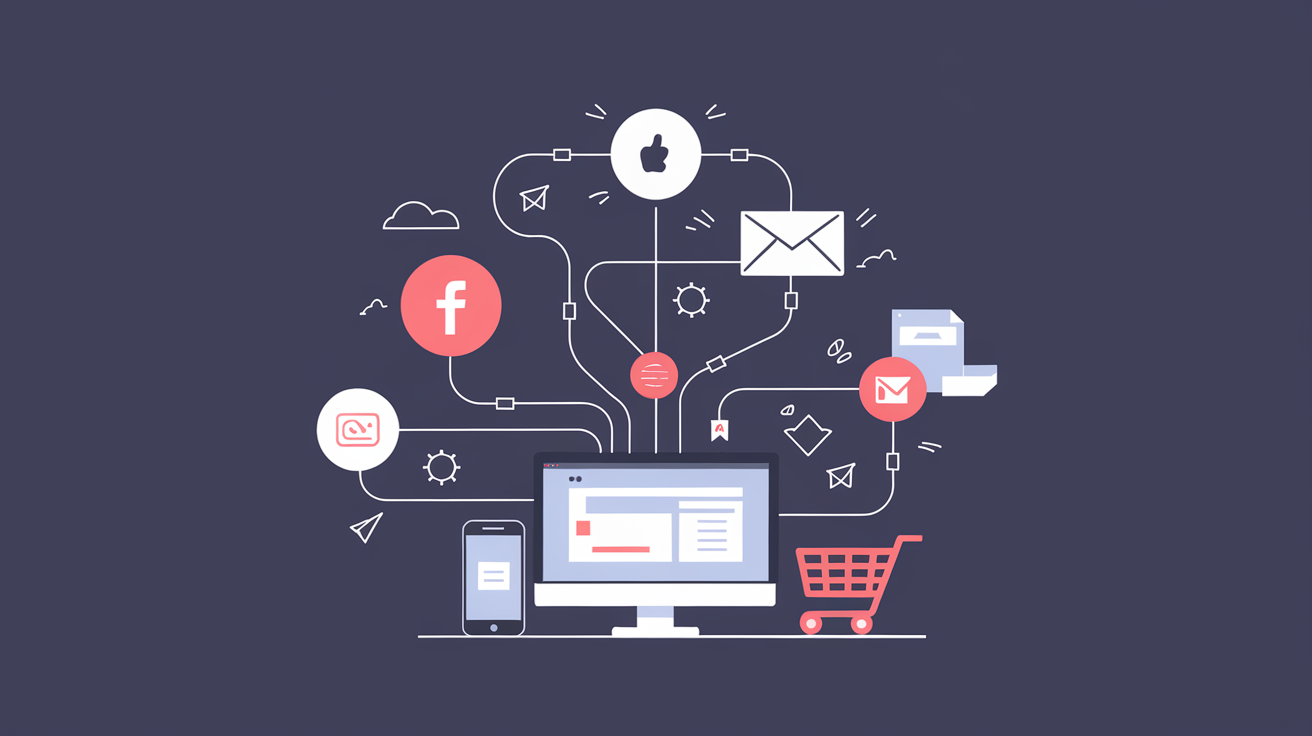
Your customers move between five or more channels before making a purchase. If those channels feel disconnected, you lose them. An omnichannel marketing strategy eliminates the gaps between touchpoints so every interaction builds toward conversion, not confusion.
For ecommerce brands scaling past seven figures, omnichannel is no longer a competitive advantage. It is the baseline expectation. The question is not whether to pursue it, but how to execute it without burning budget on channel sprawl.
Most ecommerce brands already operate across multiple channels. They run paid social, send email campaigns, maintain an organic search presence, and maybe show up on a marketplace or two. That is multichannel. But multichannel alone creates a fragmented experience.
Multichannel means being present on multiple platforms. Omnichannel means those platforms talk to each other. The distinction matters because customers do not think in channels. They think in experiences. A shopper who clicks a Facebook ad, browses on mobile, and completes a purchase on desktop expects the brand to recognize them at every step.
When channels operate in silos, you see these problems:
Avoiding common mistakes around channel consistency is step one. Building a connected system is step two.
A working omnichannel marketing strategy requires four structural elements. Miss any one of them and you end up with expensive multichannel instead of coordinated omnichannel commerce.
Every channel generates data. The problem is that most brands store it in separate systems. Your email platform knows purchase history. Your ad platform knows click behavior. Your site analytics know browsing patterns. None of them share the full picture.
A customer data platform (CDP) or a well-configured CRM solves this. Tools like Segment or Klaviyo can unify identity resolution across devices and channels, giving you a single customer view that powers every marketing decision.
What unified data enables:
Omnichannel does not mean identical content on every platform. It means a consistent brand story adapted to each channel's native format. Your Instagram creative should feel like it belongs to the same brand as your email campaigns and your product pages.
This requires:
Orchestration is the difference between sending a customer five disconnected messages and guiding them through a coordinated journey. It means your paid media, email, SMS, and on-site experience work together rather than competing for the same conversion.
Effective orchestration looks like this: StagePaid MediaEmail/SMSOn-SiteAwarenessProspecting ads with social proofWelcome sequence after lead captureBlog content with category CTAsConsiderationRetargeting with product-specific creativeBrowse abandonment flowsPersonalized recommendationsPurchaseDynamic product adsCart abandonment seriesUrgency messaging and reviewsRetentionLookalike suppression, loyalty offersPost-purchase and replenishment flowsAccount dashboard and reorder prompts
Choosing the right mix of channels matters enormously. Understanding how different growth marketing channels impact your business helps you prioritize where to invest before you orchestrate.
Single-channel attribution is a relic. If you only credit the last click, you will systematically undervalue the channels that introduce customers to your brand and overvalue the ones that close them.
Modern omnichannel measurement requires:
Tools like Triple Whale and Northbeam specialize in cross-channel attribution for ecommerce brands.
You do not need a single platform that does everything. You need a stack where data flows freely between tools. Here is a practical framework for assembling your omnichannel platform:
Data Layer: CDP or CRM that serves as the single source of truth. This is the hub that connects everything else.
Acquisition Layer: Paid social (Meta, TikTok), paid search (Google, Bing), and programmatic display. These channels should share audience and conversion data with your data layer.
Retention Layer: Email and SMS platforms with behavioral triggers. These should fire based on real-time customer actions, not static schedules.
Commerce Layer: Your ecommerce platform (Shopify, BigCommerce, or custom) feeding product, inventory, and order data back to the data layer.
Analytics Layer: Cross-channel attribution and reporting that pulls from all of the above.
The key criterion for every tool in the stack: does it integrate cleanly with the rest? A best-in-class tool that creates a data silo is worse than a good tool that plays well with others.
Even brands with the right intent get tripped up by execution errors. Here are the most common:
Expanding channels before mastering existing ones. Adding TikTok Shop because it is trending, while your email flows are still template-based and your paid social creative has not been refreshed in months, is a recipe for diluted effort. Master two or three channels before adding more.
Treating personalization as a feature, not a strategy. Dropping a first name into a subject line is not personalization. True personalization means adjusting the offer, the timing, and the channel based on where a customer sits in their journey. When done right, this keeps your sales funnel consistent across every touchpoint.
Ignoring post-purchase as a channel. The transaction is not the end of the customer relationship. Post-purchase email, SMS, and on-site experiences drive repeat purchase rate and lifetime value. Brands that treat omnichannel as an acquisition-only strategy leave significant revenue on the table.
Over-indexing on technology, under-indexing on process. Buying a CDP does not make you omnichannel. Having a clear process for how data flows, who owns each channel, and how campaigns are coordinated across teams is what makes it work.
Omnichannel marketing is not a project with a finish line. It is an operating model. The brands that win are not the ones with the most channels. They are the ones where every channel reinforces the same customer journey.
If you are running paid, email, and organic as separate workstreams with separate teams and separate dashboards, start here:
The shift from multichannel to omnichannel is not about doing more. It is about making what you already do work together. The brands that figure this out first will compound their advantage over the ones still running disconnected campaigns across disconnected platforms.
Omnichannel commerce is where ecommerce is heading. The only variable is how quickly your brand gets there.


Understanding the difference between upper funnel and lower funnel marketing is one of the most important strategic decisions a growth team can make. Where you invest — awareness or conversion — determines the type of customer you attract, the cost of acquiring them, and how fast your pipeline grows.
This guide breaks down upper funnel vs. lower funnel marketing across strategies, metrics, and tactics, so you can allocate budget and effort where it actually moves the needle.
The marketing funnel is a framework that maps the customer journey from first awareness to final conversion. At the top, potential customers discover your brand through advertising, content, or word of mouth. As they move down, they evaluate their options, compare alternatives, and eventually make a purchase decision.
The funnel gives marketers a shared language for diagnosing problems and allocating resources. If traffic is high but conversions are low, the issue is in the lower funnel. If nobody knows you exist, the upper funnel needs work. Without this framework, teams waste budget on the wrong activities at the wrong time.
The funnel is also not strictly linear. Customers enter at different stages, revisit earlier stages, and sometimes skip steps entirely. That makes continuous optimization and personalization essential — not optional.
Upper funnel marketing targets people who are not yet aware of your brand or product. The goal is visibility: getting your message in front of the right audience at scale, building brand awareness, and generating initial interest.
This is the stage where you are casting a wide net. You are not asking anyone to buy. You are introducing your brand, educating your audience, and earning their attention.
The upper funnel is defined by broad reach and low-commitment engagement. Key characteristics include:
Effective upper funnel strategies focus on reach and engagement without pushing for an immediate conversion:
Upper funnel success cannot be measured by conversions alone. The right metrics for this stage include: MetricWhat It MeasuresReachTotal unique people who saw your contentImpressionsTotal number of times your content was displayedBrand liftChange in brand awareness or perception after campaign exposureVideo view ratePercentage of viewers who watched a meaningful portion of your videoEngagement rateLikes, shares, comments, and saves relative to reachShare of voiceYour brand's visibility relative to competitors in the same spaceCPMCost per thousand impressions — the efficiency of your awareness spend
The key distinction: upper funnel metrics measure exposure and attention, not action. If you are evaluating upper funnel campaigns by ROAS alone, you are measuring the wrong thing.
Lower funnel marketing targets people who already know about your brand and are actively considering a purchase. The goal shifts from awareness to conversion: turning interested prospects into paying customers.
At this stage, prospects have done their research. They know what they need and are evaluating specific solutions. Your job is to remove friction, address objections, and make the purchase decision easy.
The lower funnel is defined by high intent and conversion-focused tactics:
Lower funnel marketing is about converting the demand that upper funnel campaigns generated:
Lower funnel metrics are tied directly to revenue and efficiency: MetricWhat It MeasuresConversion ratePercentage of visitors who complete a desired actionROASRevenue generated per dollar spent on advertisingCPA / CACCost per acquisition or cost per customer acquiredCart abandonment ratePercentage of shoppers who add items but do not complete the purchaseCustomer lifetime value (LTV)Total revenue a customer generates over their relationship with your brandRepeat purchase ratePercentage of customers who buy more than onceLead-to-customer ratePercentage of leads that convert into paying customers
Driving lower funnel conversions requires removing every obstacle between intent and action. Effective tactics include:
The best lower funnel strategies do not feel aggressive. They make the buying process easier, not pushier.
While both stages serve the same goal — revenue growth — the approach, audience, and metrics are fundamentally different. DimensionUpper FunnelLower FunnelGoalBuild awareness and generate interestConvert interest into purchasesAudienceBroad, often unaware of your brandNarrow, already engaged and consideringStrategiesContent, social, influencer, SEO, displayRetargeting, email, demos, promotionsMetricsReach, impressions, engagement, CPMConversion rate, ROAS, CPA, LTVContent typeEducational, entertaining, thought leadershipProduct-focused, testimonial-driven, offer-basedChannelsSocial media, display, video, blogEmail, retargeting, search ads, landing pagesTimelineLong-term pipeline buildingShort-term conversionBudget mindsetInvestment in future demandDirect return on spend
The biggest difference is where the customer's head is at. Upper funnel prospects are exploring — they have a problem but may not know the solution exists. Lower funnel prospects are deciding — they know the options and are choosing between them.
This means the same message will not work at both stages. An upper funnel audience needs education. A lower funnel audience needs conviction.
You will often hear "top of funnel" (TOFU) and "bottom of funnel" (BOFU) used interchangeably with "upper funnel" and "lower funnel." In most practical contexts, they mean the same thing:
The main difference is that the TOFU/MOFU/BOFU framework explicitly includes a middle stage — MOFU, or "middle of funnel" — which covers the consideration phase. The upper/lower framework sometimes folds consideration into either stage depending on the marketer.
For most teams, the terminology does not matter as much as the principle: different stages of the buyer journey require different strategies, content, and metrics. Whether you call it "top of funnel" or "upper funnel," the playbook is the same.
Knowing the theory is useful, but the real value comes from segmenting your audience by funnel stage and targeting them accordingly. Here is how to build those segments:
Upper funnel users show exploratory behavior:
Lower funnel users show purchase-intent behavior:
Most ad platforms and analytics tools let you create these segments directly:
The goal is to stop treating all prospects the same. A first-time visitor and a cart abandoner should see completely different messages.
The biggest mistake teams make is treating upper and lower funnel as separate efforts run by different people with different goals. In reality, they are two halves of the same engine.
Upper funnel campaigns that do not feed the lower funnel are wasted awareness. Lower funnel campaigns that run without upper funnel support eventually exhaust their audience and see rising CPAs.
Here is how to align them:
Teams that build a connected full-funnel strategy consistently outperform those that optimize each stage in isolation. The upper funnel feeds the lower funnel. The lower funnel validates the upper funnel. Neither works as well alone.
Upper funnel vs. lower funnel marketing is not a question of which one matters more. Every business needs both. The key is understanding what each stage requires — different strategies, different metrics, different content — and aligning them into a growth system that compounds over time. Start by identifying where your biggest gaps are today, then build a strategy that connects awareness to conversion at every step.


.svg)